Converting Date Data with Year Information Only in the First Row
In open data, the format of date columns can sometimes be unique. For example, there are cases where the “Year” information is only present in the first row, while subsequent rows contain only “Quarterly” information.
When converting such data into a Date type, traditional procedures required multiple complex steps, such as “Extracting the Year,” “Filling Missing Values,” and “Concatenating Strings.”
However, by using Exploratory’s “AI Prompt” feature, it is possible to efficiently execute date conversions involving complex logic using only natural language instructions.
The Problem
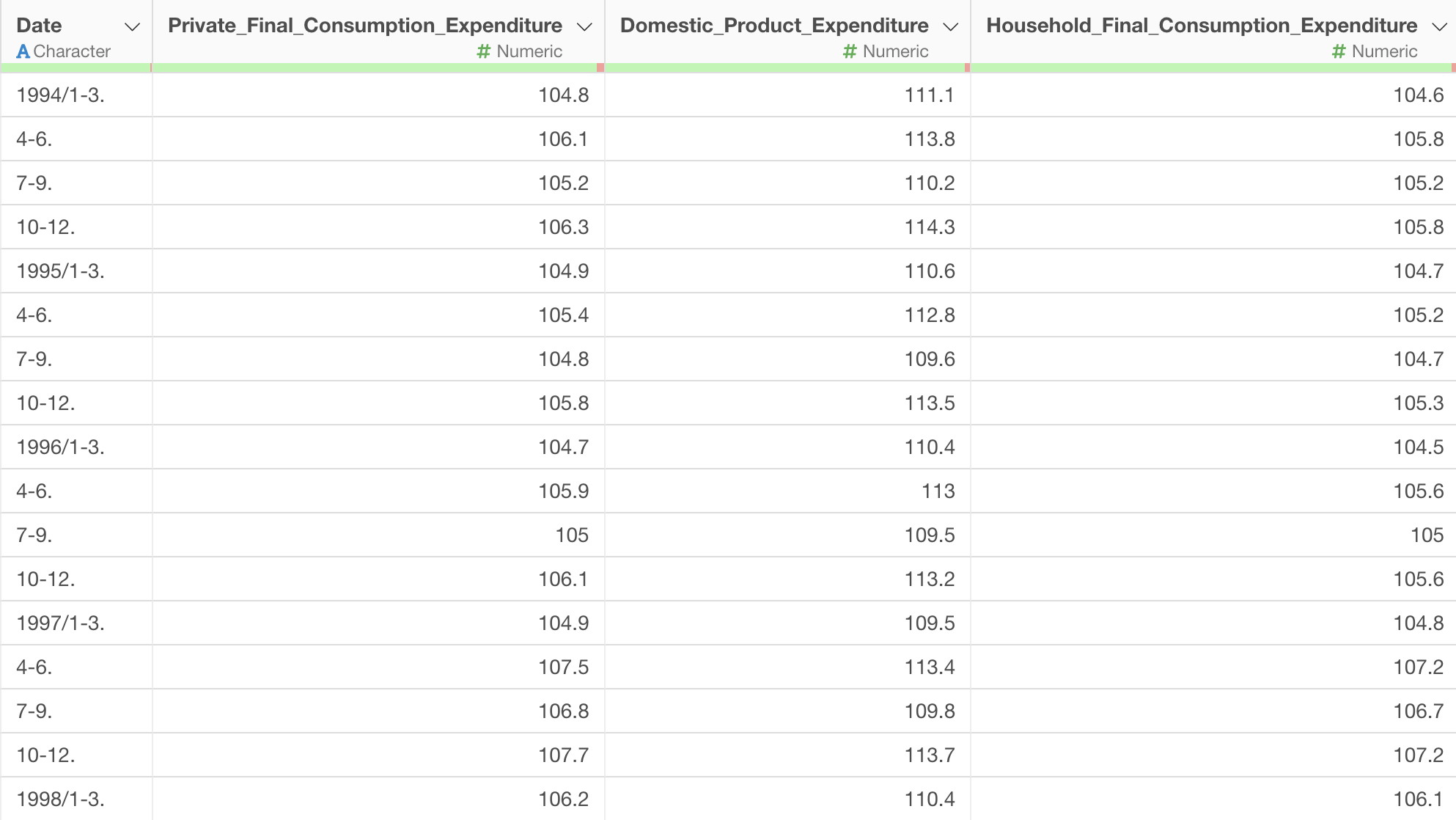
In the “Date” column of imported data, if the year information (e.g., “1994”) is only recorded in the first row of each year, and the following rows only list symbols indicating quarters (e.g., 1-3, 4-6, etc.), the data will not be recognized as a Date type as is.
To handle this format correctly, it is necessary to supplement each row with the appropriate “Year” information and convert it into the starting month of the quarter before transforming it into a Date type. Attempting to do this through UI operations alone would require a combination of creating calculations and filling missing values, which is very time-consuming.
Solution
The data used in this example is open data called the “Quarterly Deflator.”
In this data, the “Year” information exists only in the first row, and the subsequent rows contain only “Quarterly” information.
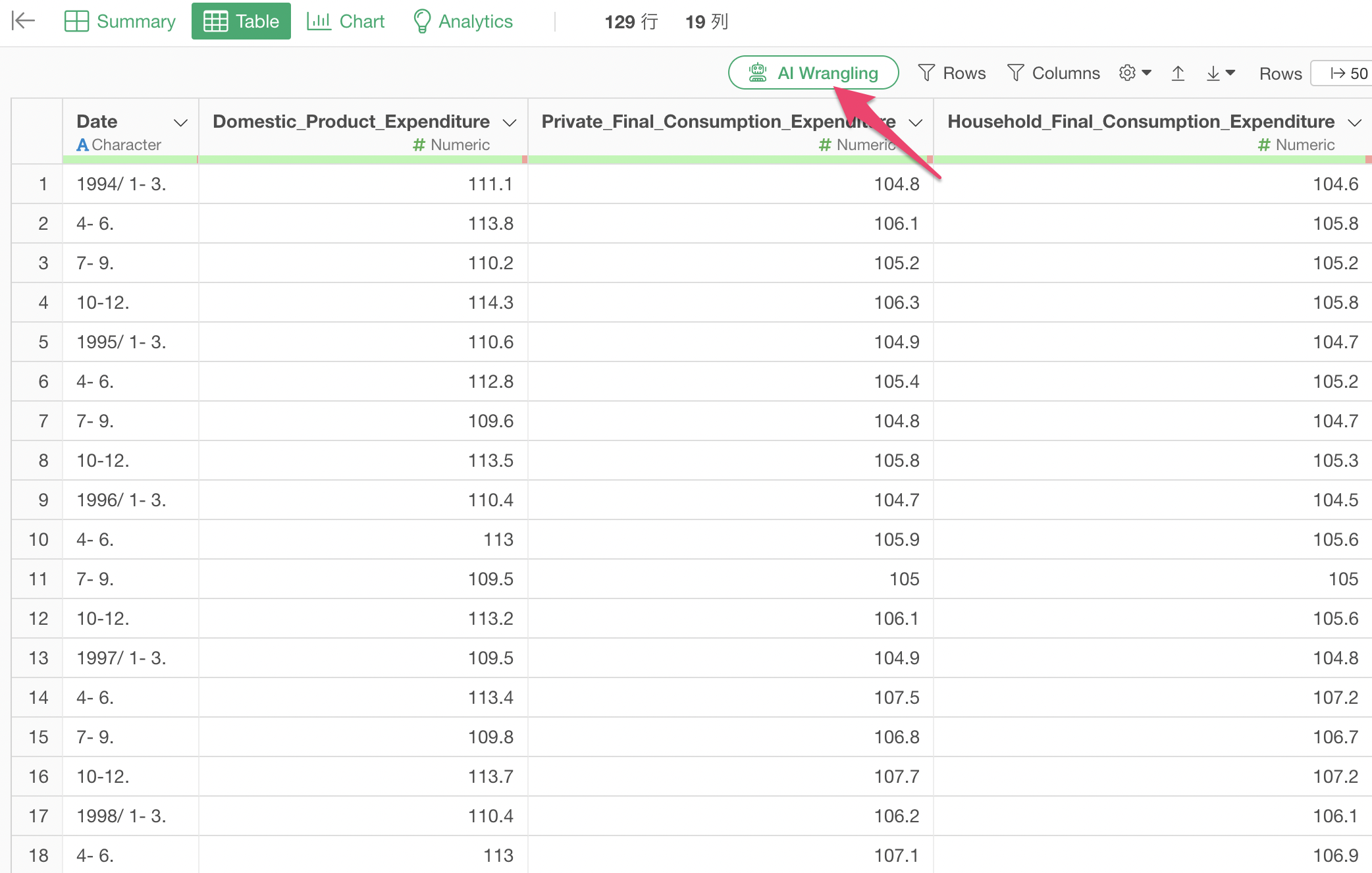
To convert a date column with a complex structure, we use “AI Data Wrangling (AI Prompt).”
Click “AI Wrangling” from the data frame menu.
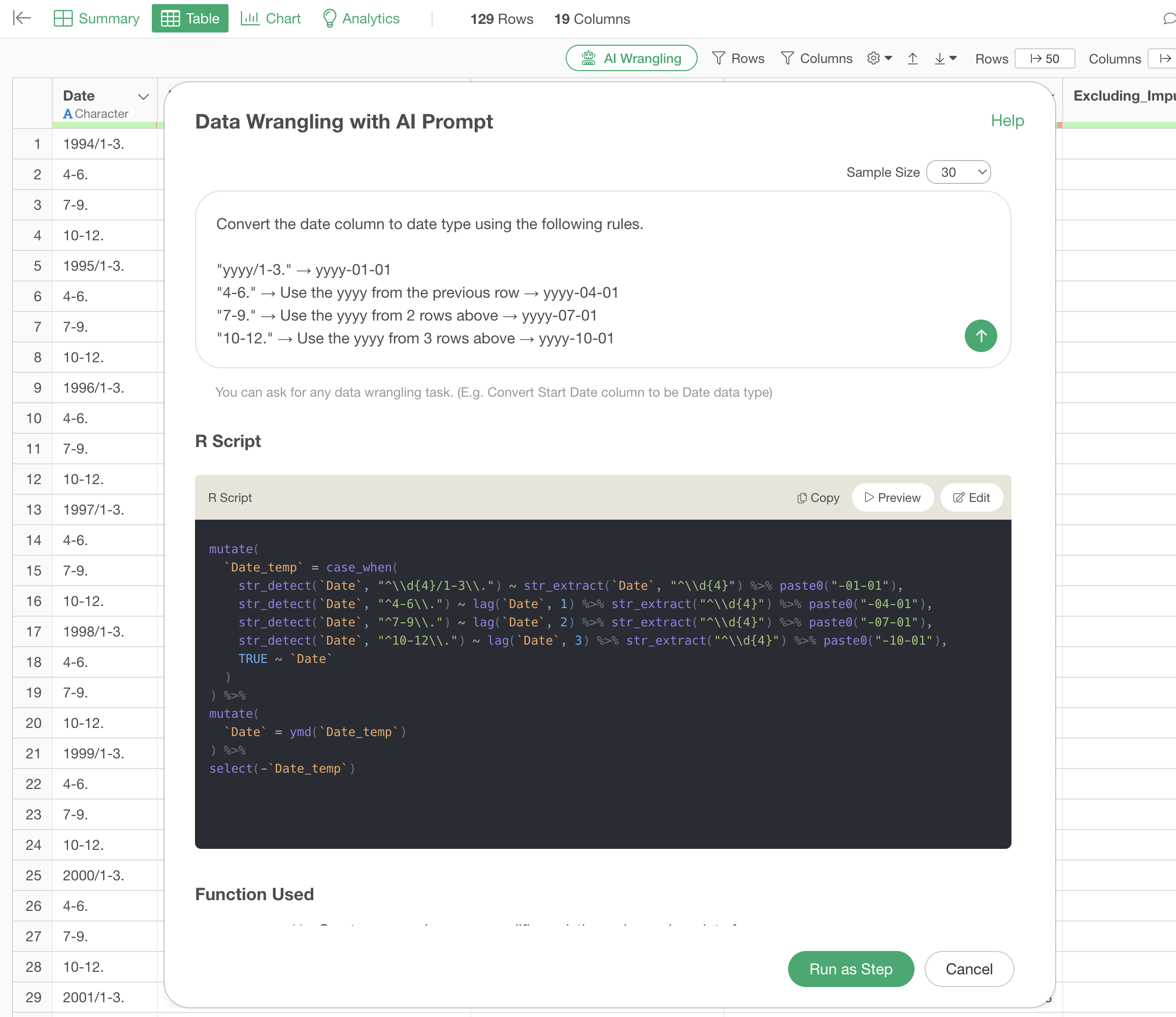
In the prompt input field, enter instructions that define the data format and the expected output.
Convert the date column to date type using the following rules.\

"yyyy/1-3." → yyyy-01-01
"4-6." → Use the yyyy from the previous row → yyyy-04-01
"7-9." → Use the yyyy from 2 rows above → yyyy-07-01
"10-12." → Use the yyyy from 3 rows above → yyyy-10-01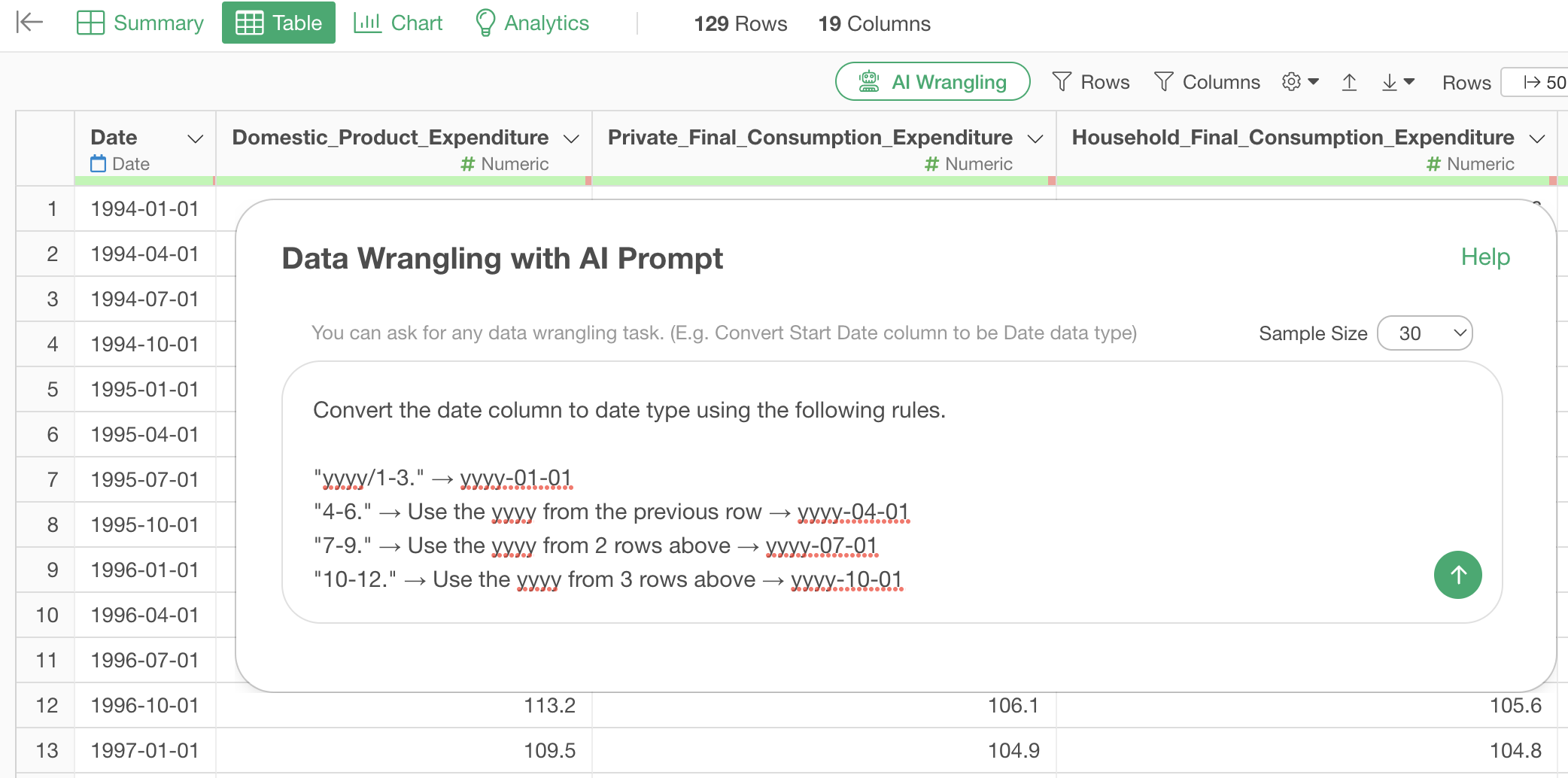
When you enter the prompt and execute it, the AI automatically generates an R script that includes pattern matching using regular expressions and logic to reference preceding and succeeding rows.
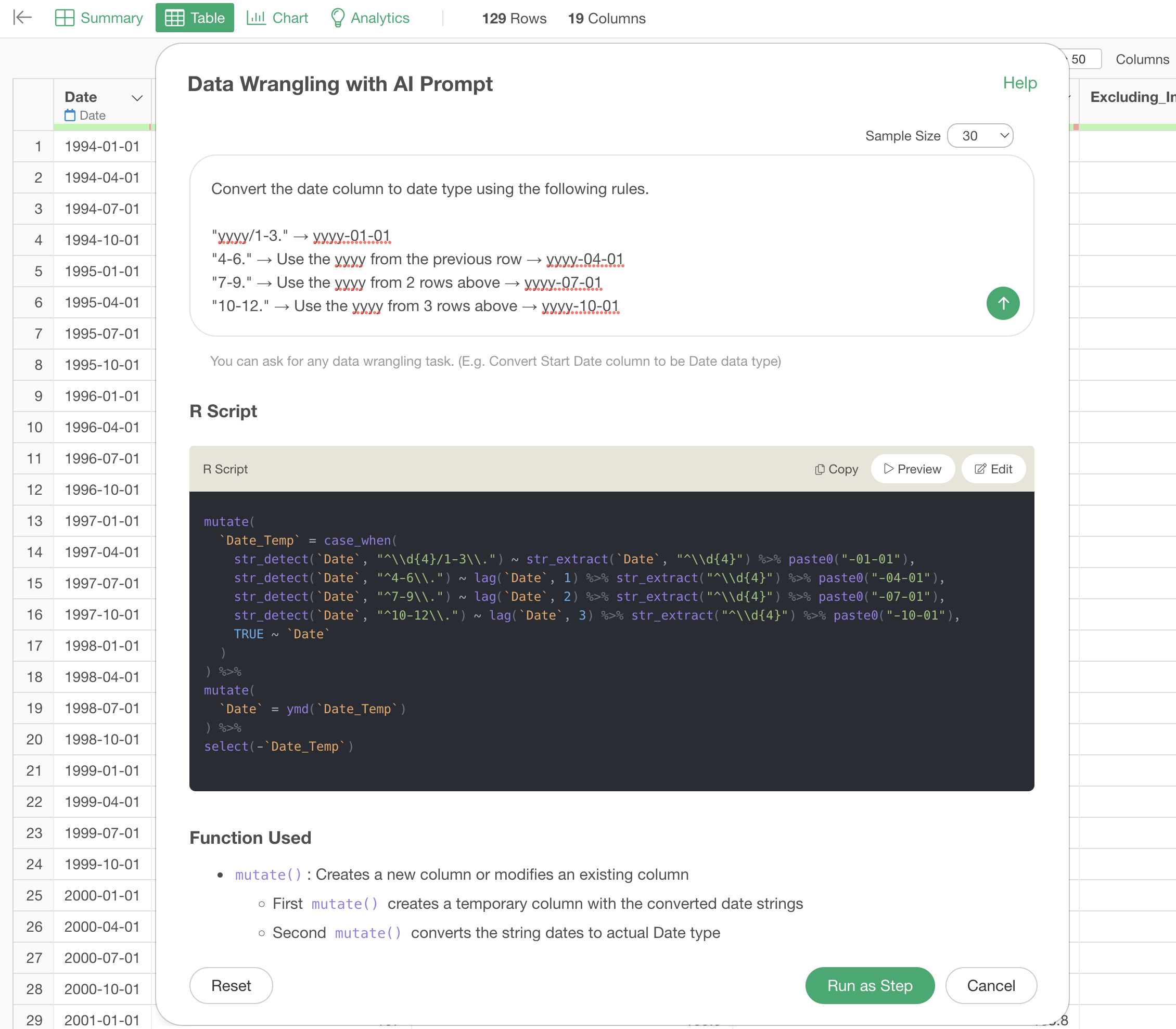
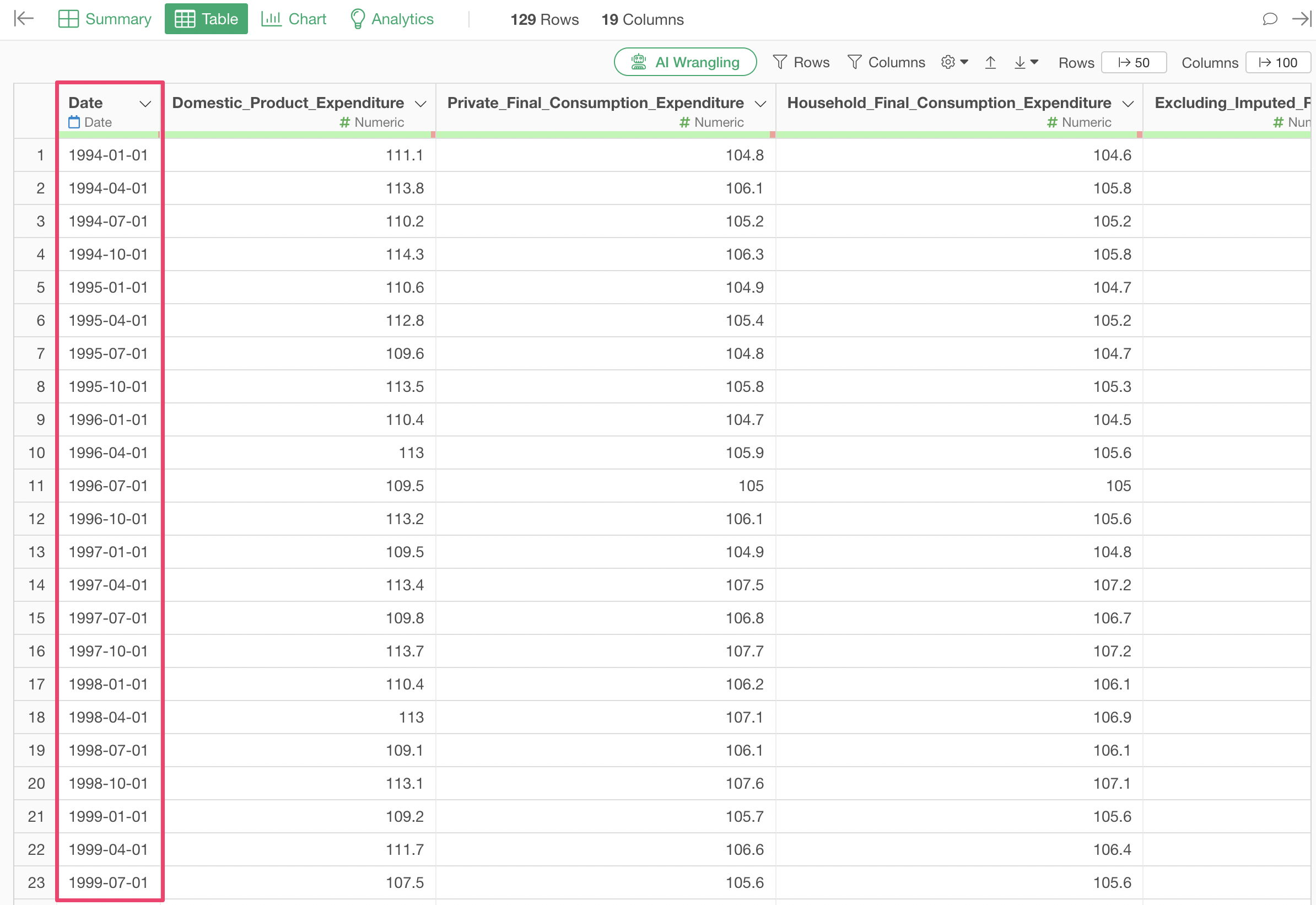
As a result, the data that previously had year information only in the first row is converted into Date type data with the correct year and month for every row.