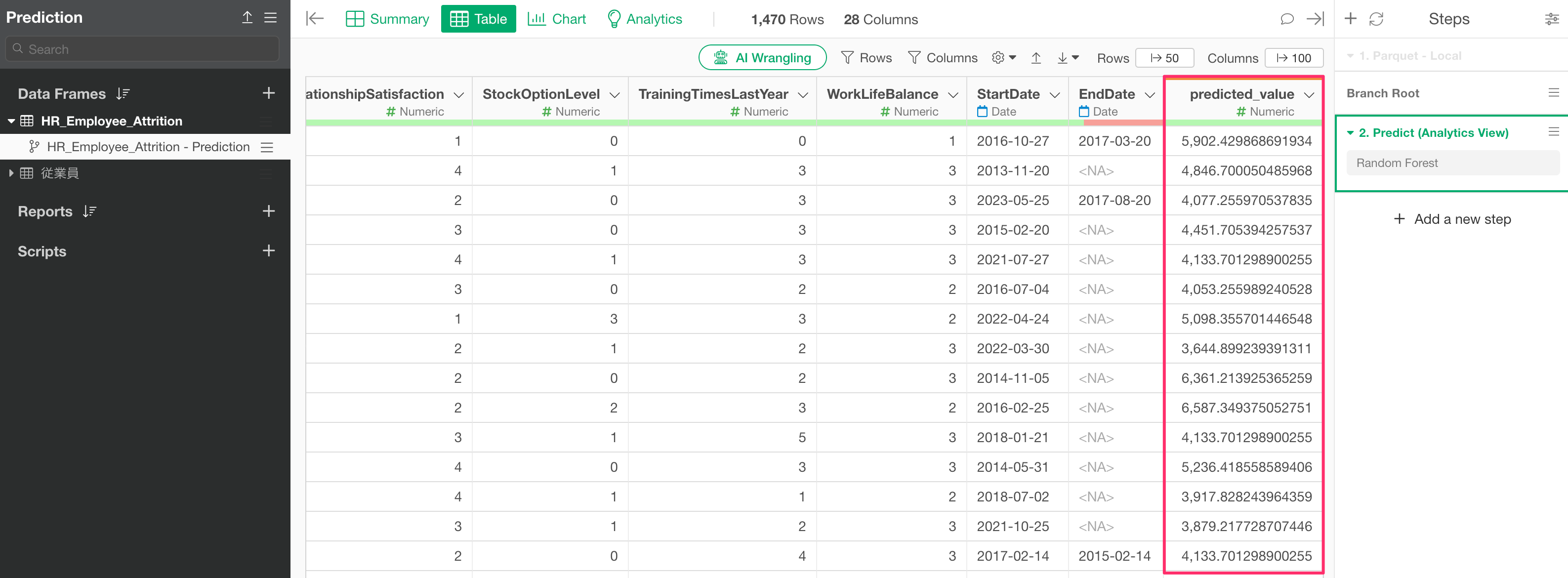
How to Add Prediction Results from a Model Created in Analytics to Original Data
In the “Prediction on Training Data” section of a prediction model created in the Analytics View, prediction results are displayed for each observation.
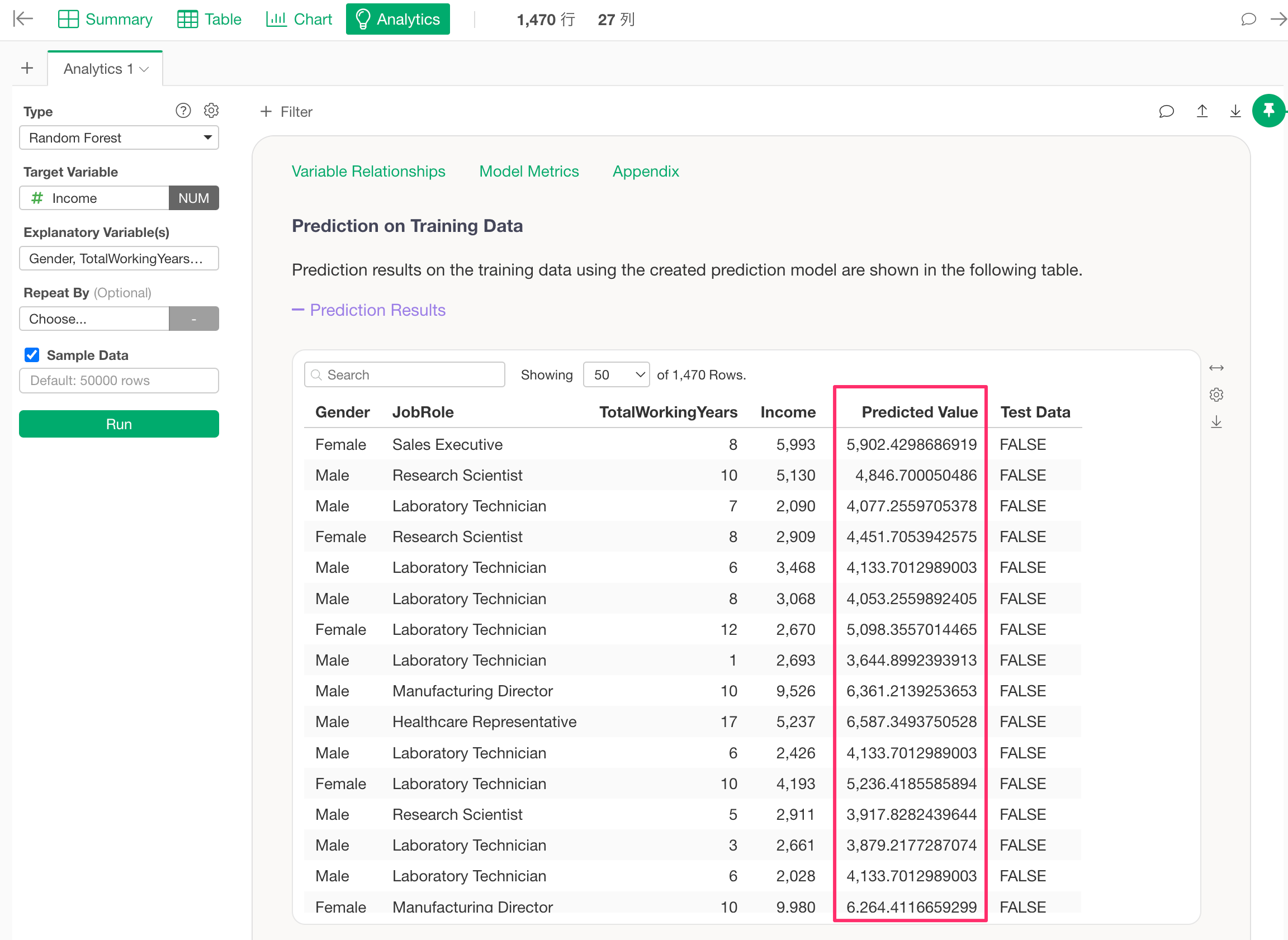
On the other hand, this data tab only displays the variables used in the prediction model.
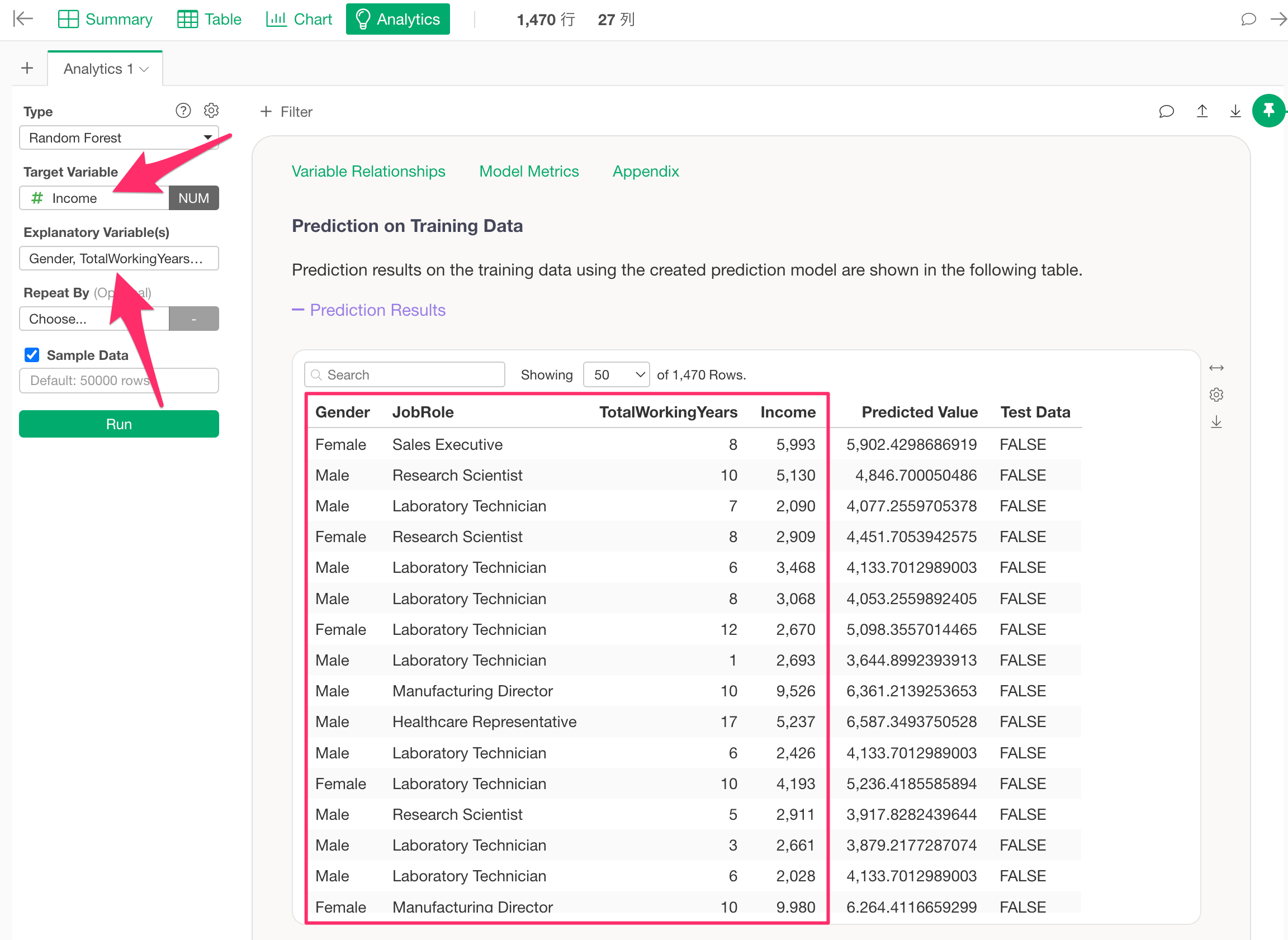
Therefore, to add prediction results to data that includes columns contained in the original data but not used as explanatory variables, you need to process the data.
In this note, we will introduce how to do that.
For this example, we will use data where each row represents one employee, and the columns contain attribute information such as age, gender, salary, job role, years of service, number of companies worked for, overtime status, and travel frequency.
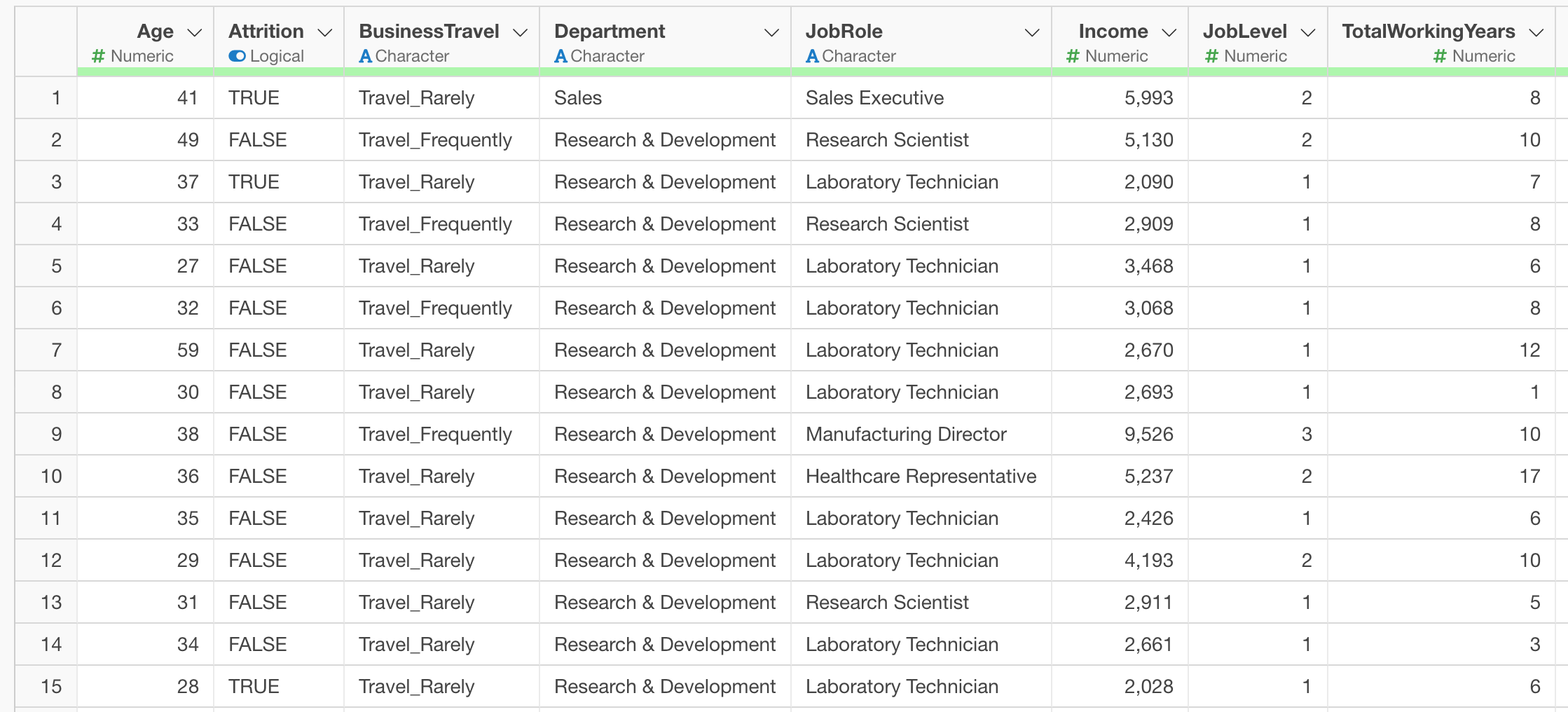
For instance, suppose you have previously built a Random Forest model using this data with “Income” as the target variable and “Gender,” “Total Working Years,” and “Job Role” as explanatory variables.
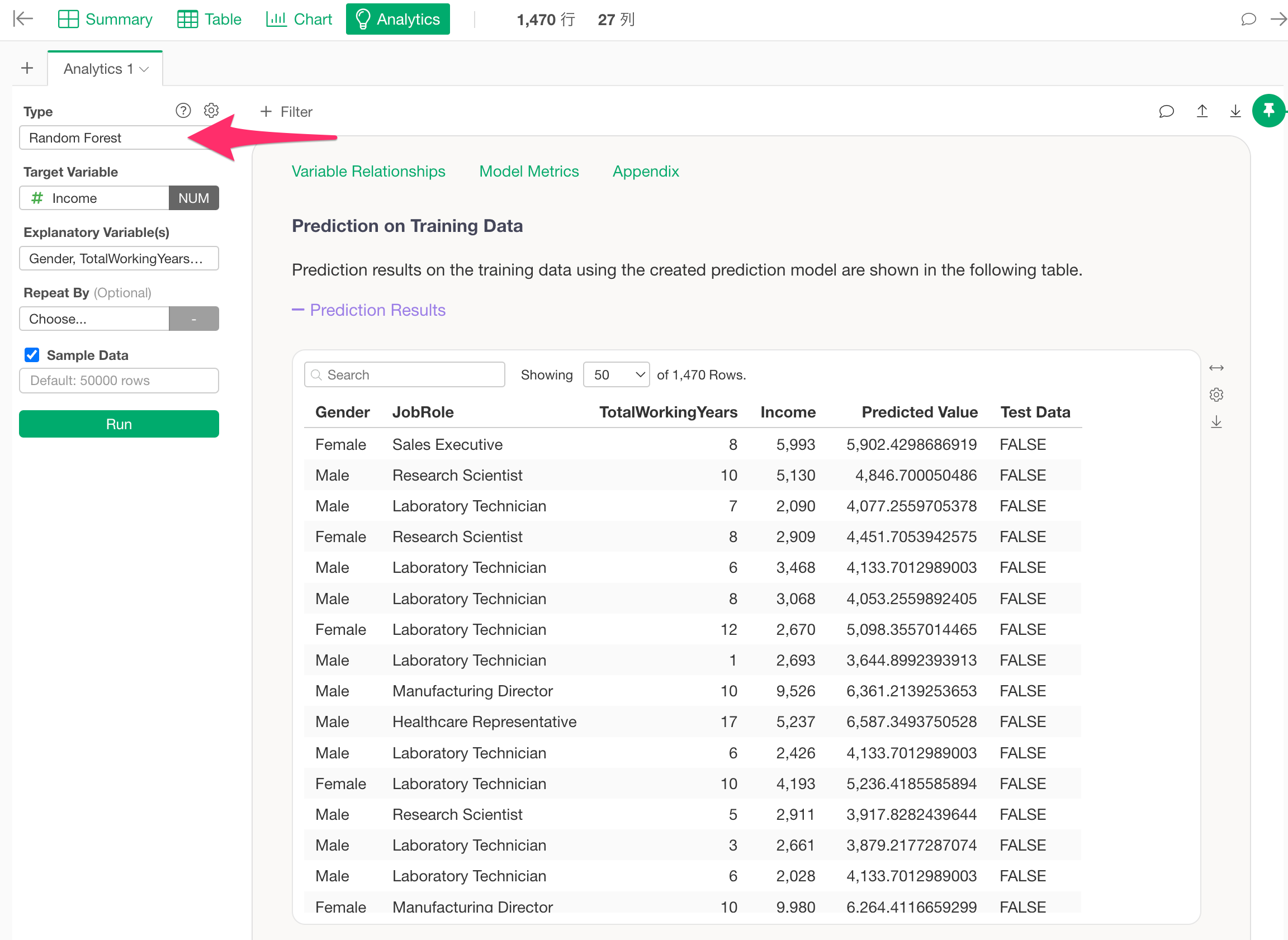
When you move to the “Prediction on Training Data” section and display the prediction results, you can see that the prediction results are shown alongside the columns used for the target and explanatory variables.
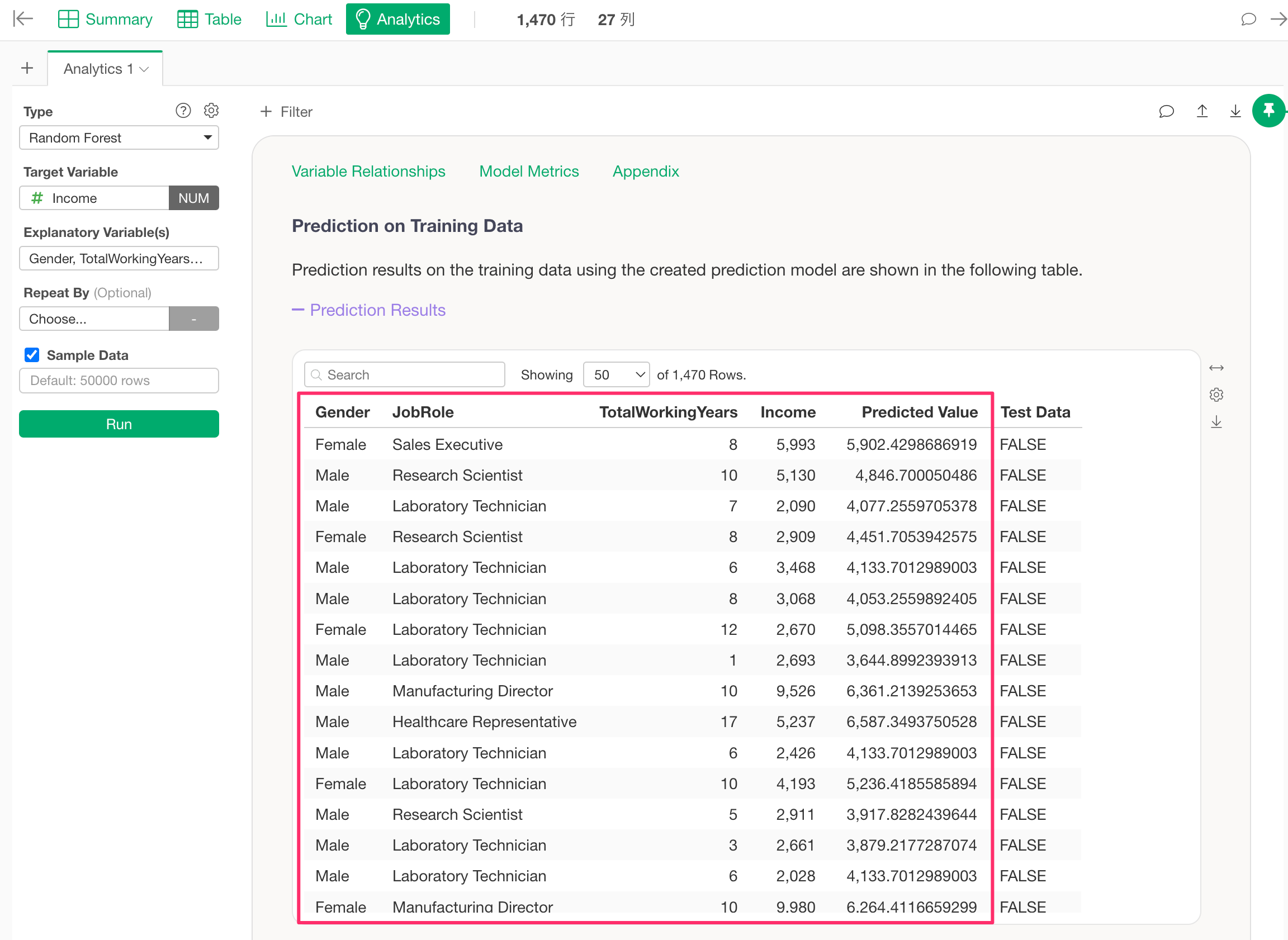
However, in this view, information from columns not used as explanatory variables, such as “Age” or “Number of Companies Worked For,” is not included.
By using this prediction model to perform a new prediction, you can prepare data that includes the original column information not used as explanatory variables.
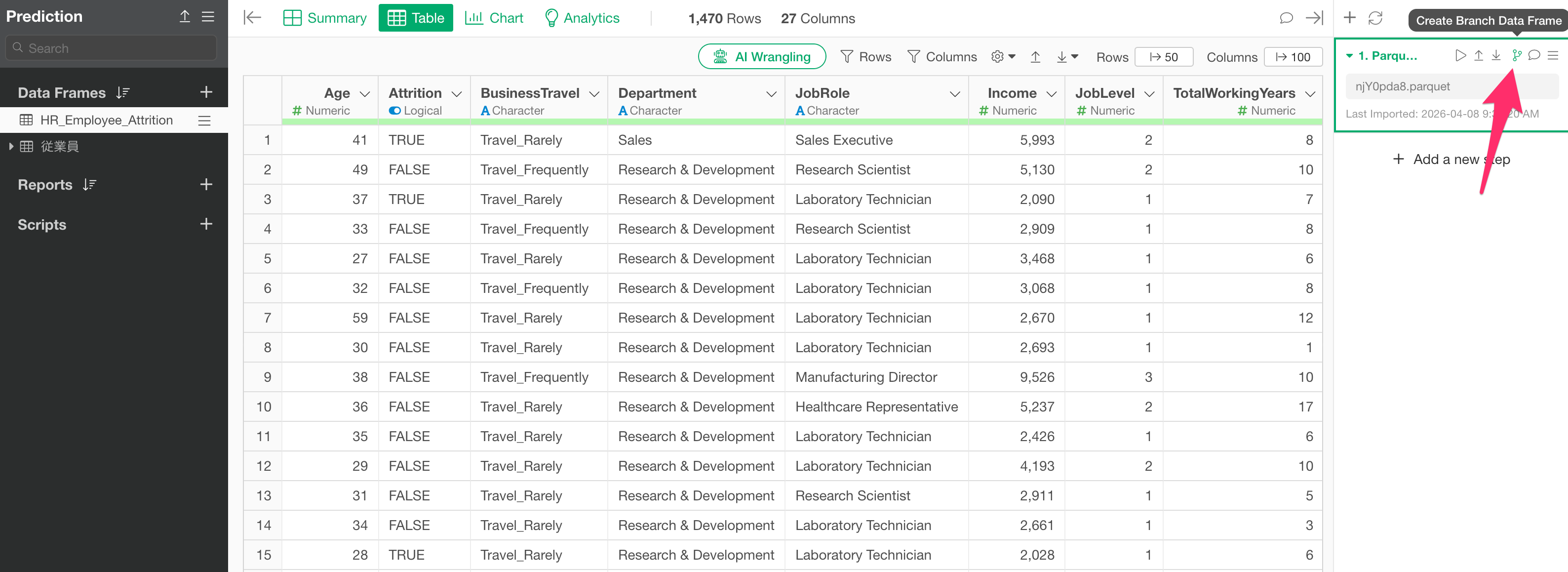
Currently, you cannot perform a prediction directly against the data frame where the prediction model was created. Therefore, the easiest method is to create a branch from the step where the prediction model was built and perform the prediction against that branch.
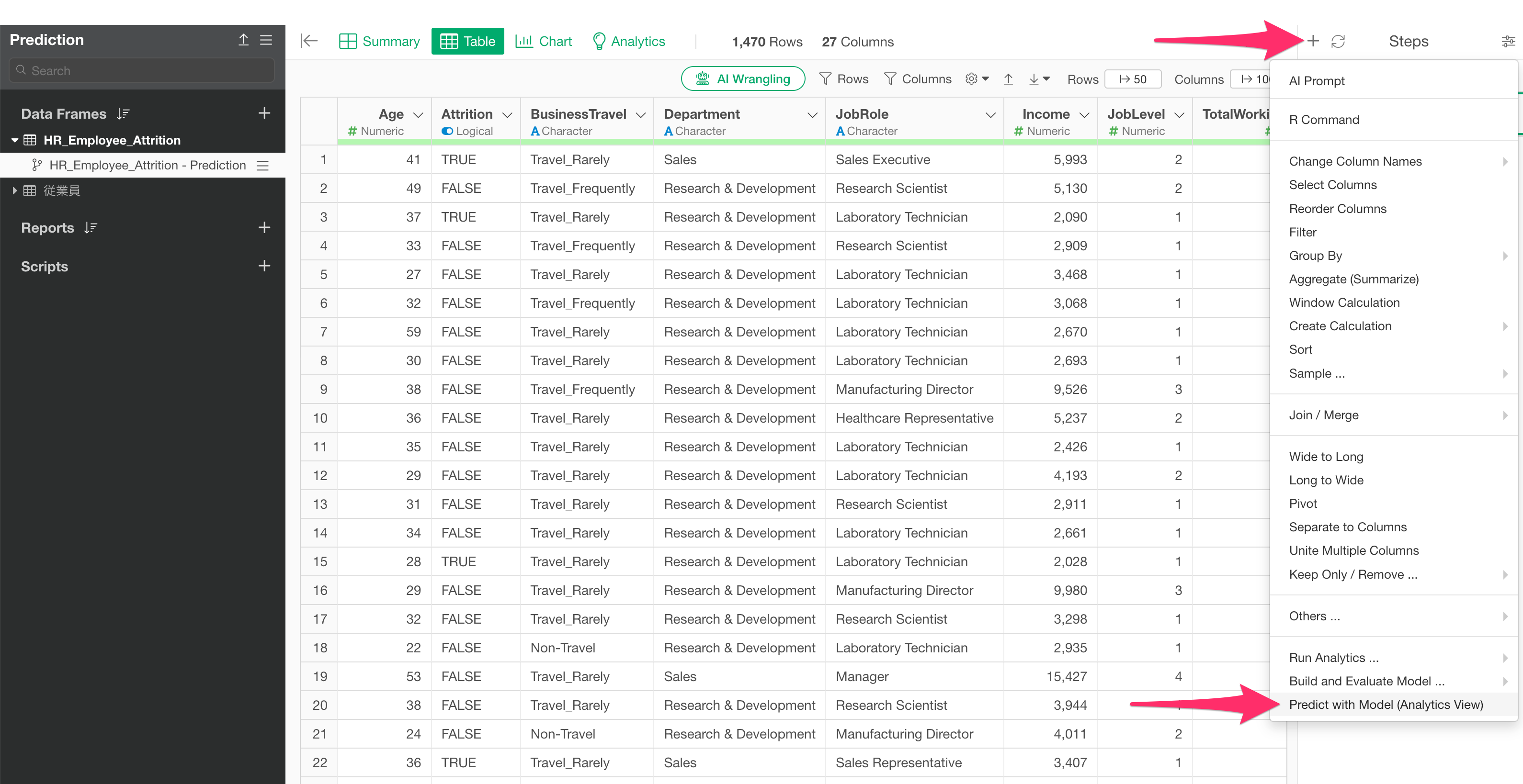
From the step menu of the created branch, select “Predict with Model - Analytics View.”
When the prediction dialog opens, select the “Data Frame” and the “Analytics (Model)” where the prediction model was built, then click the Run button.
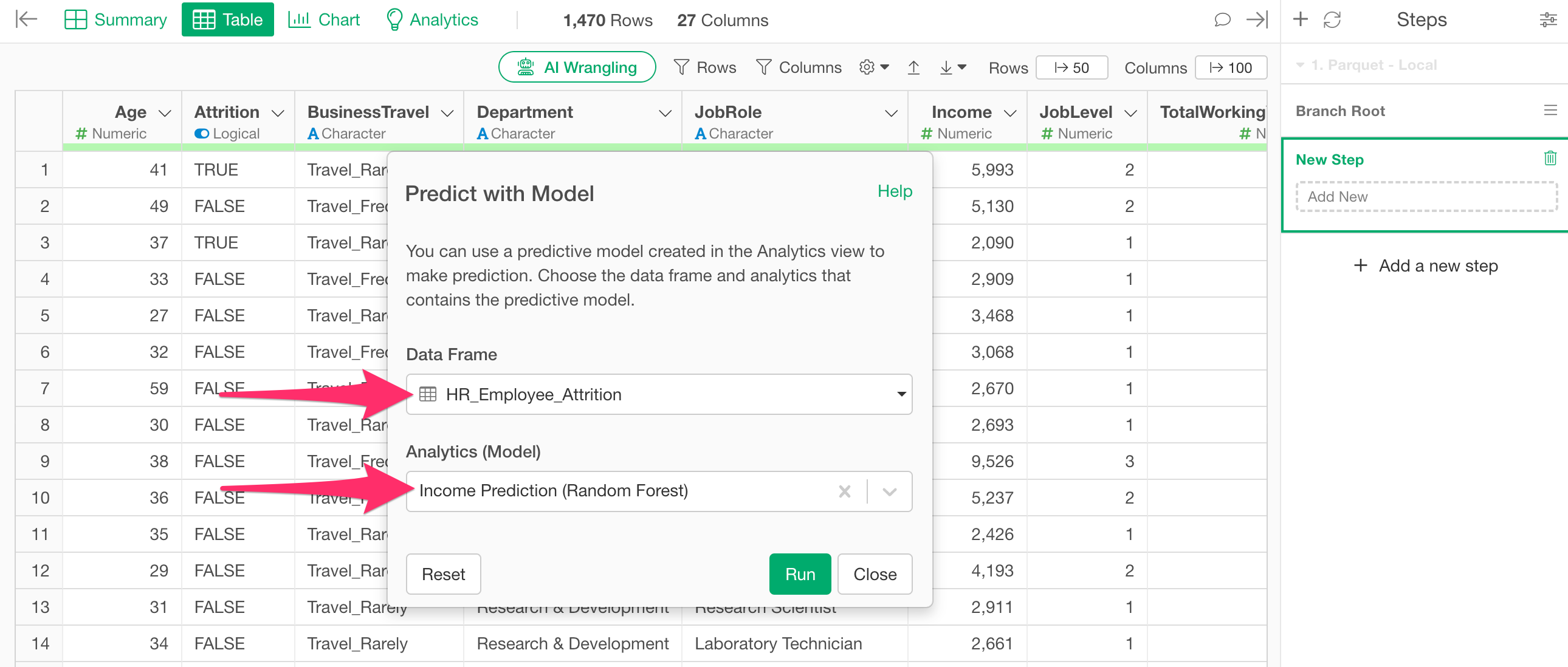
This adds the predicted values to the original data, allowing you to consolidate all columns and prediction results into one place.