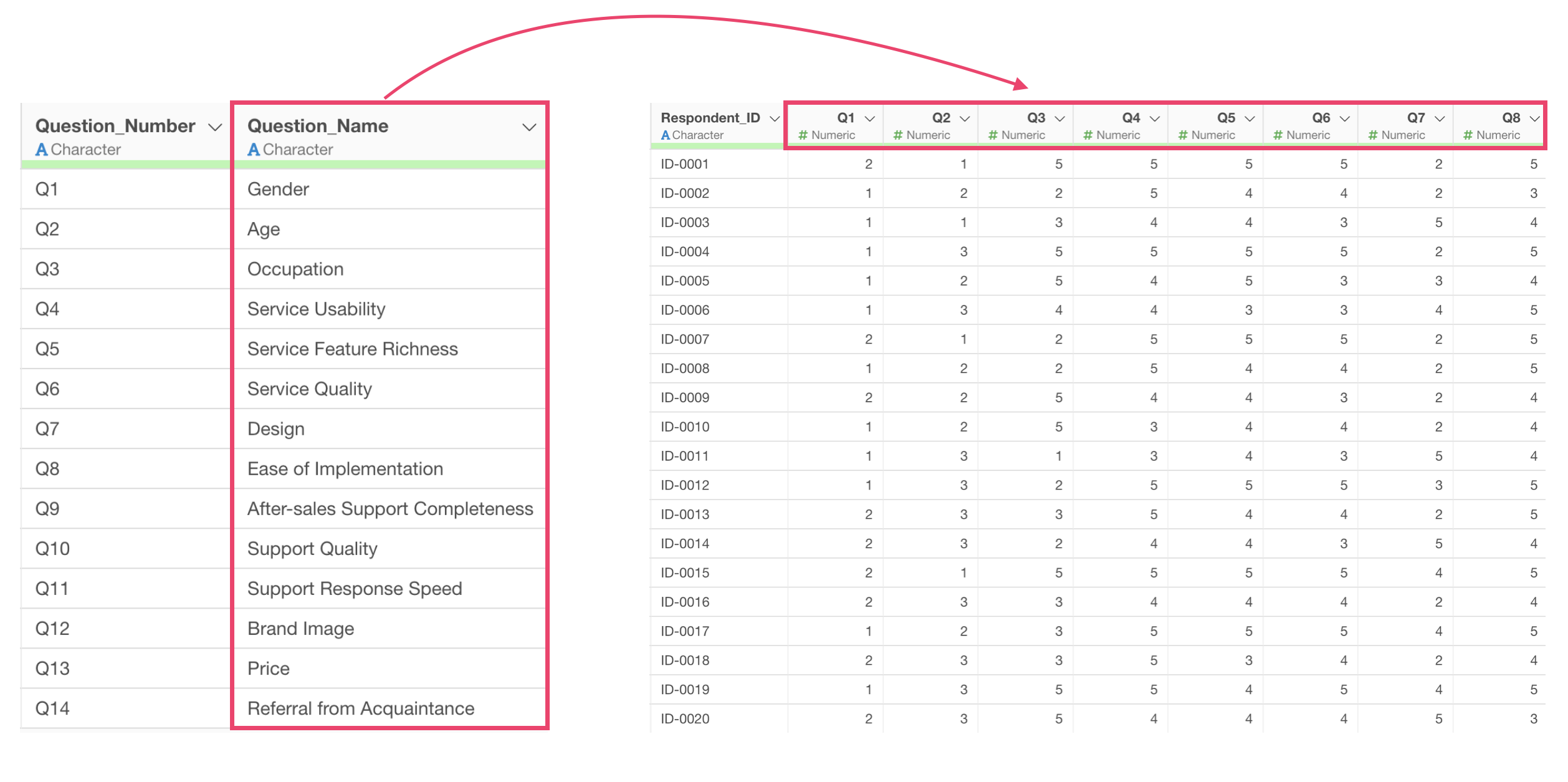
How to Replace Coded Column Names with Predefined Labels
In survey data and similar datasets, column names are sometimes composed of question numbers such as “Q1,” “Q2,” and “Q3.”
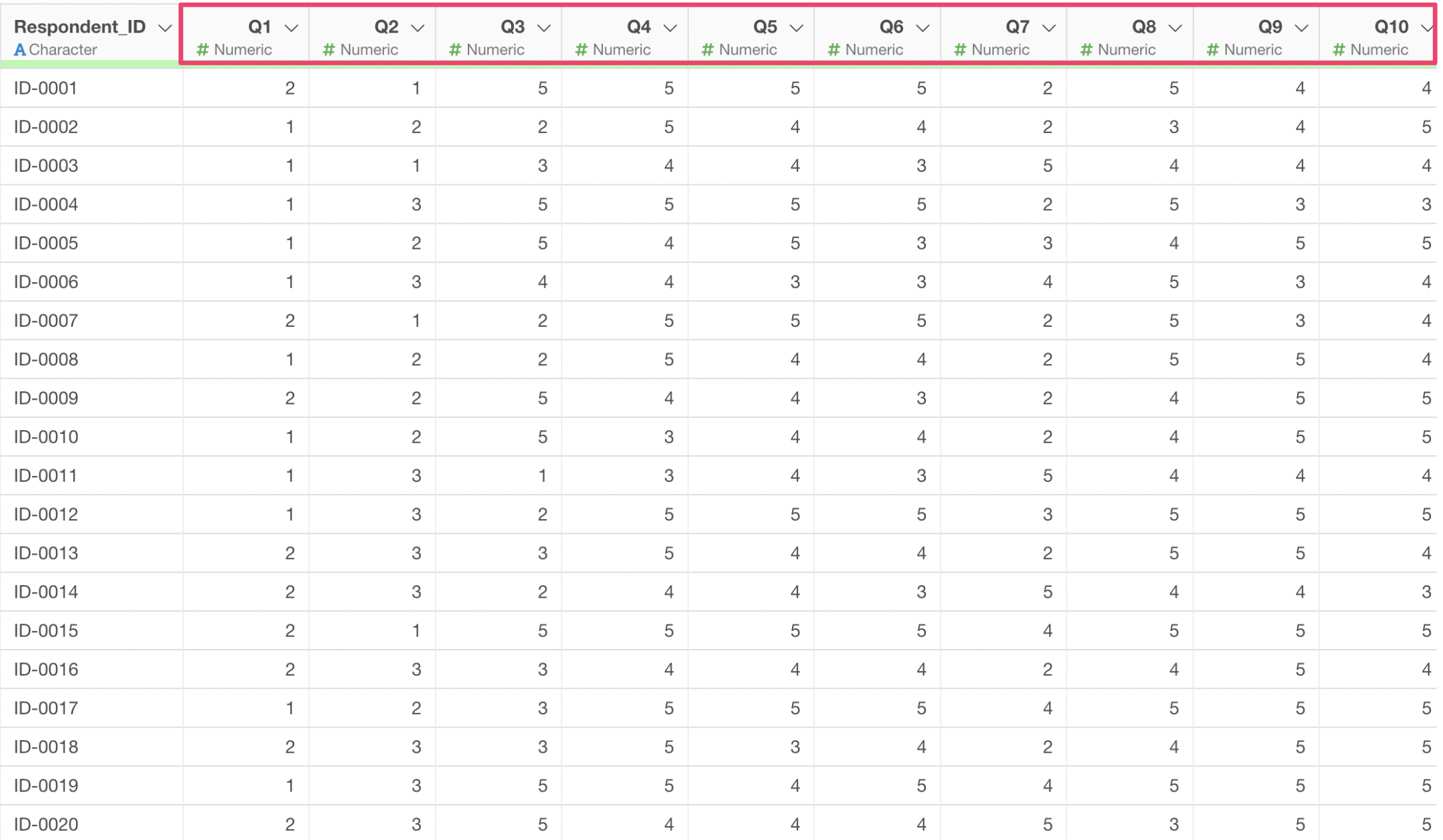
As they are, it is unclear what question content each column corresponds to, making data analysis inconvenient. Especially when there are many questions, this can lead to misinterpretation.
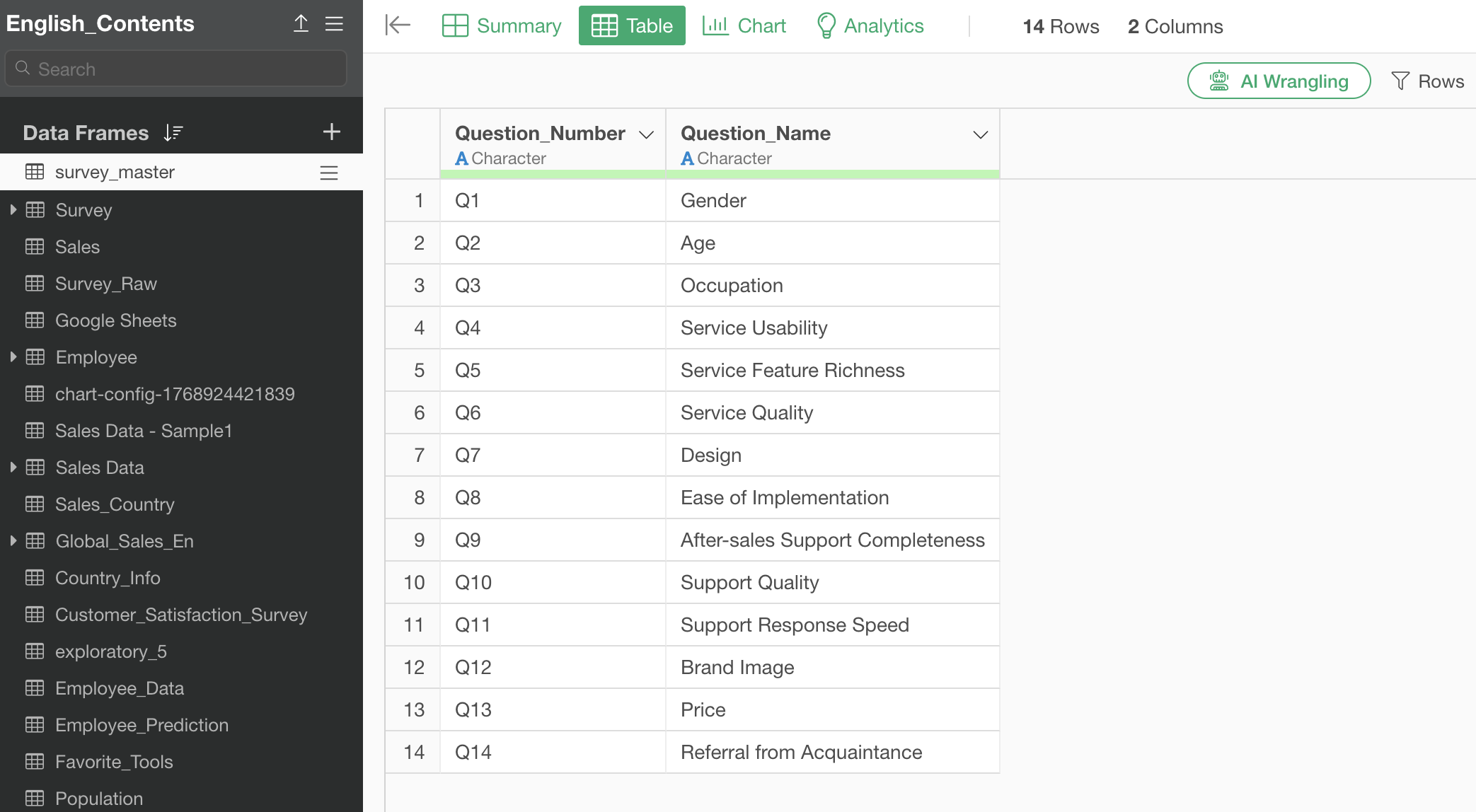
In such cases, you prepare a separate mapping table (master data) of question numbers and question names.
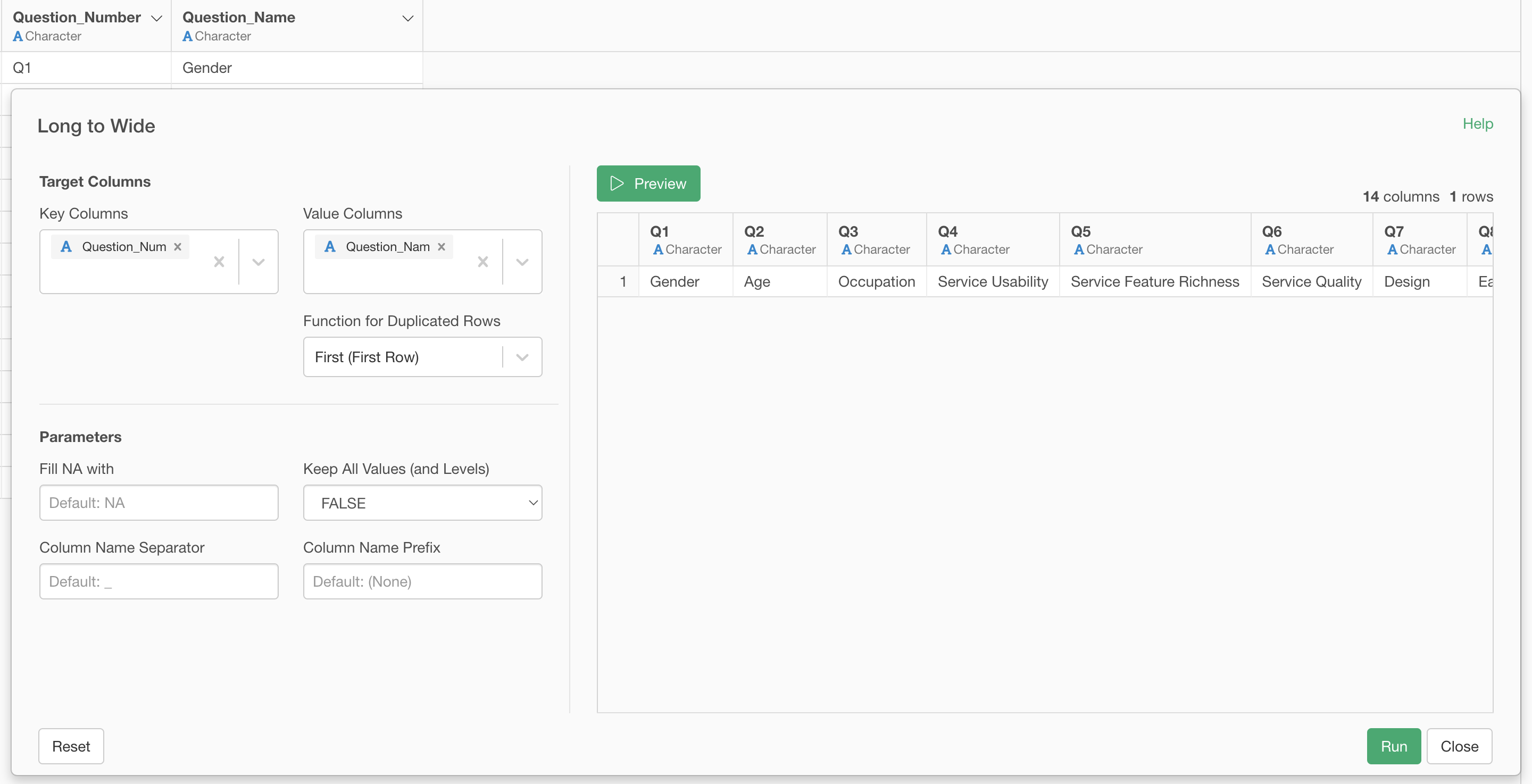
 You
then convert this master data to wide format so that it matches the
structure of the response data.
You
then convert this master data to wide format so that it matches the
structure of the response data.
After that, by merging it with the response data, you can incorporate the question name information into the response data.
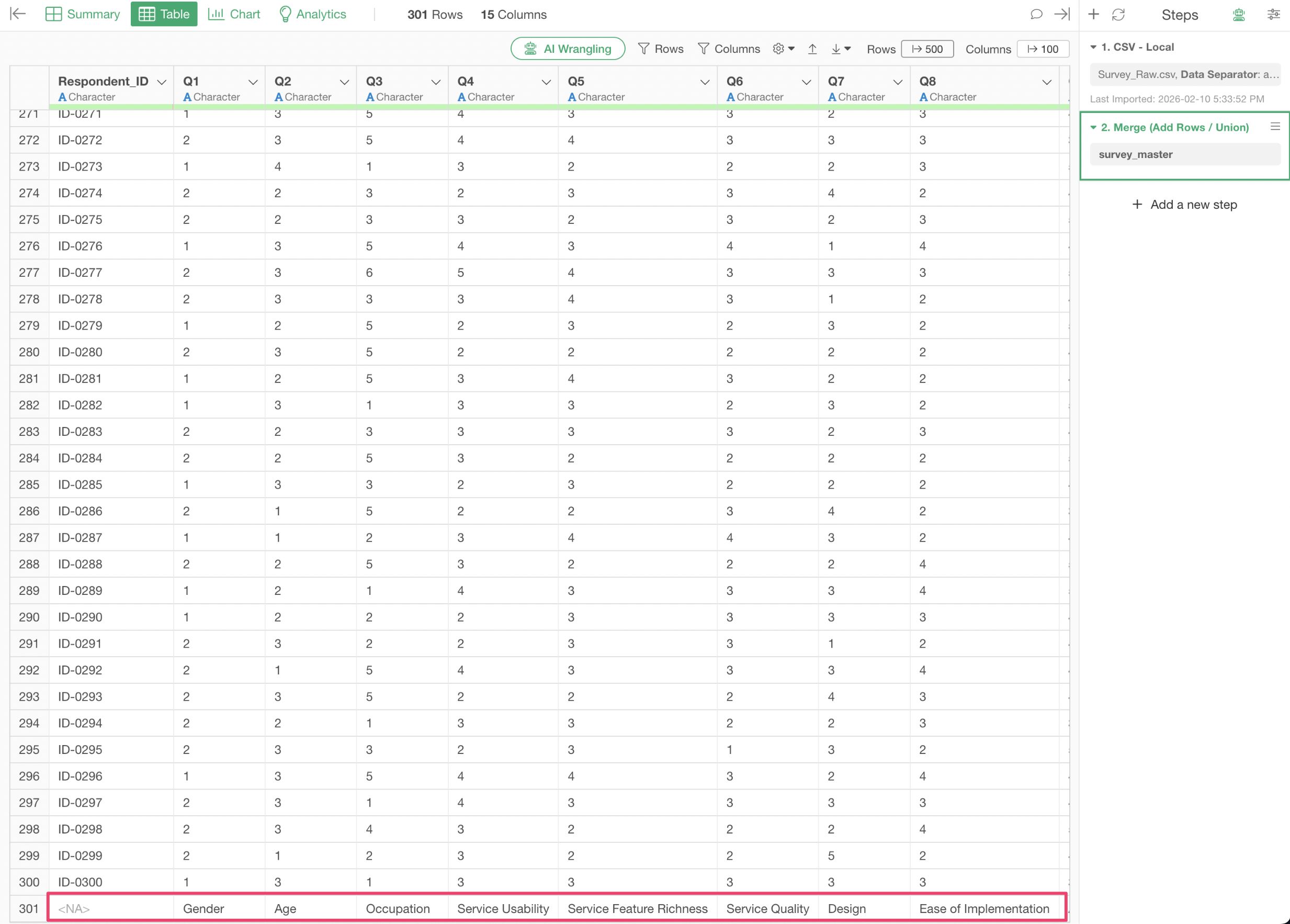
Finally, you use the “Set a Row as Column Header” feature.
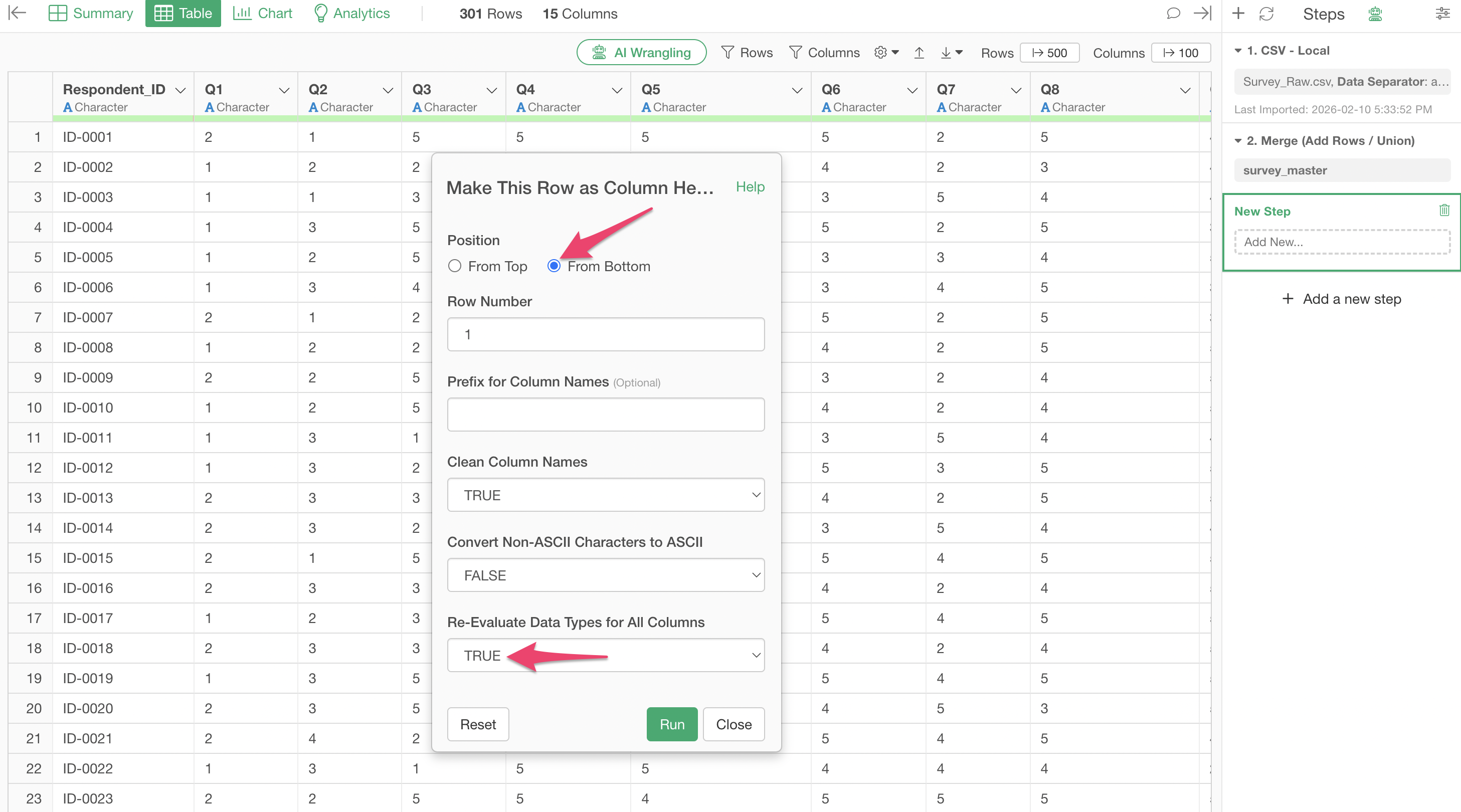
This allows you to replace all column names with labels at once.
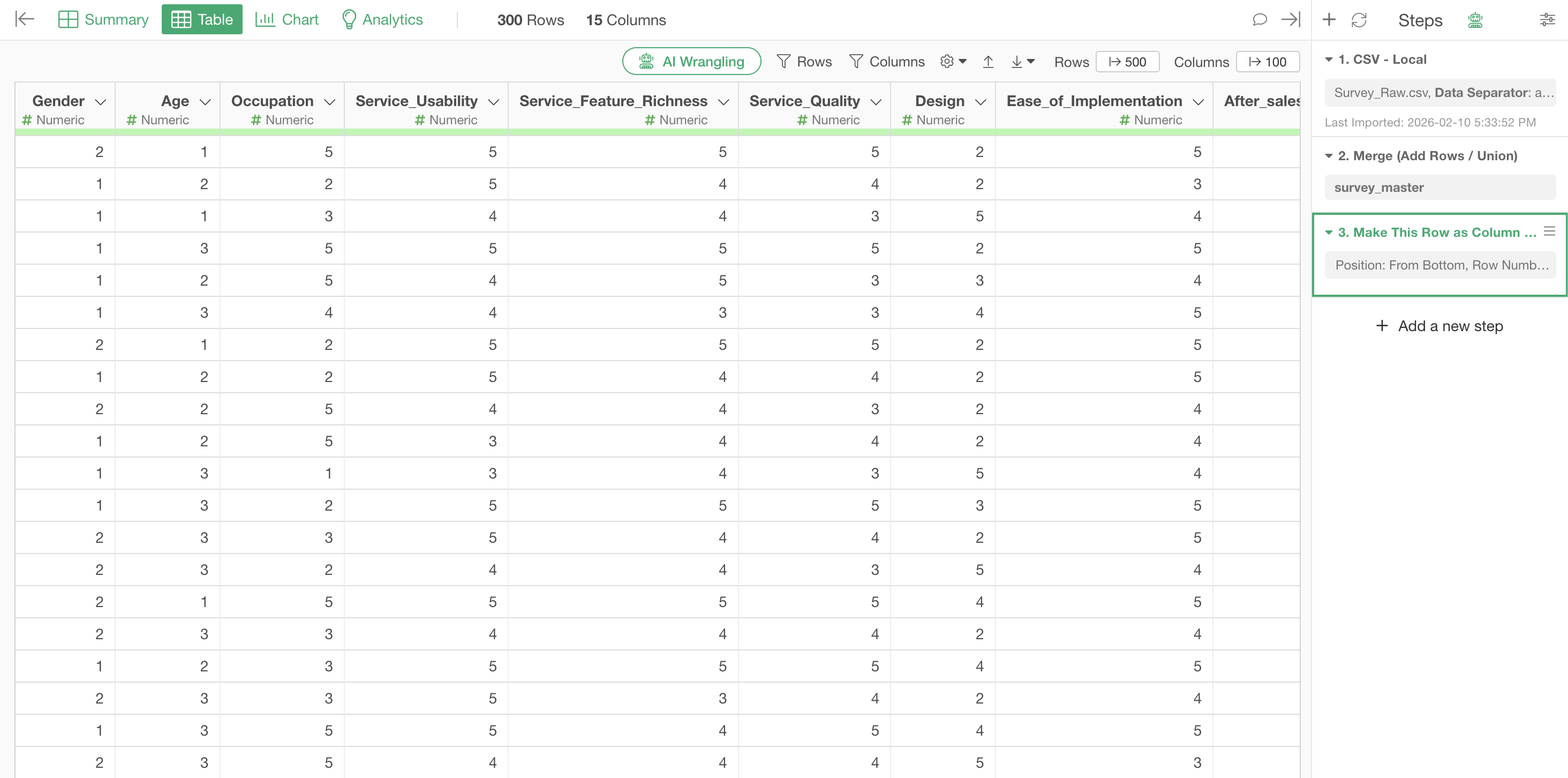
By using this approach, even when you switch data sources, the column names are automatically replaced based on the master data mapping table, eliminating the need to manually change them each time.
For detailed steps, please refer to this note.