How to do CS Portfolio Analysis with AI Prompt
CS (Customer Satisfaction) Portfolio Analysis is an analytical method that uses survey data to determine how much various evaluation items influence a target metric, such as overall customer satisfaction. Furthermore, it helps in deciding which areas require focused attention.
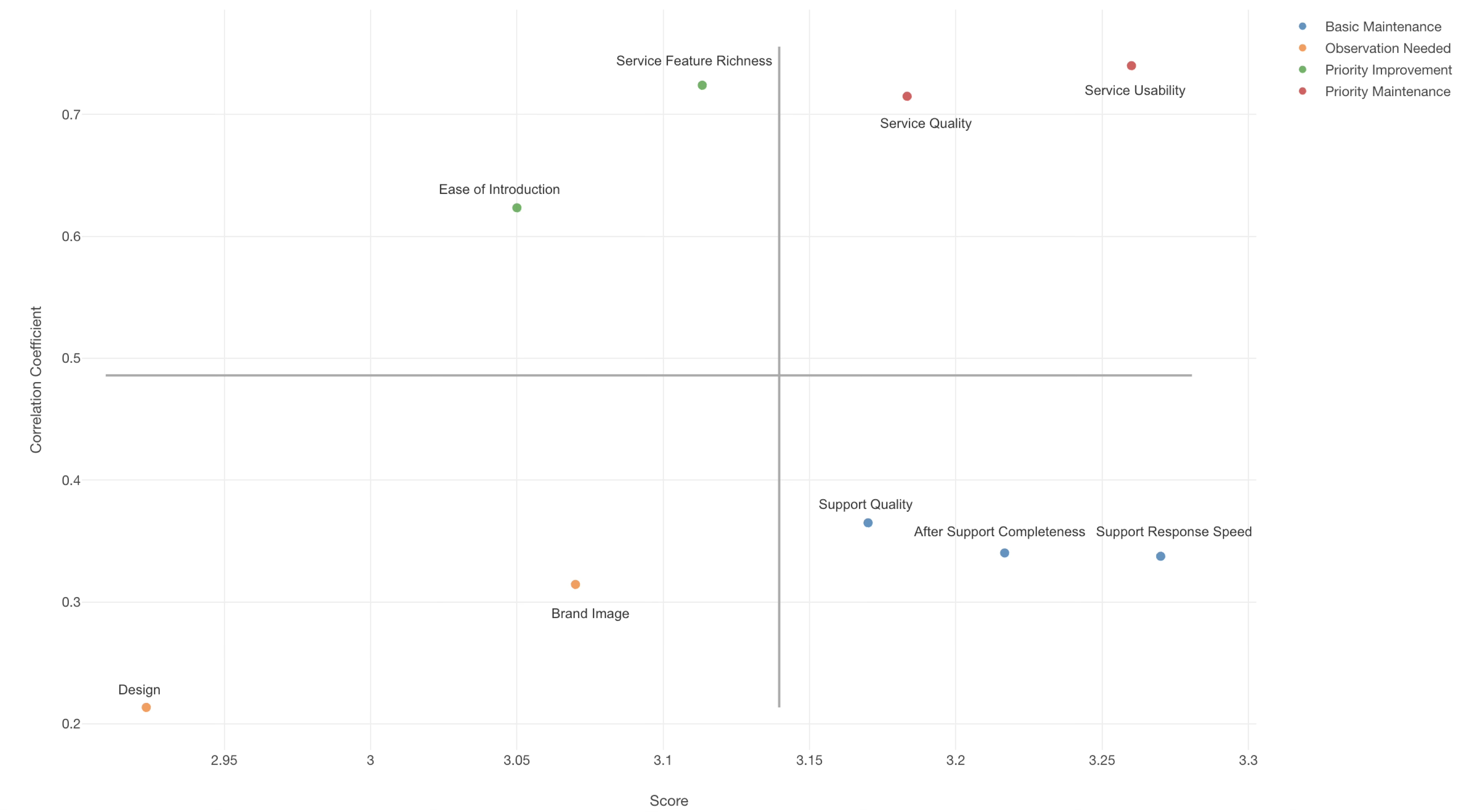
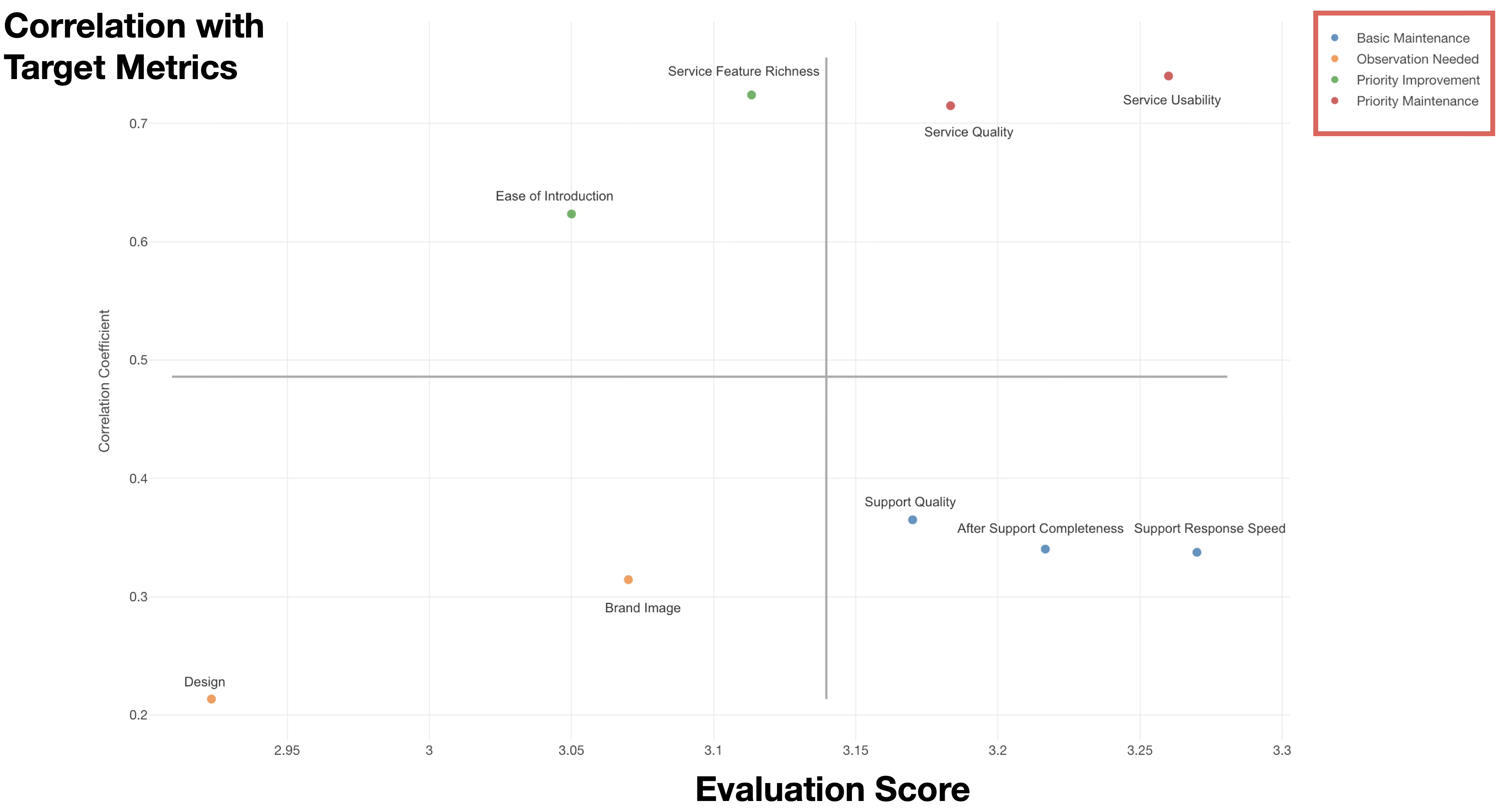
CS Portfolio Analysis is represented using a scatter plot, where the X-axis represents the score of the evaluation items, and the Y-axis represents the correlation coefficient with the target metric (Customer Satisfaction). Each point represents an evaluation item.
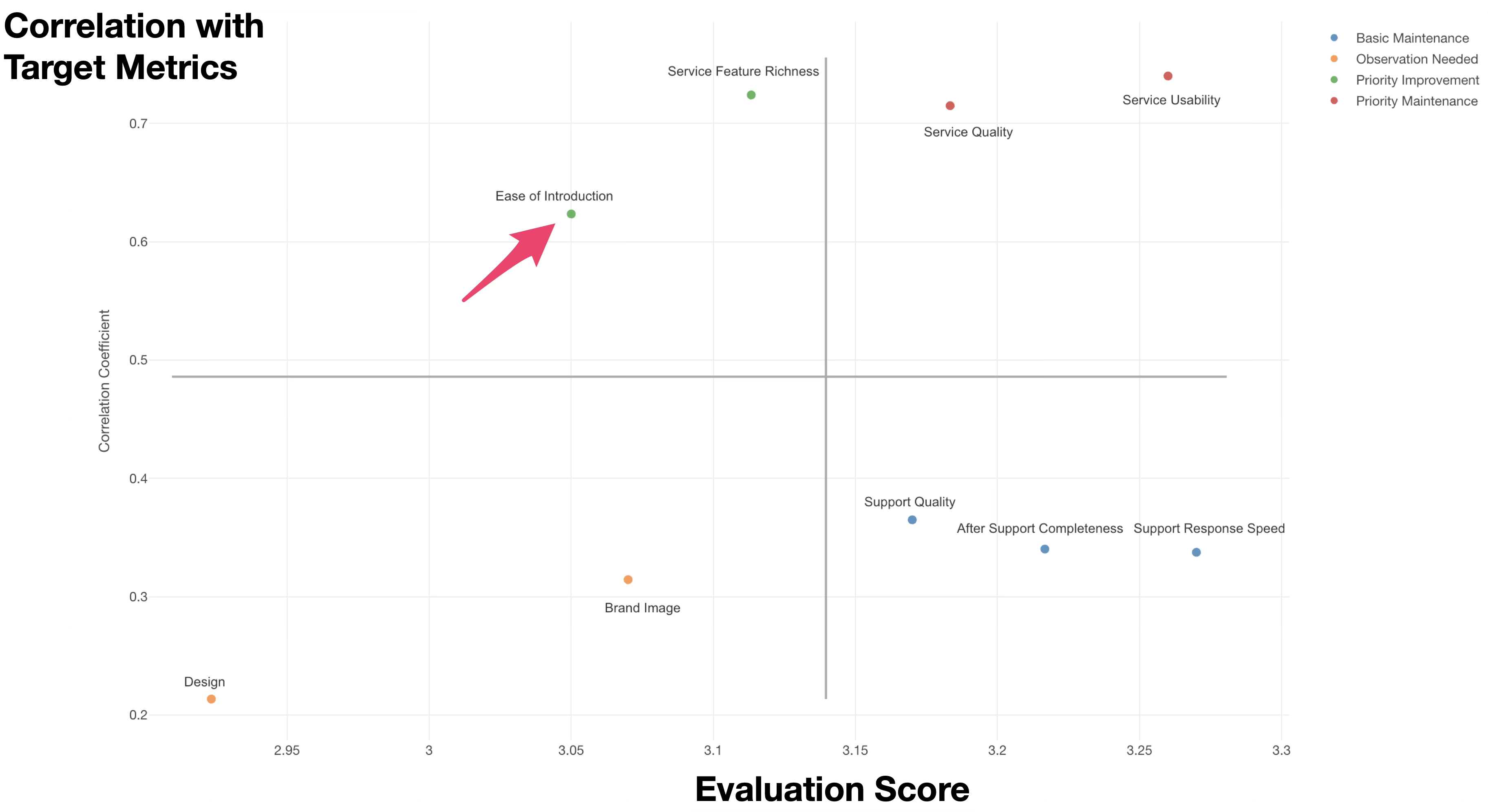
Each evaluation item is classified using the average score of all evaluation items and the average correlation coefficient with the target metric as thresholds.
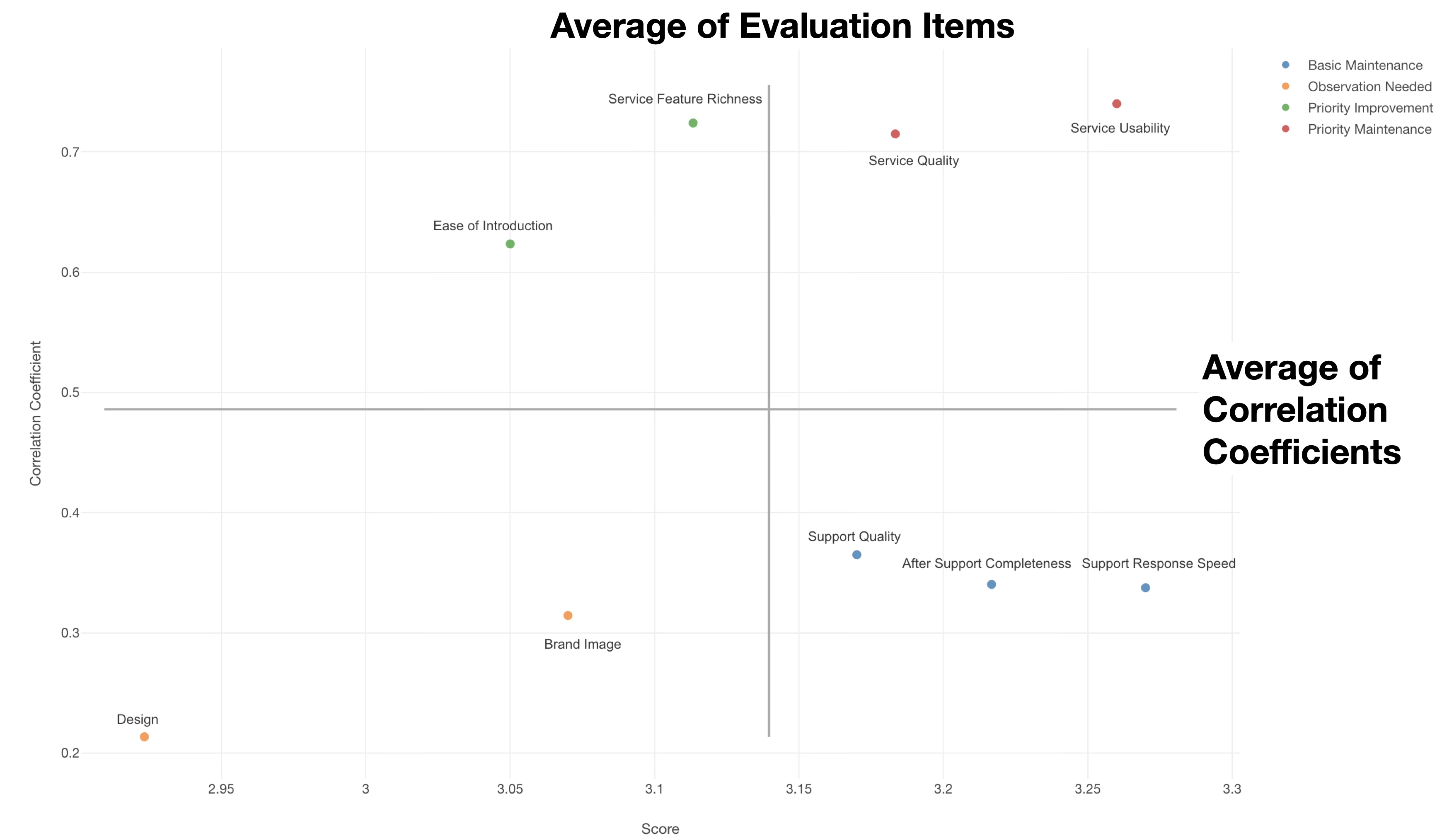
By visualizing the correlation between the average score of each evaluation item and the target metric on a scatter plot, you can identify items that should be prioritized for improvement or those that should be maintained.
Definition of the Four Categories and Action Plans
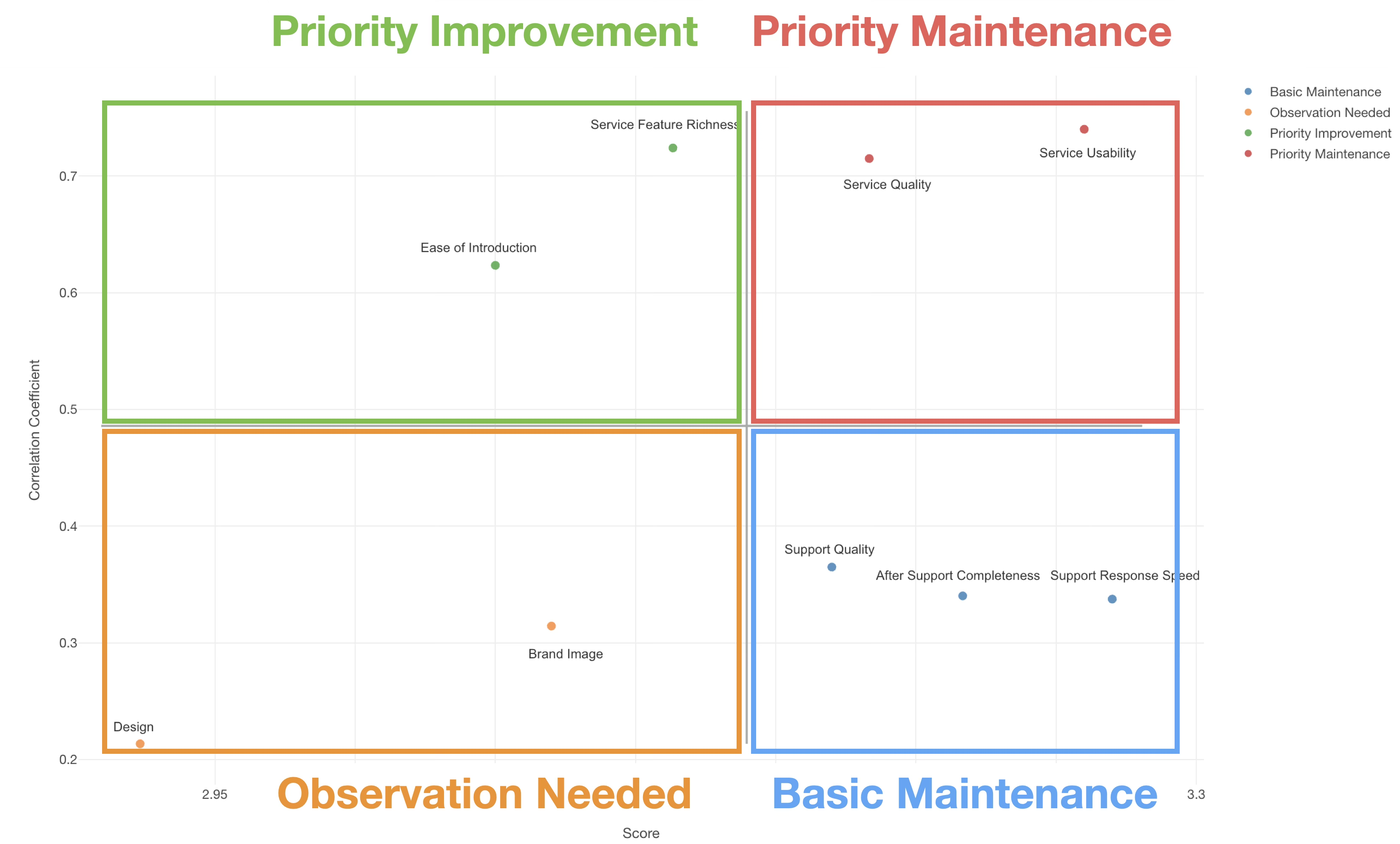
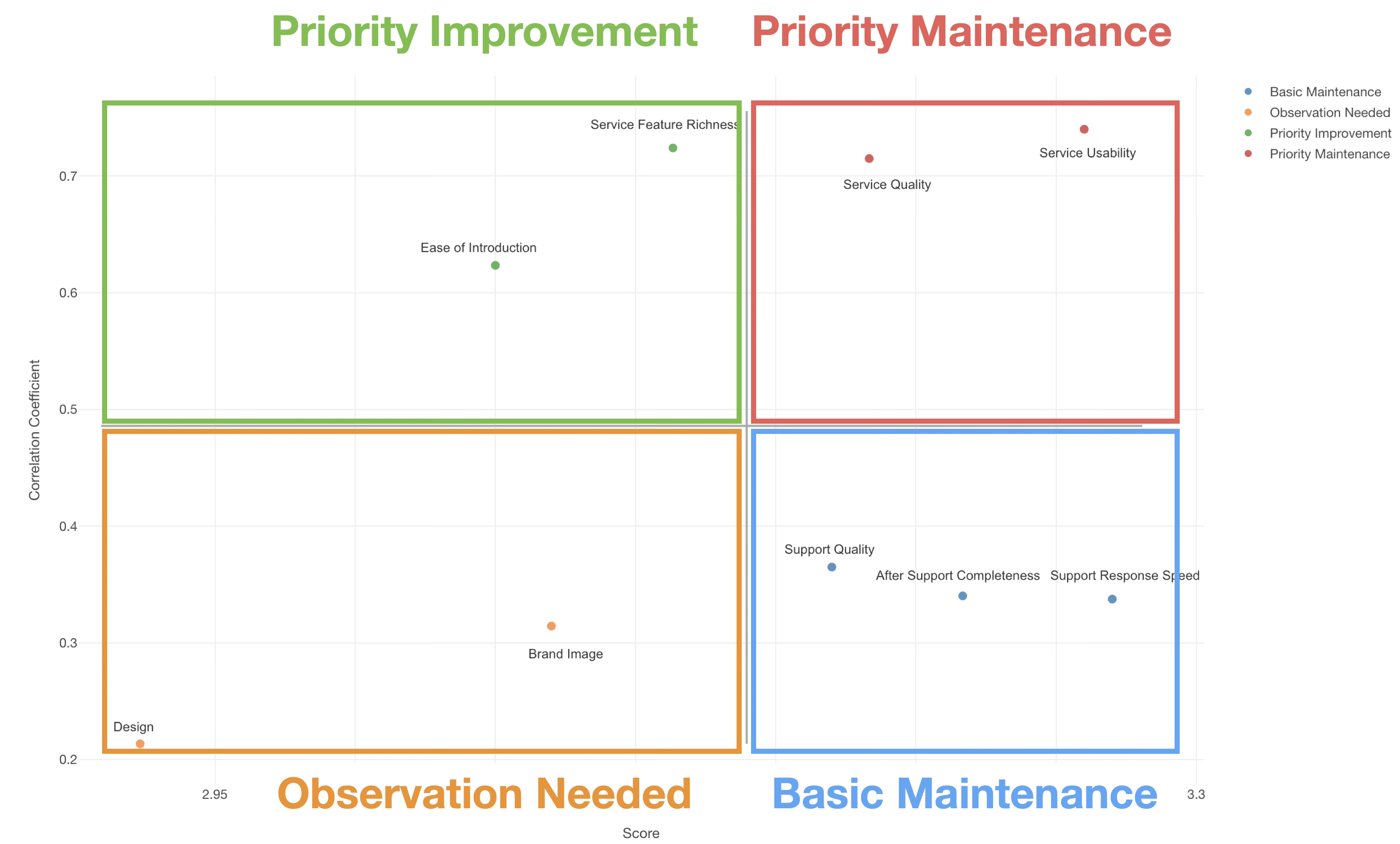
As mentioned earlier, evaluation items are divided into four categories based on the average value of the evaluation items and the average correlation coefficient with the target metric.
Priority Maintenance (High Score, High Correlation)
Items in this category have a significant impact on customer satisfaction (high correlation) and currently perform well (high score). In other words, they are already highly rated by customers and are factors that significantly drive overall satisfaction.
Therefore, maintaining the current high standards is the top priority. Continue to invest resources and manage them carefully to ensure that quality and service levels do not decline. Since these are likely sources of competitive advantage, it is crucial not to lose superiority in this area.
Priority Improvement (Low Score, High Correlation)
Items in this category have a large impact on customer satisfaction (high correlation), but their current evaluation is low (low score). These are areas with “great potential for growth,” where improvements are likely to lead directly to an increase in the target metric.
Therefore, these items should be the highest priority for improvement. Because of their high impact, focusing resources here allows for efficient improvement of customer satisfaction. It is recommended to develop short-term improvement measures and monitor progress regularly.
Basic Maintenance (High Score, Low Correlation)
Items in this category have high current evaluations (high score), but their impact on customer satisfaction is relatively small (low correlation). While customers are satisfied, these are “basic requirements” that do not significantly sway overall satisfaction.
Therefore, maintaining the status quo is sufficient for this category. Avoid excessive investment and manage with minimal resources to keep the current level. However, since a drop in standards could lead to dissatisfaction, regular checks are necessary.
Observation Needed (Low Score, Low Correlation)
Items in this category have a small impact on customer satisfaction (low correlation) and low current evaluations (low score). Improving these areas provides limited effect on increasing overall satisfaction.
For the time being, manage these with minimal resources and concentrate resources on other high-priority items. However, since their importance may increase in the future due to industry trends or changes in customer needs, continue regular monitoring. Even if significant improvement is needed, consider starting only after improvements in other items are completed.
Utilizing CS Portfolio Analysis
By utilizing CS Portfolio Analysis, you can concentrate limited resources on the most effective measures.
Instead of trying to improve all evaluation items equally, prioritizing based on the two axes of impact on the target metric and current performance enables more strategic improvement activities. In particular, items with high correlation coefficients are directly linked to customer satisfaction, so focusing on these items allows for efficient results.
For example, for Customer Support or Customer Success representatives, CS Portfolio Analysis can be used as a powerful tool to prioritize customer experience improvement measures. It is especially effective when designing “defensive” measures to prevent existing customer churn and maintain or improve basic service quality.
Required Data
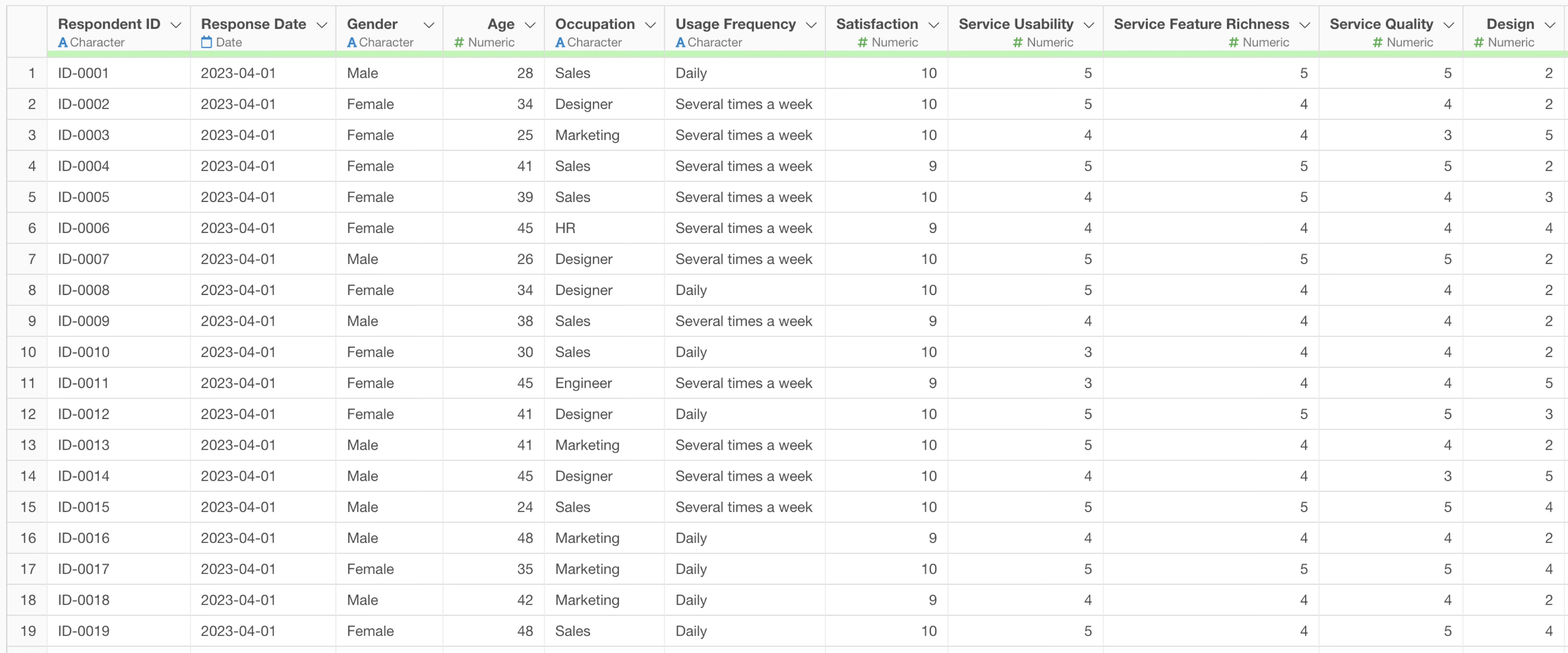
To create a CS Portfolio Analysis, you need data where each row represents one respondent, with columns for the target metric and the scores for each evaluation item.
- Target Metric: Overall Satisfaction, Service Satisfaction, Product Satisfaction, Intent to Continue, etc.
- Evaluation Items: Product Quality, Price Fairness, Staff Response, Delivery/Lead Time, After-sales Support, Ease of Use, Design, Brand Image, etc.
Executing CS Portfolio Analysis with AI Prompt
In this example, we will use survey data where each row represents one respondent to execute a CS Portfolio Analysis for Overall Satisfaction using AI prompts. (You can download the data from here)
Click the “AI Data Wrangling” button.
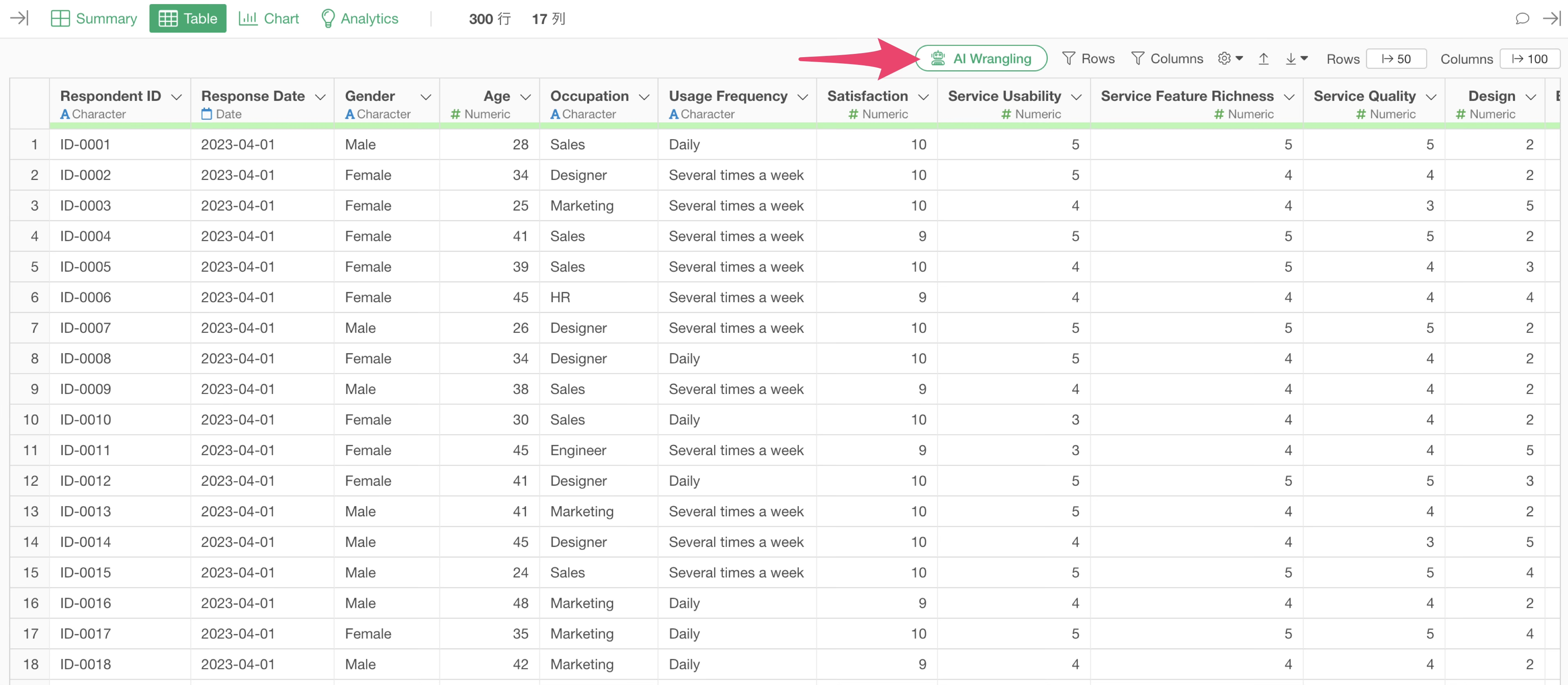
When the AI Prompt dialog opens, enter text like the following and execute it.
Create data for cs portfolio analysis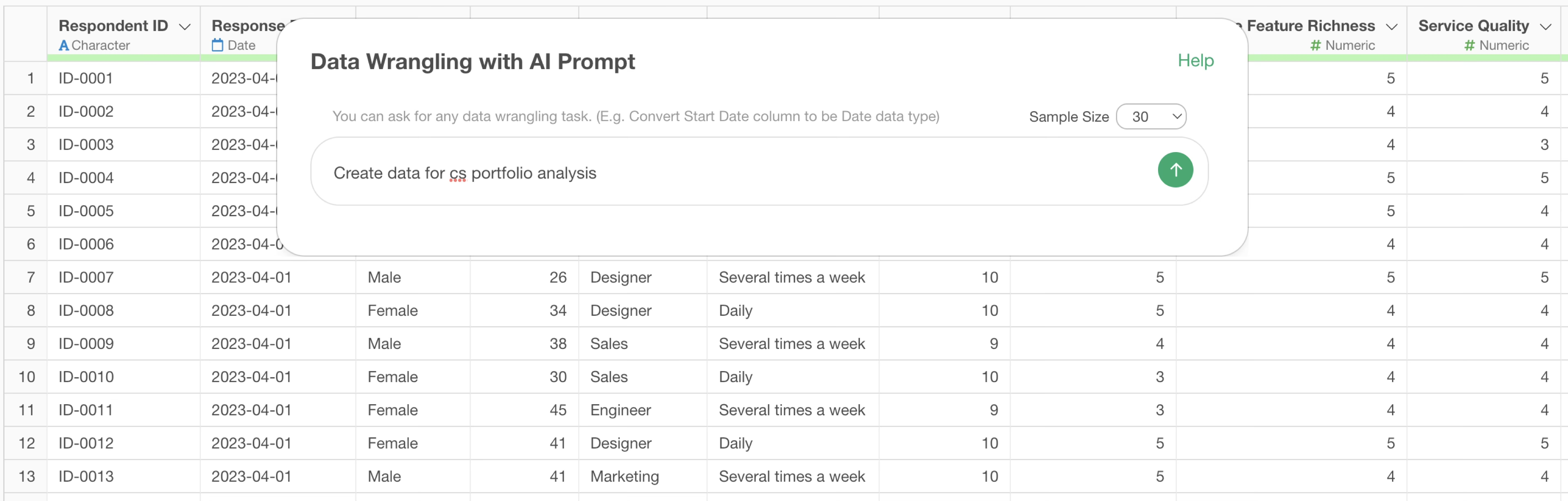
Then, the code to execute the CS Portfolio Analysis will be generated.
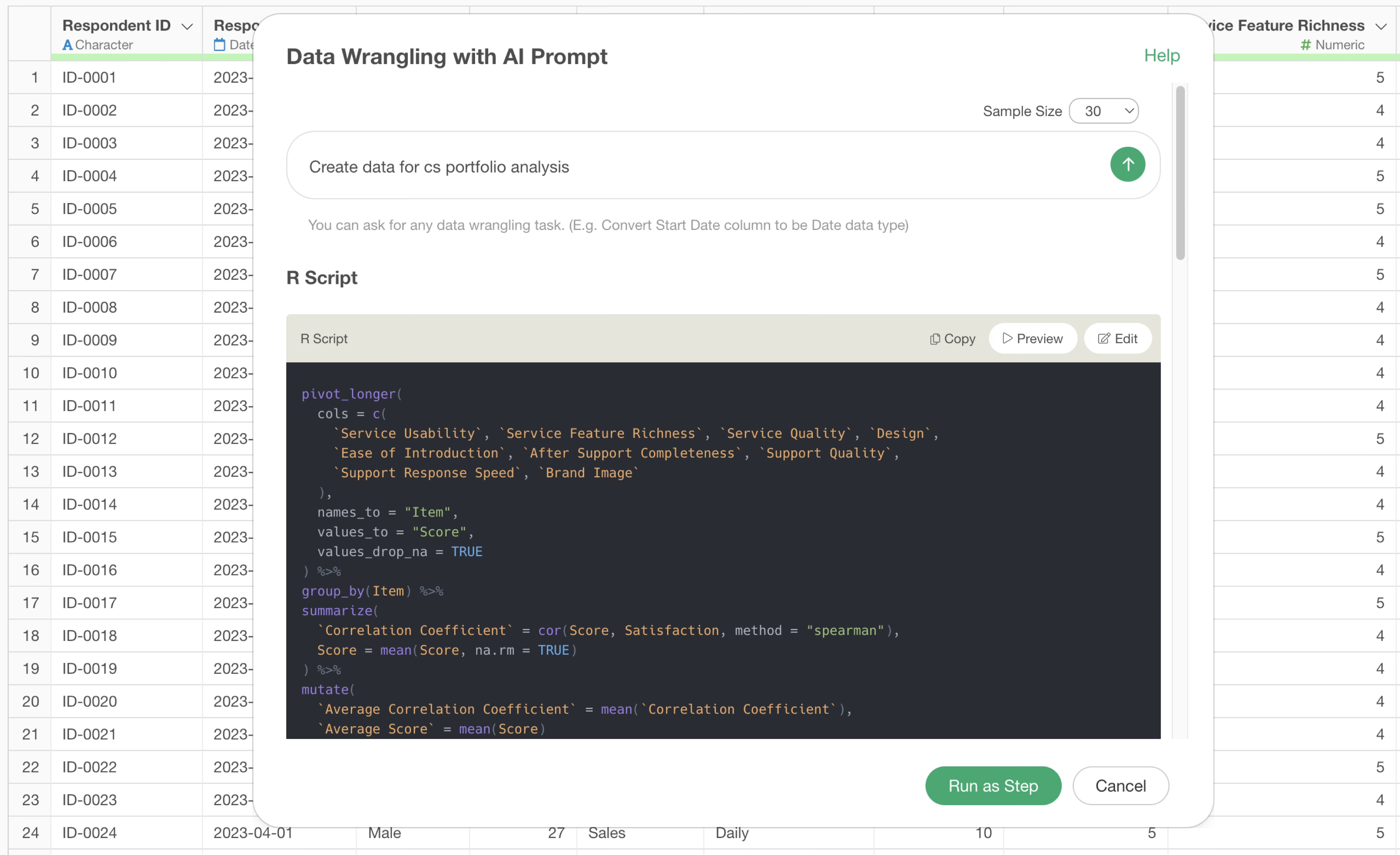
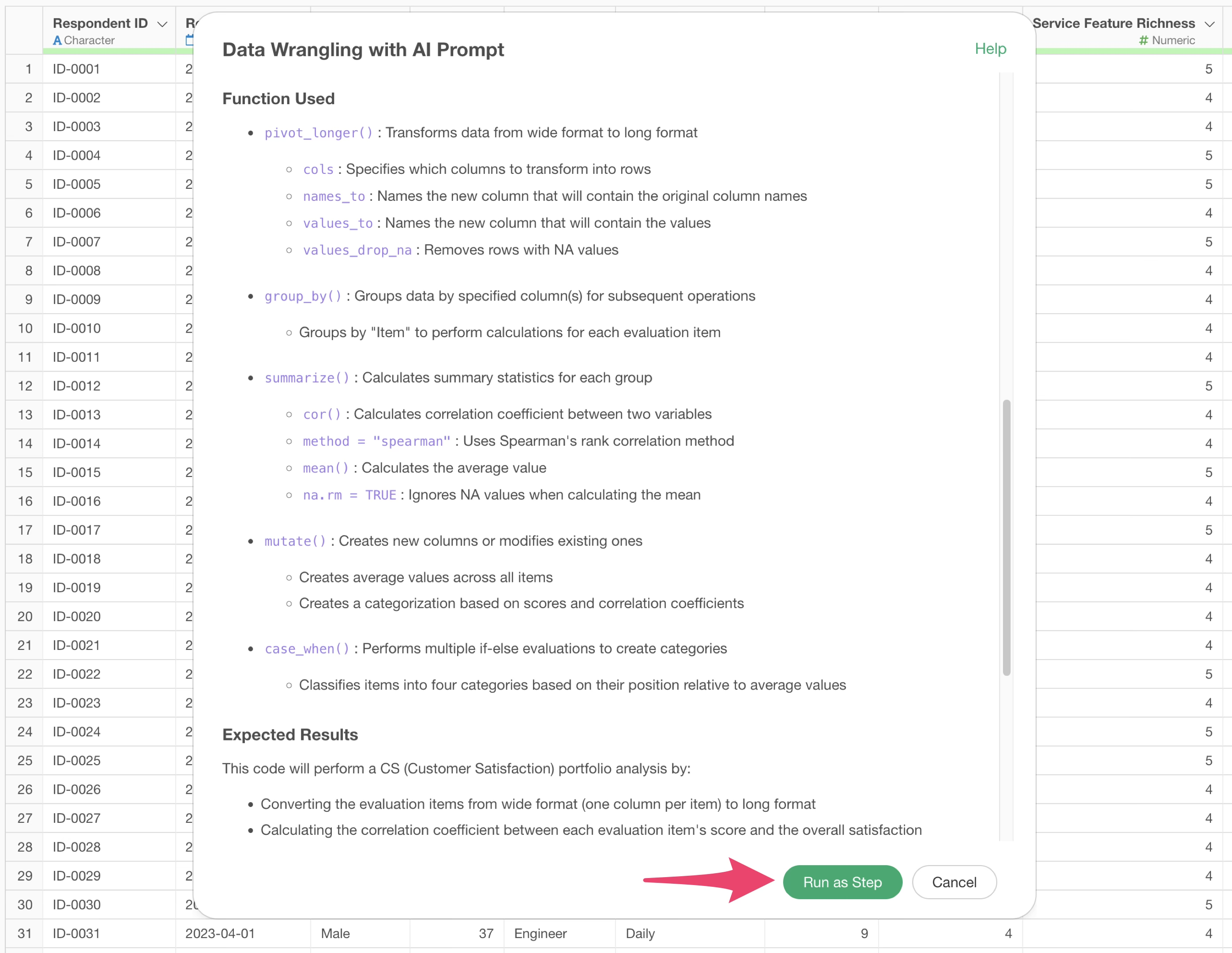
Check the explanation of the functions used and the expected results, then click the “Run as Step” button.
The step is added, and the data for CS Portfolio Analysis is created.
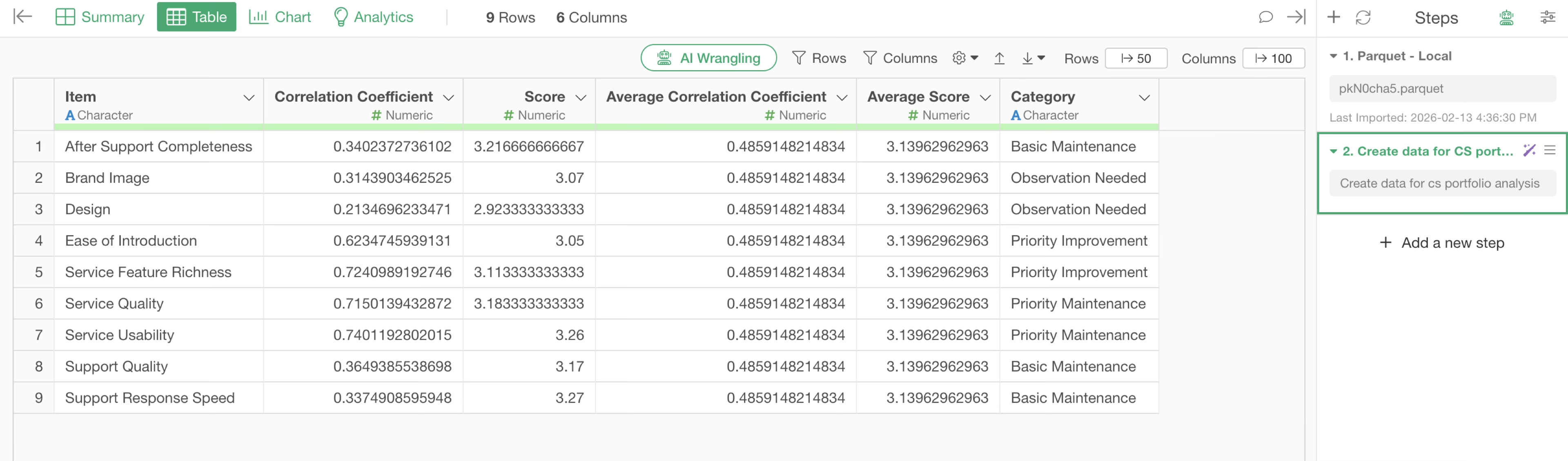
Next, move to the Chart view and create the CS Portfolio Analysis chart.
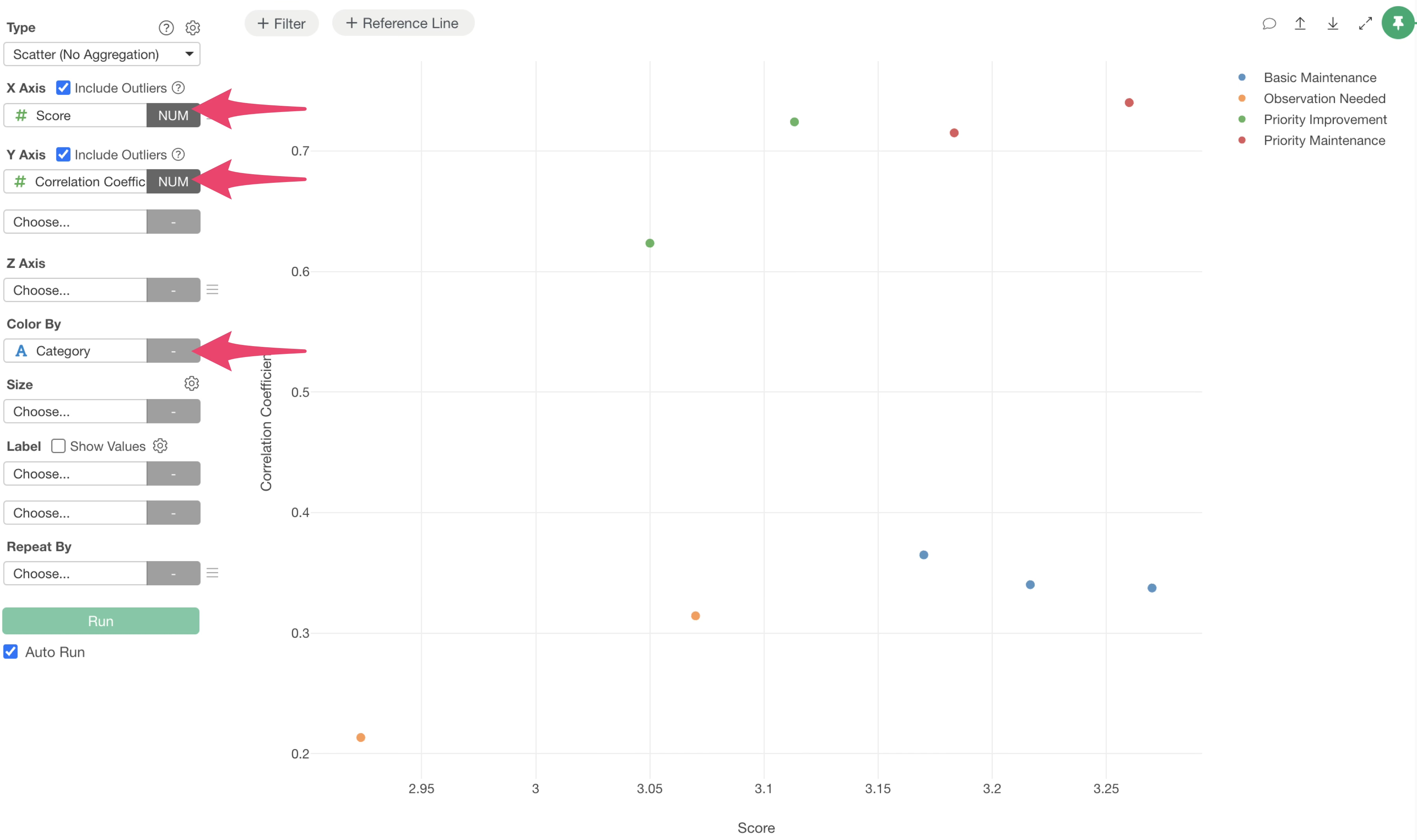
Select Scatter (No Aggregation) as the type, Score for the X-axis, Correlation Coefficient (with the target metric) for the Y-axis, and Category for the Color/Group.
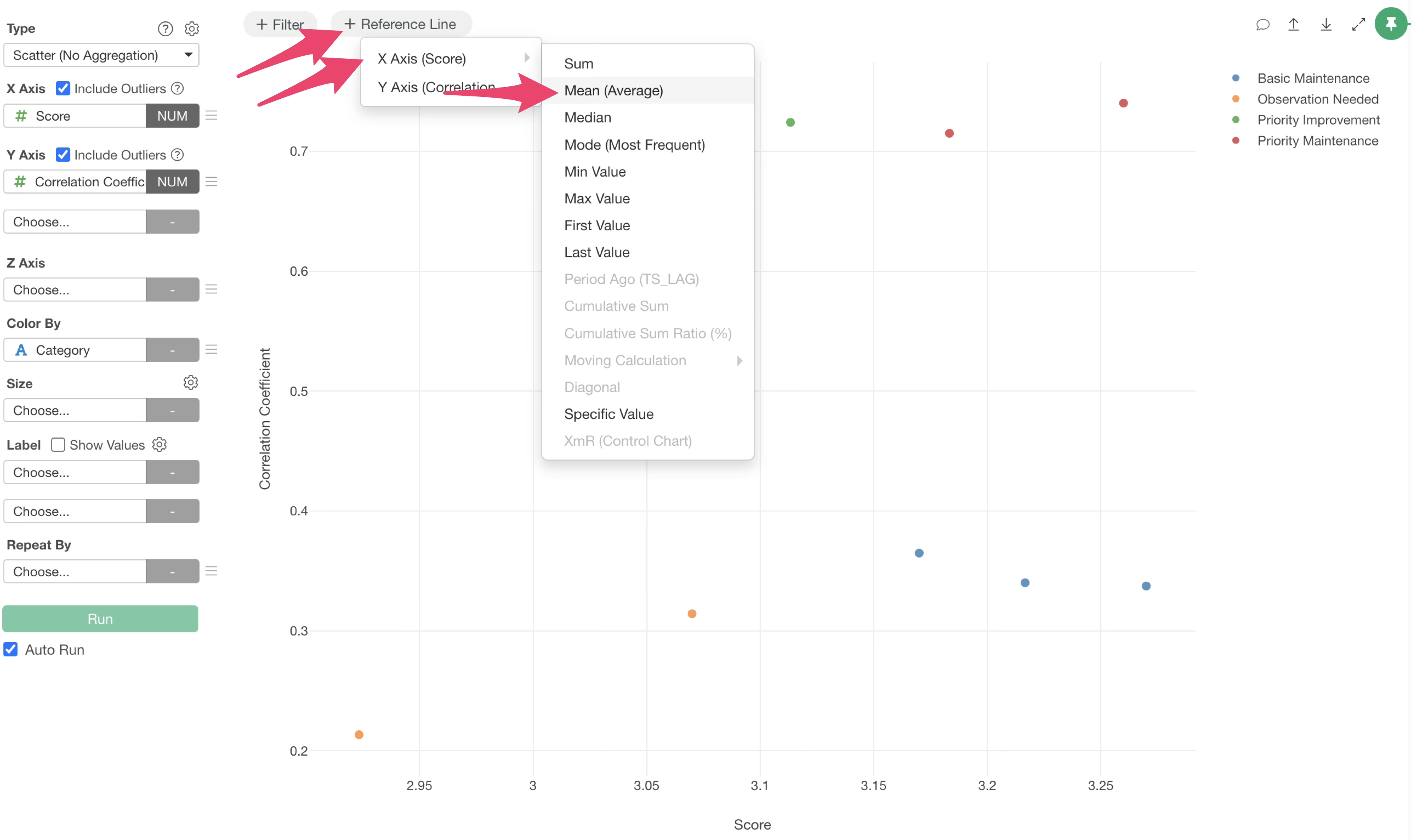
If you want to display thresholds as reference lines to classify into four categories, click the plus button for Reference Lines at the top of the chart and select the Mean of the X-axis.
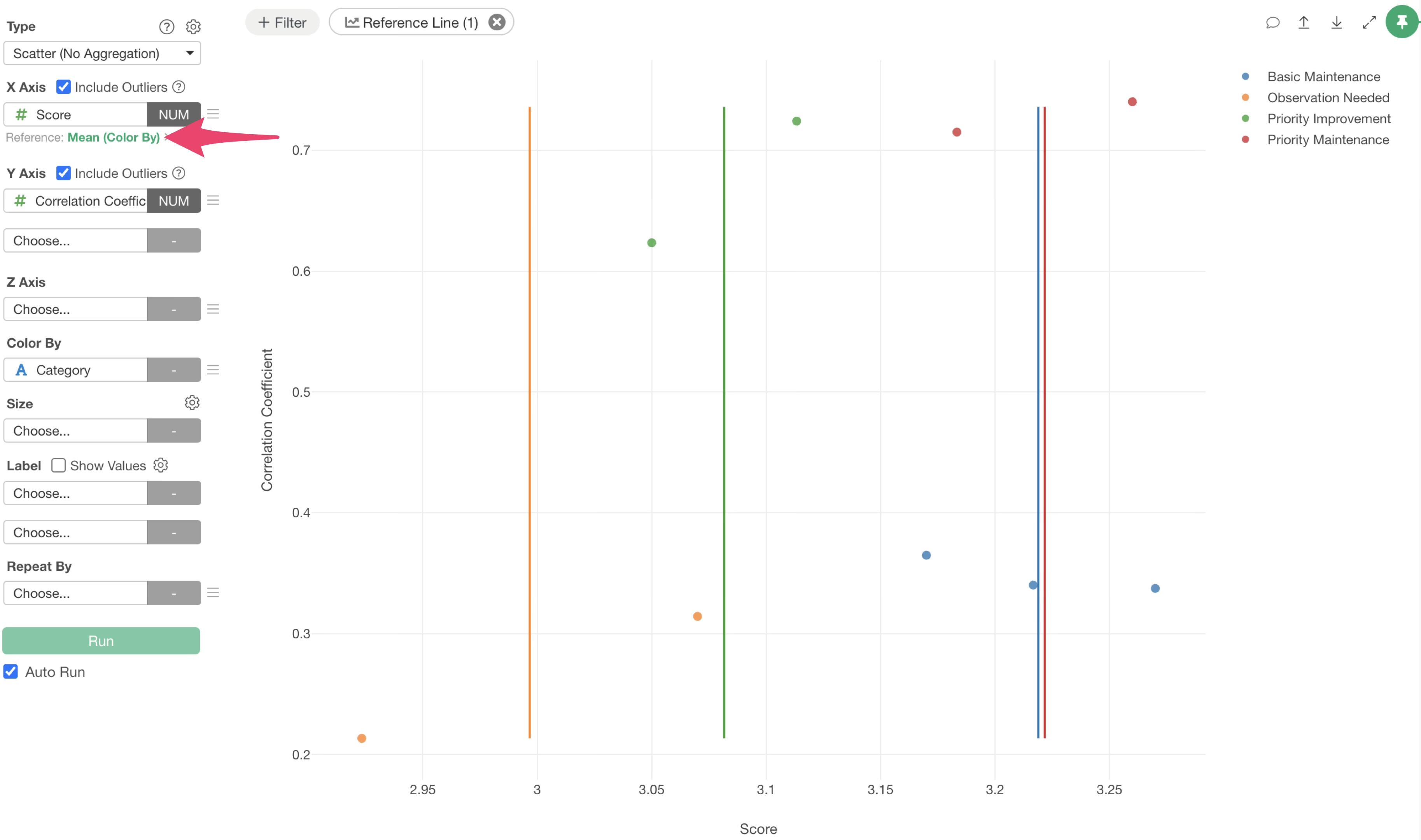
Next, click the green text of the reference line added to the X-axis.
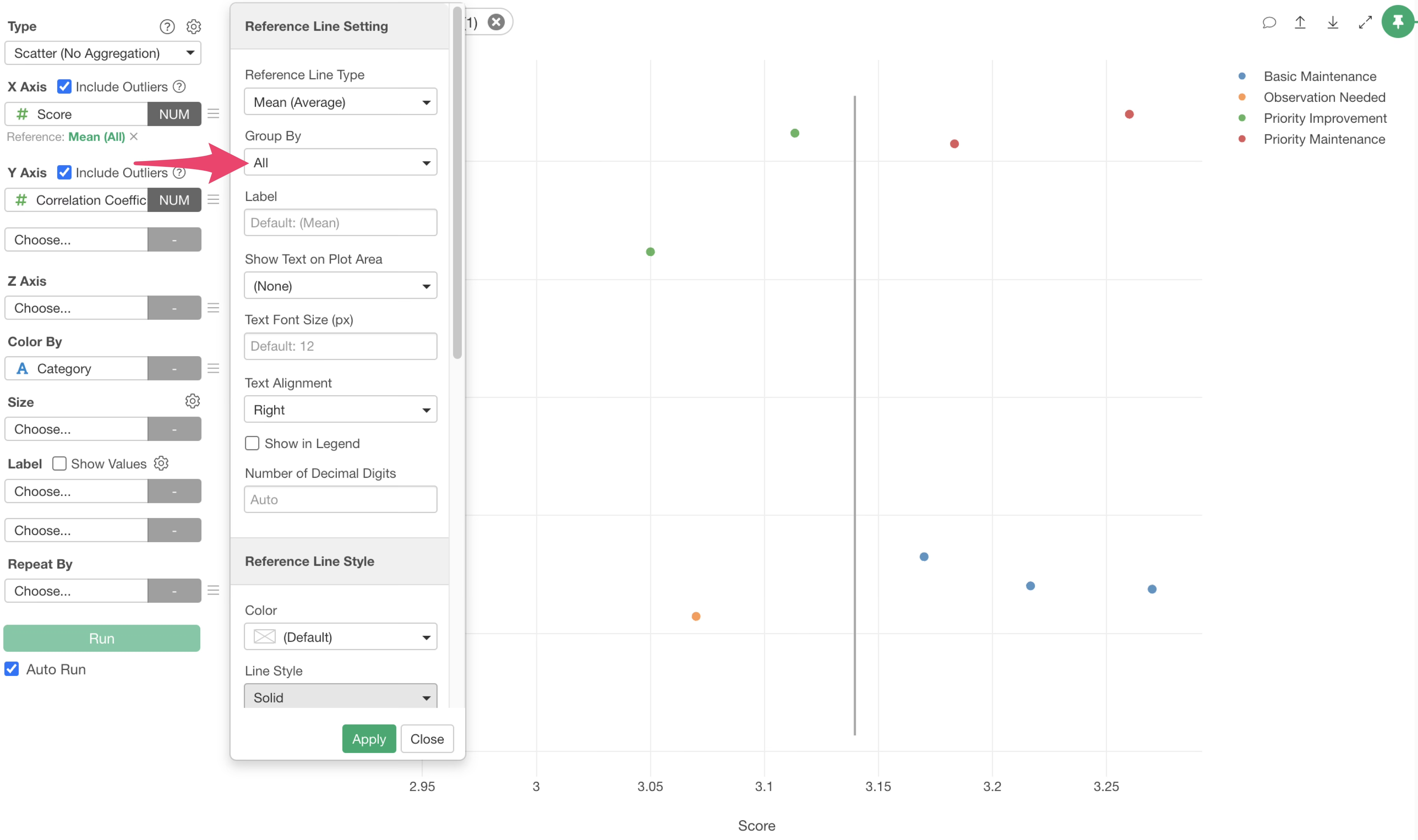
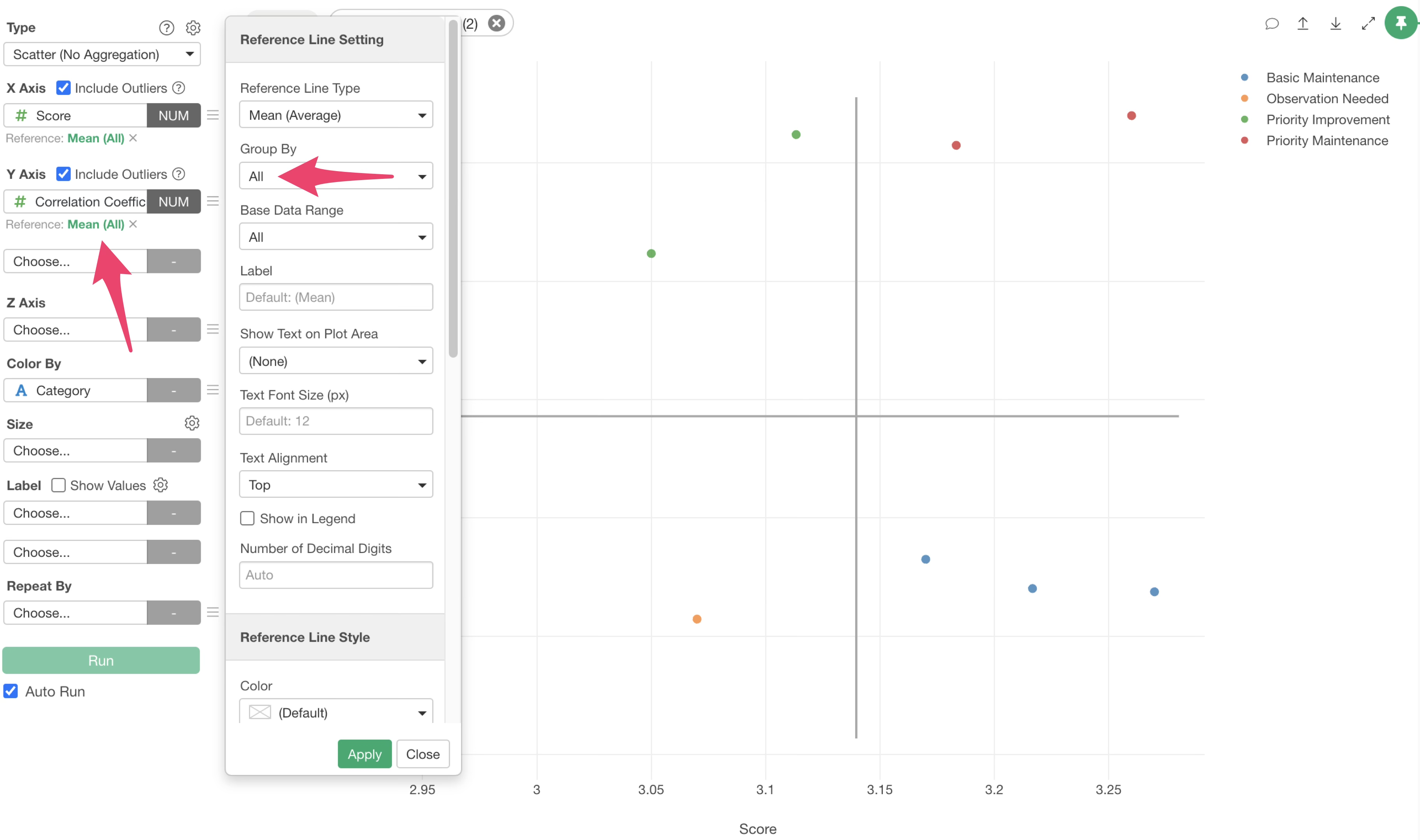
The Reference Line settings dialog will appear. Change the Grouping setting to “All” and apply.
Similarly, click the Reference Line button and add a reference line for the Correlation Coefficient on the Y-axis.
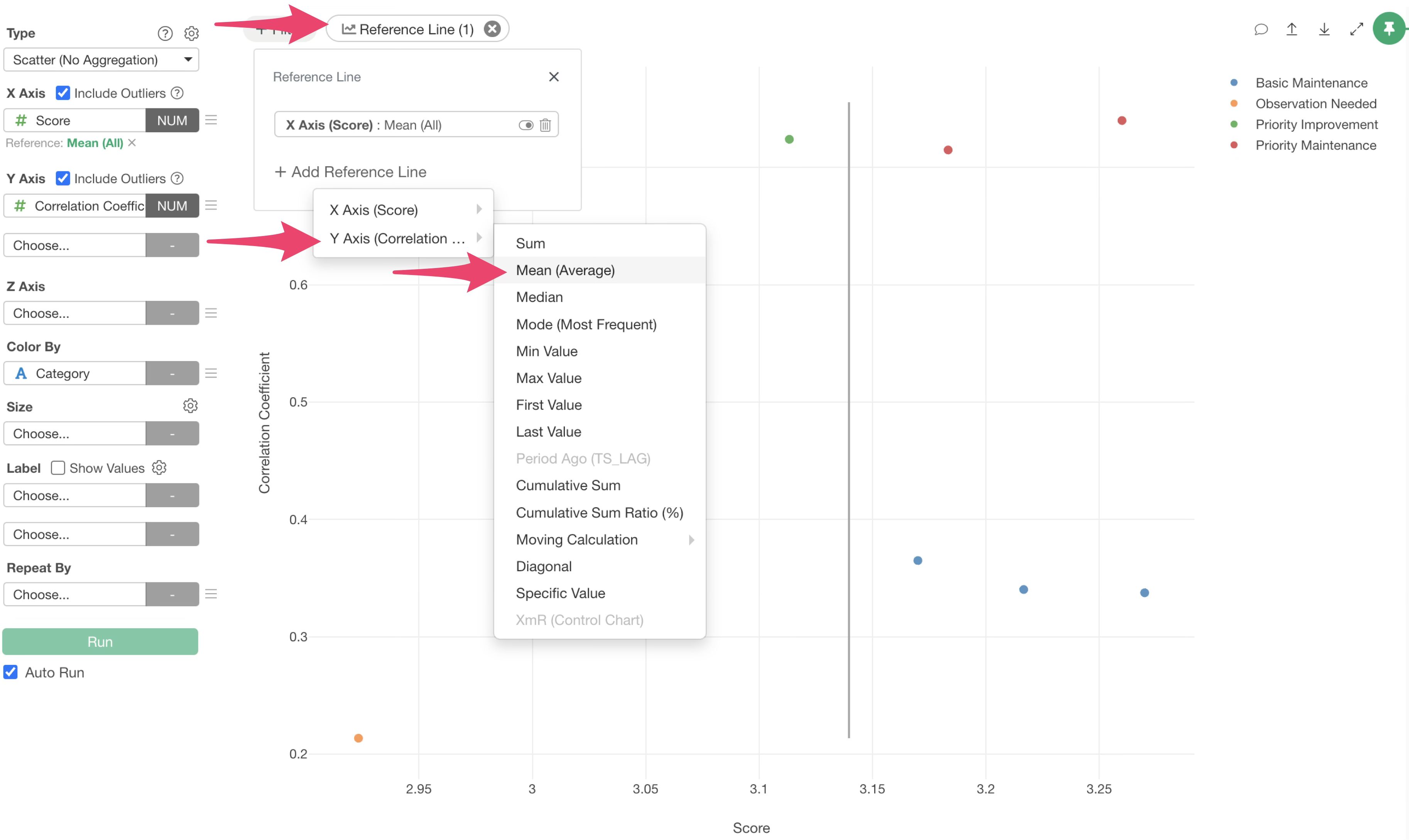
Next, click the green text of the Y-axis reference line, change the Grouping setting to “All,” and apply.
The reference lines to divide the evaluation items into four groups have been drawn.
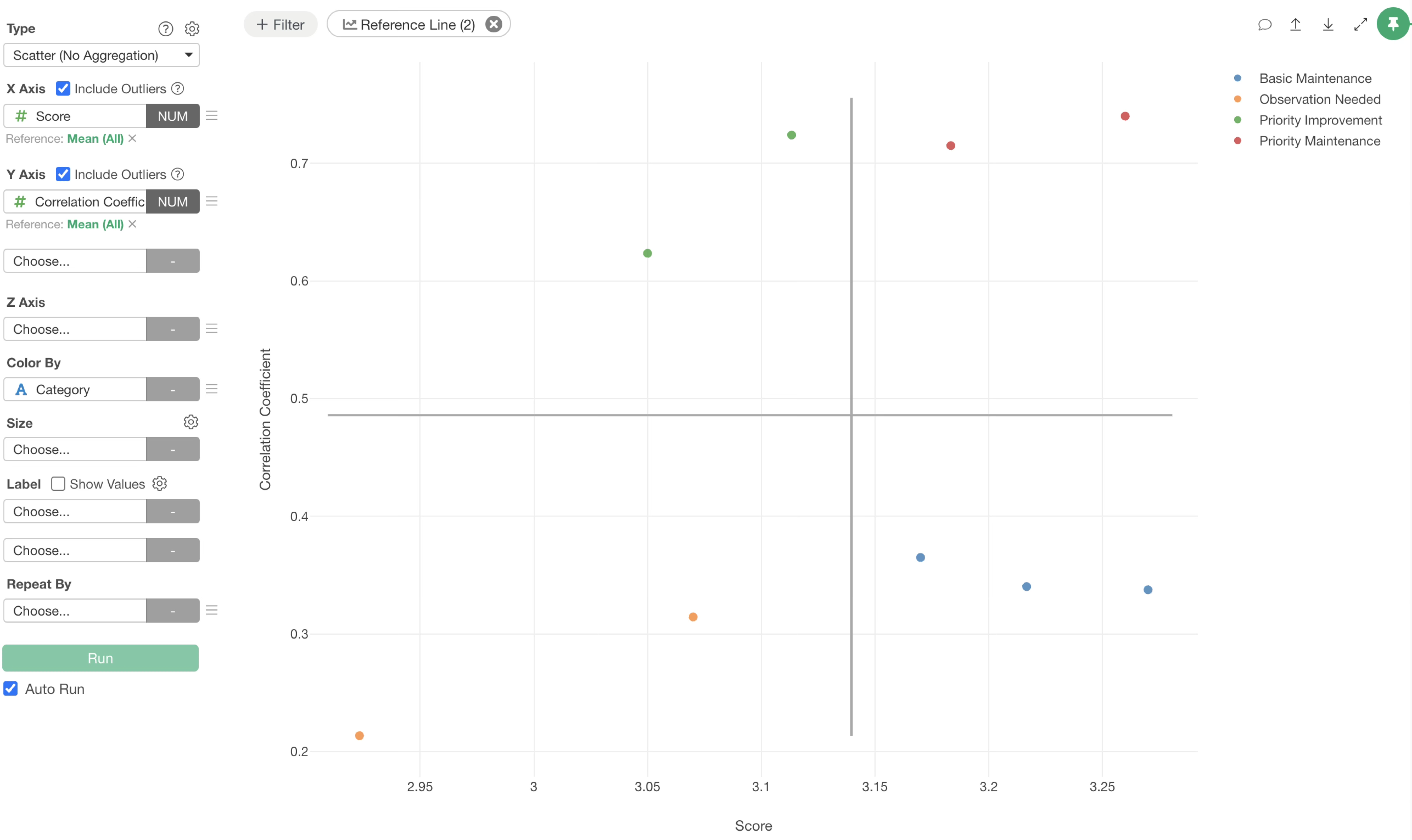
By checking each quadrant, you can see that items are classified into their respective categories based on the thresholds.
Finally, select “Item” for the Label and check “Show Value.”
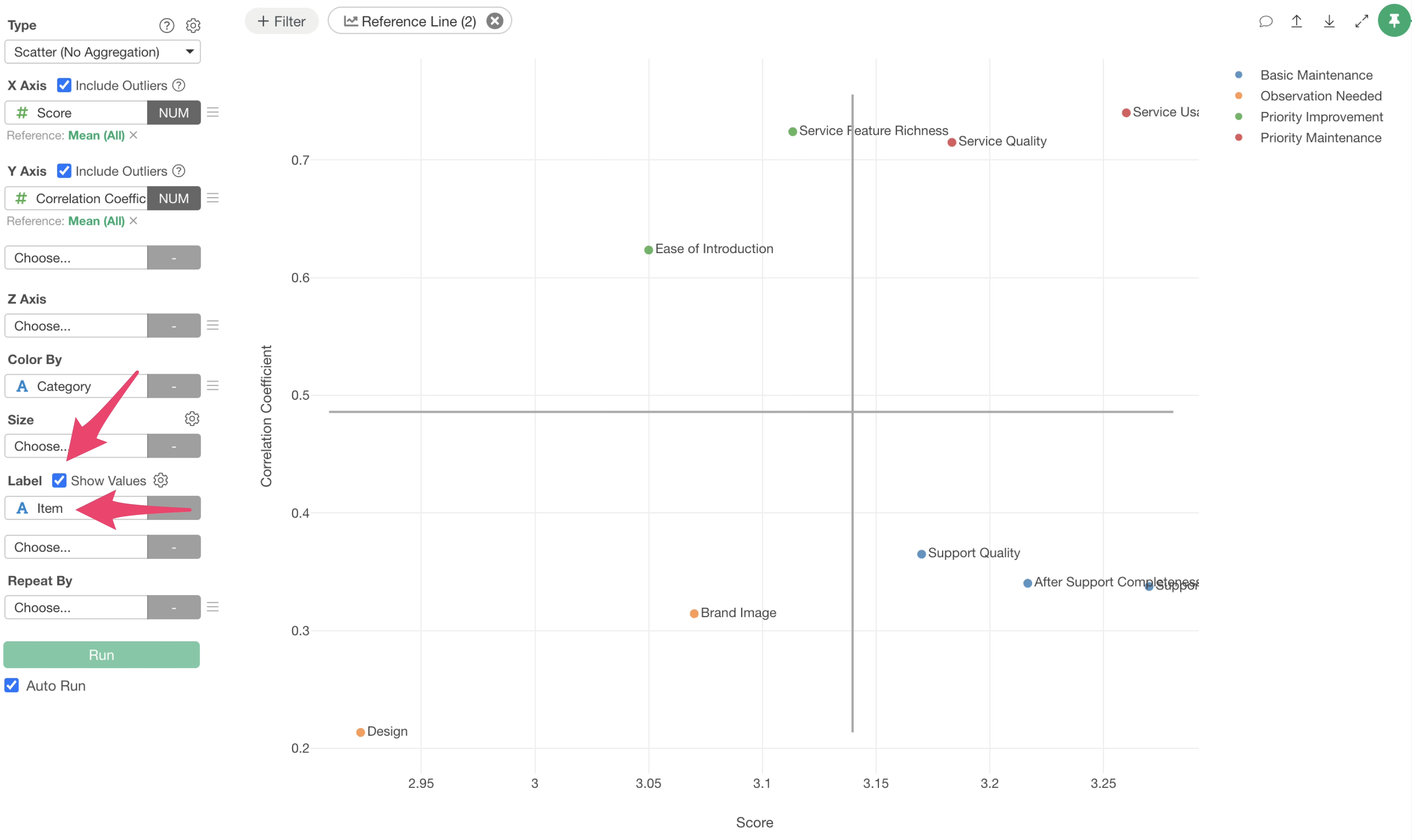
If you are concerned about overlapping labels, click the chart settings icon and go to the “Value” tab.
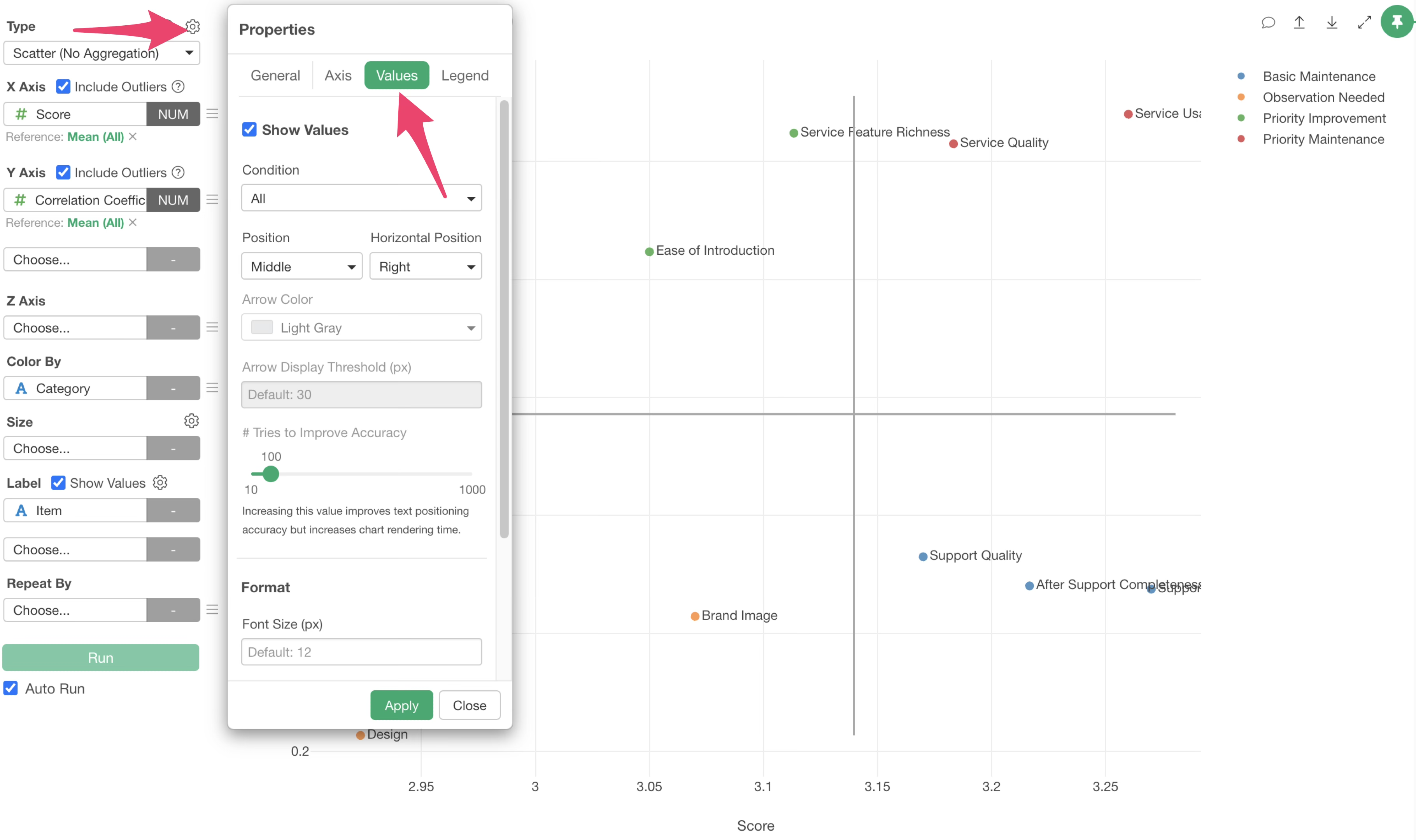
By changing the Position in the “Show Value” menu to “Auto” and applying it, you can adjust the display of each value.
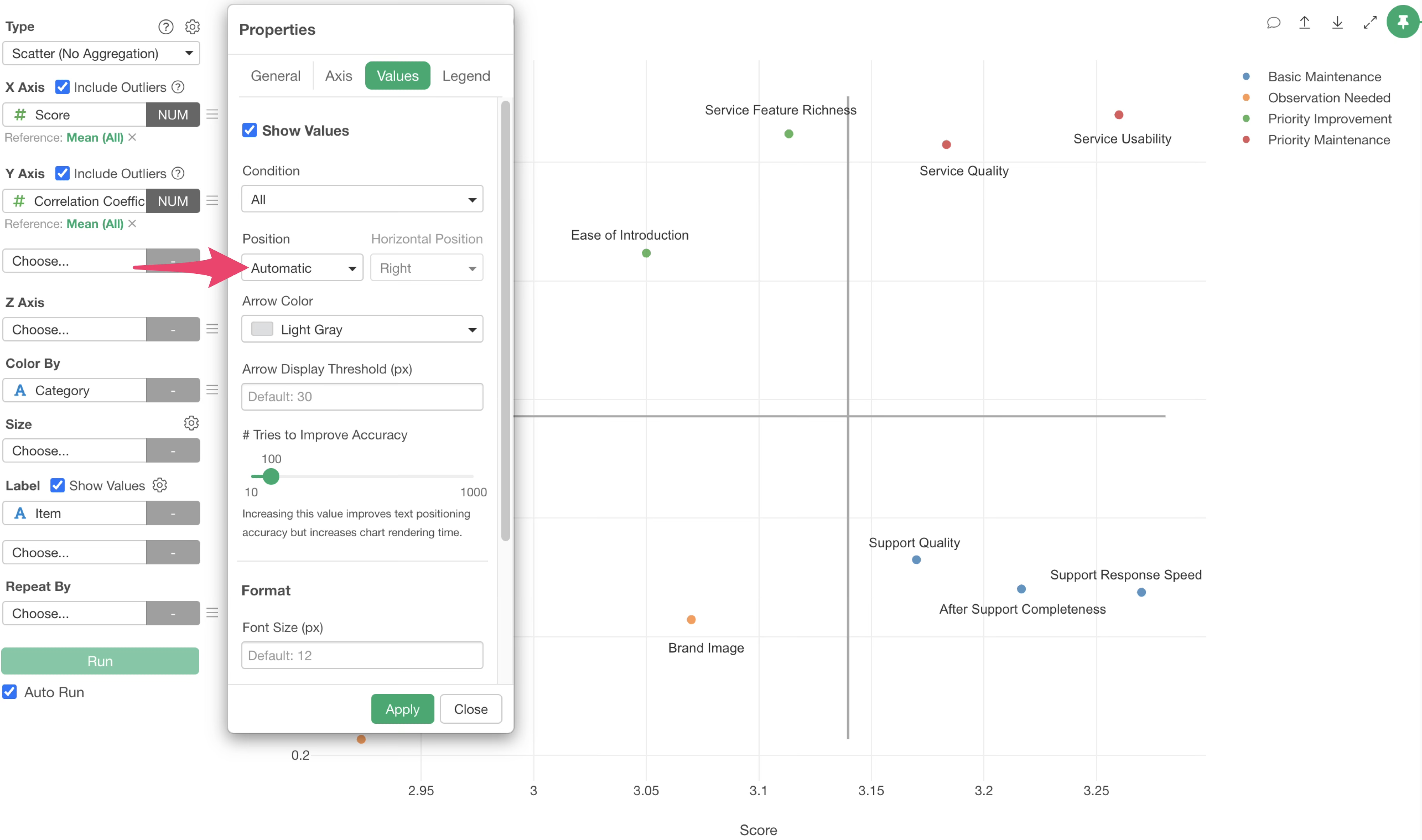
Now, the CS Portfolio Analysis is visualized.
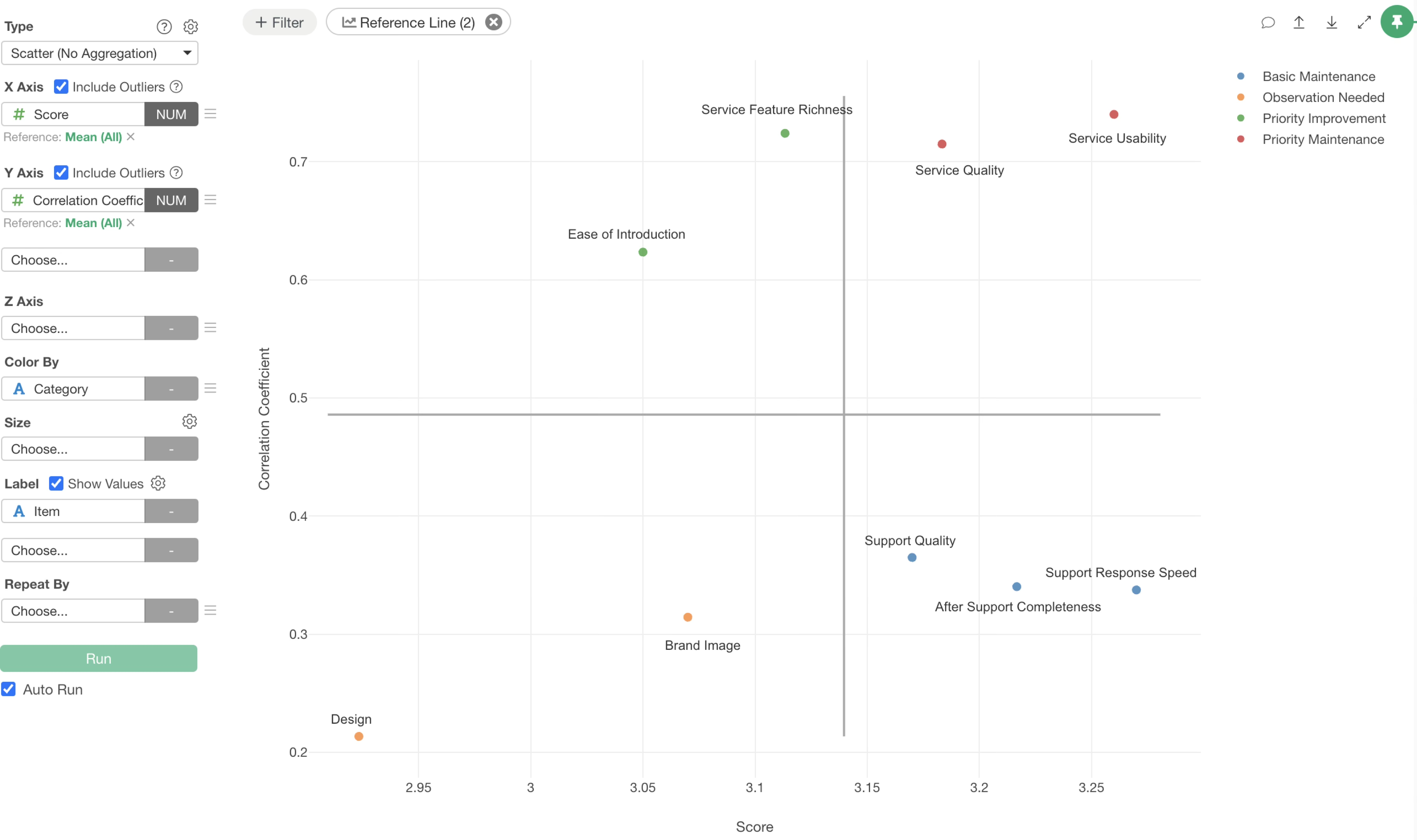
From this chart, you can see at a glance which evaluation items should be prioritized for improvement and which items are currently functioning well.
For example, items in the “Priority Maintenance” area in the top right are important to keep at their current level because they have high scores and strong correlations.
Items in the “Priority Improvement” area in the top left are the areas that should be addressed first because they have strong correlations but low scores. Improving these items can resolve customer dissatisfaction and prevent churn.
Comparison with Action Driver Charts
CS Portfolio Analysis and Action Driver Charts are structurally very similar analytical methods, but they have clear differences in their objectives.
CS Portfolio Analysis primarily uses “how satisfied or convinced customers are with the current service” as the target metric. On the other hand, Action Driver Charts use NPS (Net Promoter Score) as the target metric to measure “whether customers have enough enthusiasm to recommend the service to others.”
Therefore, there are differences in the purpose and goals for improving or maintaining each metric.