How to do Decile Analysis with AI Prompt
Decile analysis is a technique that divides customers into ten equal-frequency groups based on a metric such as sales, ranked from highest to lowest, to analyze how much each group contributes to total revenue.
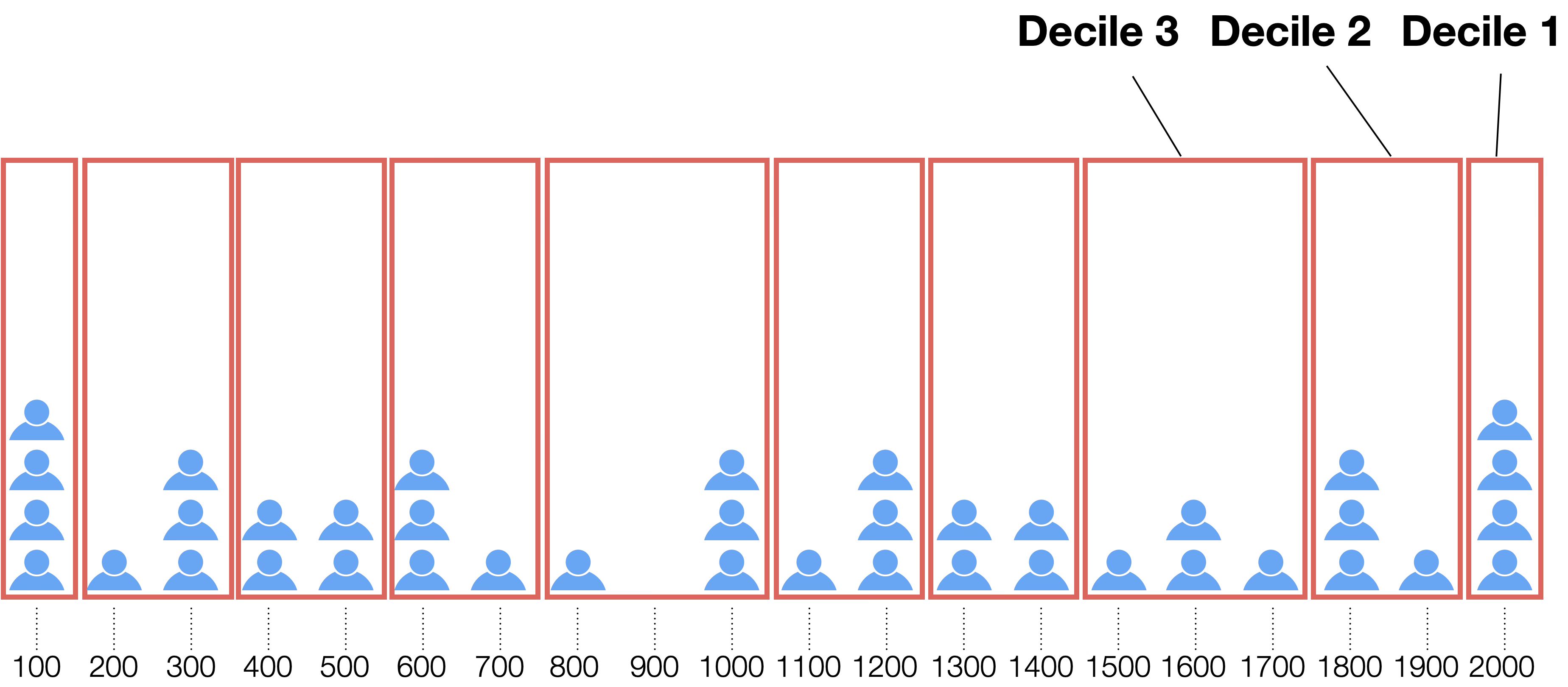
This analysis allows you to see at a glance which customer segments generate the majority of your sales.
For example, you can obtain specific information such as “the top 10% of customers account for 30% of total sales,” which is useful for developing marketing and sales strategies.
Differences from Pareto Analysis and ABC Analysis
Decile analysis, like Pareto Analysis and ABC Analysis, is a method for identifying important targets and concentrating resources, but there are several key differences.
Results are finalized in “10 bars,” even with many analysis targets
Pareto and ABC analyses plot products or customers individually side-by-side. Therefore, if the number of targets increases to thousands or tens of thousands, the horizontal axis of the graph becomes overcrowded, making it difficult to read overall trends.
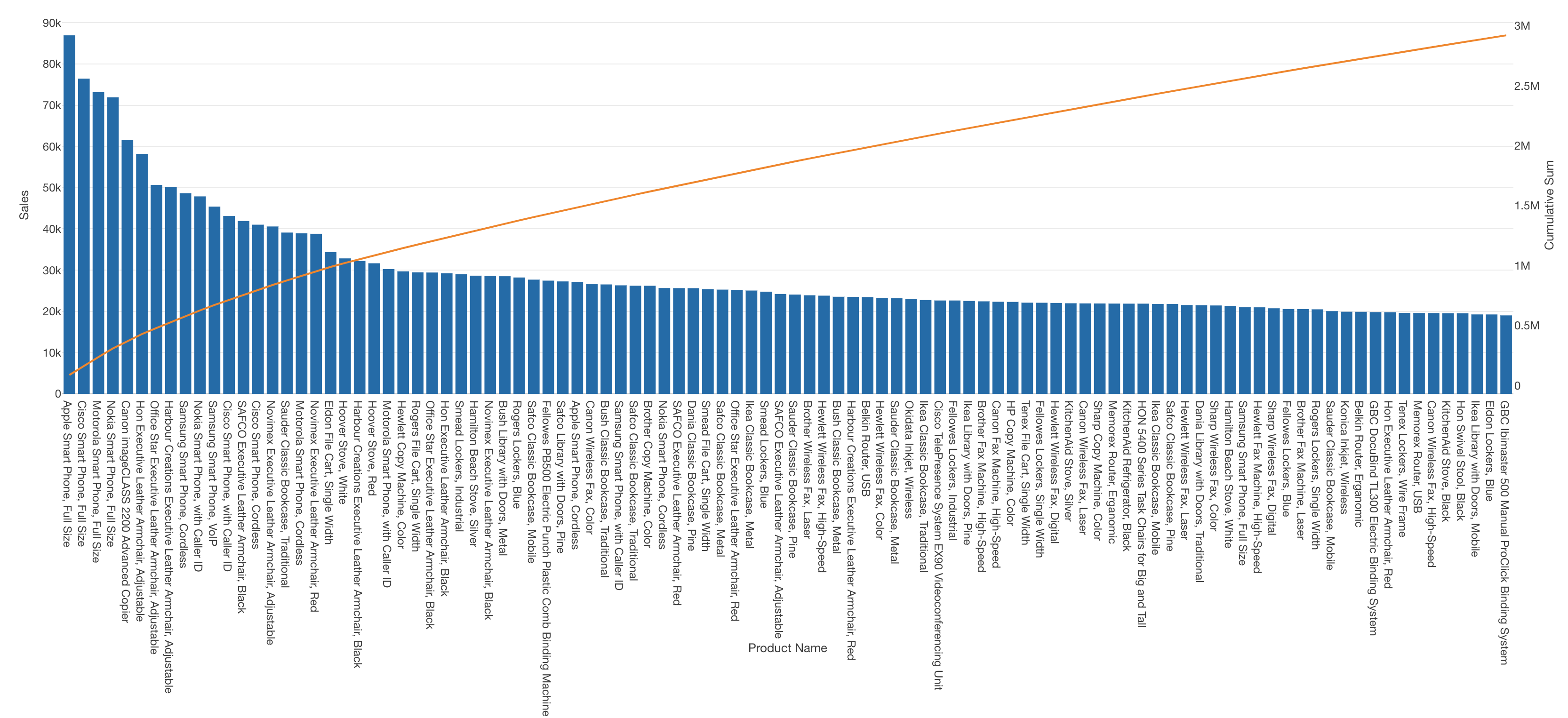
Decile analysis is a method that groups the top 10% segments into “10 bars,” regardless of how many targets there are. No matter how vast the number of items becomes, the results are always organized into 10 categories, making it easy to see the skew within the whole at a glance.
Data Required for Decile Analysis
When performing decile analysis, it is common to use transaction data where each row represents a single customer transaction or order detail. (Data can be downloaded from here)
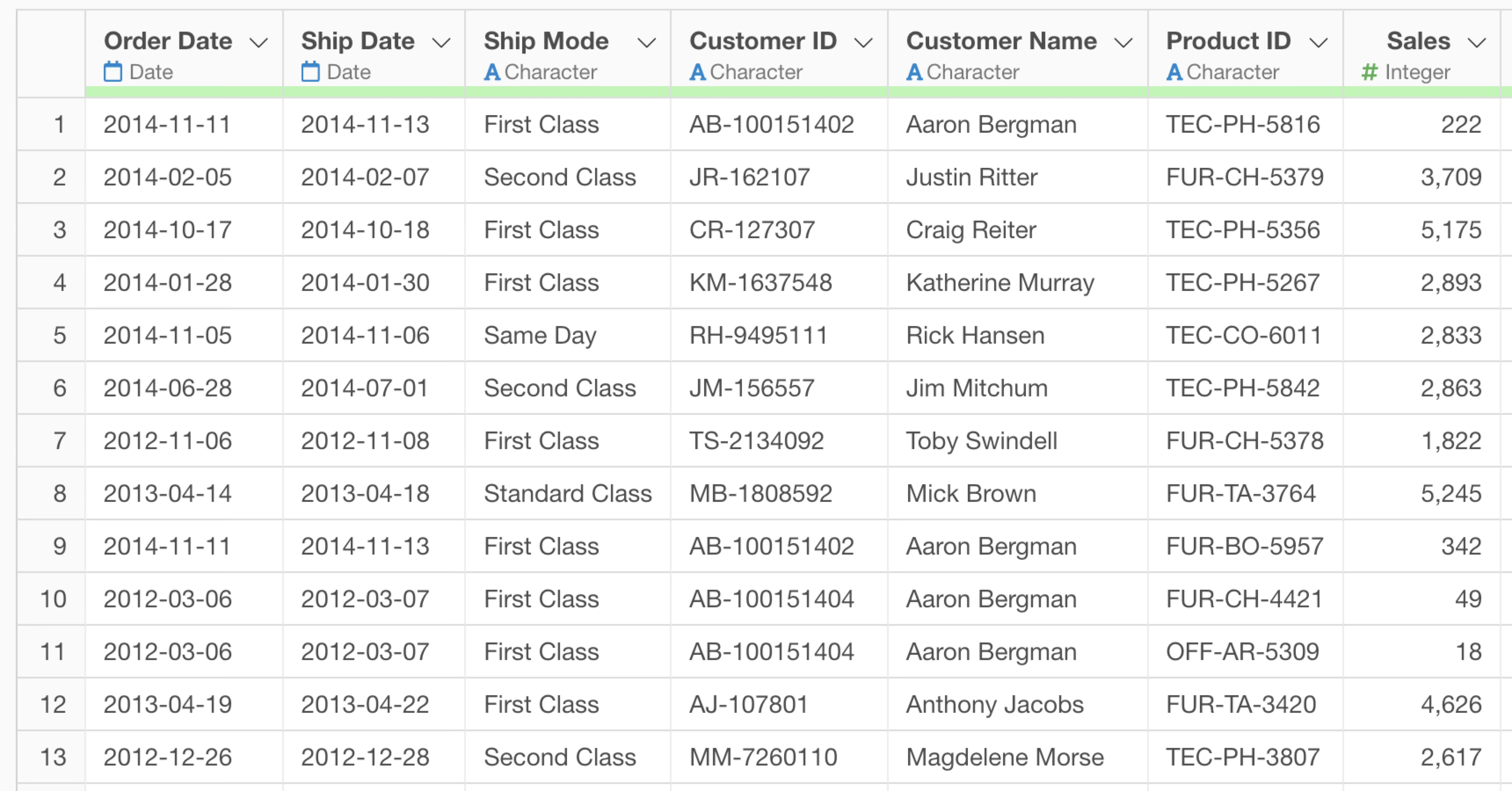
Specifically, you need data containing the following two types of information (columns):
Customer Identification Information
Information that uniquely identifies the customers being analyzed is required. Specifically, this includes:
- Unique identifiers such as Customer ID, Member Number, or Account ID
- Email addresses (if they can identify an individual)
- Customer names (if there are no duplicate names)
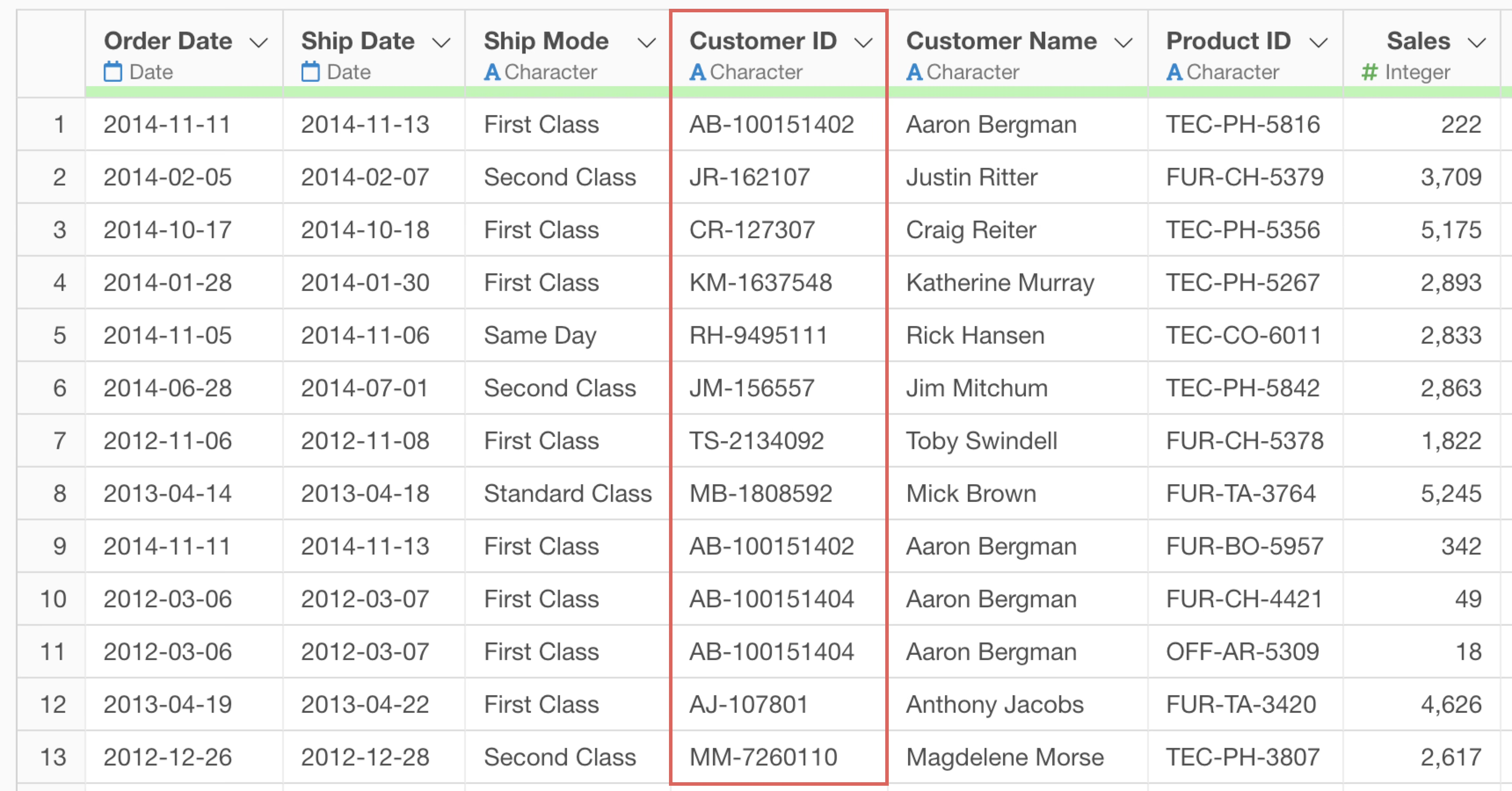
Depending on the purpose of the analysis, it can be applied to targets other than customers. For example, use Product IDs for decile analysis by product, or Store IDs for analysis by store.
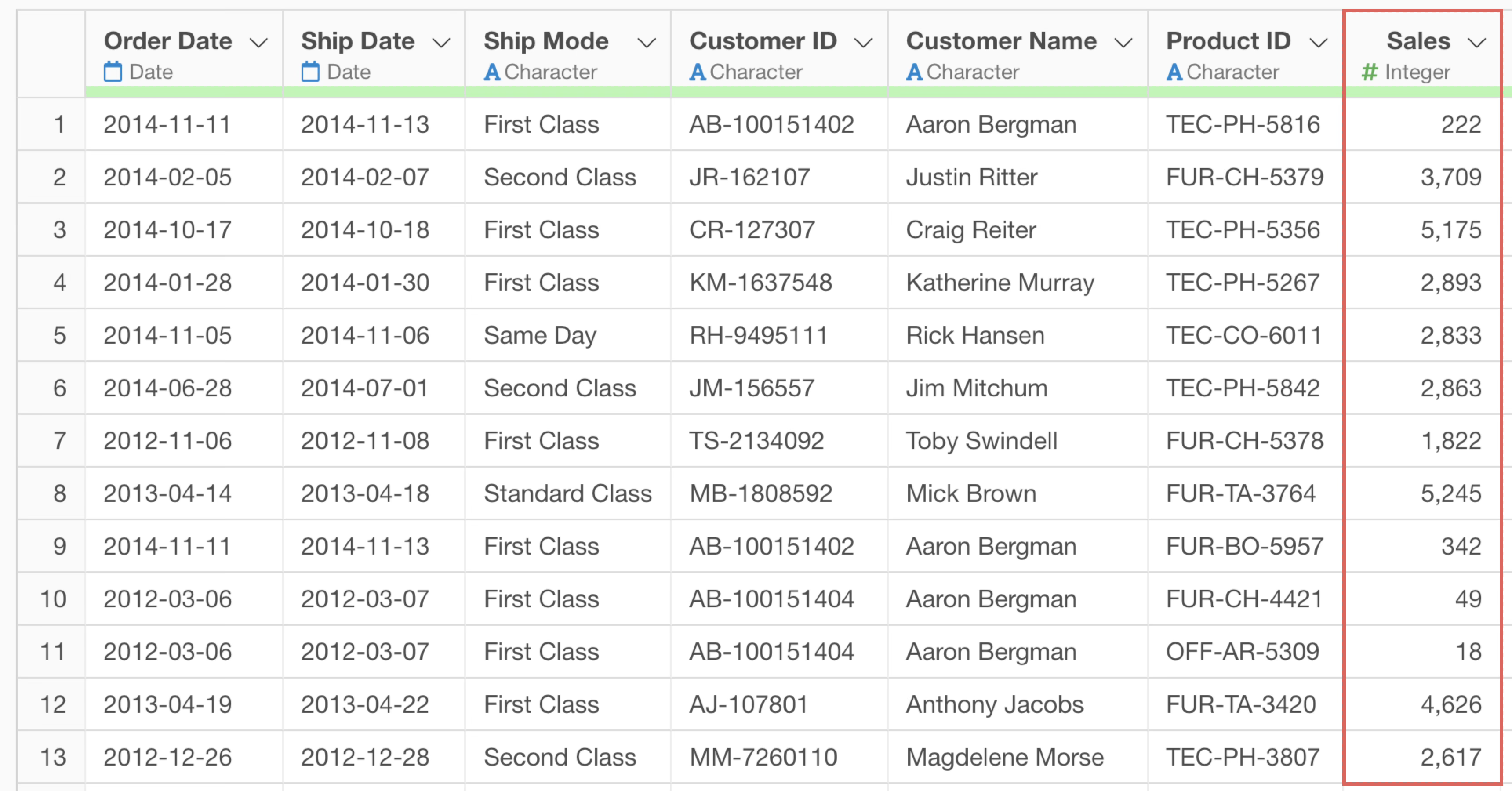
Numerical Data for Evaluation Metrics
Numerical data used for decile ranking is required. Generally, the following metrics are used:
- Sales amount (most common)
- Purchase frequency or number of orders
- Profit amount or gross margin
- Number of products purchased or quantity
- Customer Lifetime Value (LTV)
Performing Decile Analysis Using AI Prompts
In this example, we will use data where each row represents one order detail to perform a decile analysis on customer sales using an AI prompt.
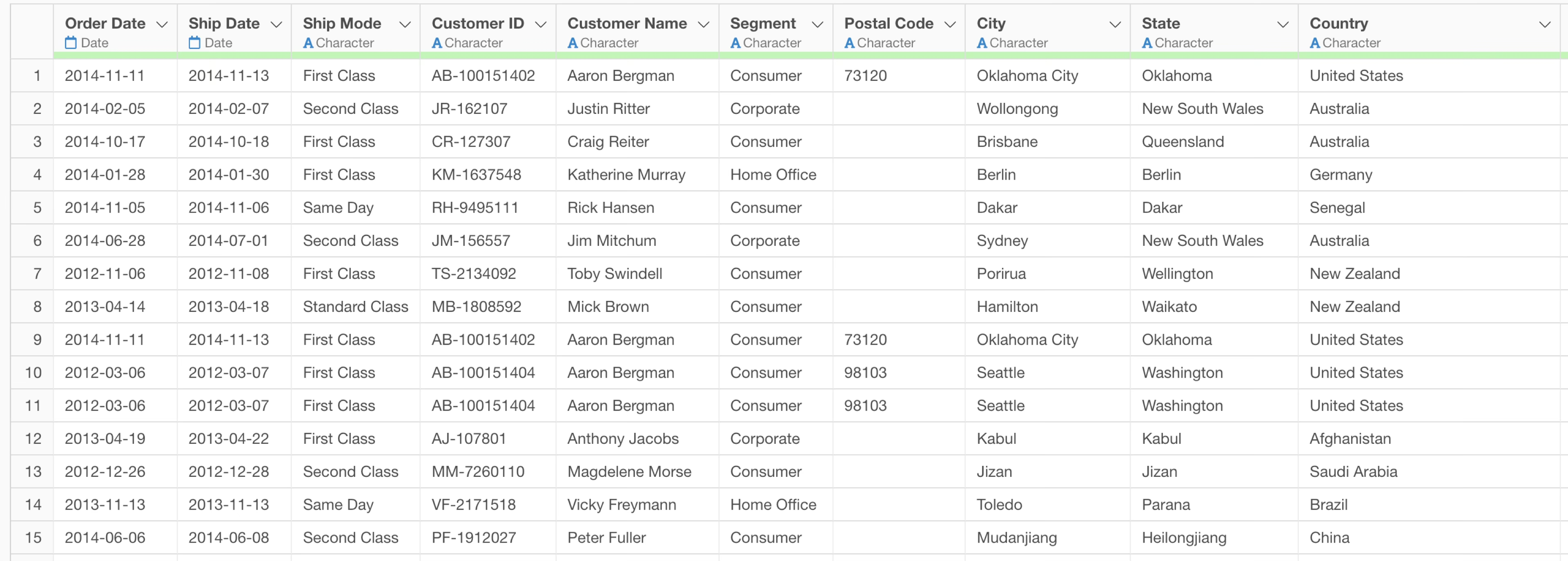
The data includes information such as Customer ID, Order Date, Product Category, Product Name, and Sales.
Click the “AI Wrangling” button.
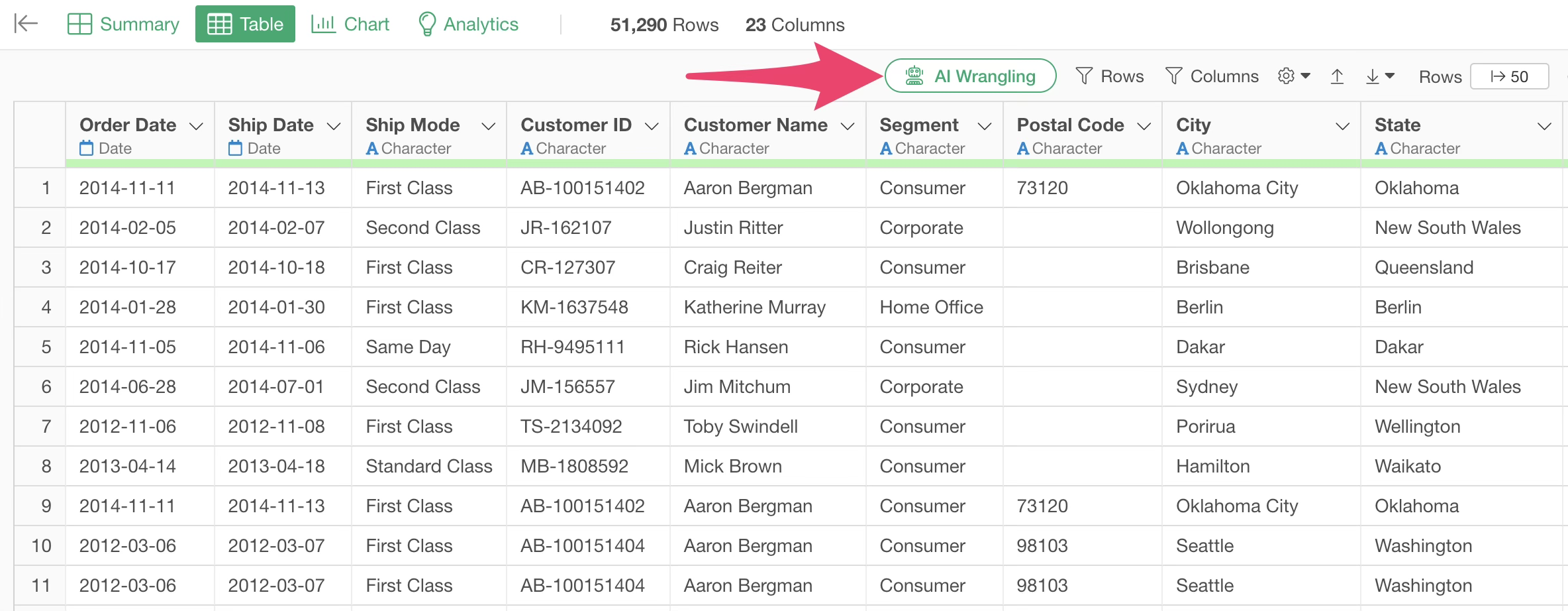
Once the AI Prompt dialog opens, enter text like the following and execute it:
Perform decile analysis based on customer sales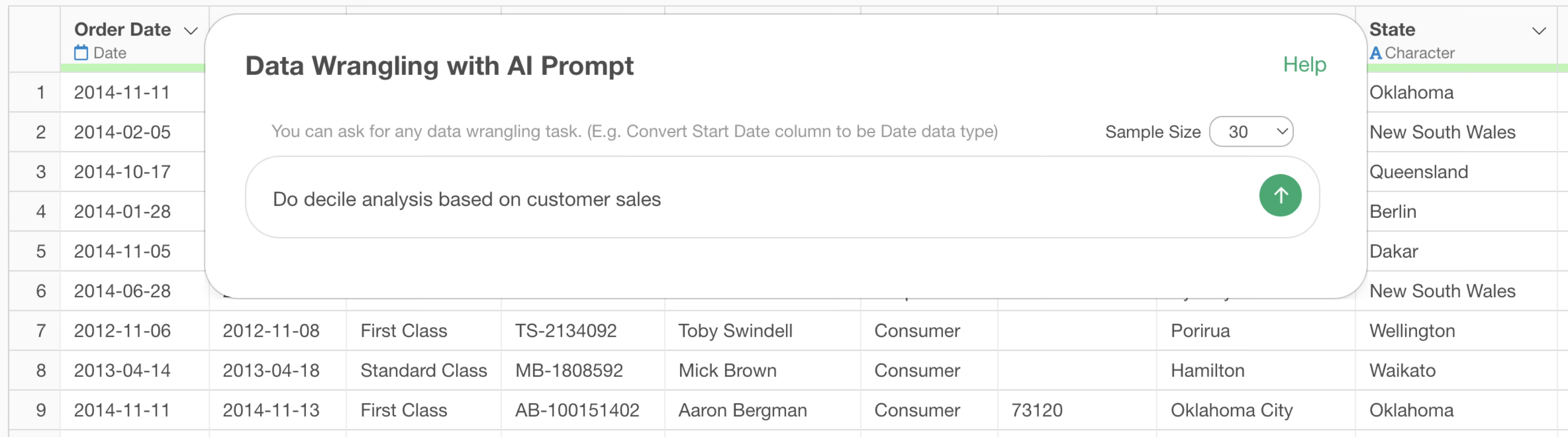
The code for performing decile analysis will then be generated.
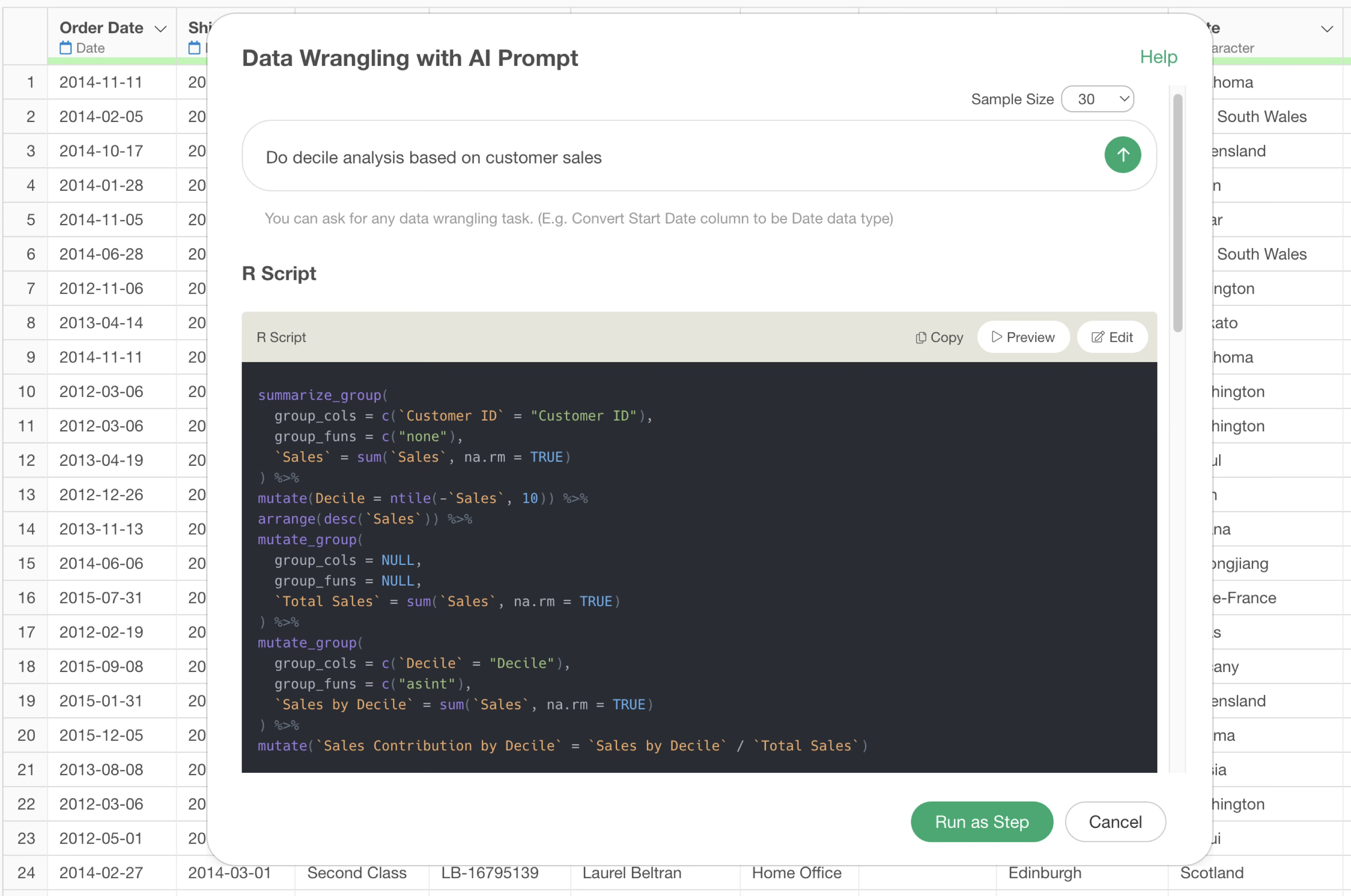
Review the explanation of the functions used and the expected results, then click the “Run as Step” button.
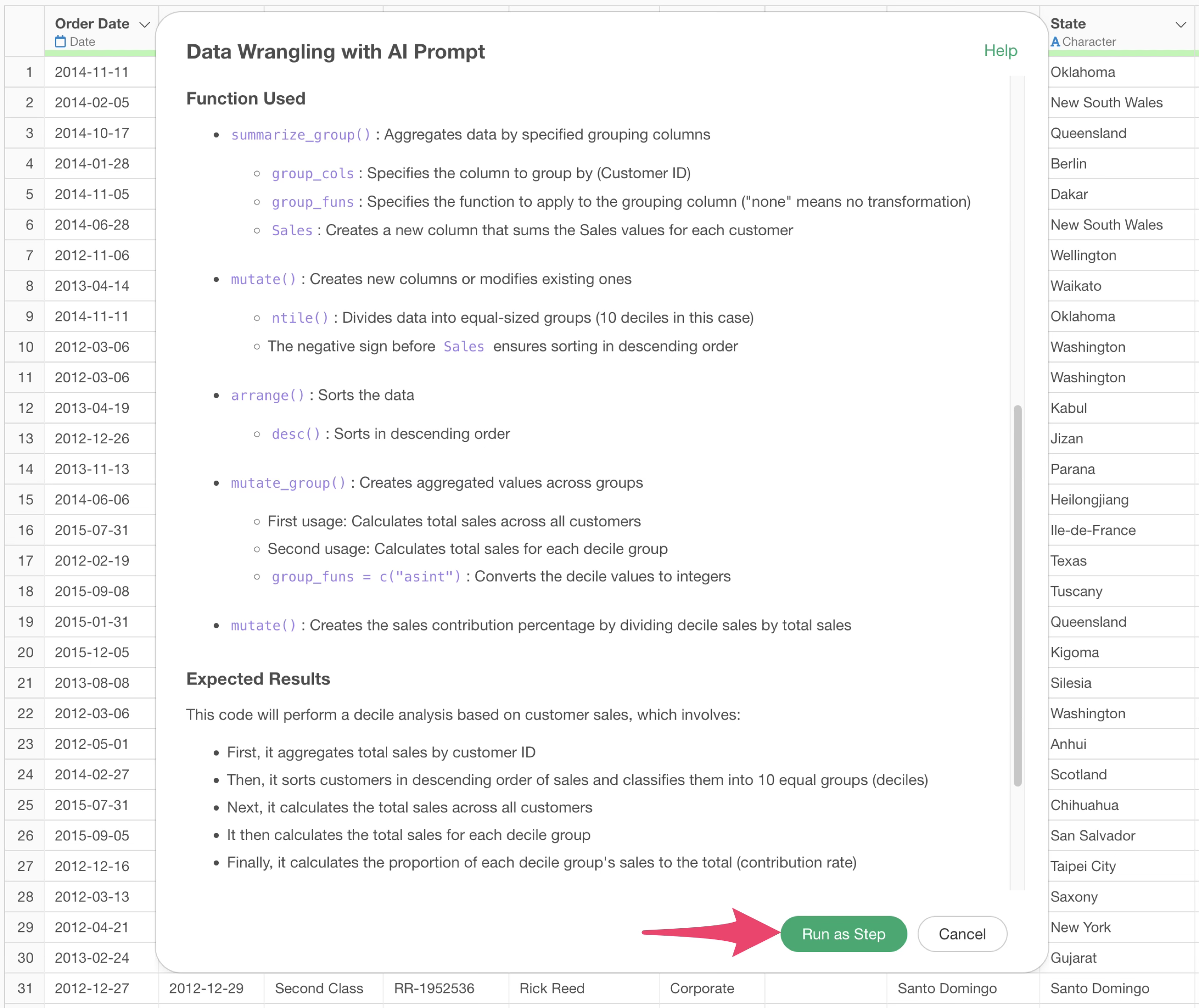
The step is added, and the data for decile analysis is created.
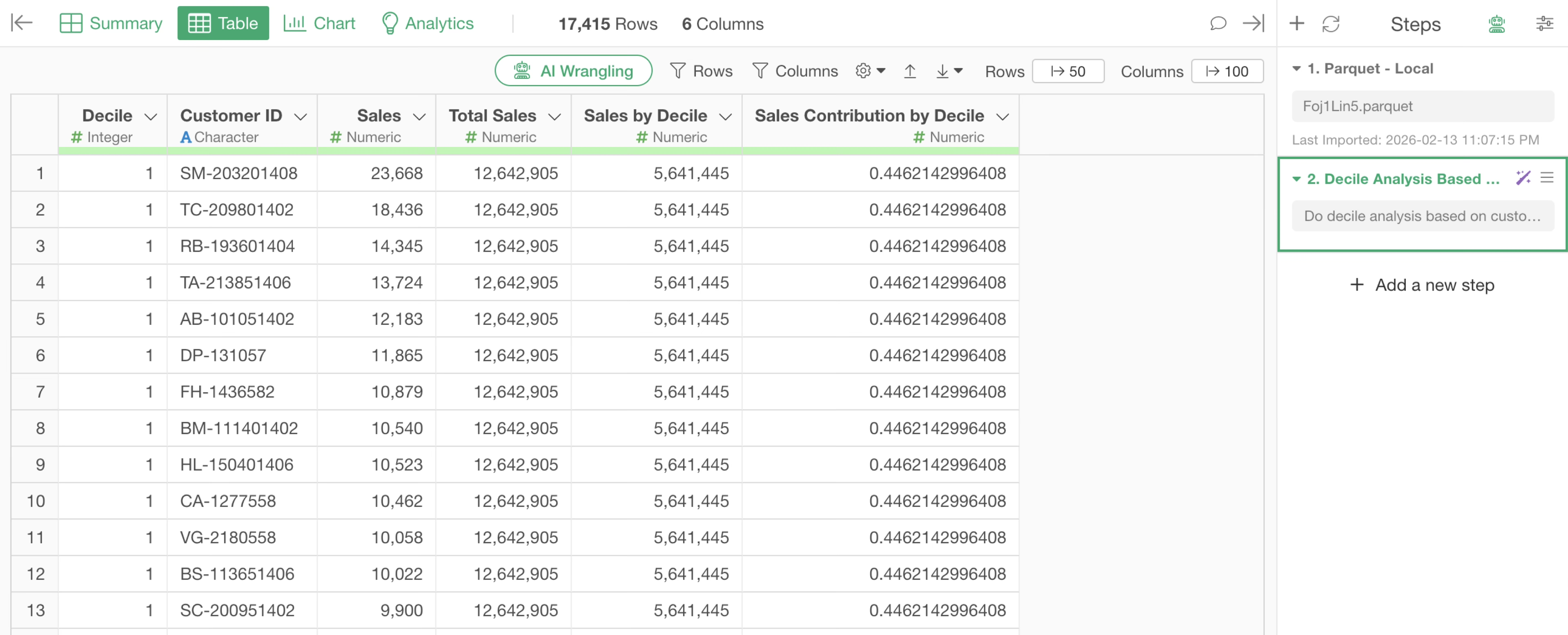
Next, move to the Chart view to execute the decile analysis.
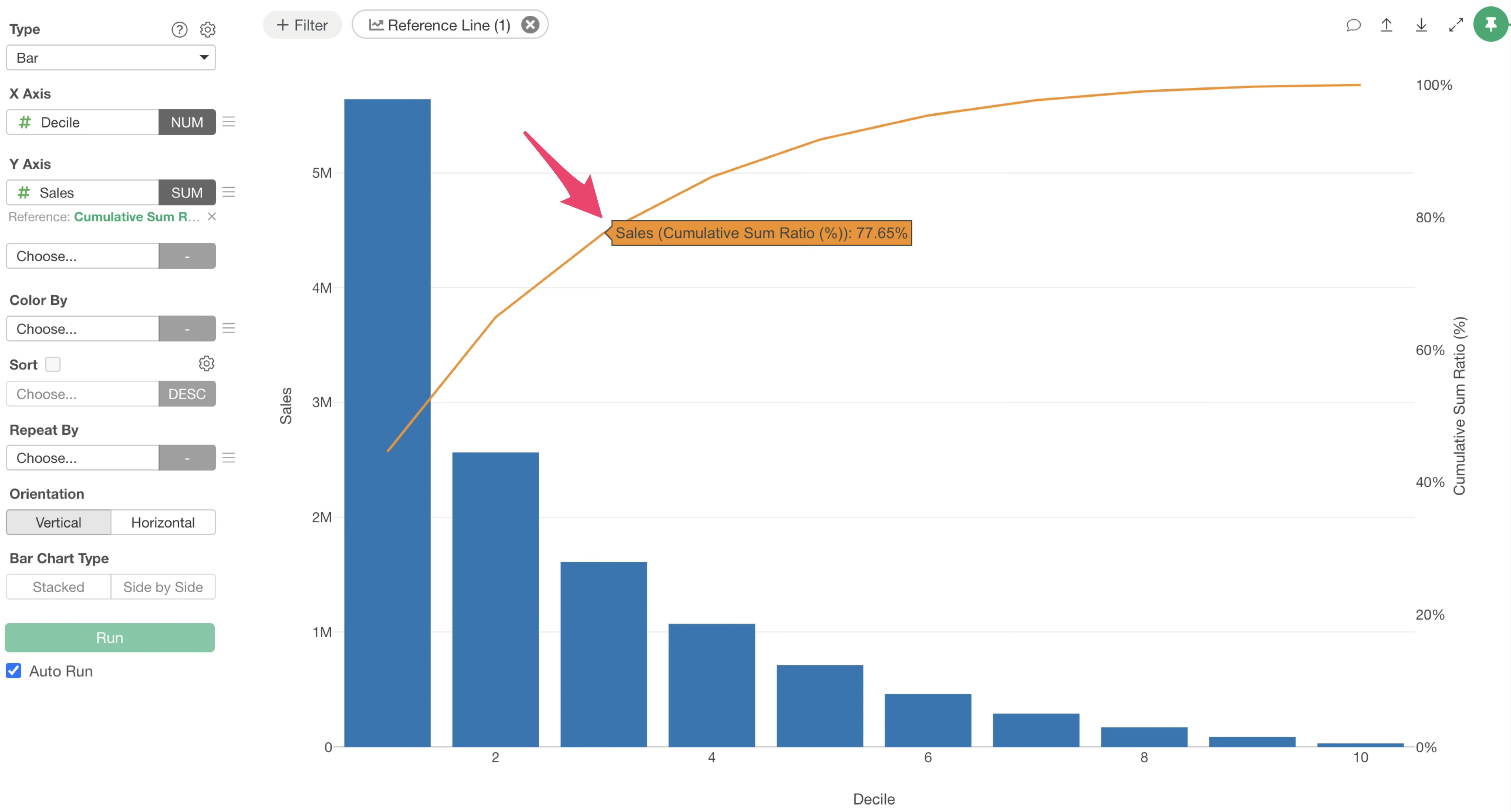
Select “Bar” for the Type, “Decile” for the X-axis, and “Sales” for the Y-axis.
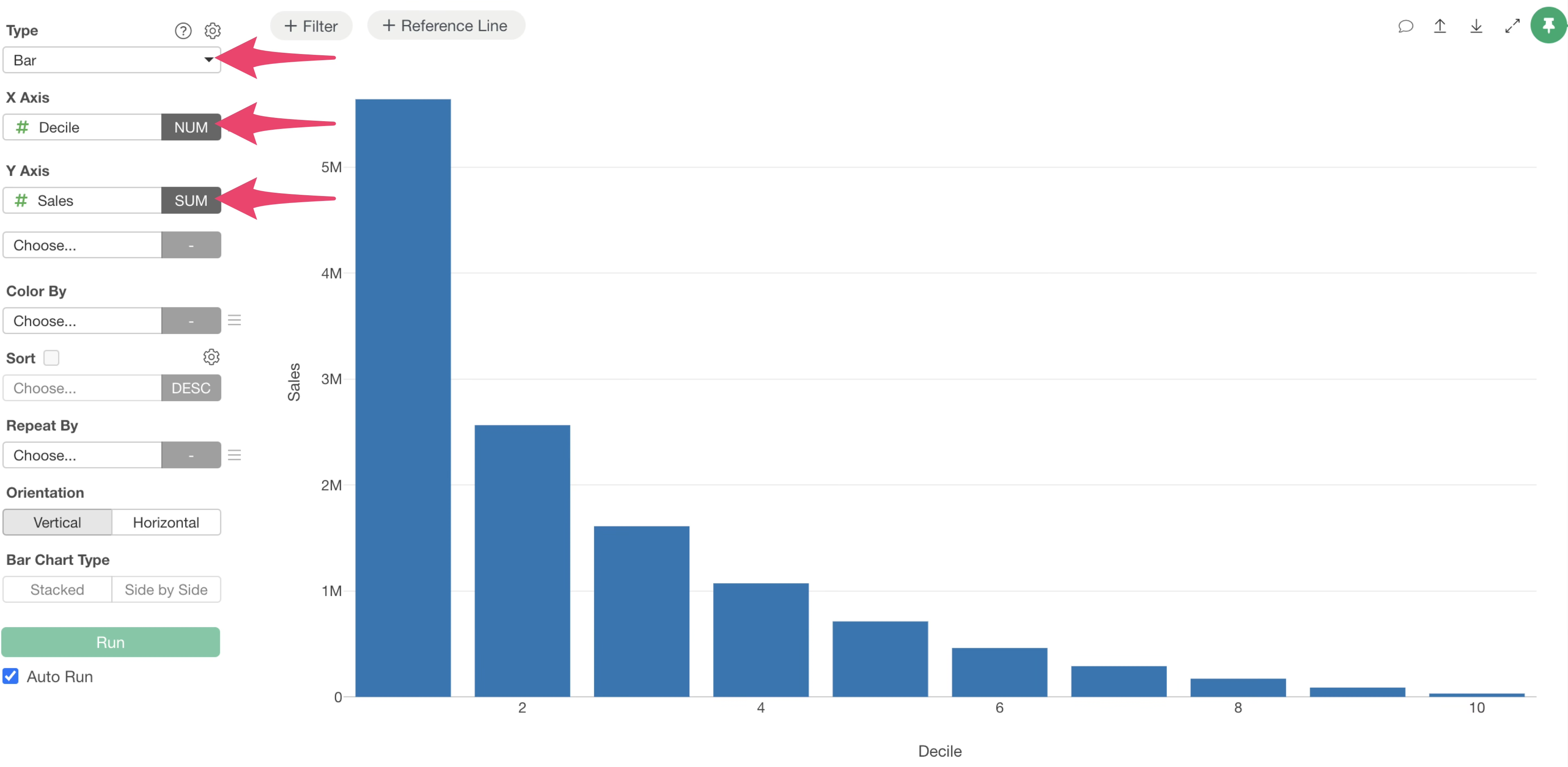
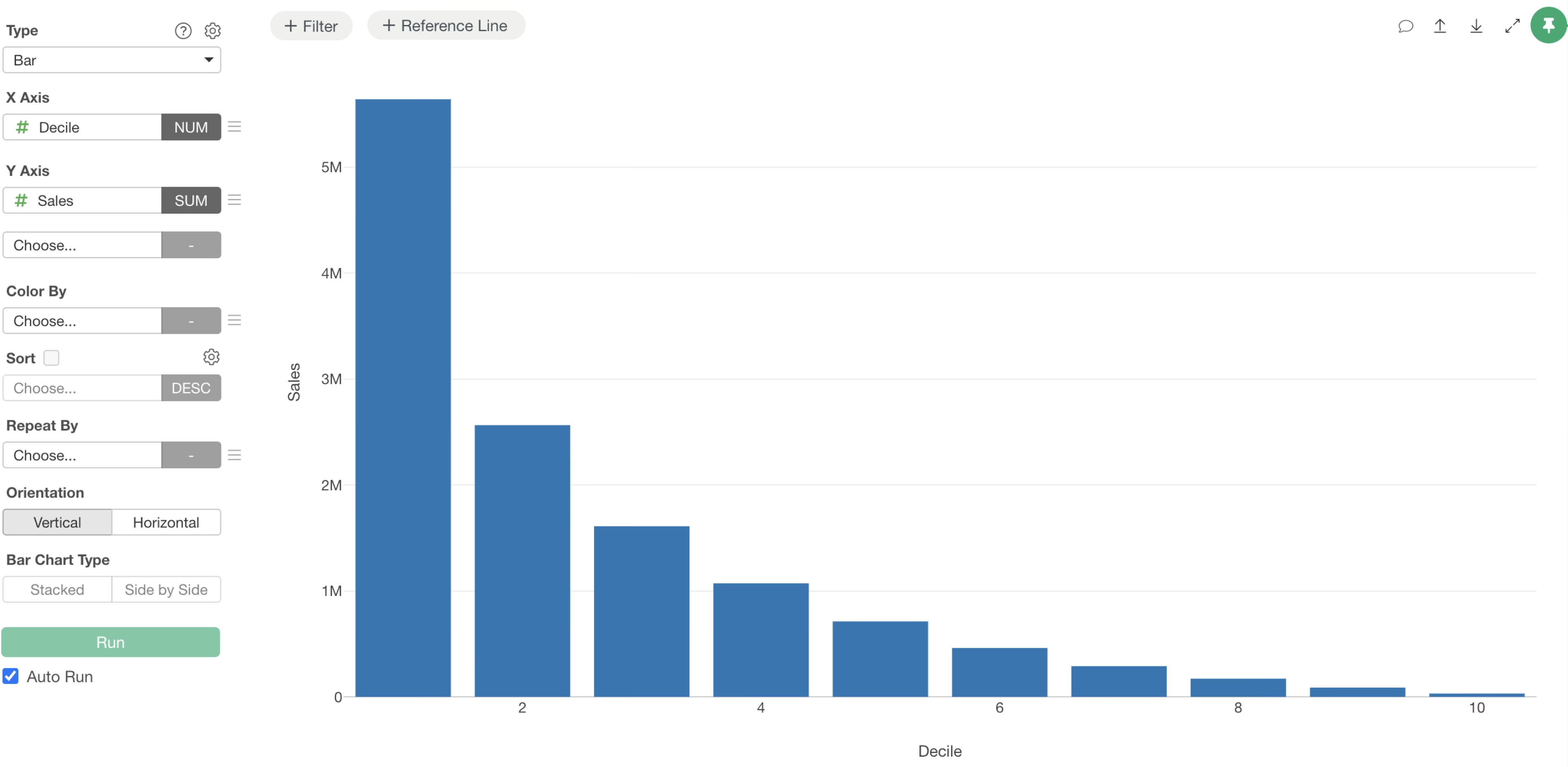
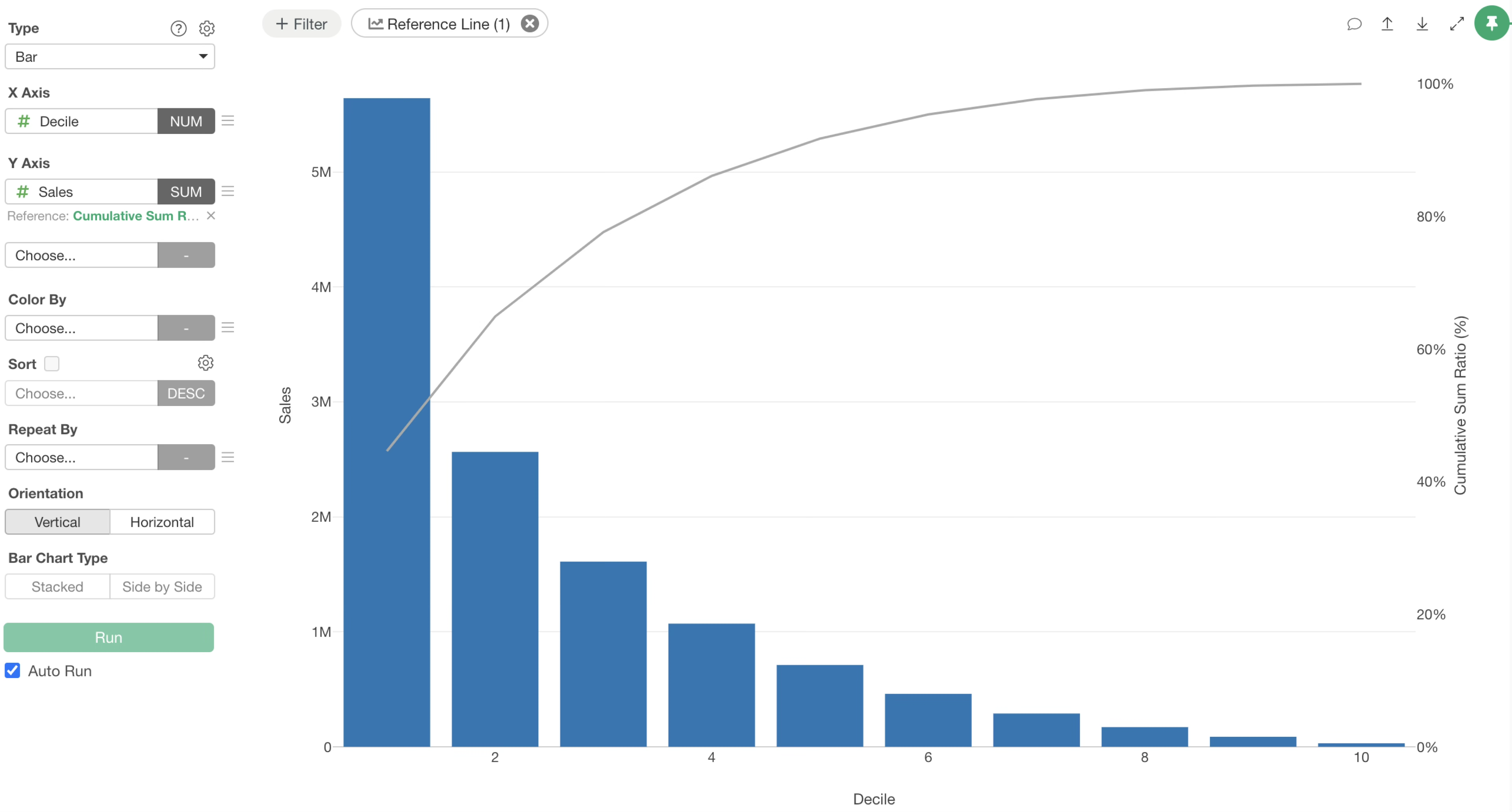
You can now visualize the sales for each decile.
Next, add a reference line for the cumulative percentage of sales contribution.
Click the “Add Reference Line” button at the top of the chart and select “Cumulative Sum %” from the Y-axis menu.
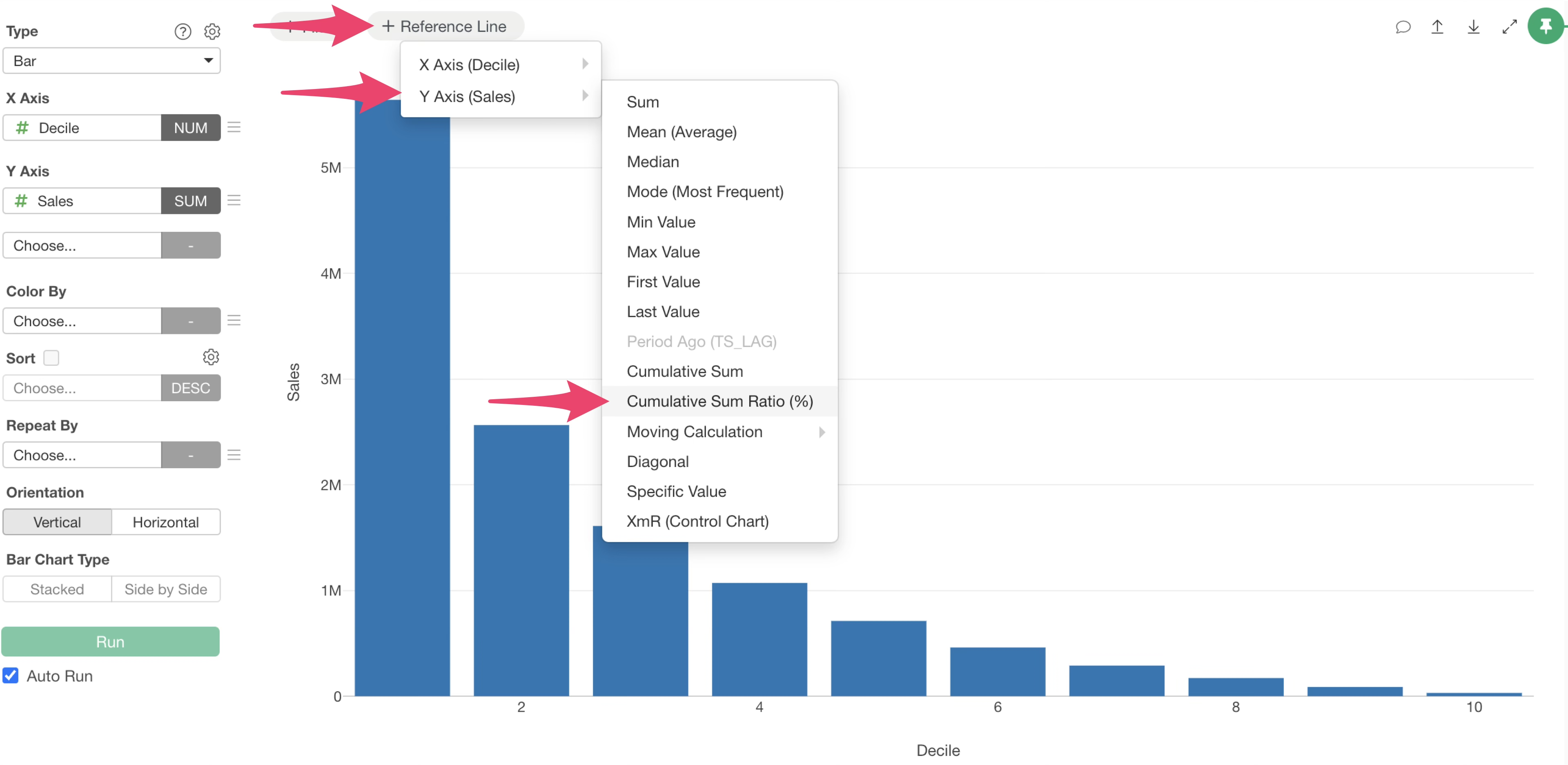
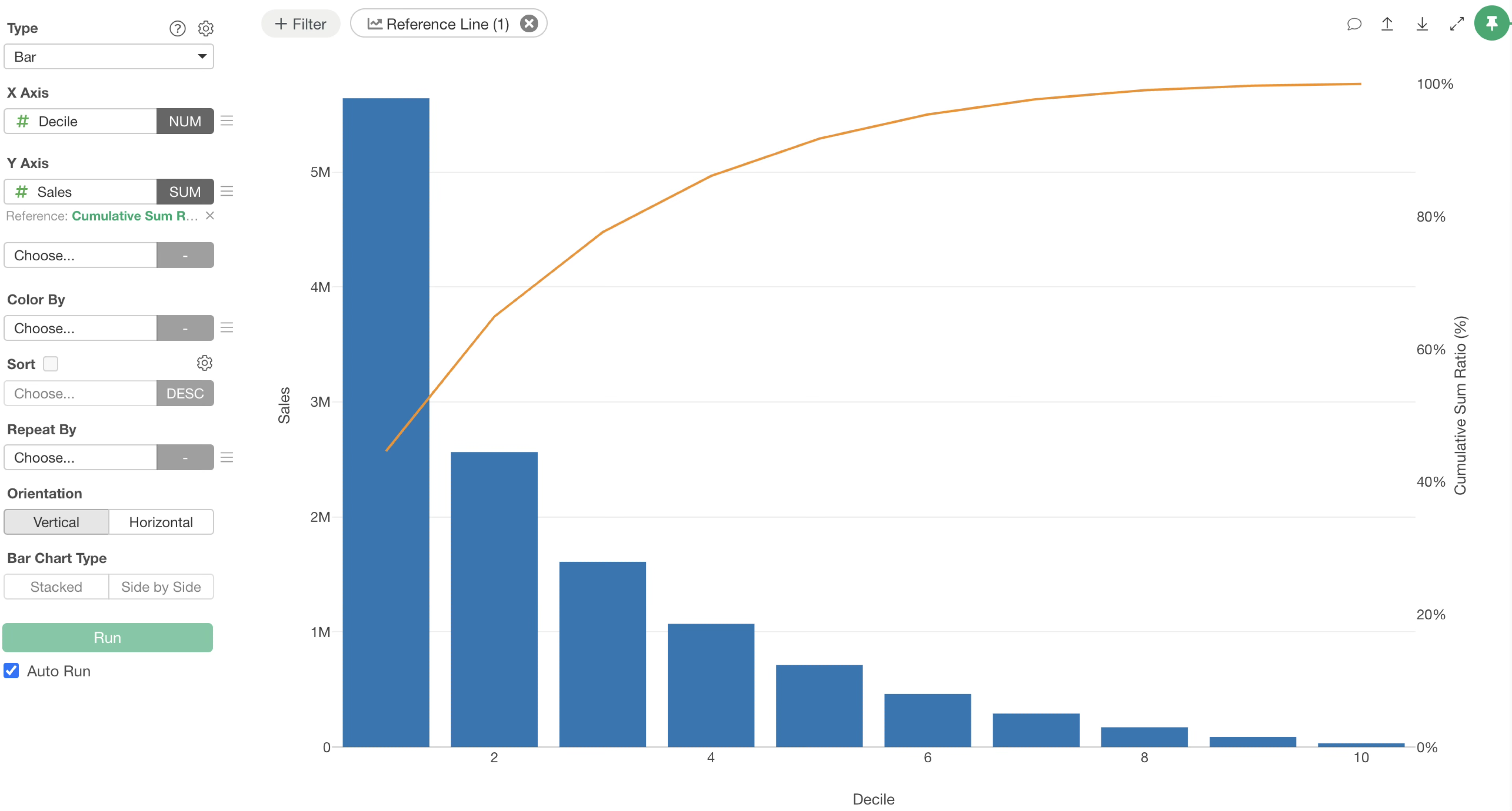
The cumulative total percentage is now visualized.
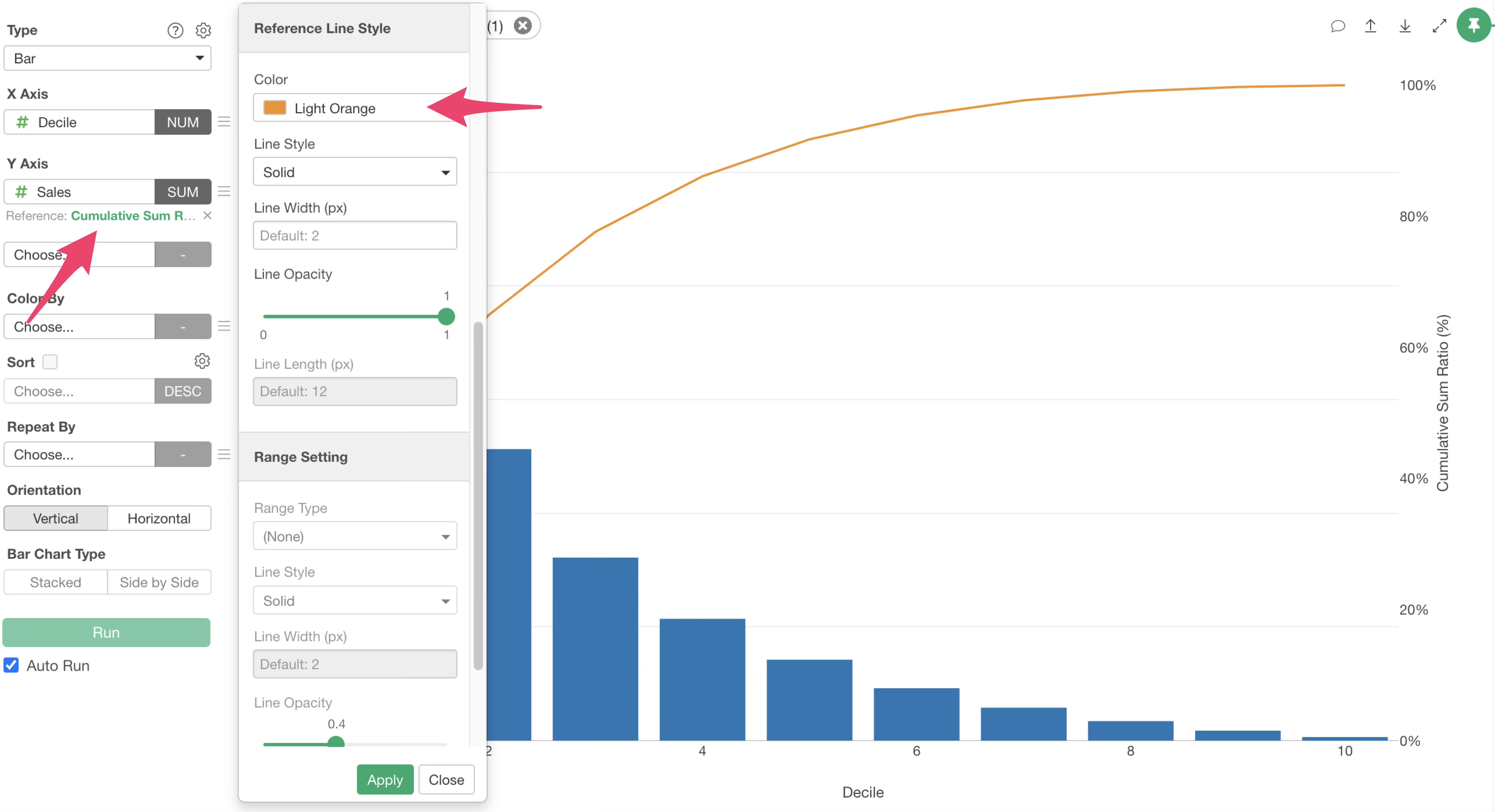
If you want to change the color of the cumulative percentage line, click the green text of the reference line. When the Reference Line settings dialog appears, change the color under the Reference Line Style and apply it.
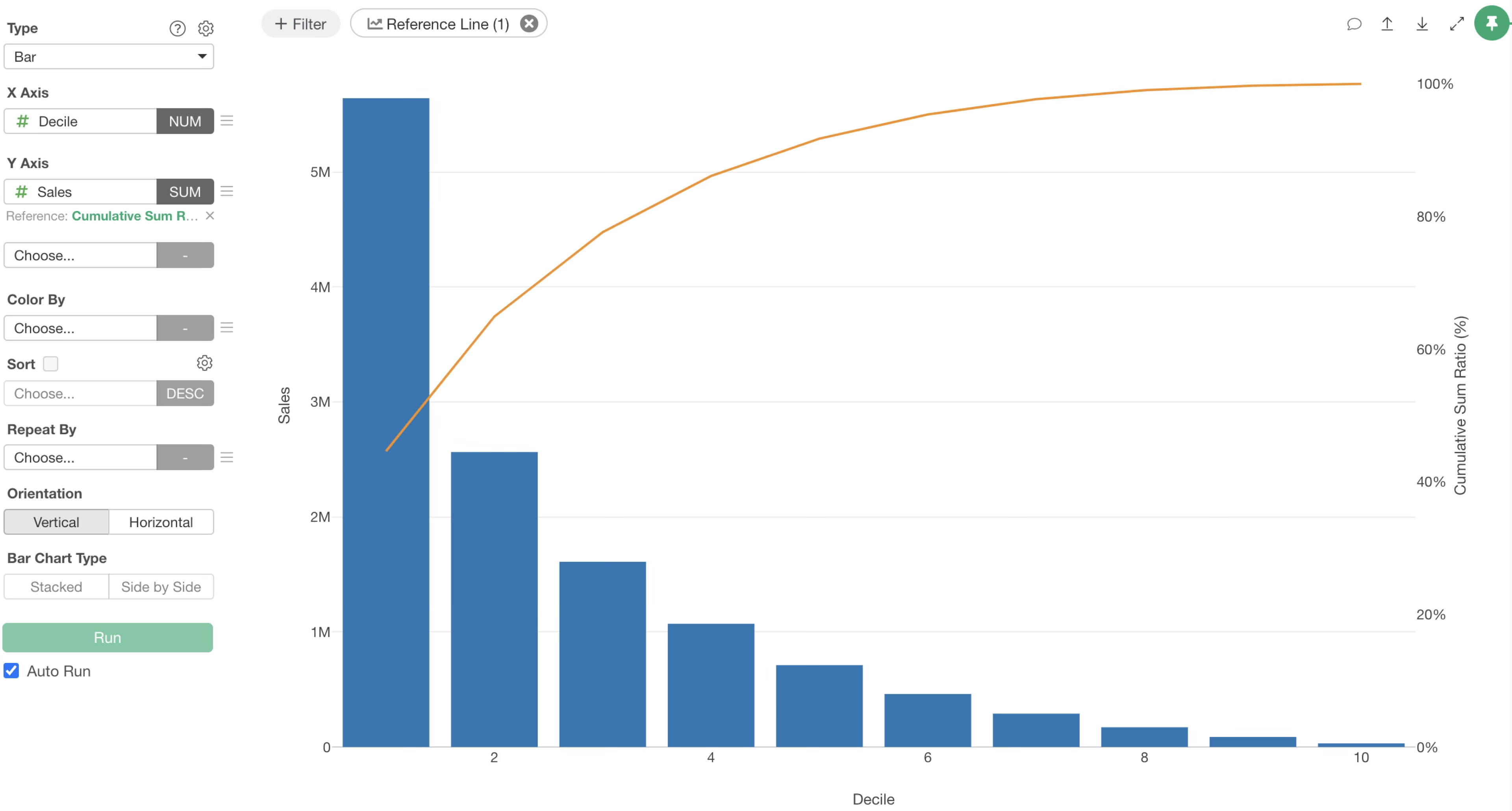
The color of the cumulative percentage reference line has been changed.
From this result, we can see that Decile 1 (the top 10% of customers) accounts for approximately 45% of total sales.
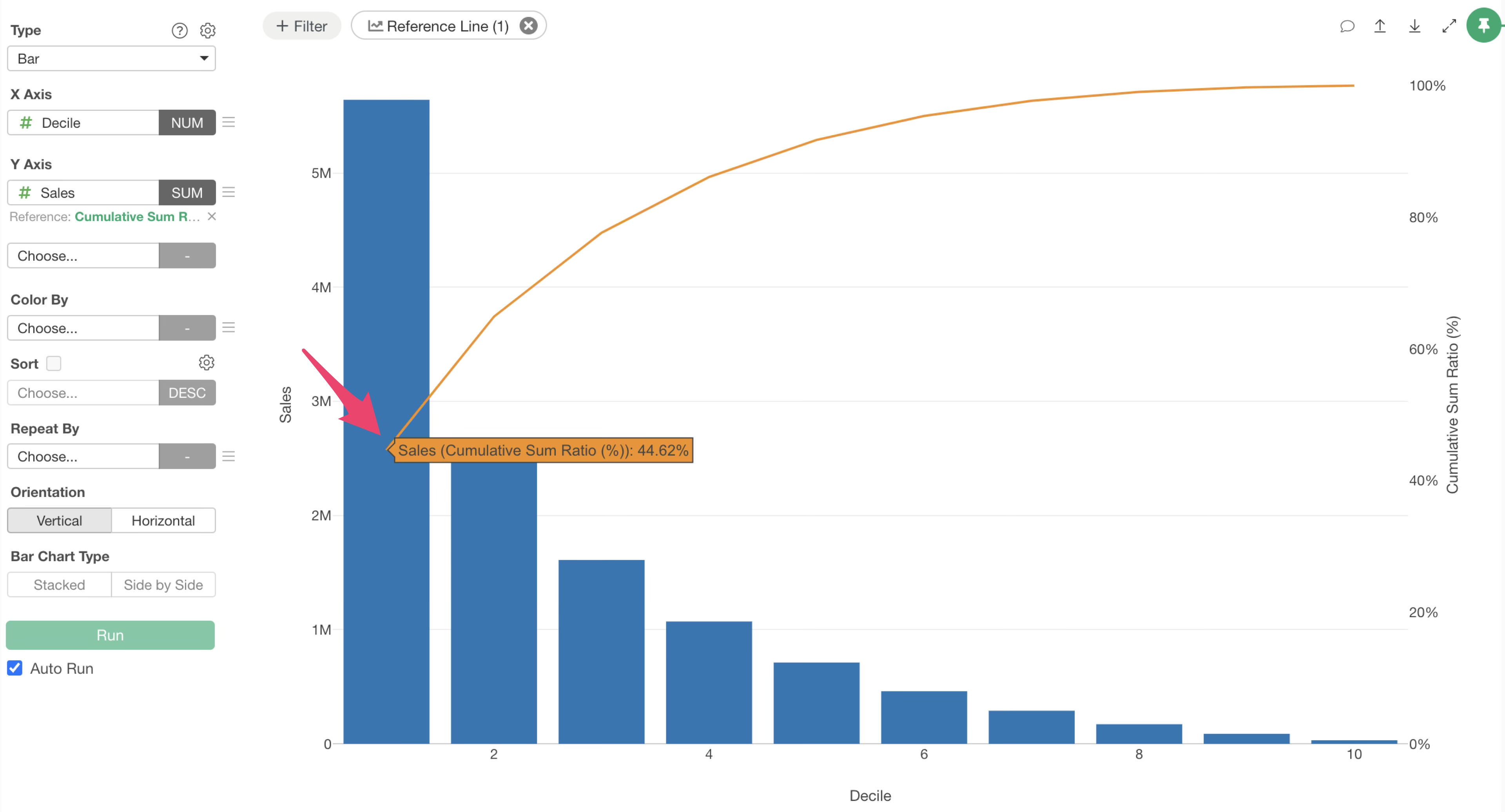
Furthermore, Deciles 1 to 3 (the top 30% of customers) account for approximately 78% of total sales, confirming that a small number of high-value customers support the majority of revenue.