How to do PPM Analysis with AI Prompt
PPM Analysis (Product Portfolio Management) is a management analysis method used by companies with multiple businesses or products to determine how each should be operated and invested in.
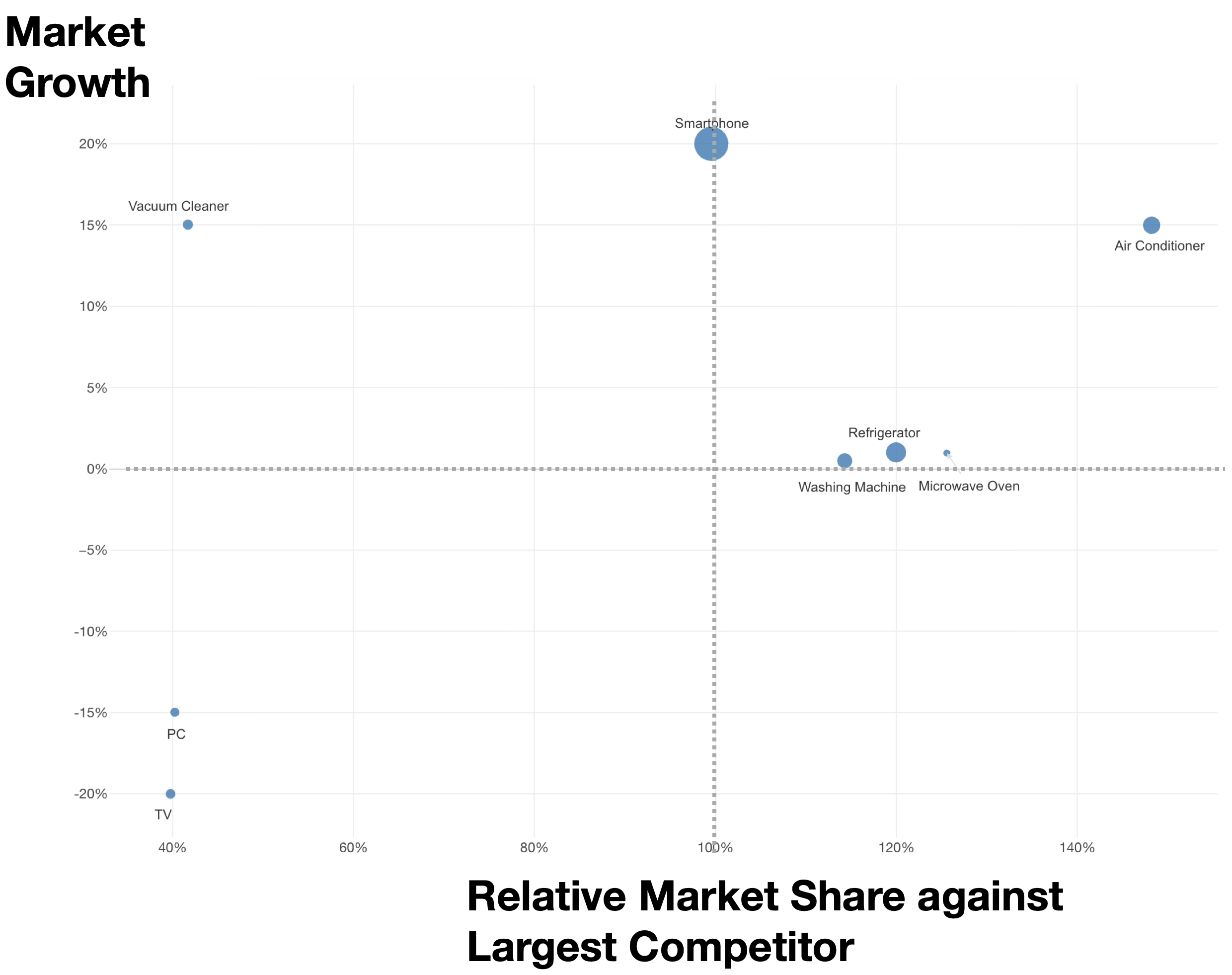
By plotting “Relative Market Share (relative strength compared to the largest competitor)” on the X-axis and “Market Growth Rate” on the Y-axis, businesses are classified into four quadrants. This allows for strategic decisions on which businesses to fund and which to withdraw from.
In PPM analysis, two indicators are calculated for each product or business:
- **Market Growth ** = (Current Year Market Size - Previous Year Market Size) / Previous Year Market Size
- Relative Share = Company’s Sales / Largest Competitor’s Sales
Based on these indicators, businesses are classified into the following four categories. However, the thresholds for growth rate and share used as criteria for this classification can be adjusted according to industry characteristics and corporate strategy.
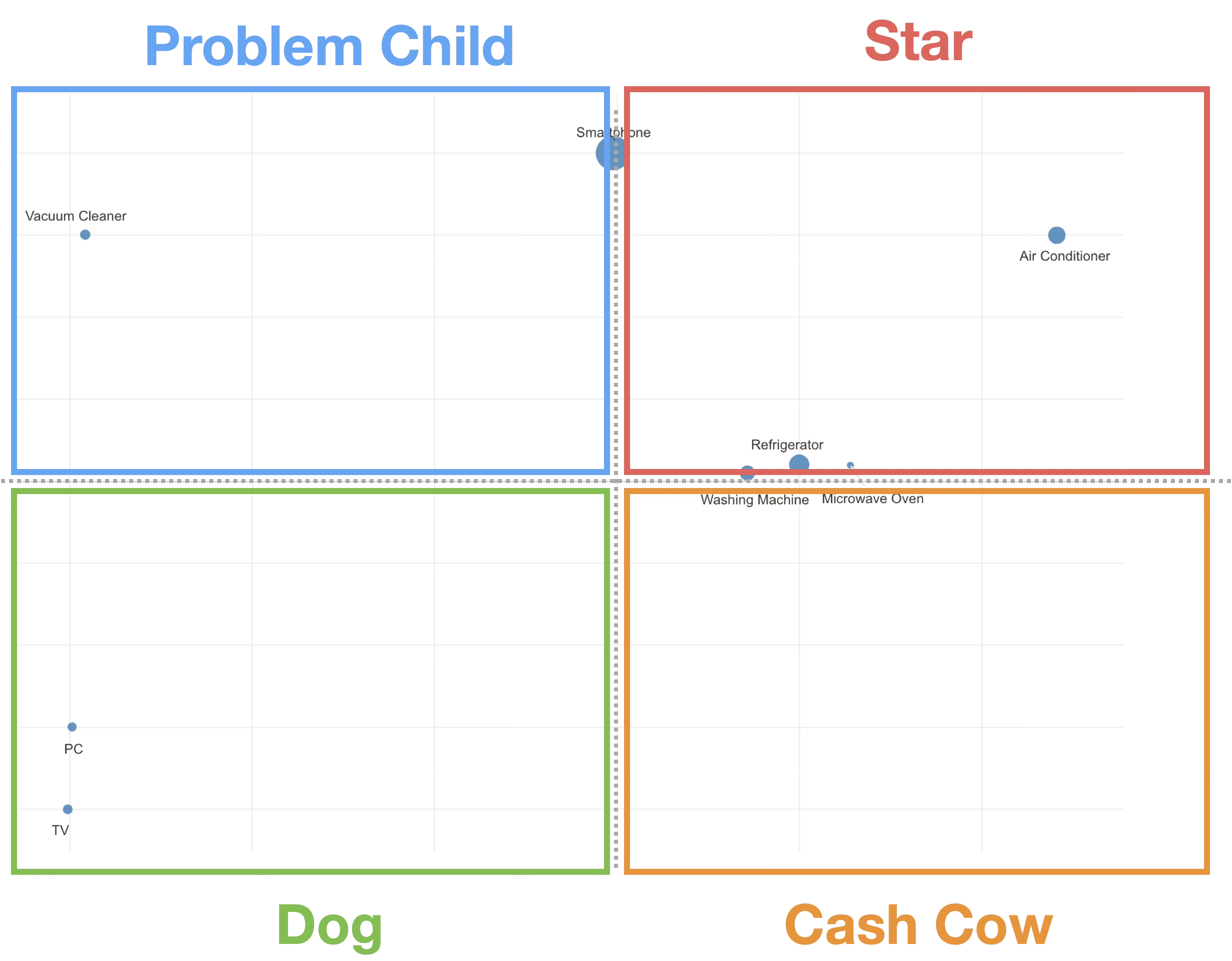
- Star: Businesses with high market growth and high relative share. Active investment is required as a future core business.
- Cash Cow: Businesses with low market growth but high relative share. This segment generates stable profits.
- Problem Child: Businesses with high market growth but low relative share. It is necessary to consider whether to grow them into Stars through investment or to withdraw.
- Dog: Candidates for withdrawal or downsizing due to both low market growth and low relative share.
Defining Strategic Boundaries in PPM Analysis
To ensure that PPM analysis does not end with mere classification and to more accurately judge “where to spend money and time” based on objective numerical indicators (thresholds), setting clear boundaries is crucial.
Relative Share: Determining “Winning or Losing” in the Market
The threshold for relative market share on the X-axis is set at 100%.
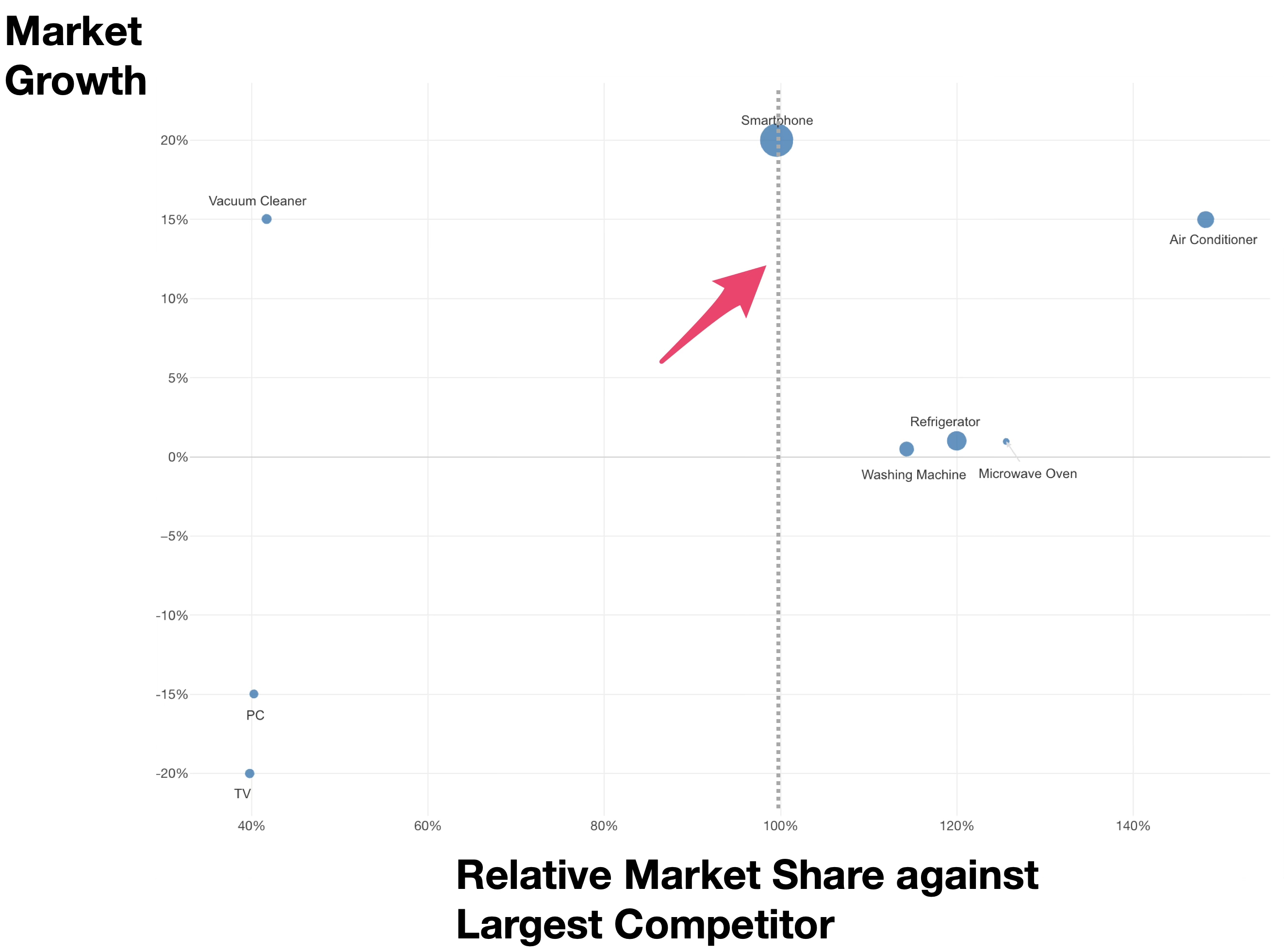
If the relative share exceeds 1.0 (100%), it means the company’s sales are higher than those of the largest competitor.
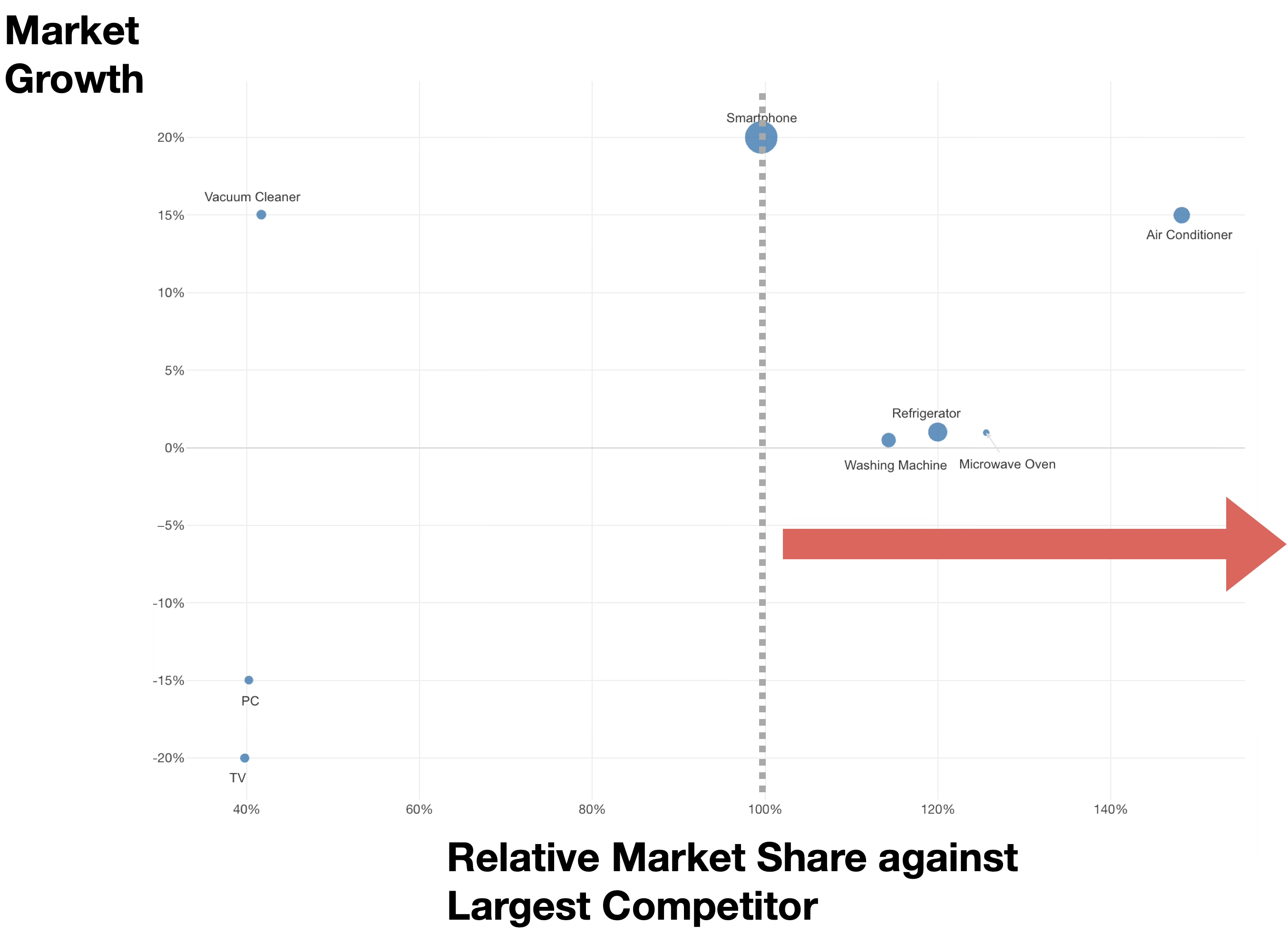
This indicates a position as a market leader. Since mass production and sales efficiency are at their peak, it is a “winning pattern” where profits are more easily generated than rivals even when selling the same product, leaving more cash on hand.
On the other hand, if it is less than 100%, the company is in the position of a follower with lower sales than the largest competitor. Efficiency tends to be lower, and profits are harder to generate compared to the leader.
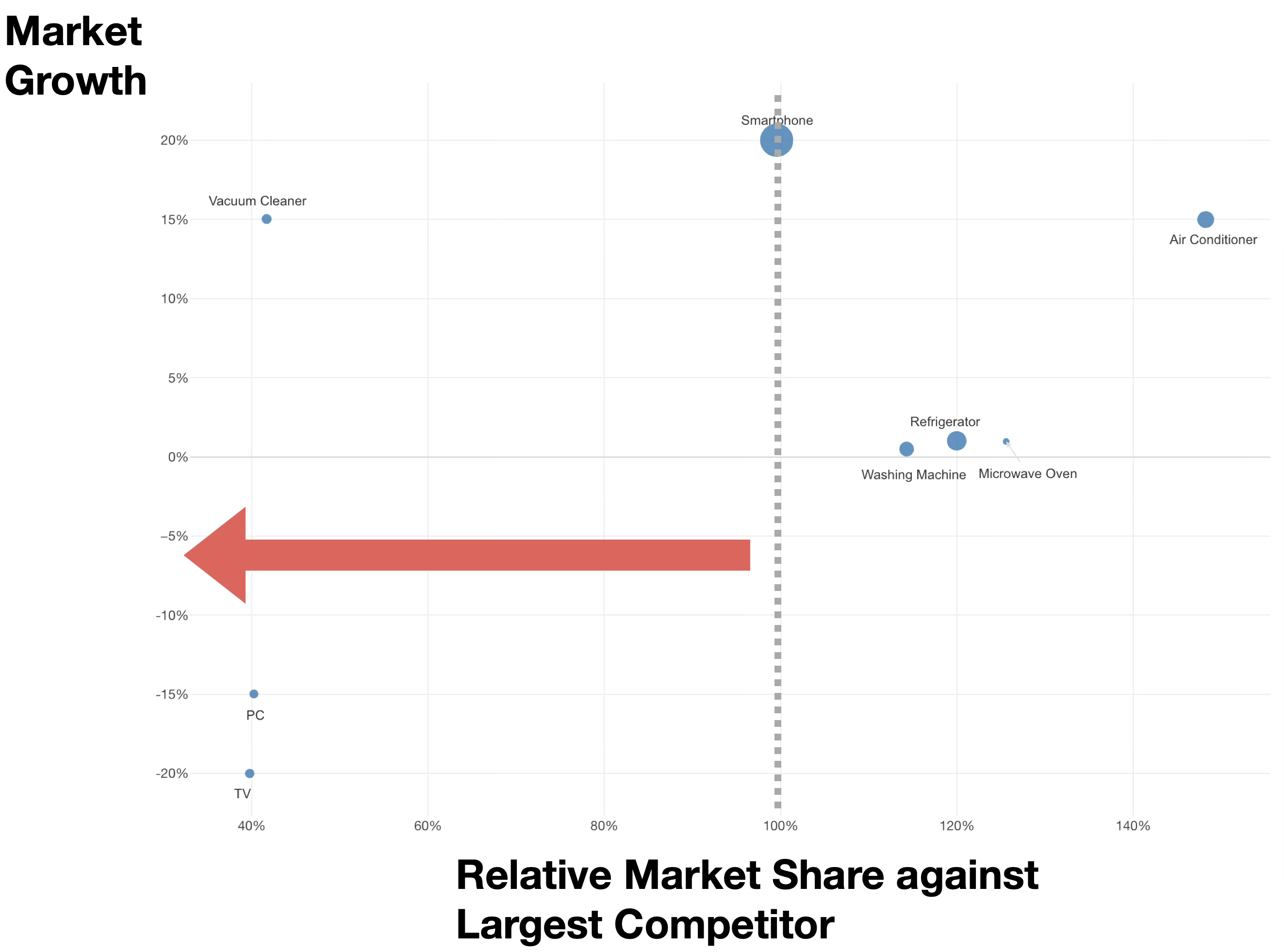
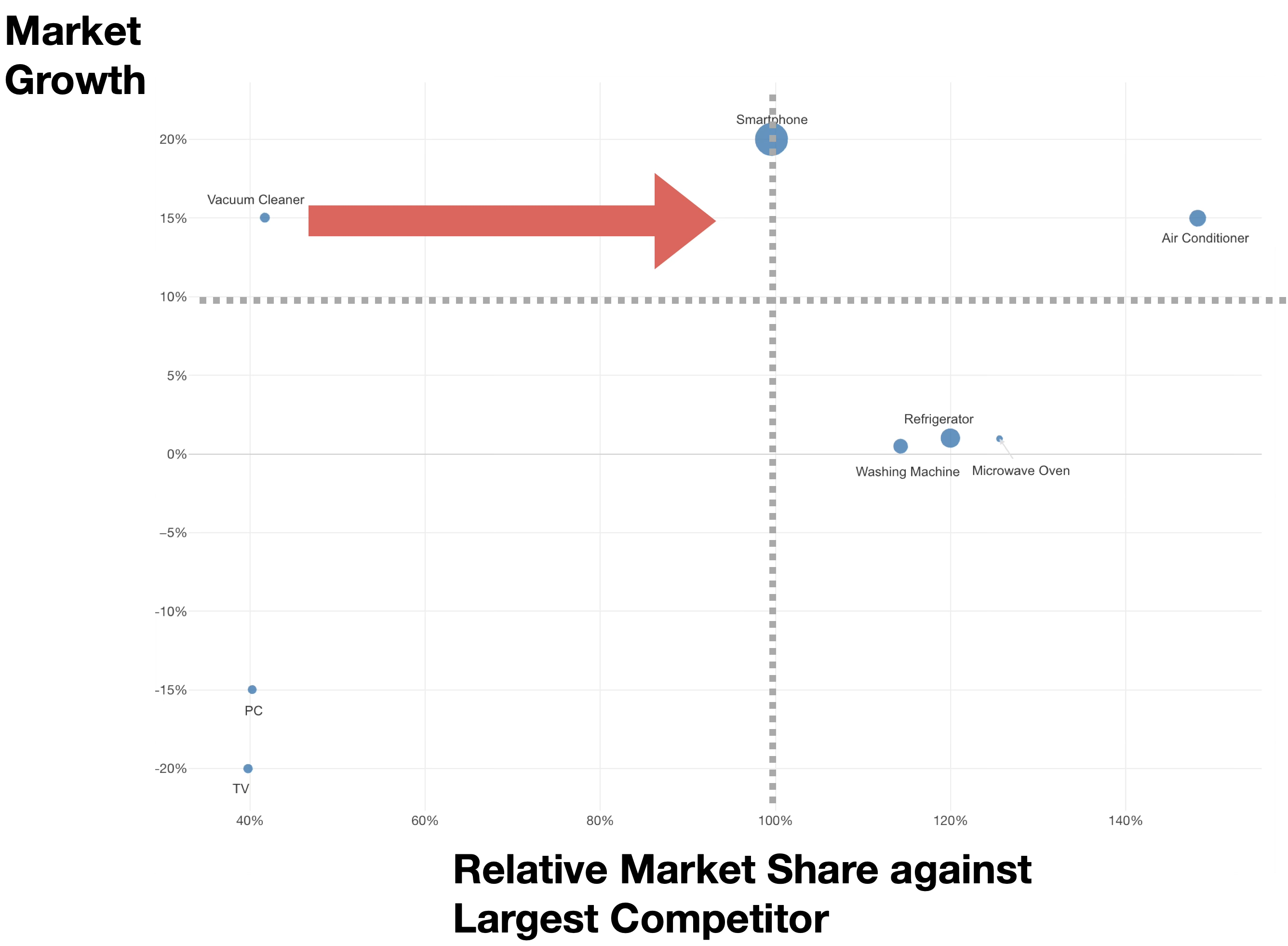
However, the closer it is to 1.0 (100%), the more it can be said to be “one step away from the top,” making it a state worth aiming for a reversal through concentrated investment.
Market Growth Rate: Two-Stage Criteria for “Aggressive” vs. “Conservative” Investment
The market growth rate on the Y-axis is viewed in two stages: investment criteria and market lifespan.
The growth rate used as an investment criterion should be set according to the company’s and industry’s situation. Generally, it is set at a level “higher than bank interest and the minimum growth rate the company wants to achieve.”
In this note, 10% is used as an example, but this value should be adjusted as a company-specific hurdle, such as “we will not make major investments in markets with growth below this level.”
The Aggressive Investment Zone (above the investment criterion, e.g., 10% or more) is an area where the market is growing rapidly.
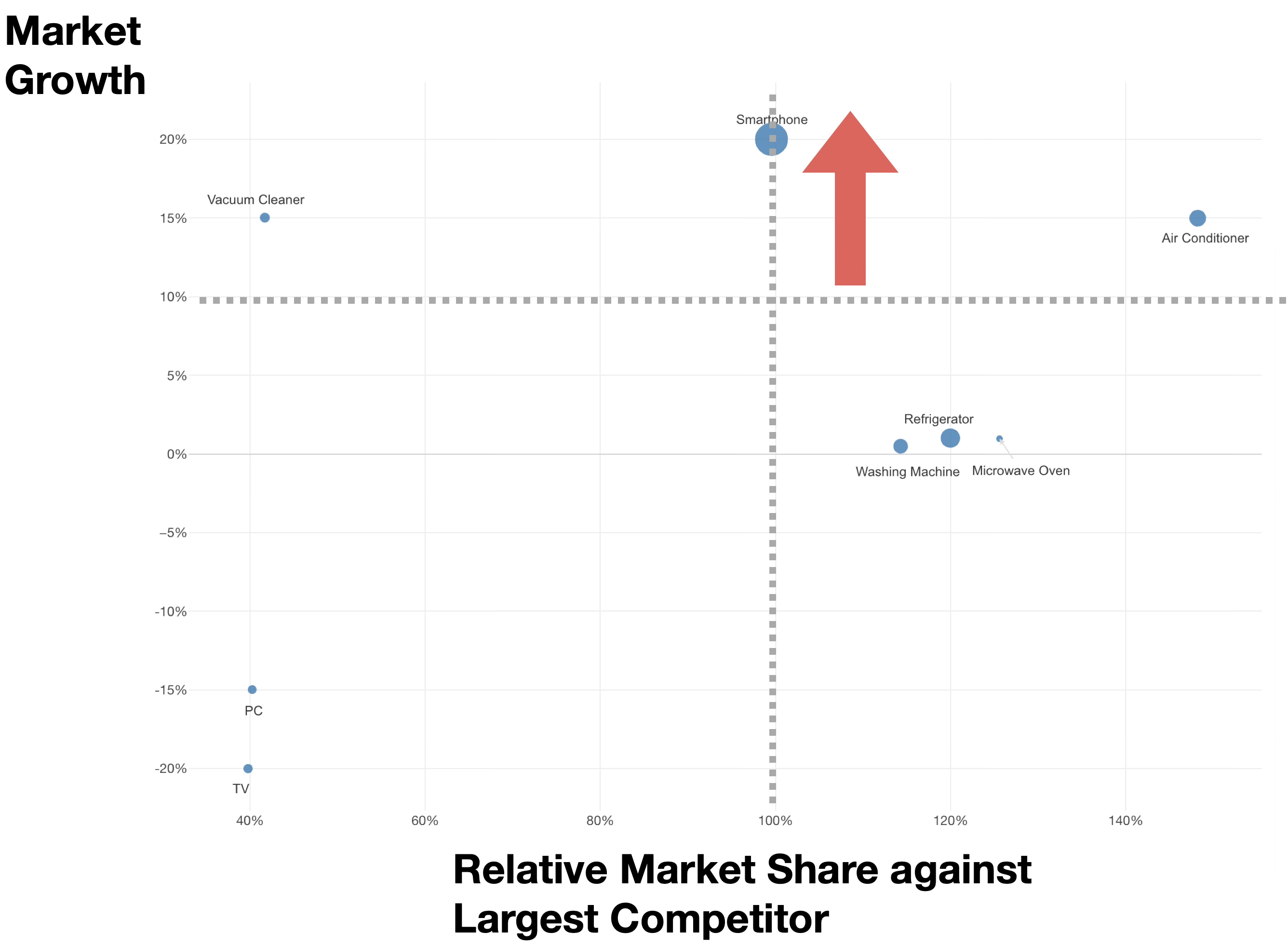
To create future earners, this is the phase to “attack” by spending money to overtake rivals and aiming for a share of 100% or more if the current share is below 100%.
The Profit Recovery Zone (between 0% and the investment criterion, e.g., 0% to 10%) is the “maturity stage” where the market has stabilized.
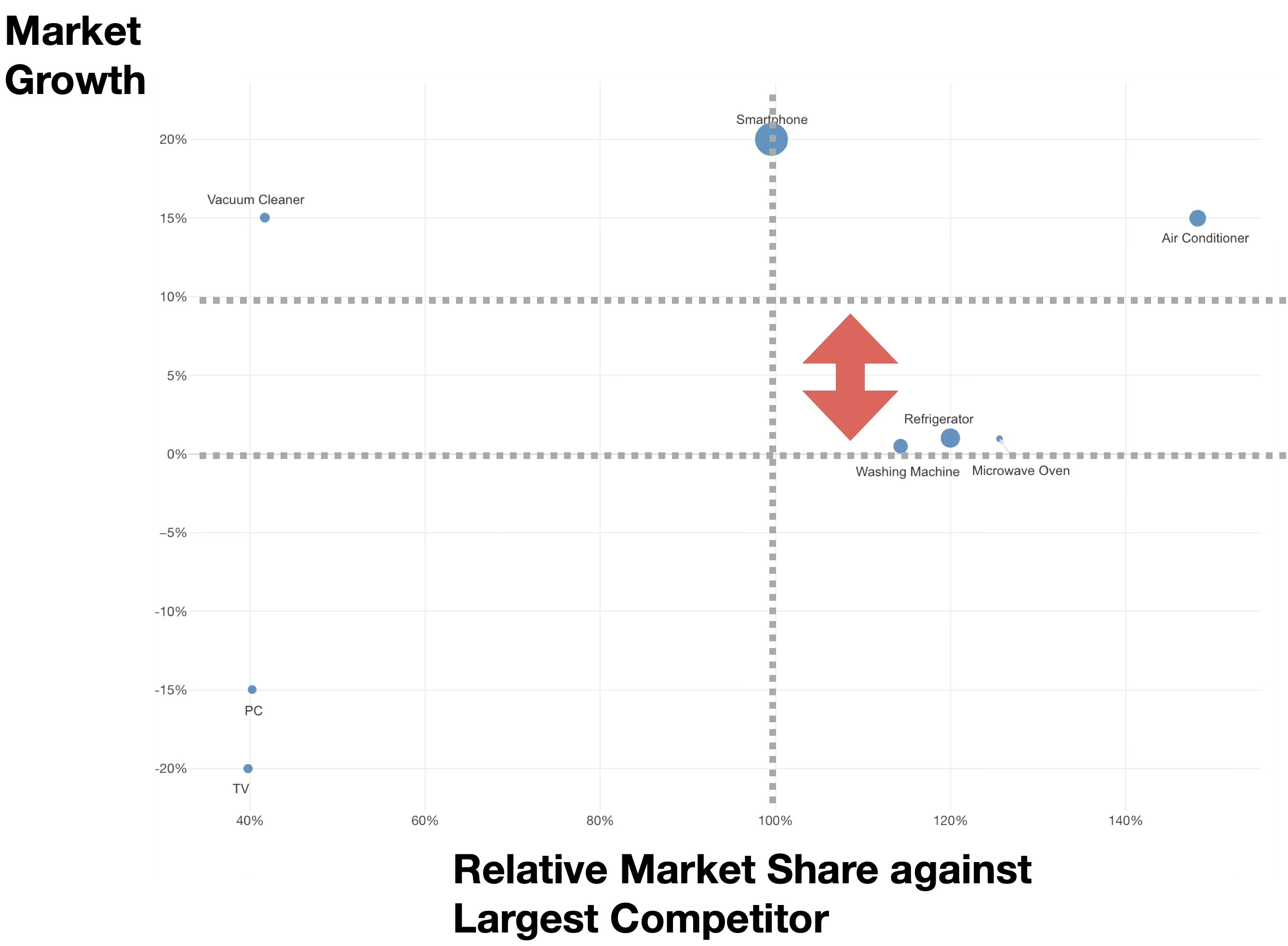
In this zone, companies refrain from large-scale capital investment and focus on earning efficiently. It plays the role of a “vault,” where the cash saved here is funneled into other growing businesses.
The Decline/Withdrawal Zone (below 0%) is an area where the market itself is shrinking. Even if the share exceeds 1.0 and the company is number one in the industry, the business will eventually disappear along with the market. No additional investment is made, and while recovering remaining profits, a phased withdrawal or sale is considered.
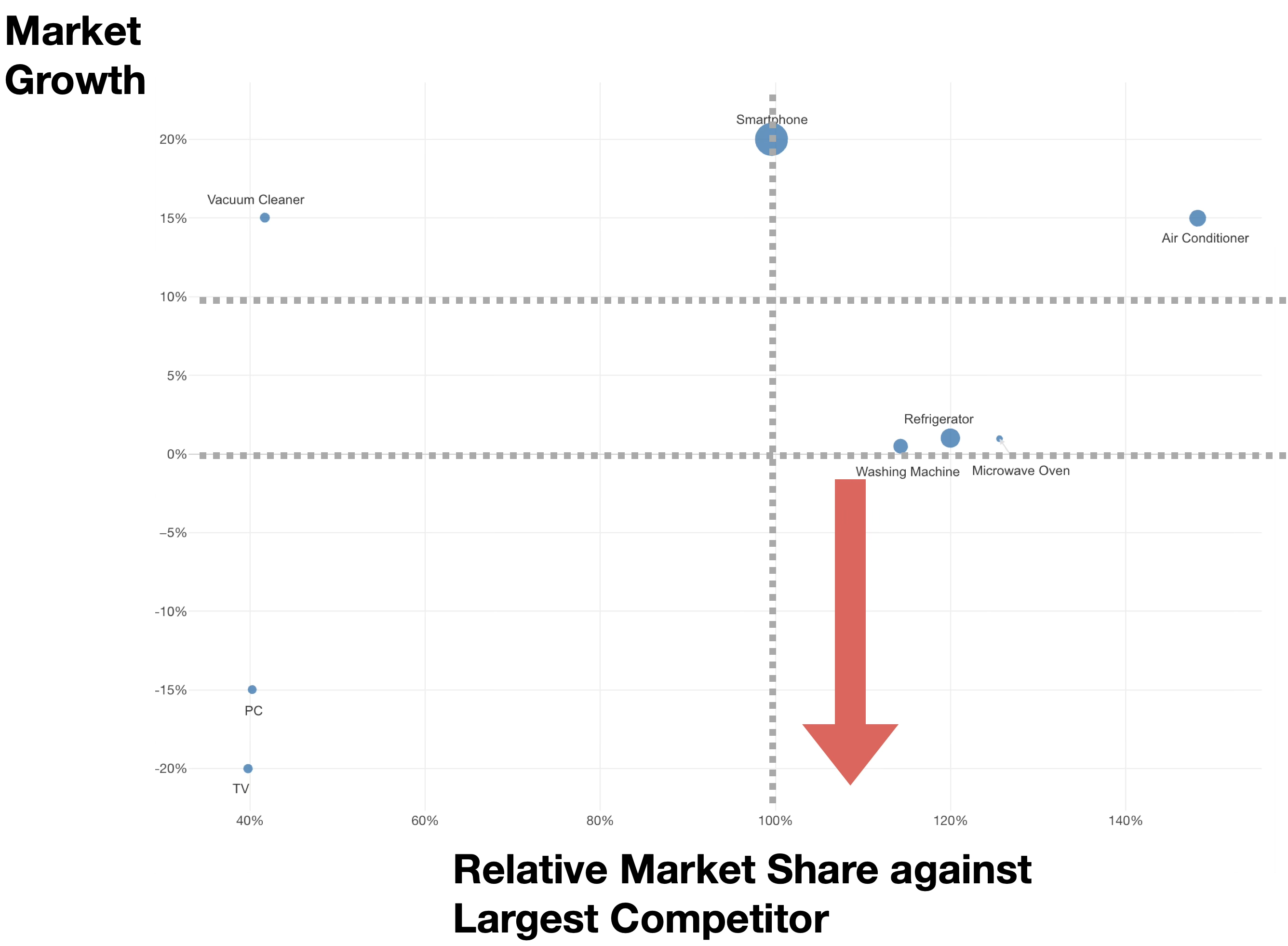
Combined Analysis of Relative Share and Market Growth: Strategic Map of 4 Quadrants + 1 Area
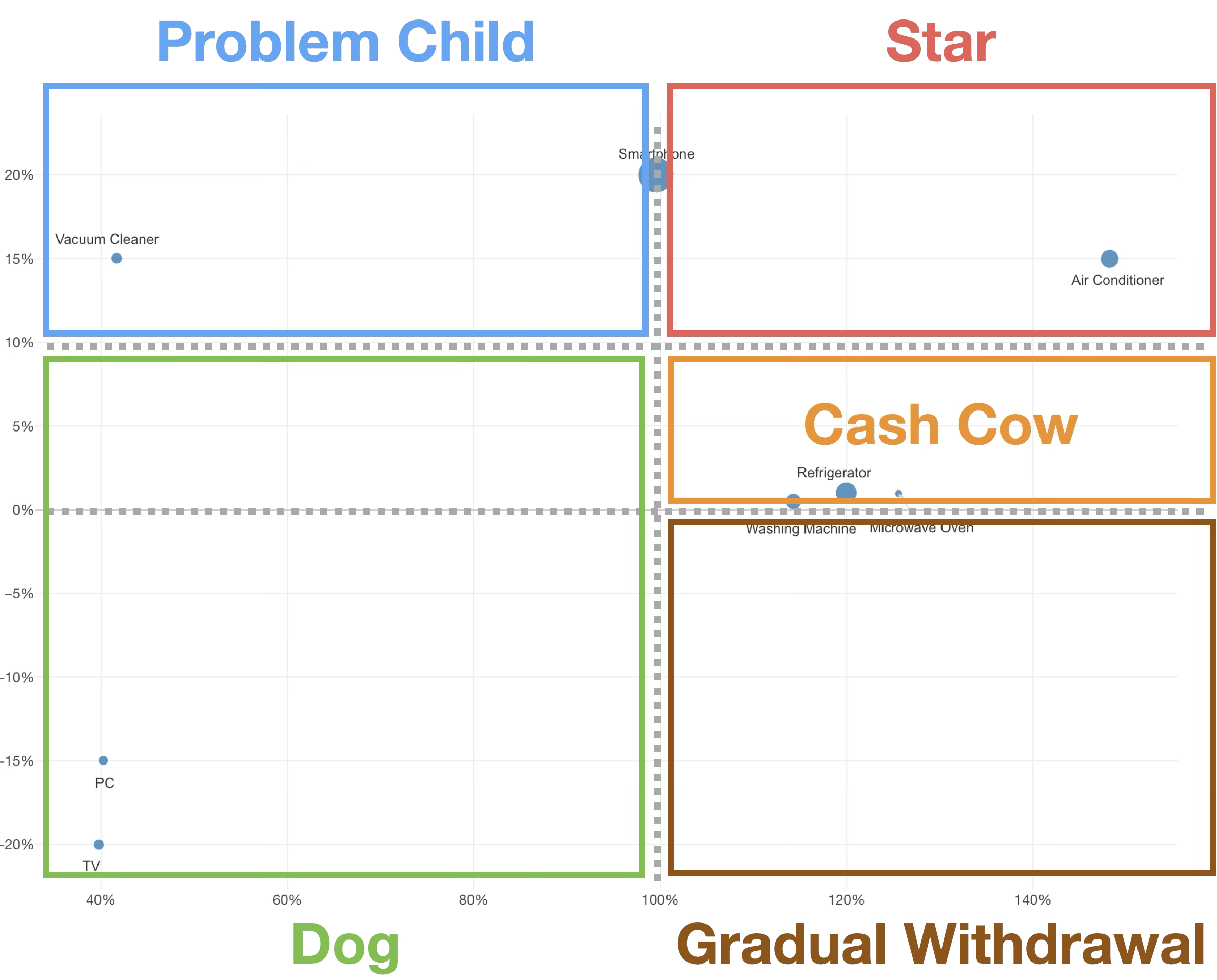
By combining the relative share threshold of 100%, the market growth rate threshold (e.g., 10%), and the 0% boundary for market contraction, businesses can ultimately be classified into the following five areas.
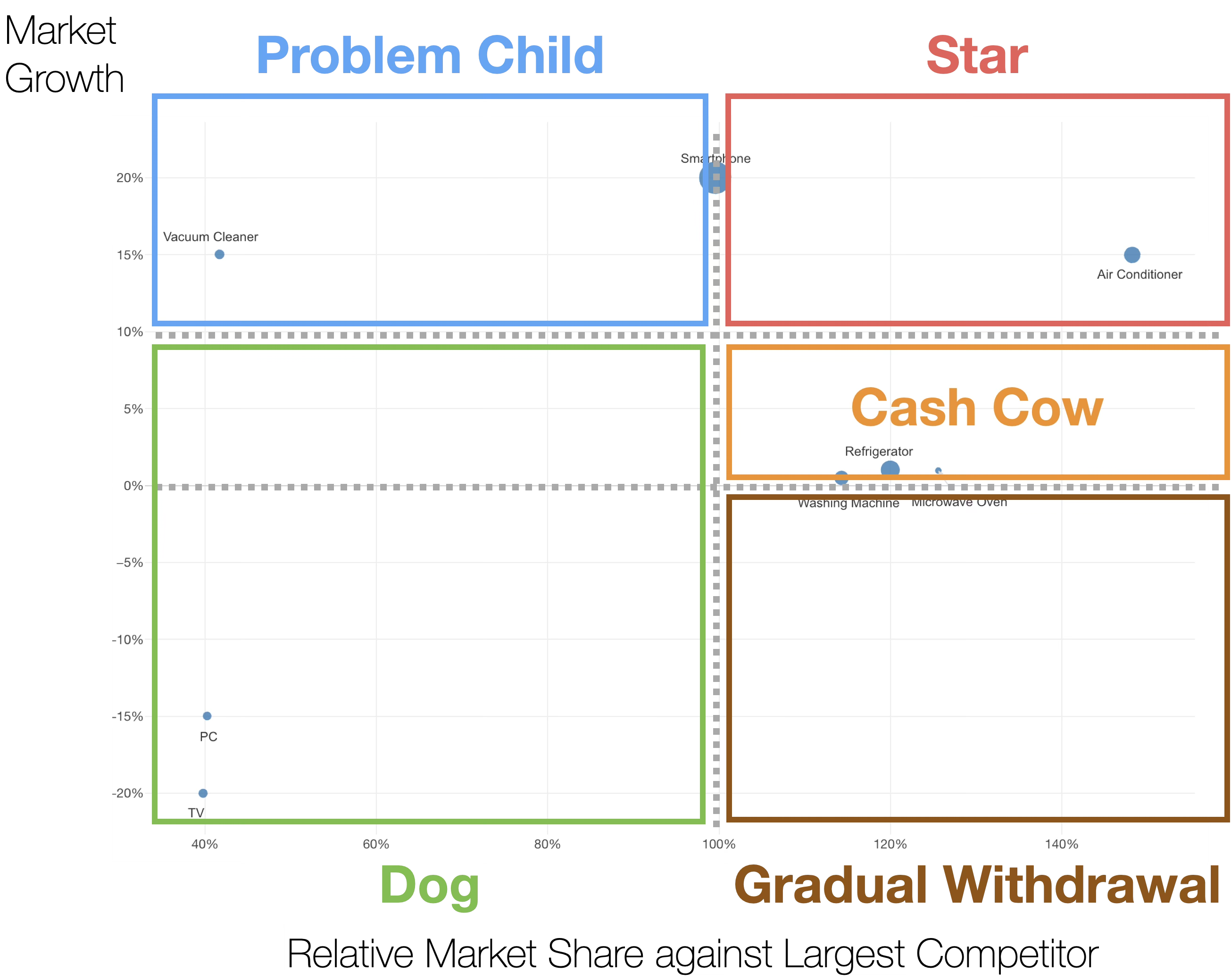
Star (Relative share > 100% and growth rate > 10%): Businesses that should continue active investment as market leaders. By maintaining and expanding the top share in a high-growth market, they transition to Cash Cows when the market matures.
Cash Cow (Relative share > 100% and growth rate 0%–10%): Profits are recovered efficiently to serve as a source of funds for other businesses. Large-scale additional investment is withheld, focusing on stable cash flow generation.
Problem Child (Relative share < 100% and growth rate > 10%): A decision is made to either invest selectively to aim for a share exceeding 100% or to withdraw. While there is investment value due to it being a growth market, prioritization is key as resources are limited.
Dog (Relative share < 100% and growth rate <= 10%): Businesses with low market growth and low share. These are candidates for withdrawal, downsizing, or sale. Immediate decision-making is required, especially if the market is shrinking (growth rate < 0%).
Gradual Withdrawal Consideration Area (Relative share > 100% and growth rate < 0%): An area where the market itself is shrinking. Even if the share exceeds 100% and the company is the industry leader, it is destined to shrink along with the market. No additional investment is made, and while recovering remaining profits, the timing for phased withdrawal or sale is identified. In traditional 4-quadrant models, this is often confused with “Cash Cows,” but strategically, it is a special area that should be clearly distinguished.
Utilizing PPM Analysis
By utilizing PPM analysis, companies can allocate limited management resources most effectively.
By objectively evaluating the current positioning and future potential of each business, strategic decision-making becomes possible without relying solely on intuition or experience. Particularly for companies with multiple businesses or product lines, it allows for optimizing the balance of the entire portfolio, achieving both sustainable growth and profitability.
Furthermore, it clarifies the flow of funds between businesses and supports strategic resource allocation decisions, such as reinvesting cash obtained from “Cash Cows” into “Stars” or promising “Question Marks.”
Required Data
To perform PPM analysis, information that uniquely identifies businesses or products is required.
Prepare classification items that can clearly distinguish the analysis targets, such as product category names, business unit names (BU, business unit, etc.), product line names, or service categories.
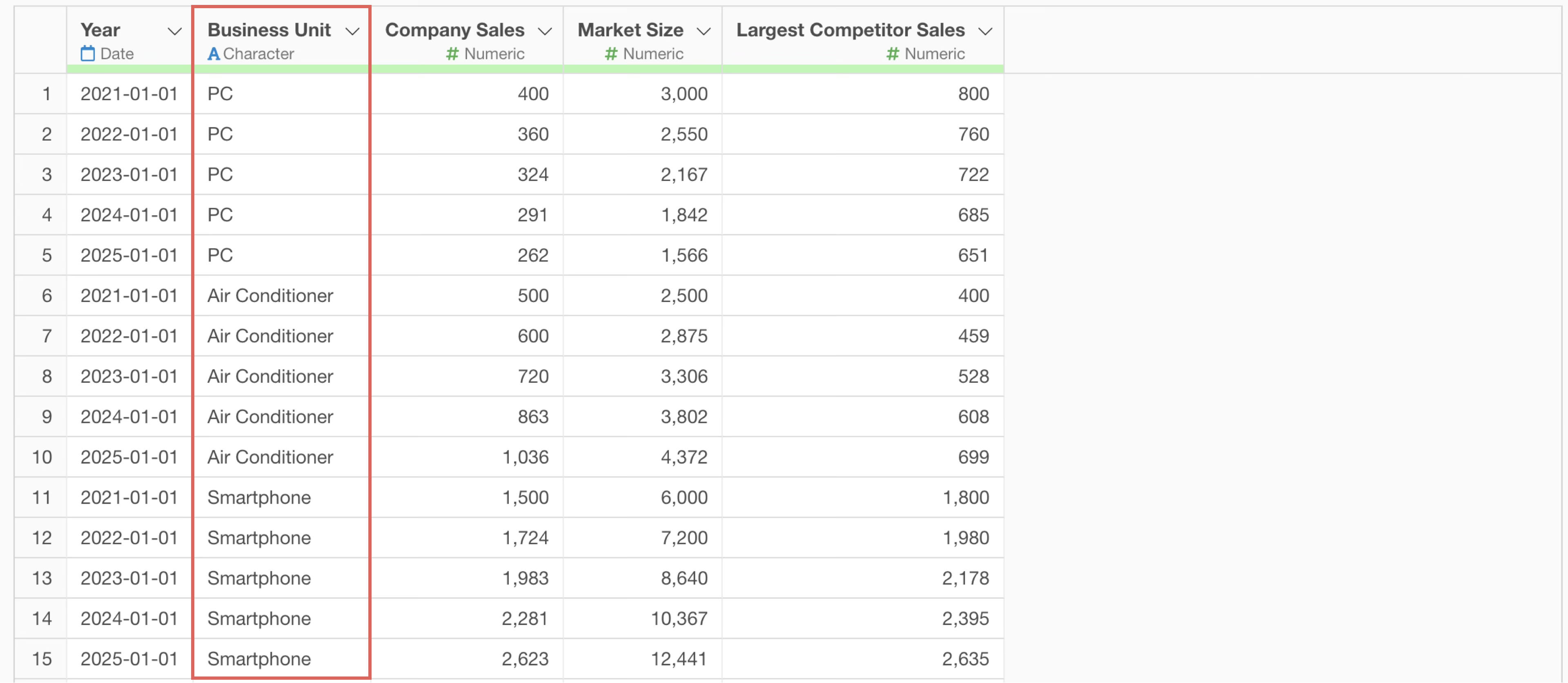
Additionally, time-series data is essential for calculating growth rates. By preparing data that includes year or date information, it becomes possible to calculate the growth rate compared to the previous year.
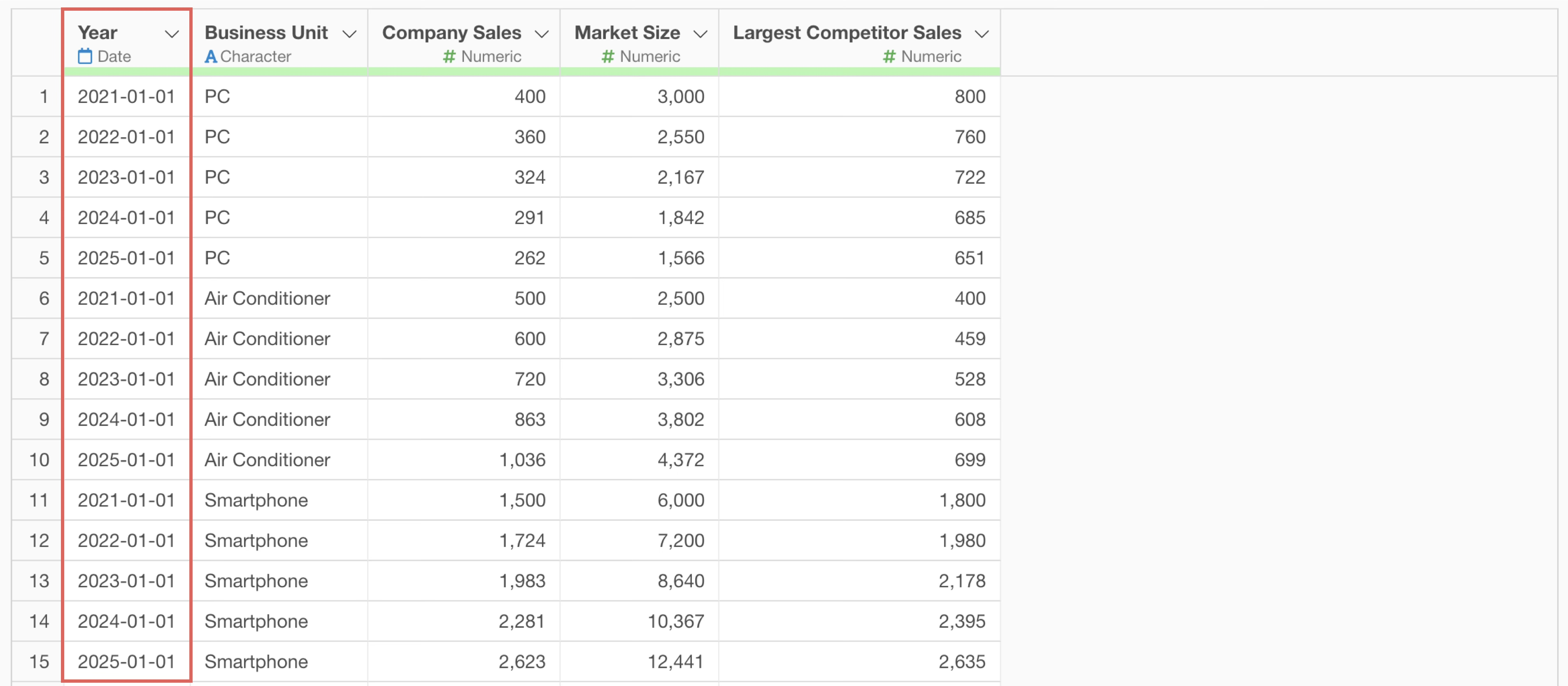
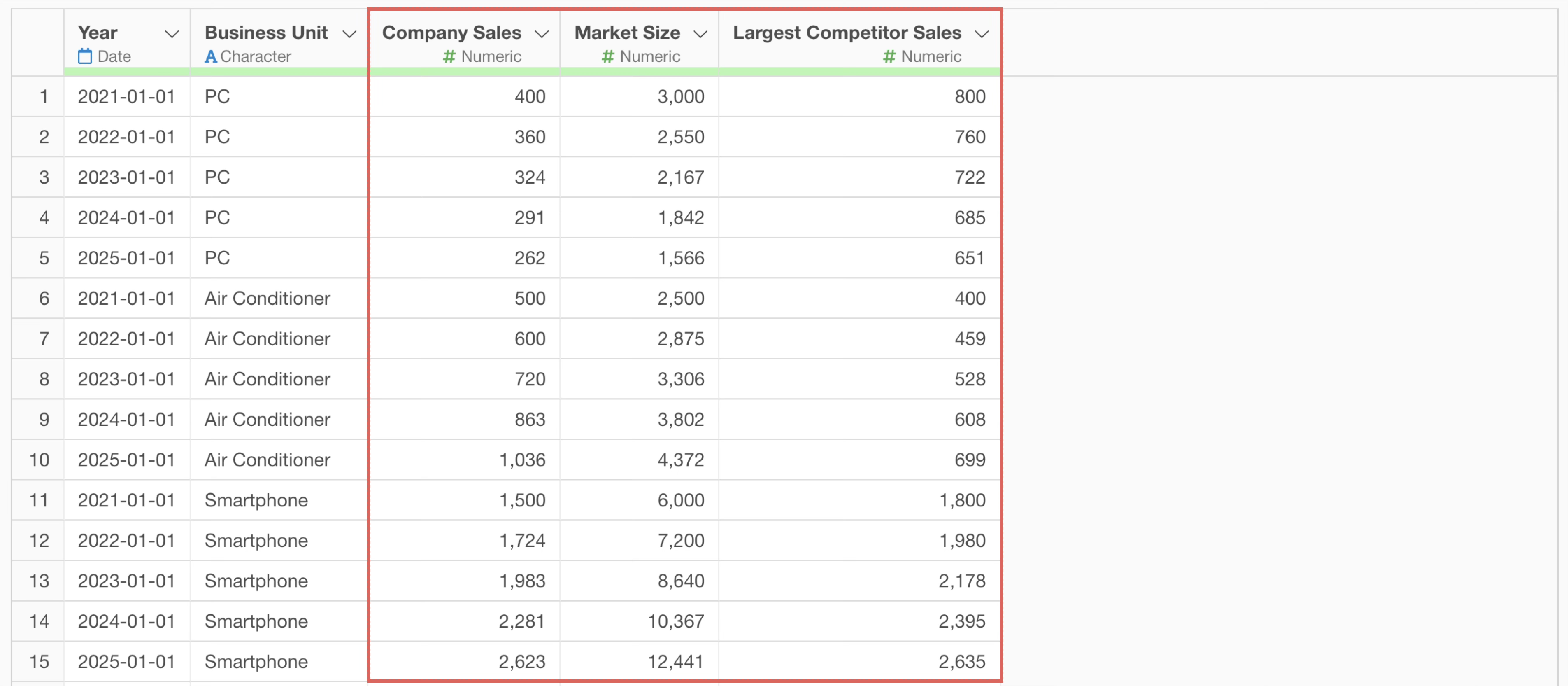
Furthermore, numerical data showing market and company performance is necessary. Prepare the total sales amount of the entire industry or target market as the market size, the company’s sales amount for each product/business, and the sales amount of the largest competitor in the same market.
Performing PPM Analysis Using AI Prompts
This time, we will perform a PPM analysis for each product category using an AI prompt with data where each row represents annual data for one product category. (The data can be downloaded from here).
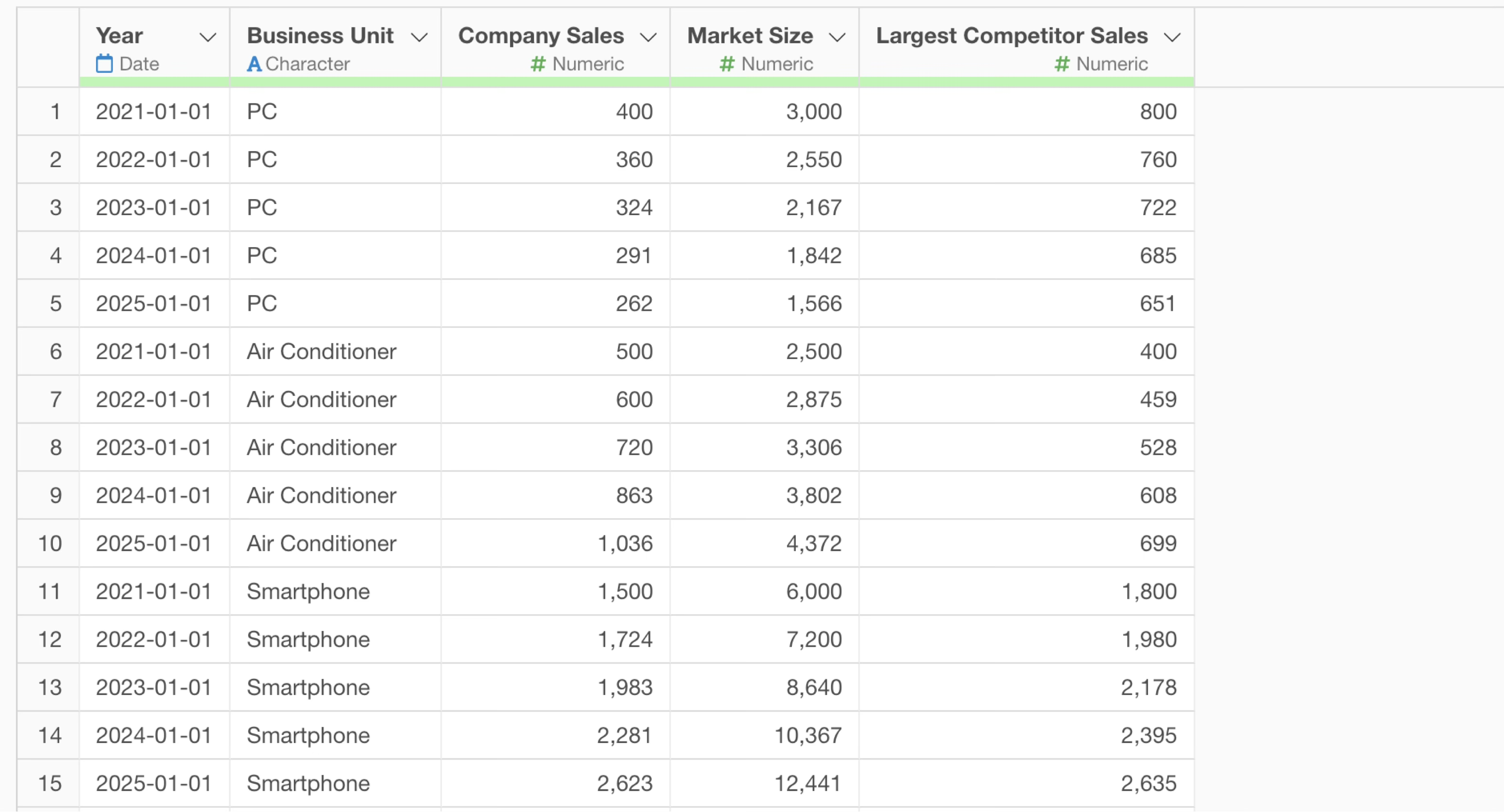
The data includes information such as year, product category, market size, company sales, and largest competitor sales.
First, click the “AI Wrangling” button.
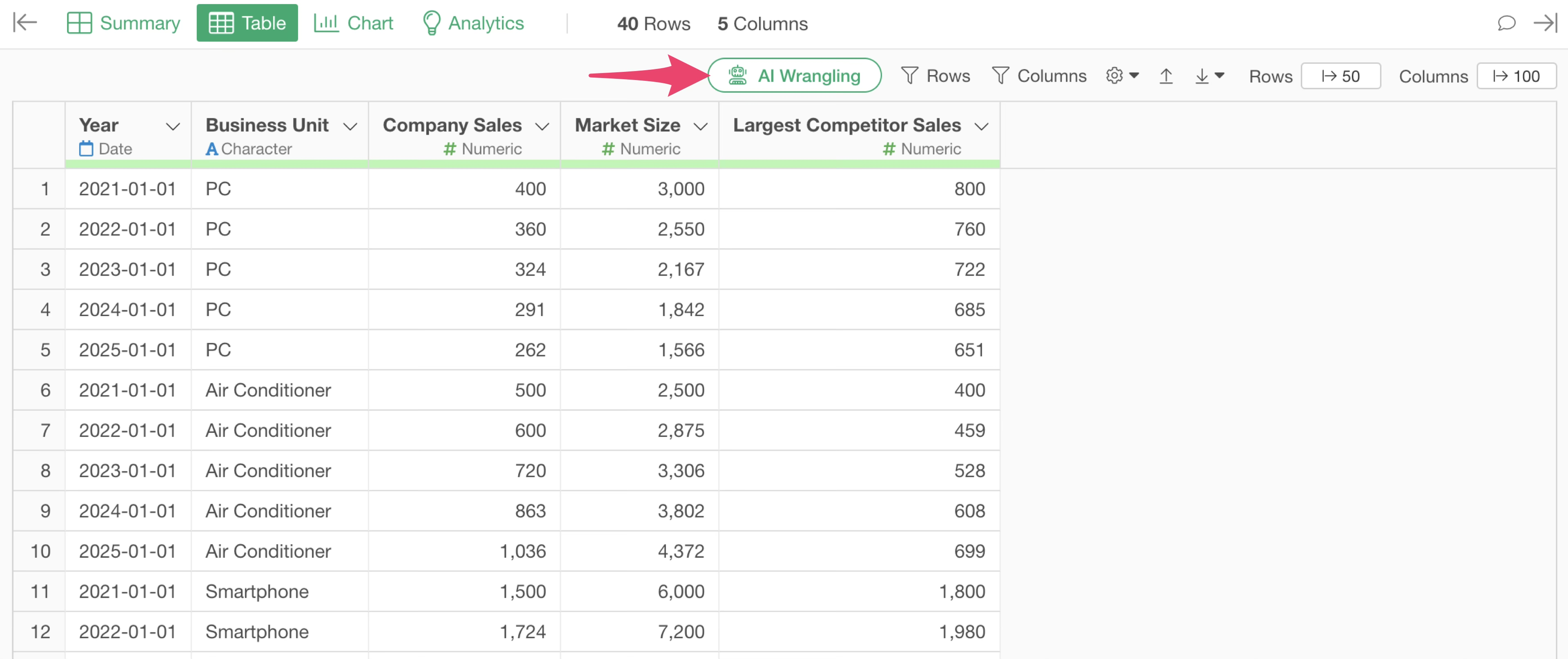 Once
the AI Prompt dialog opens, enter text like the following and execute
it:
Once
the AI Prompt dialog opens, enter text like the following and execute
it:
Do PPM analysis by business unit
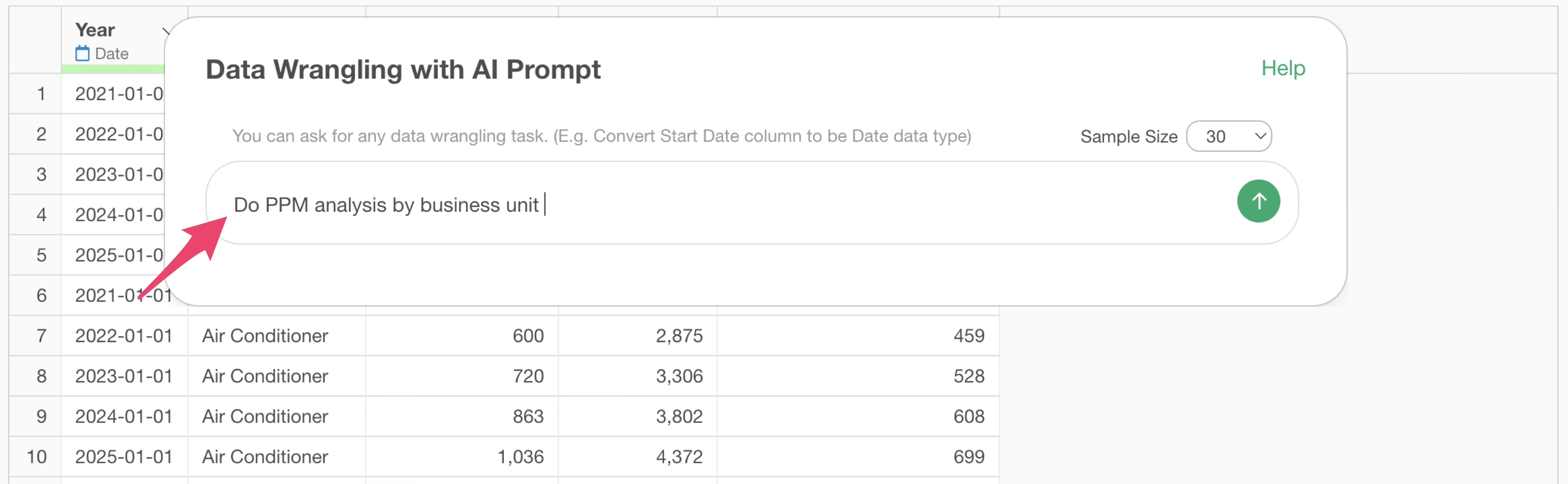
Then, the code for performing PPM analysis will be generated.
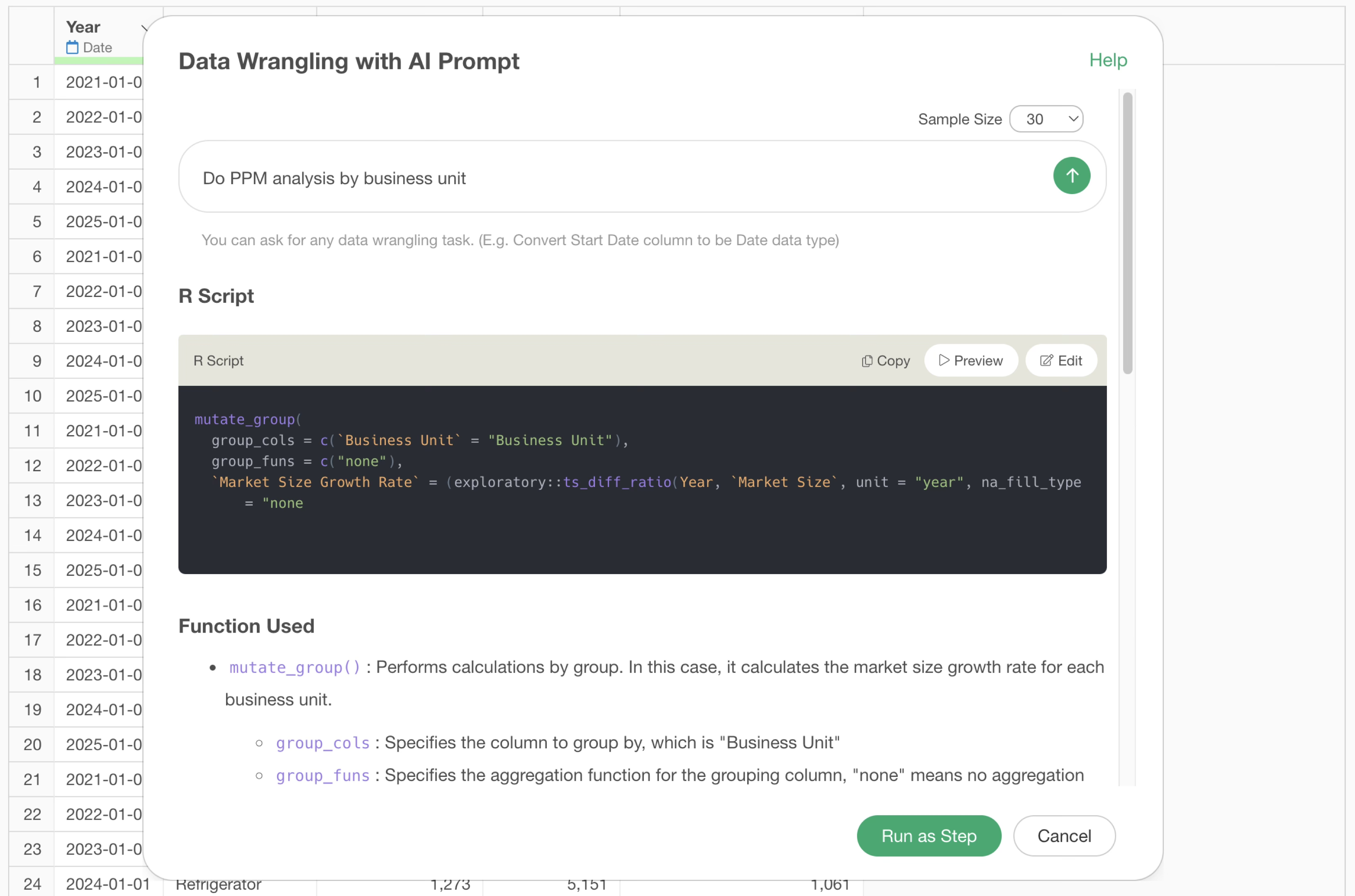
Check the explanation of the functions used and the expected results, then click the “Run as Step” button.
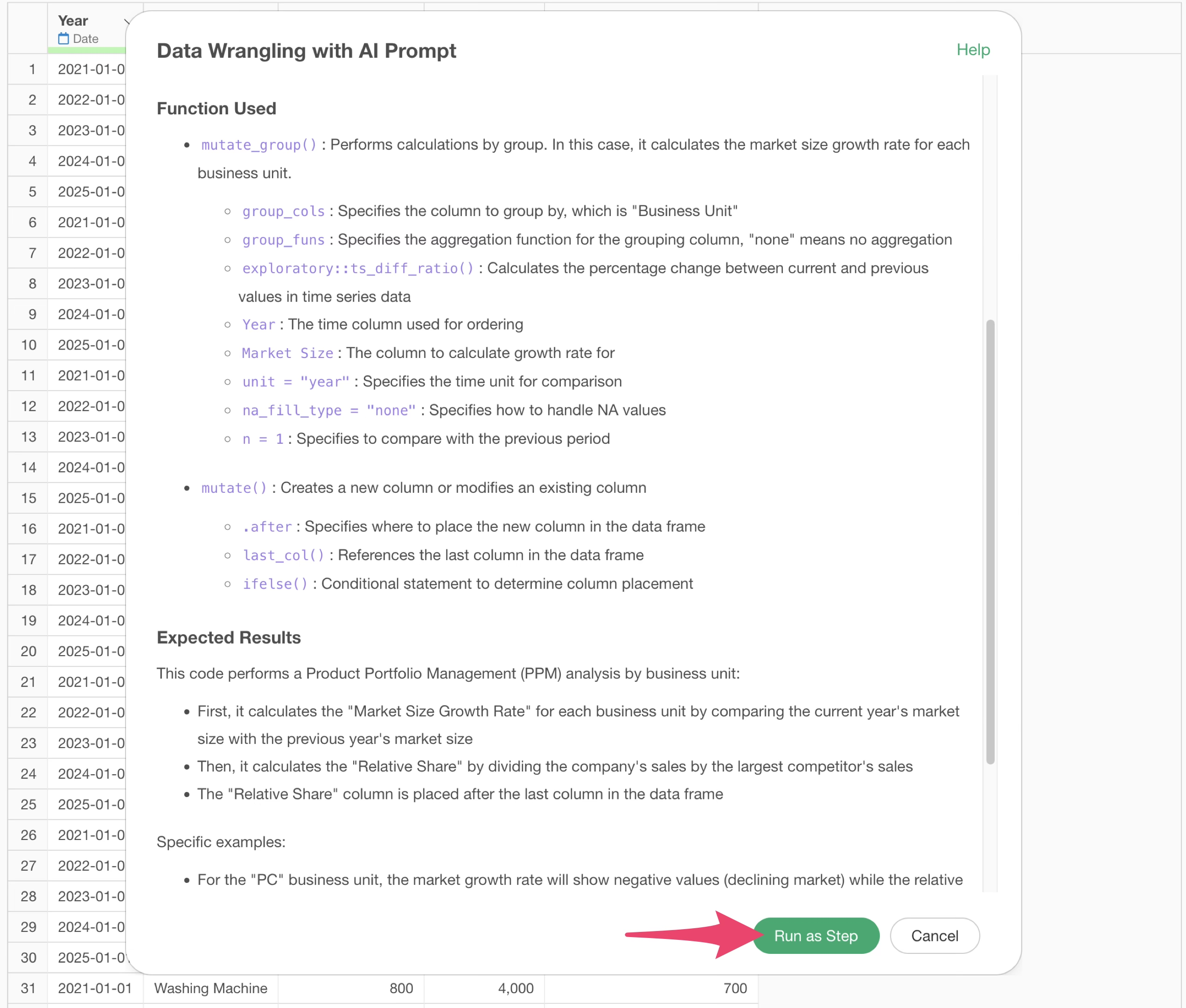
The step is added, and the data for PPM analysis is created.
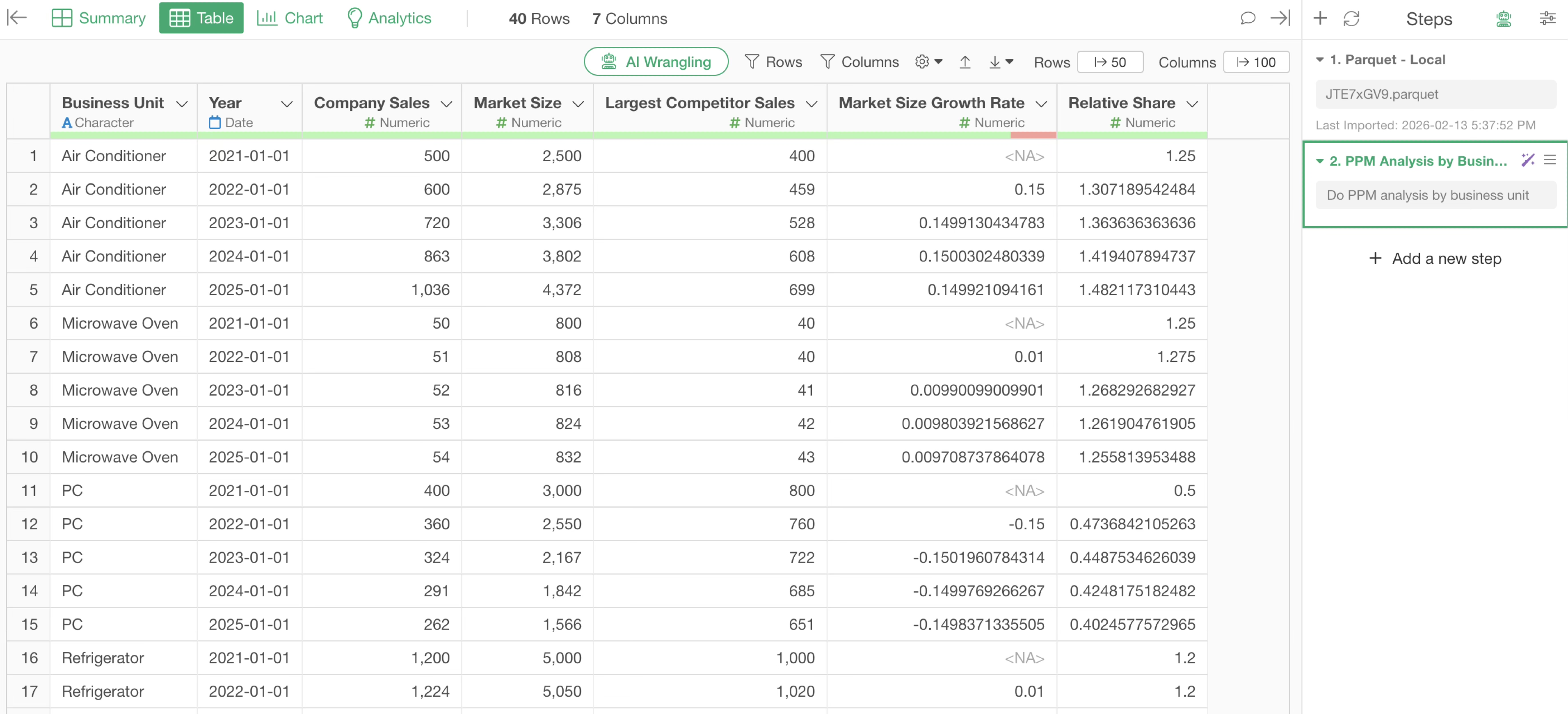
Next, visualize the results of the PPM analysis in a chart.
Go to the Chart view, select “Scatter (No Aggregation)” as the chart type, select Relative Share for the X-axis, and select Market Size Growth Rate for the Y-axis.
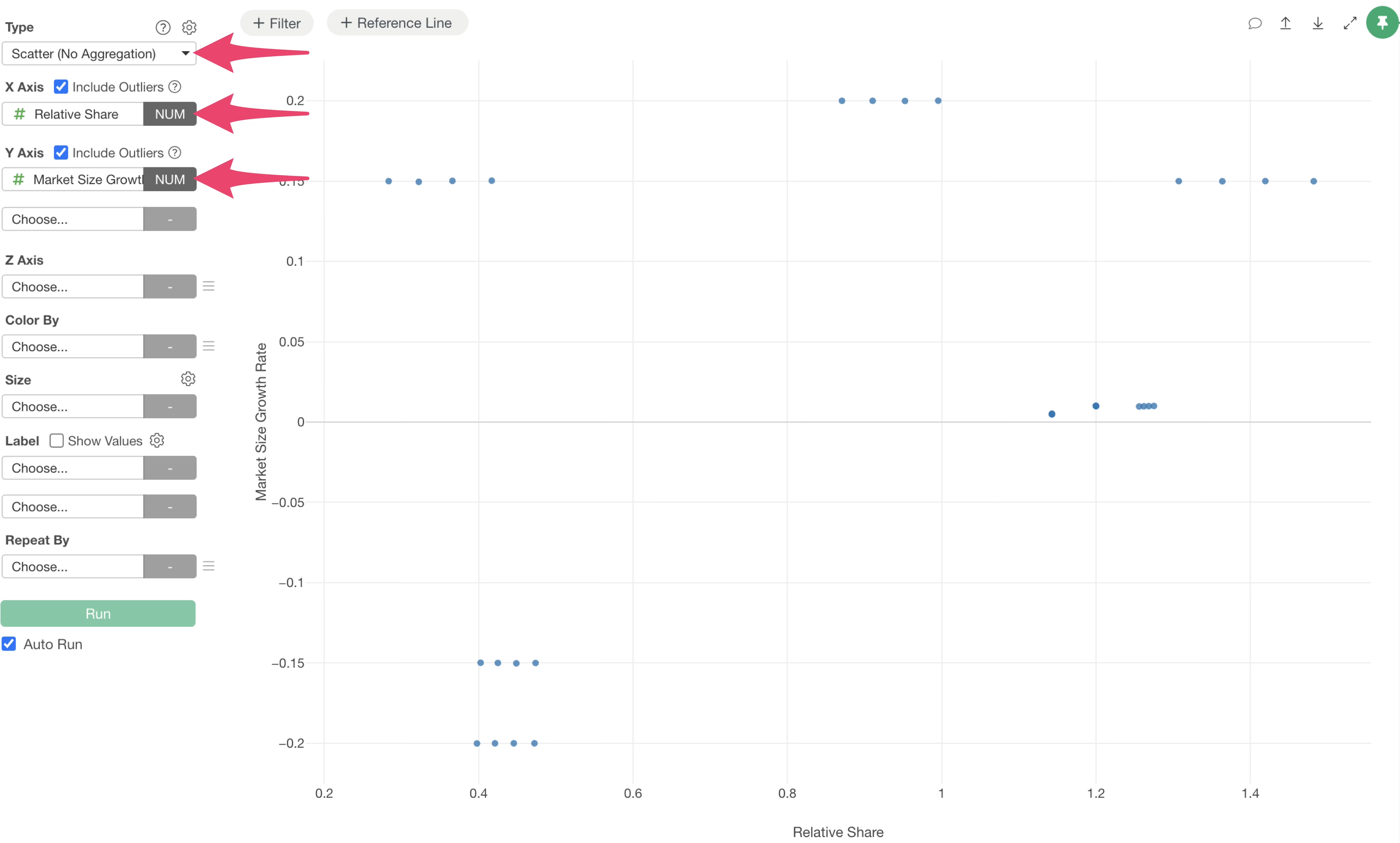
At this point, data for all years is displayed, so add a filter to filter for the latest year’s data.
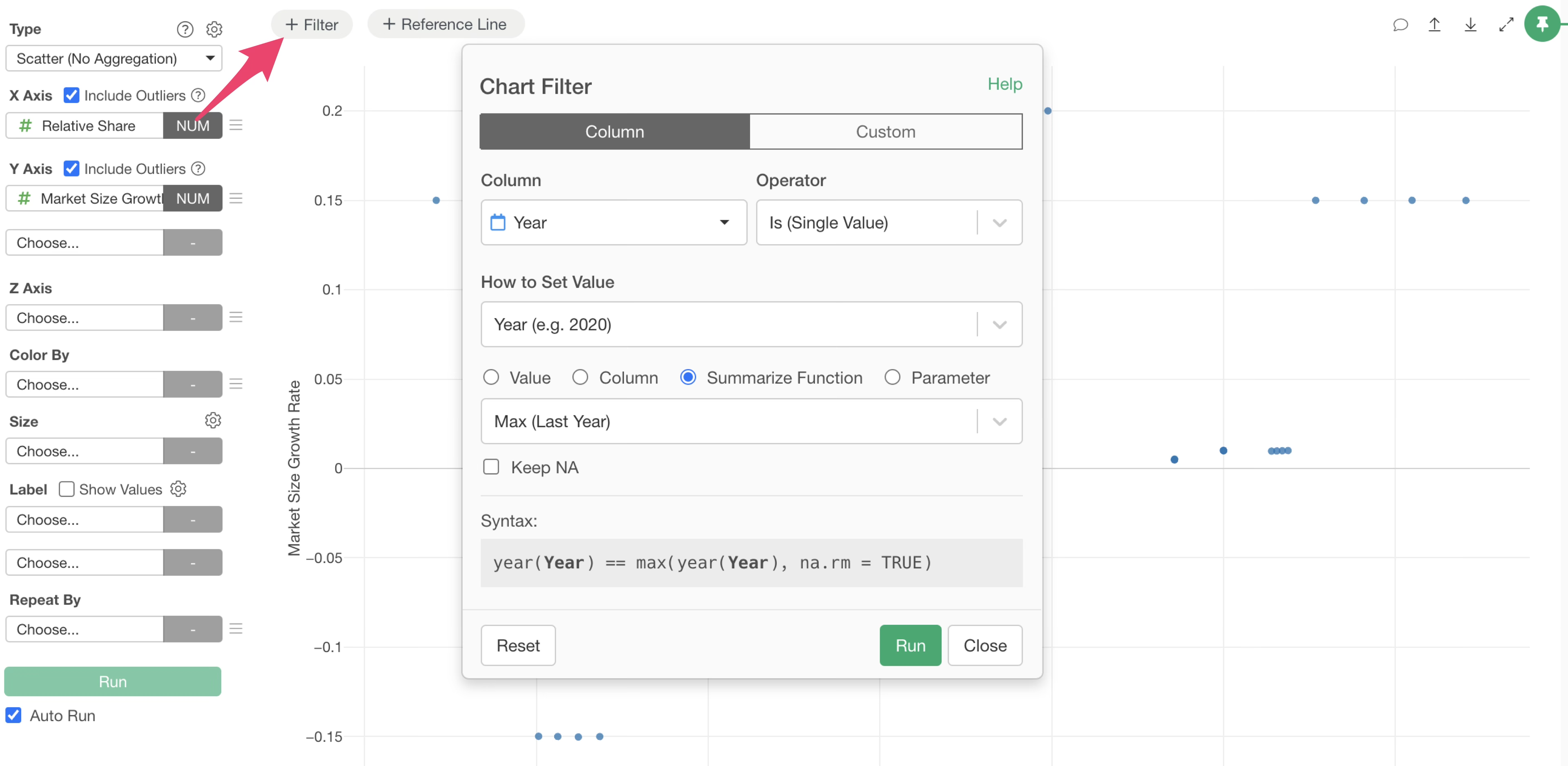
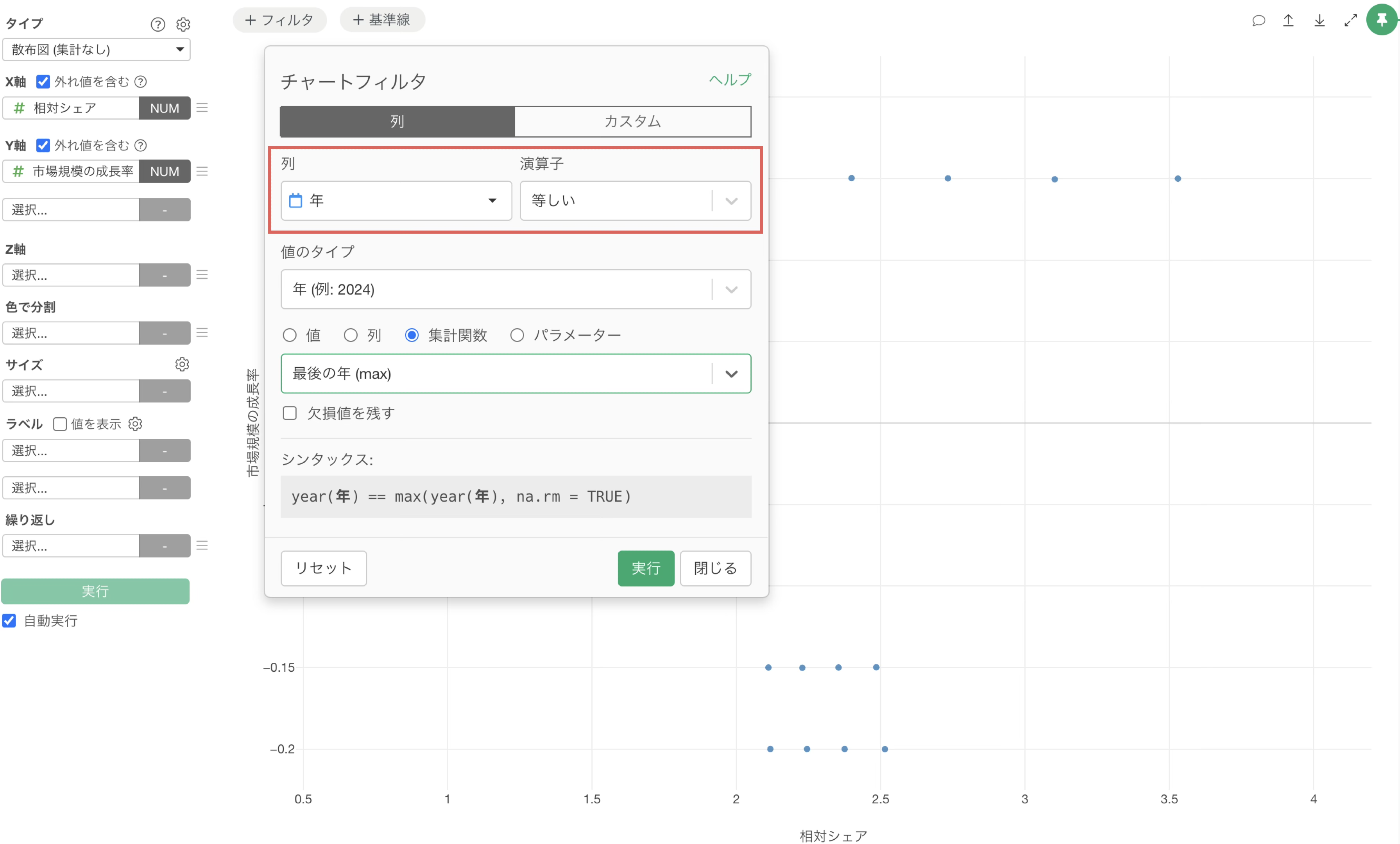
Select the date column for the column and specify “Equal to” for the operator.
Since we want to display only the information for the latest year, select “Year” for the value type and select “Last Year (max)” for the “Summarize Function.”
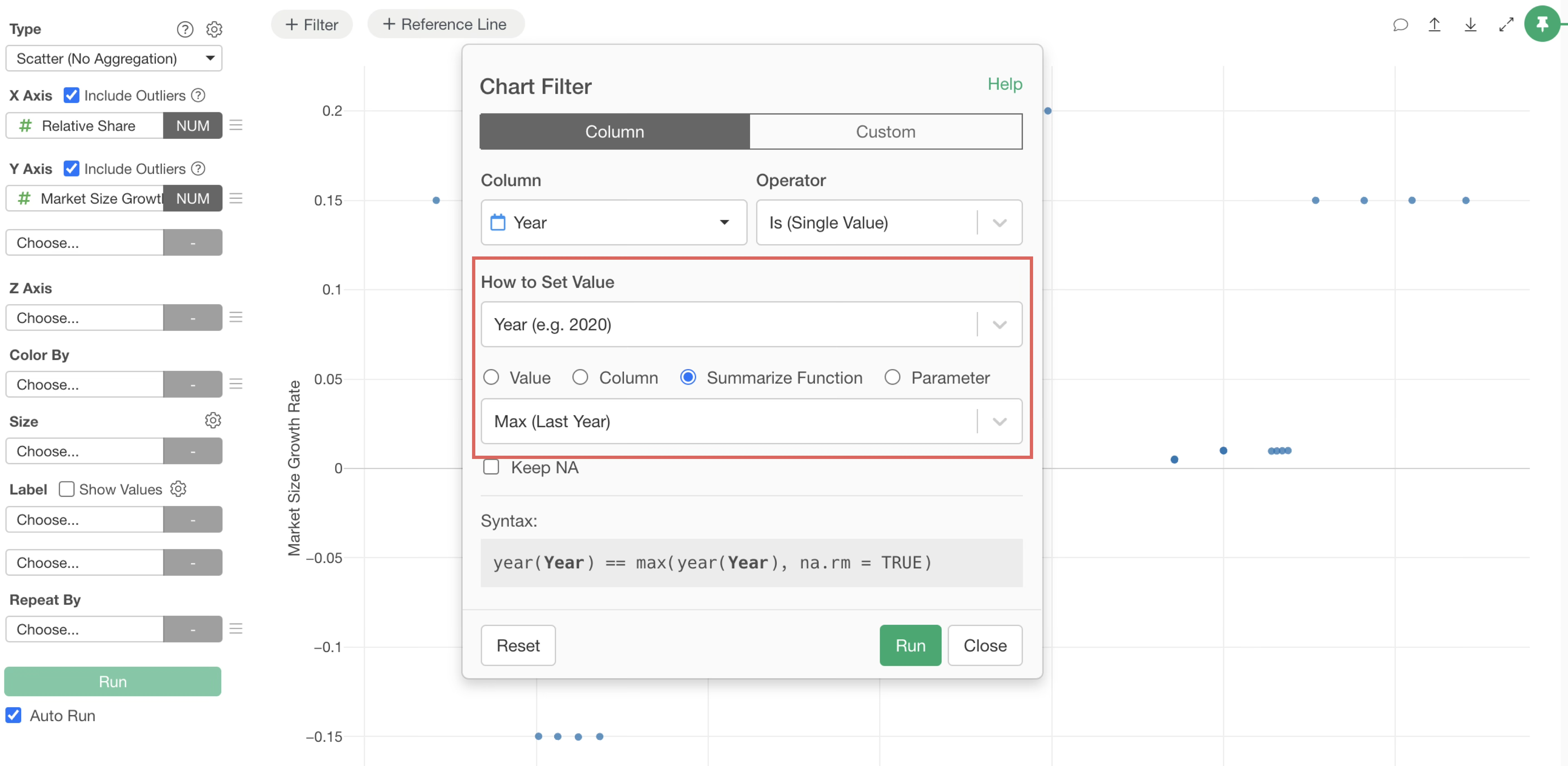
By setting it this way, only the latest data will automatically remain.
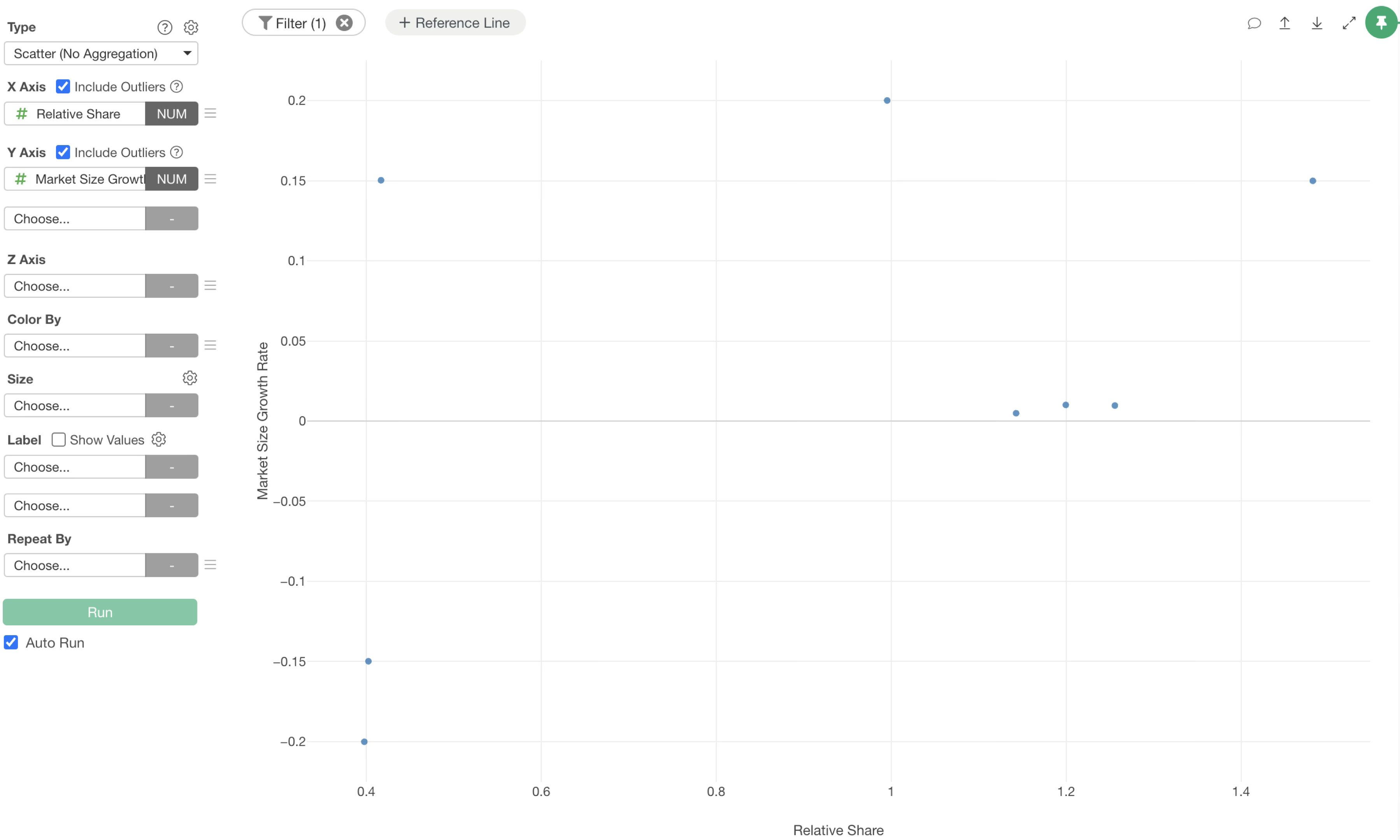
Also, since each business has different sales, by specifying the company’s sales for the Size, you can visually understand the sales scale of each business at a glance.
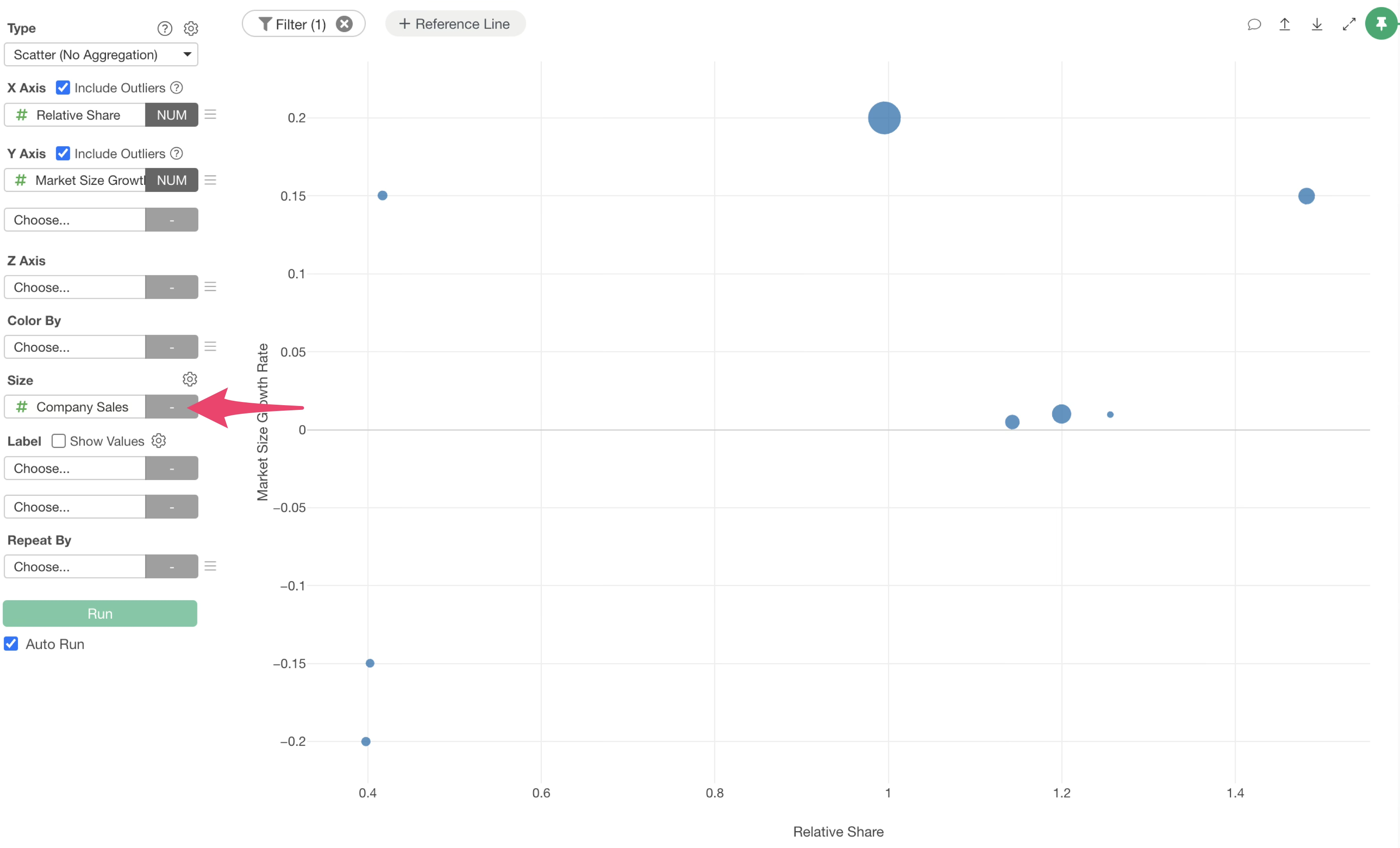
Next, to support strategic decision-making, add important boundaries as reference lines.
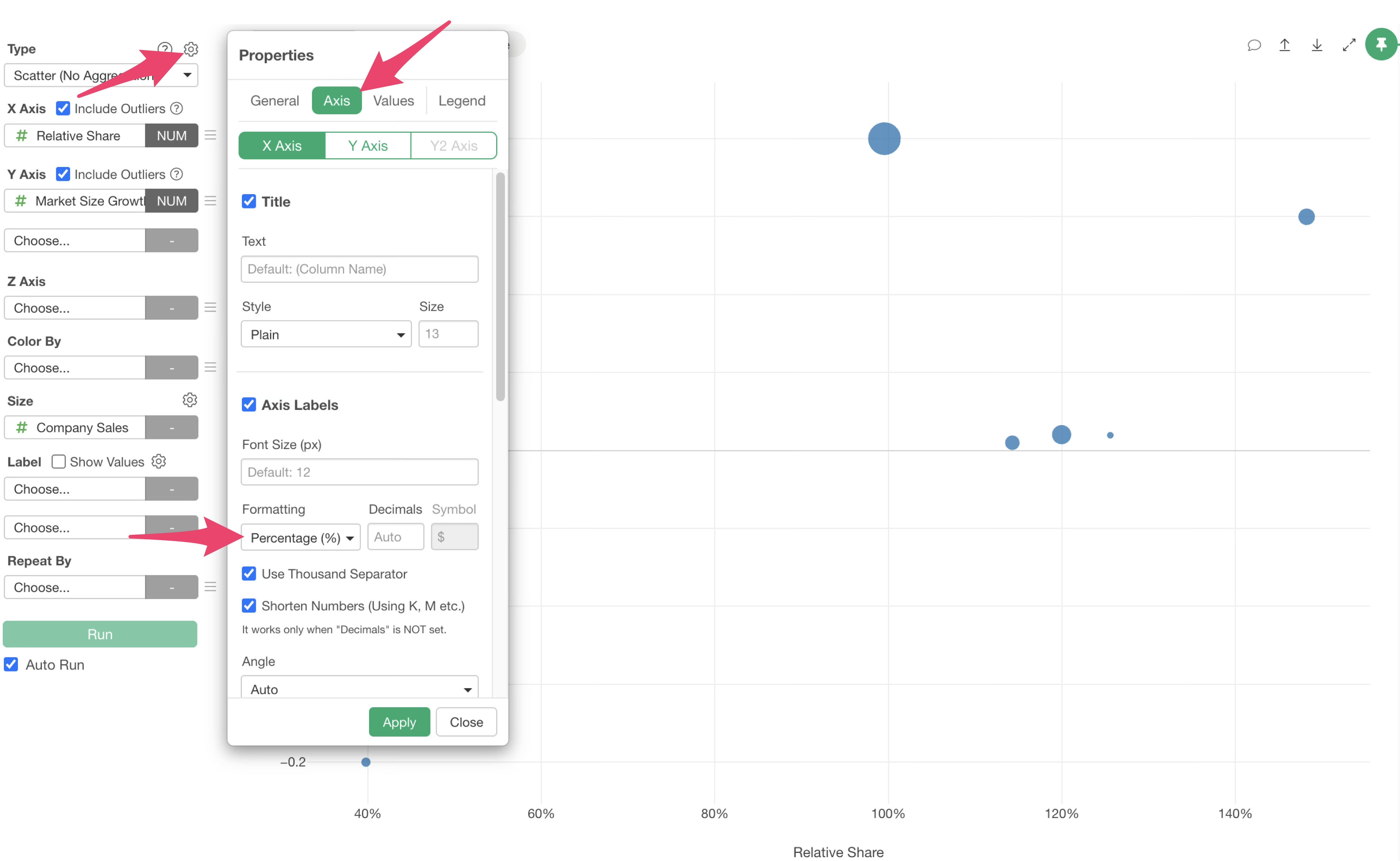
First, to change the X-axis unit to percentage notation, select the chart settings icon, and from the axis menu, change the format to “%” and apply.
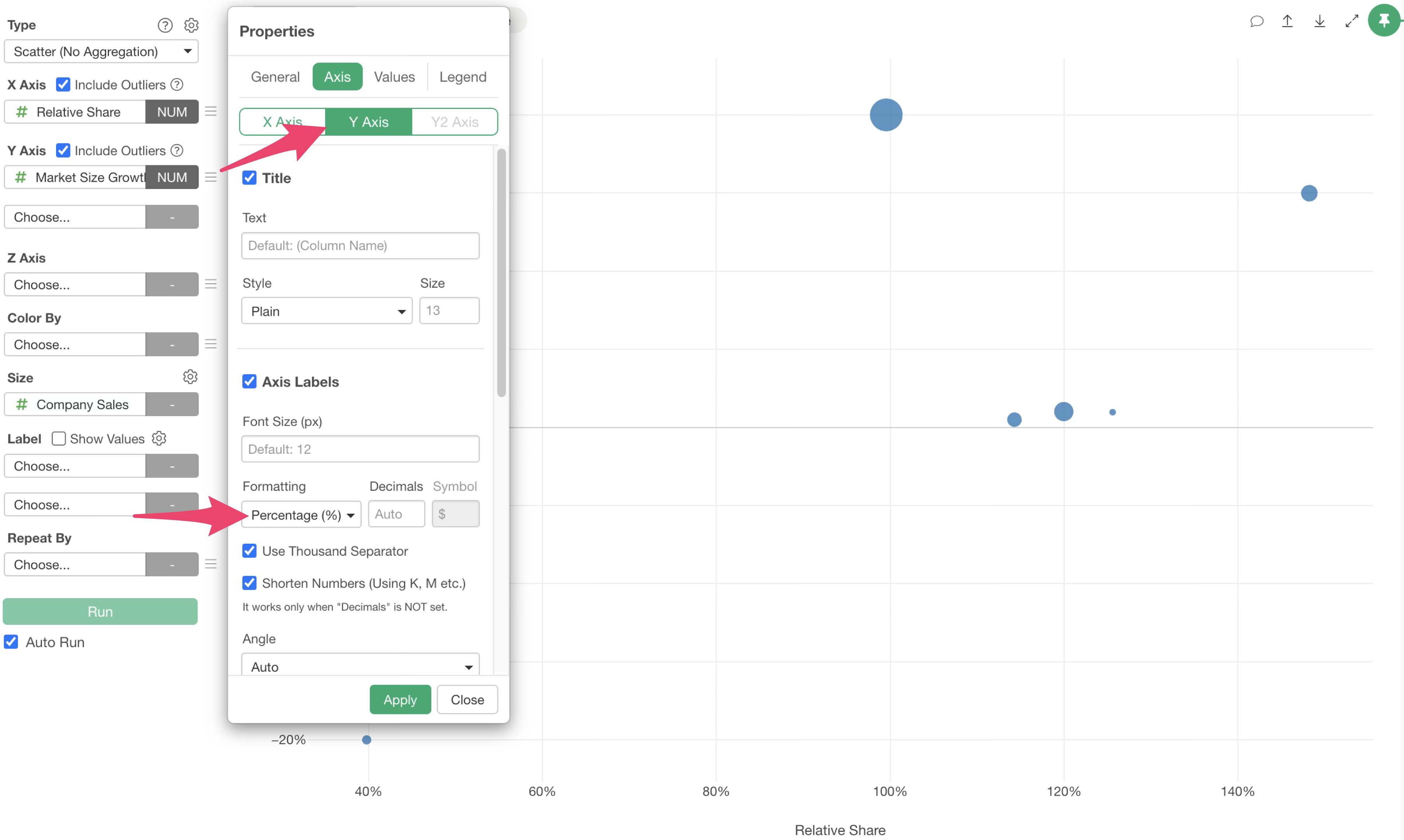
Similarly, change the Y-axis format to “%” and apply.
Next, add the 100% relative share boundary line for the X-axis.
Select the add reference line button at the top of the chart and select “Constant Value” from the X-axis menu.
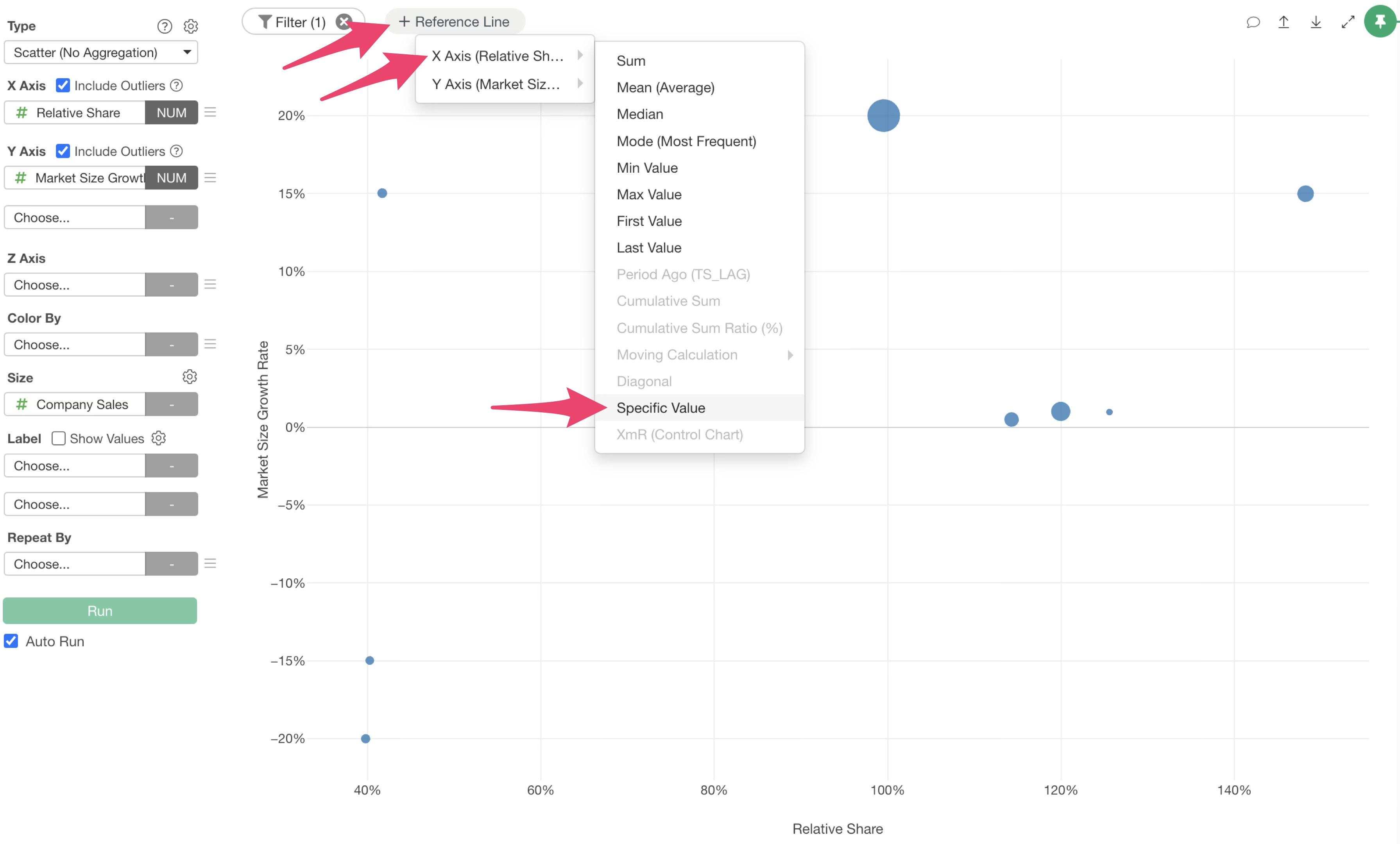
When the reference line settings dialog opens, enter “100” for the value. This is because the X-axis format was changed to percentage notation.
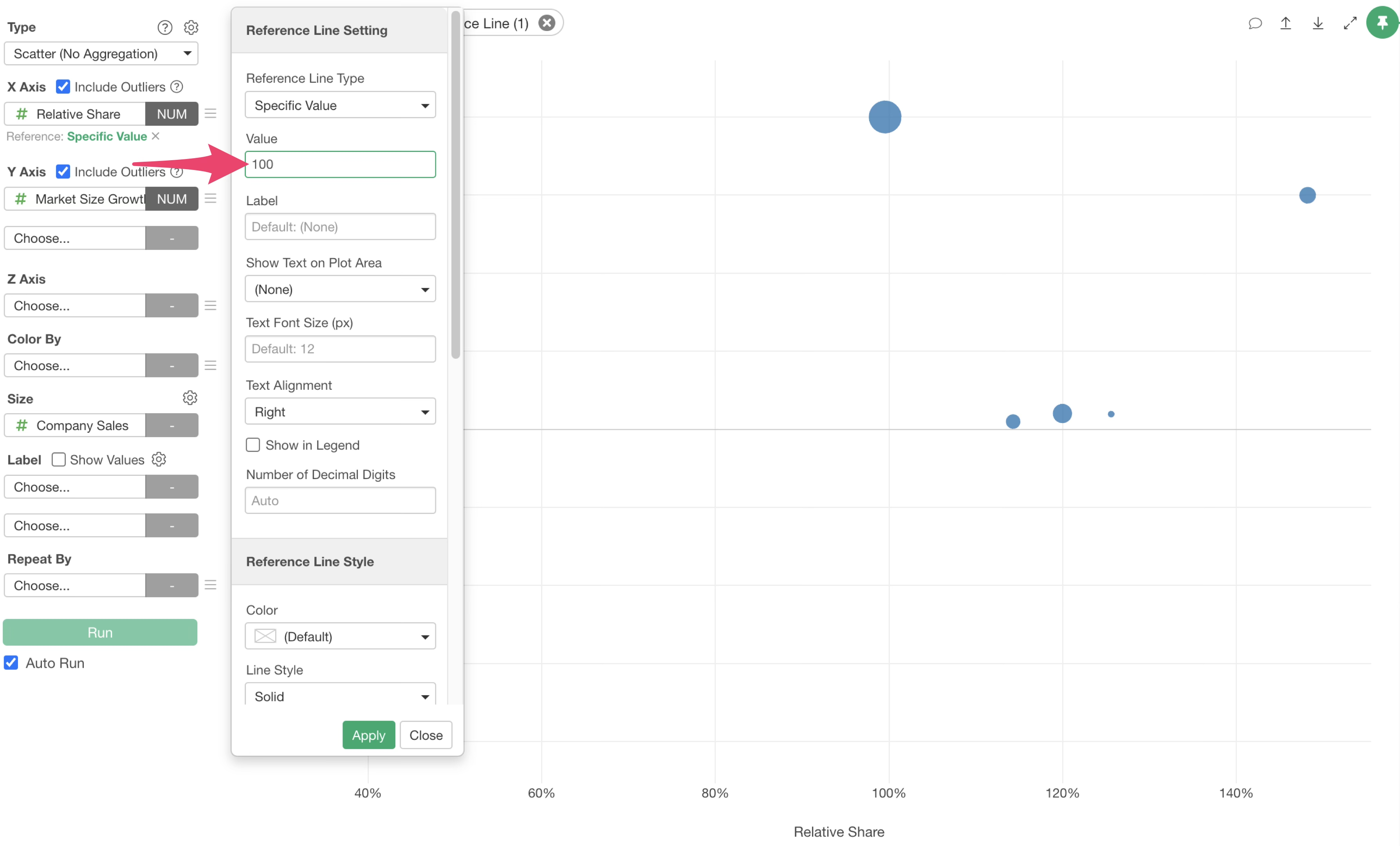
If necessary, enter text such as “Market Leader Criterion” in the label and apply. By hovering the mouse over the reference line, you can confirm its meaning.
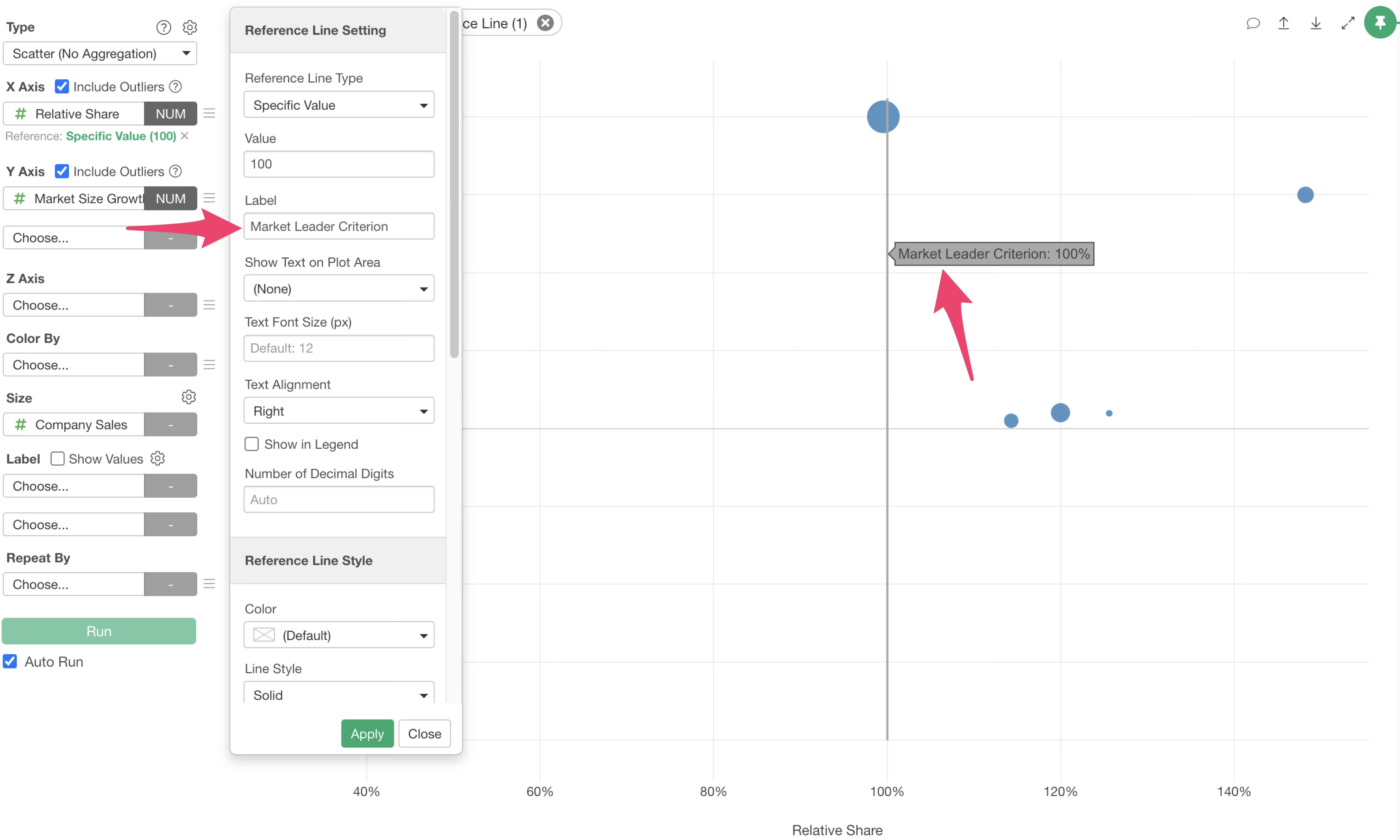
Next, add the 0% market growth rate boundary line for the Y-axis. Click the reference line button at the top of the chart again and select “Constant Value” from the Y-axis menu.
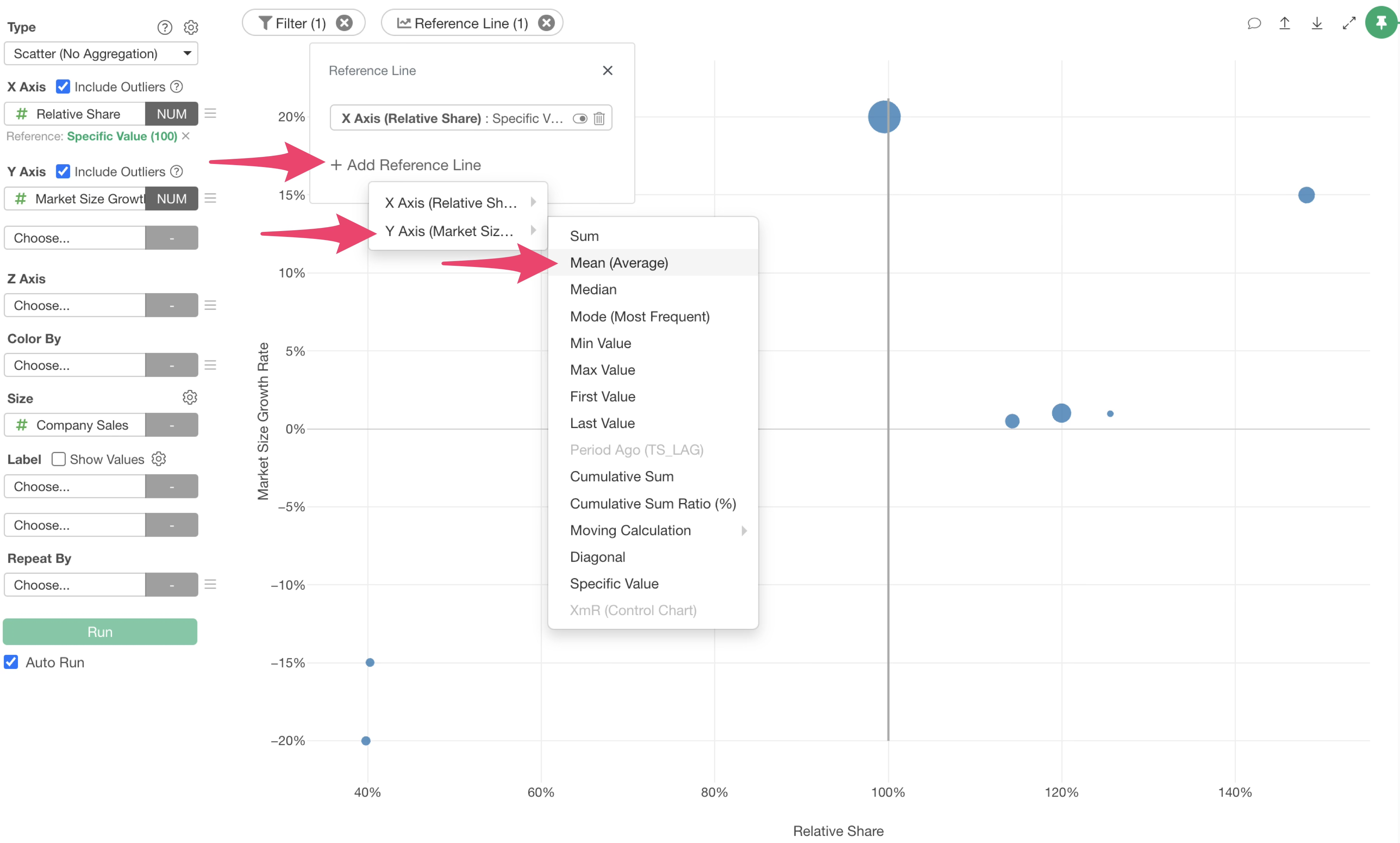
When the reference line settings dialog opens, enter “0” for the value and apply.
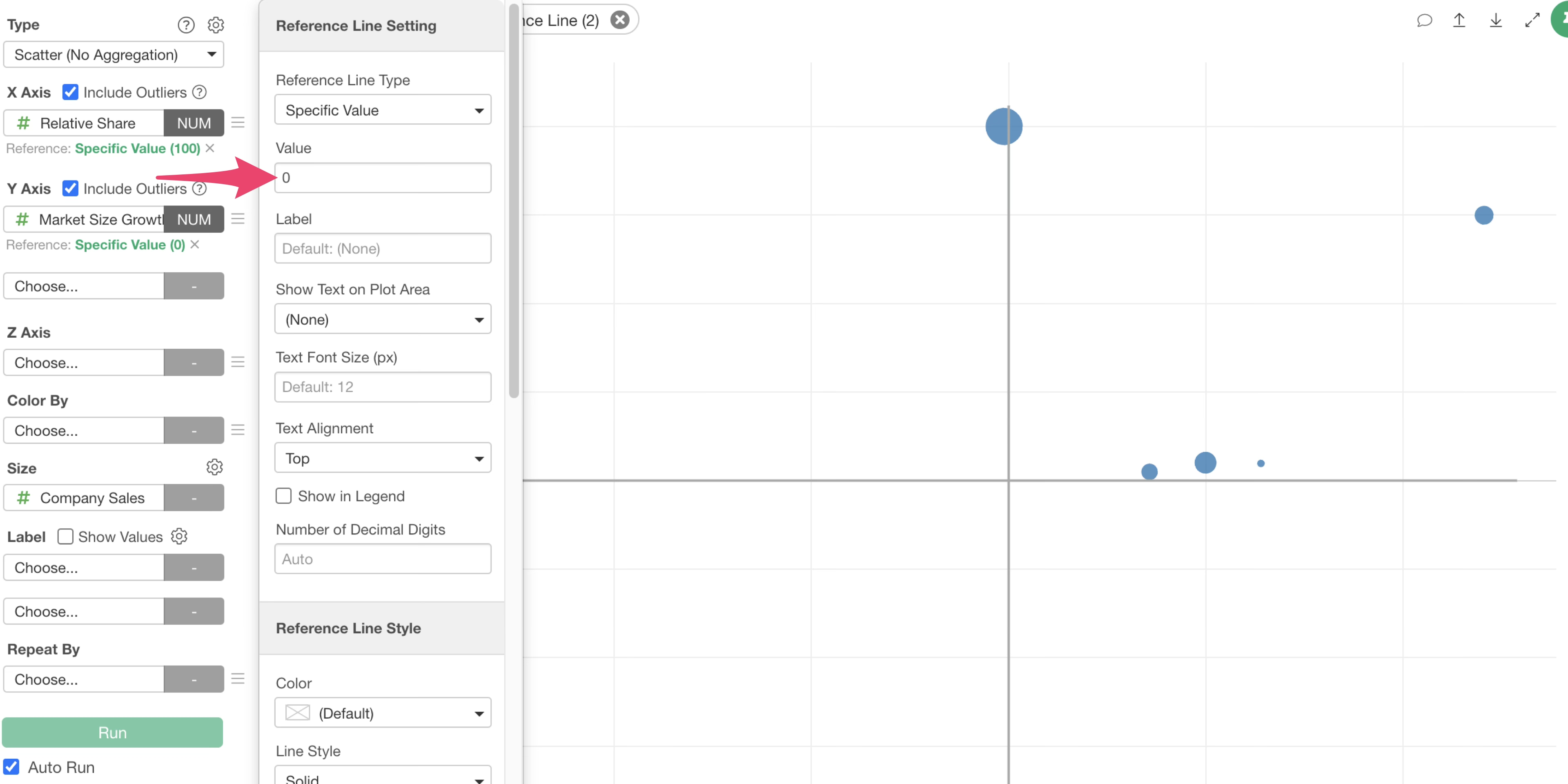
Furthermore, add a boundary line for investment judgment. This time, to set the investment criterion to a 10% market growth rate, click the add reference line button at the top of the chart again and select “Constant Value” from the Y-axis menu.
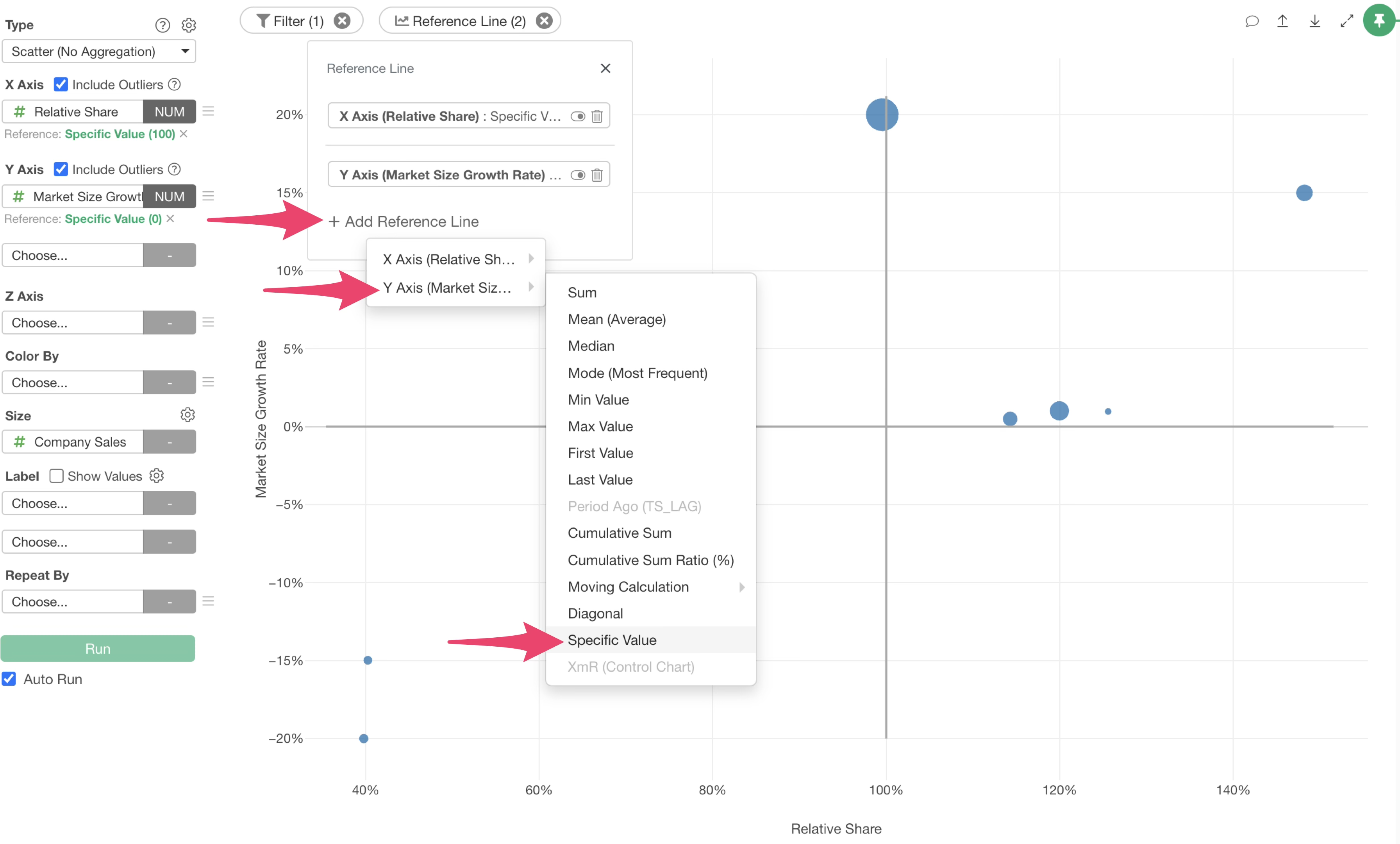
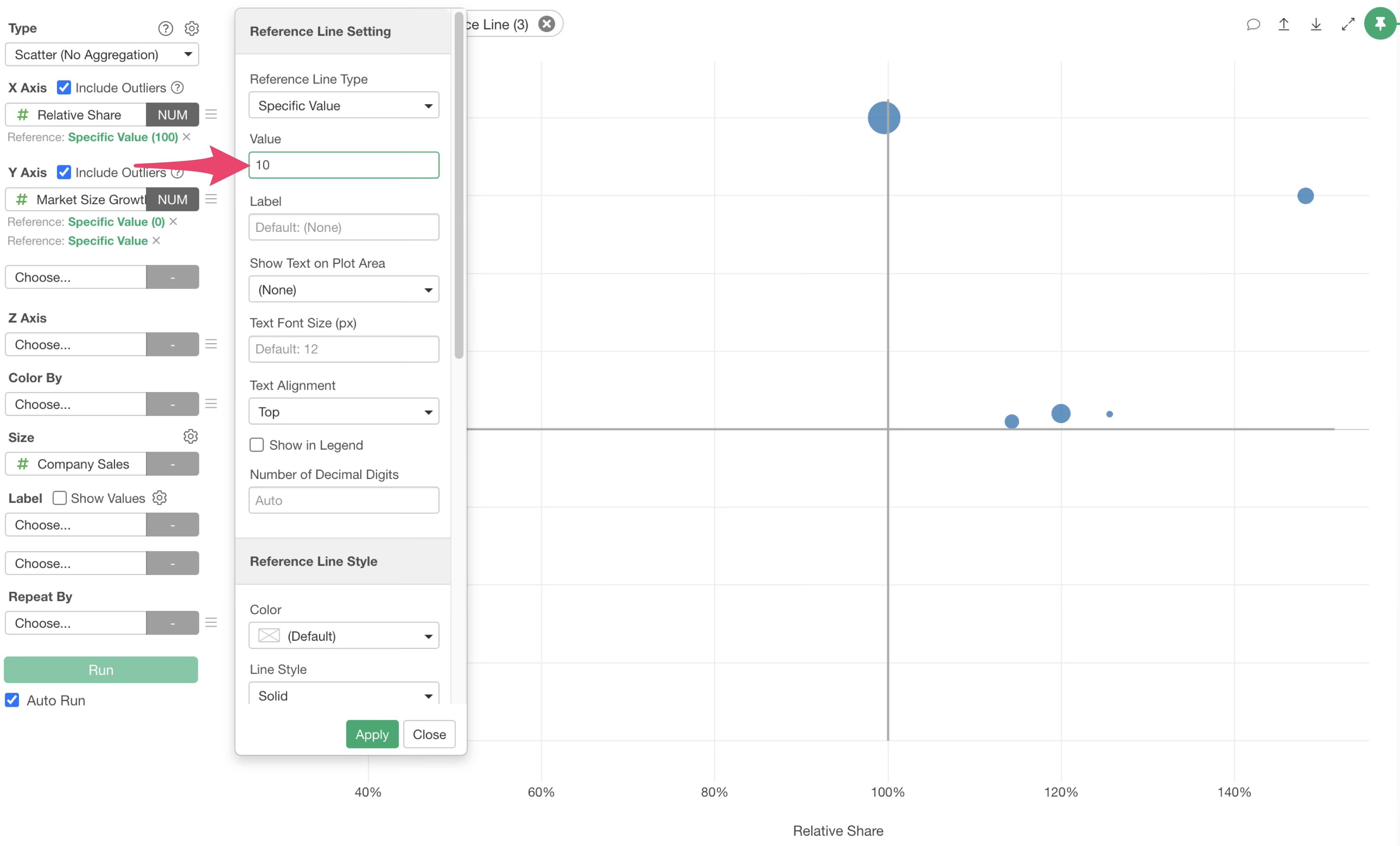
When the reference line settings dialog opens, enter “10” for the value.
By entering text such as “Aggressive Investment Criterion” in the label, you can confirm the meaning of the reference line by hovering the mouse over it.
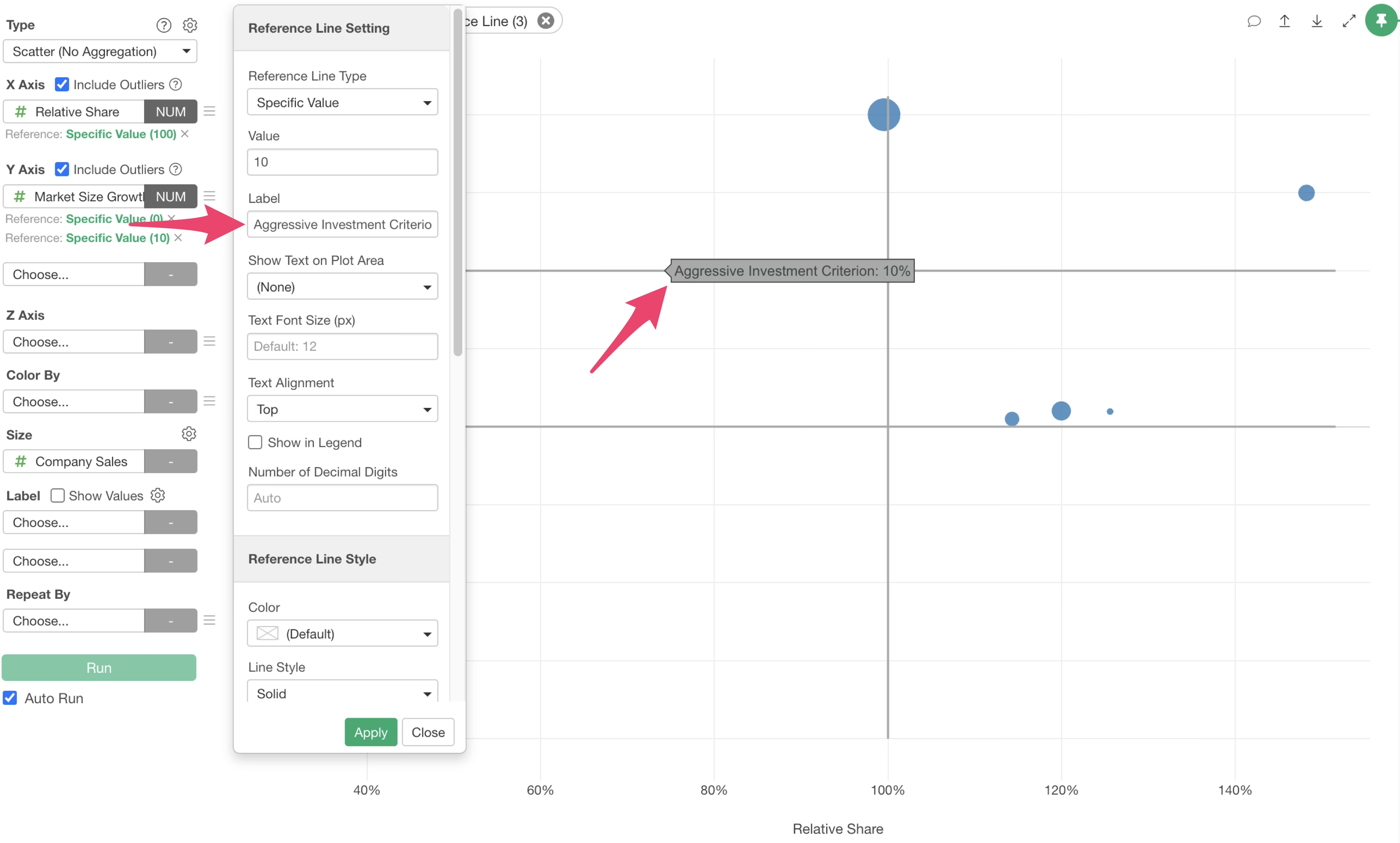
The PPM analysis chart including strategic boundaries is now complete.
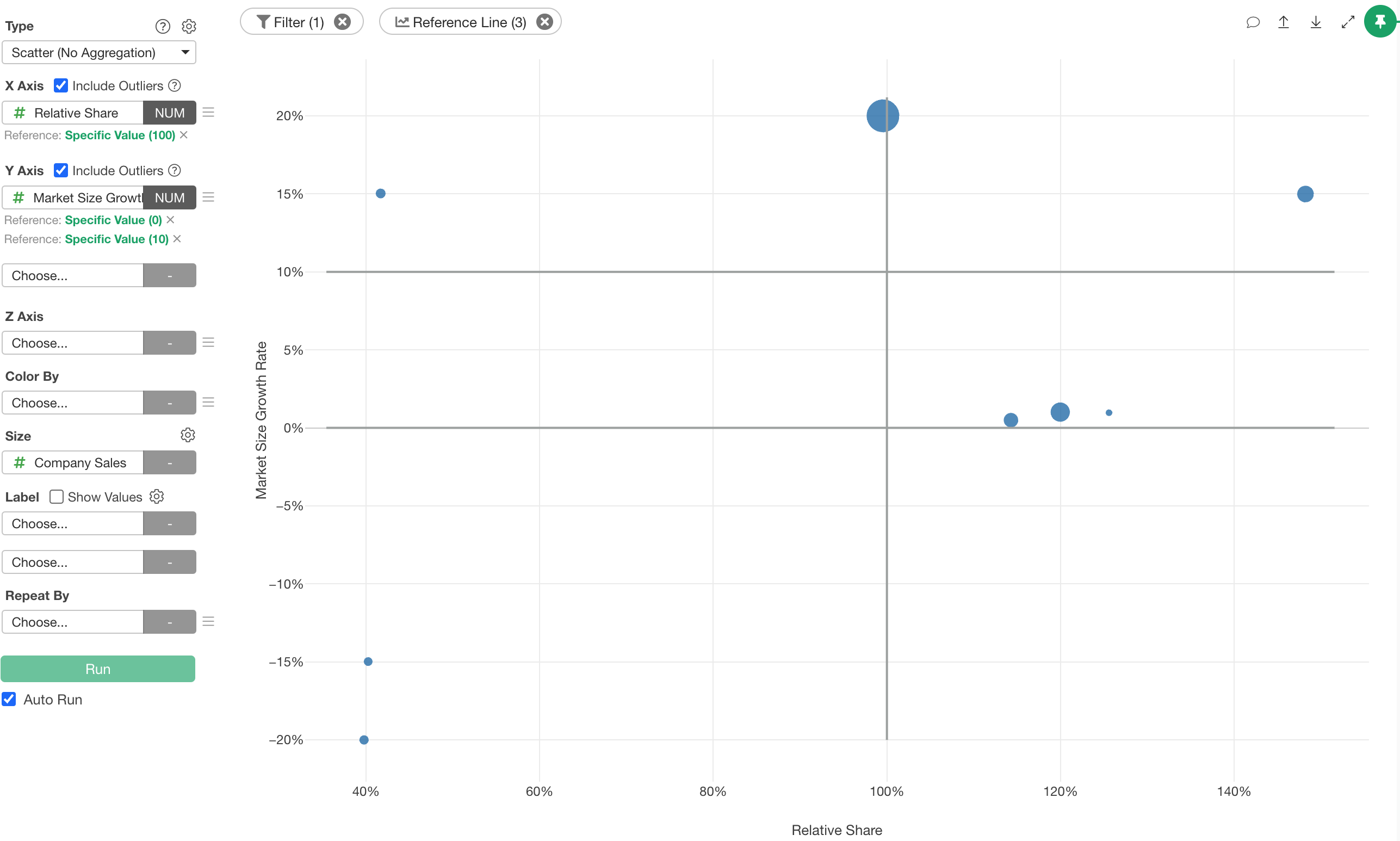
Finally, select the business name for the label and check “Show Value.”
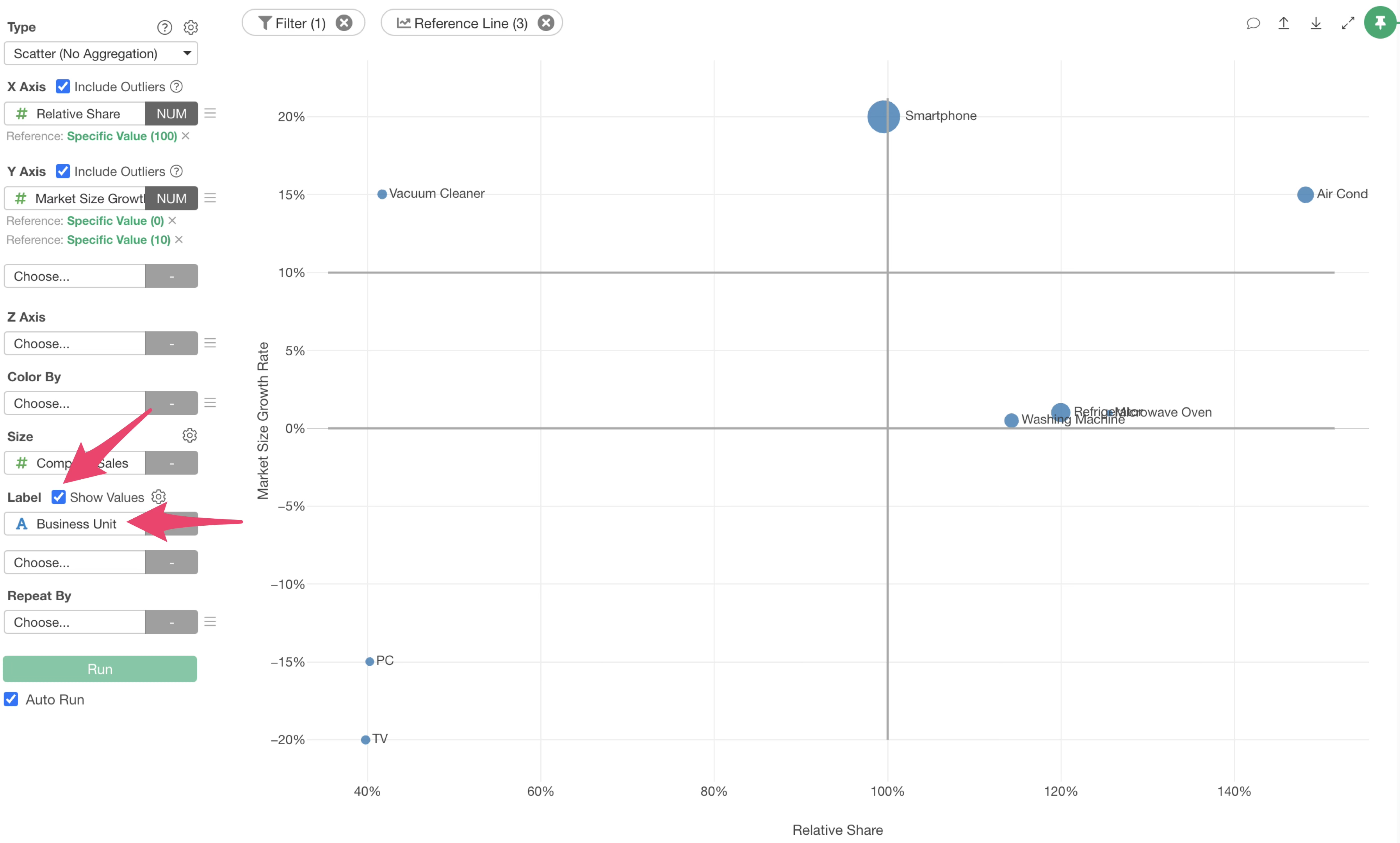
If the overlapping of labels is a concern, click the chart settings icon.
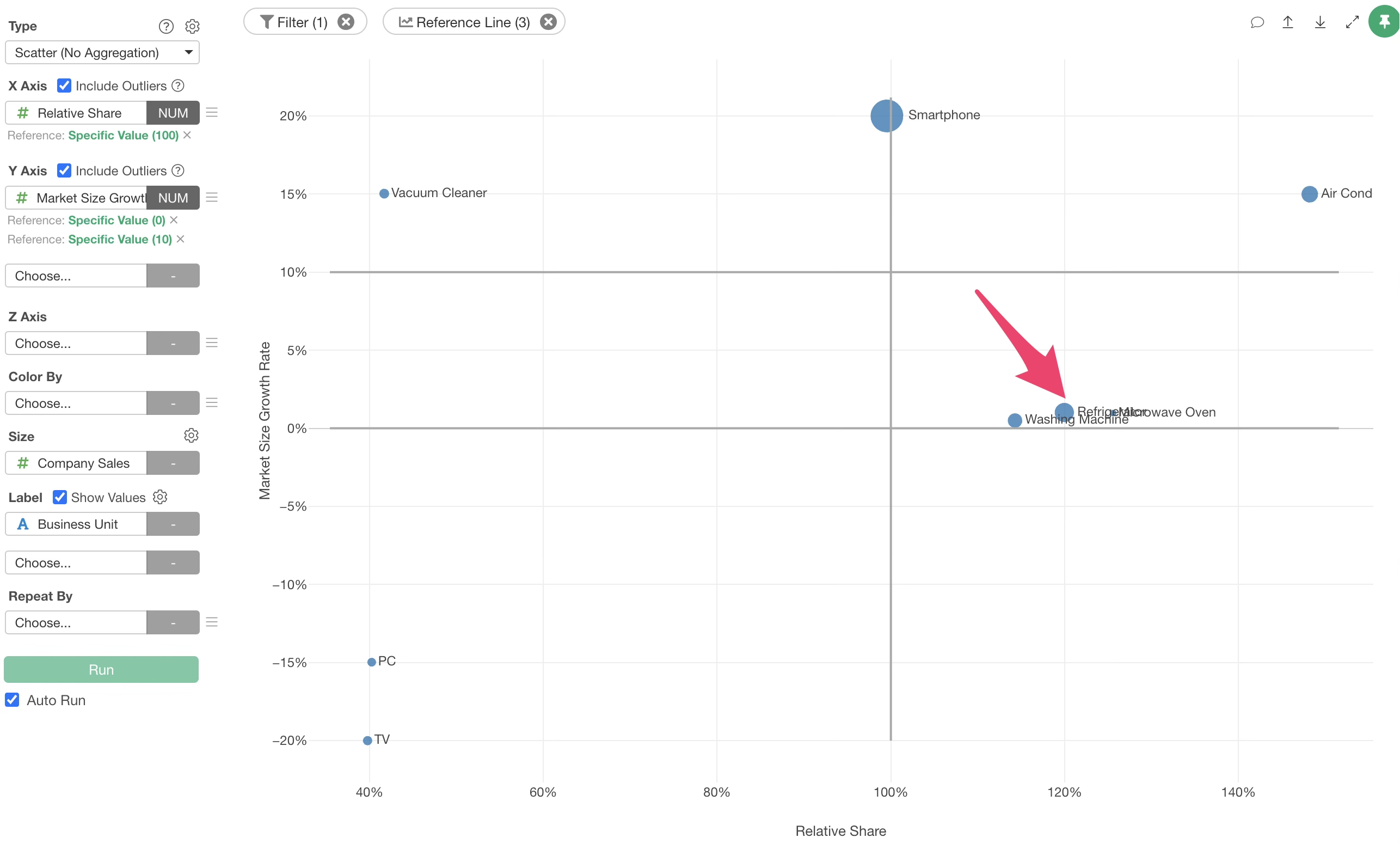 When the chart settings dialog opens, go to the “Value” tab, change the
position in the “Show Value” menu to “Auto,” and apply. This allows you
to organize the display of each value.
When the chart settings dialog opens, go to the “Value” tab, change the
position in the “Show Value” menu to “Auto,” and apply. This allows you
to organize the display of each value.
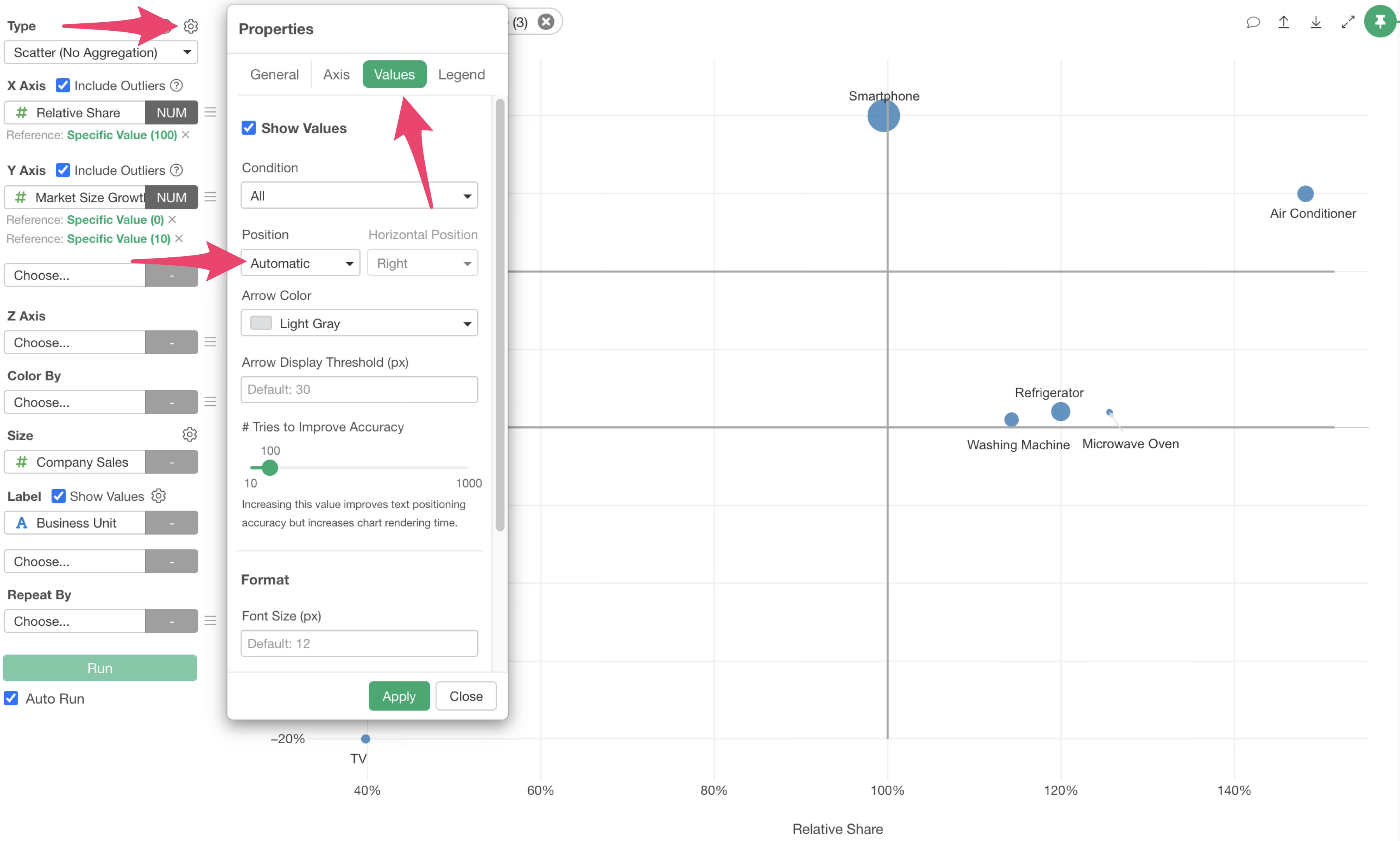
From this result, you can confirm which quadrant each product category is located in.
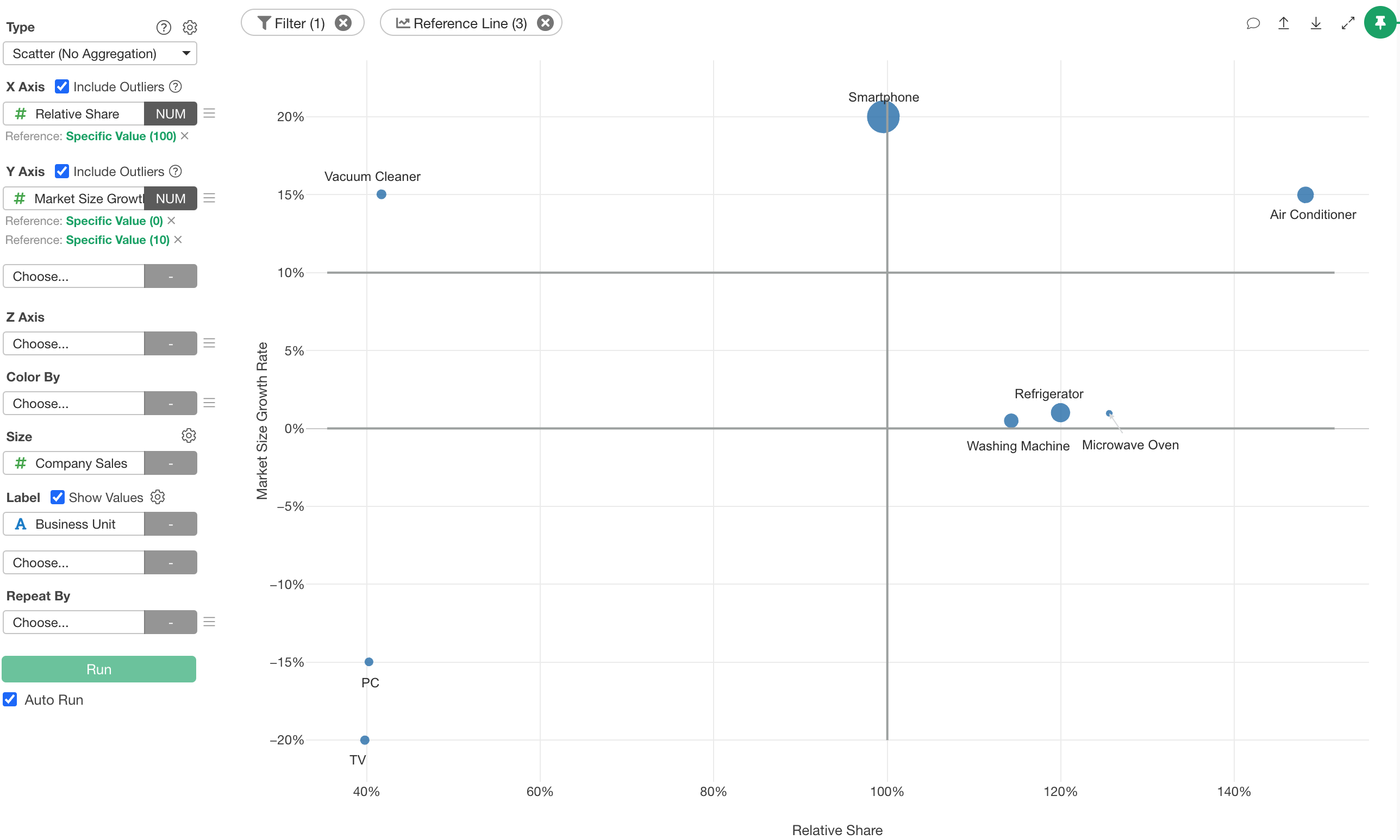
With the boundaries of 100% relative share and 0% and 10% market growth rates, strategic judgments like the following become possible.
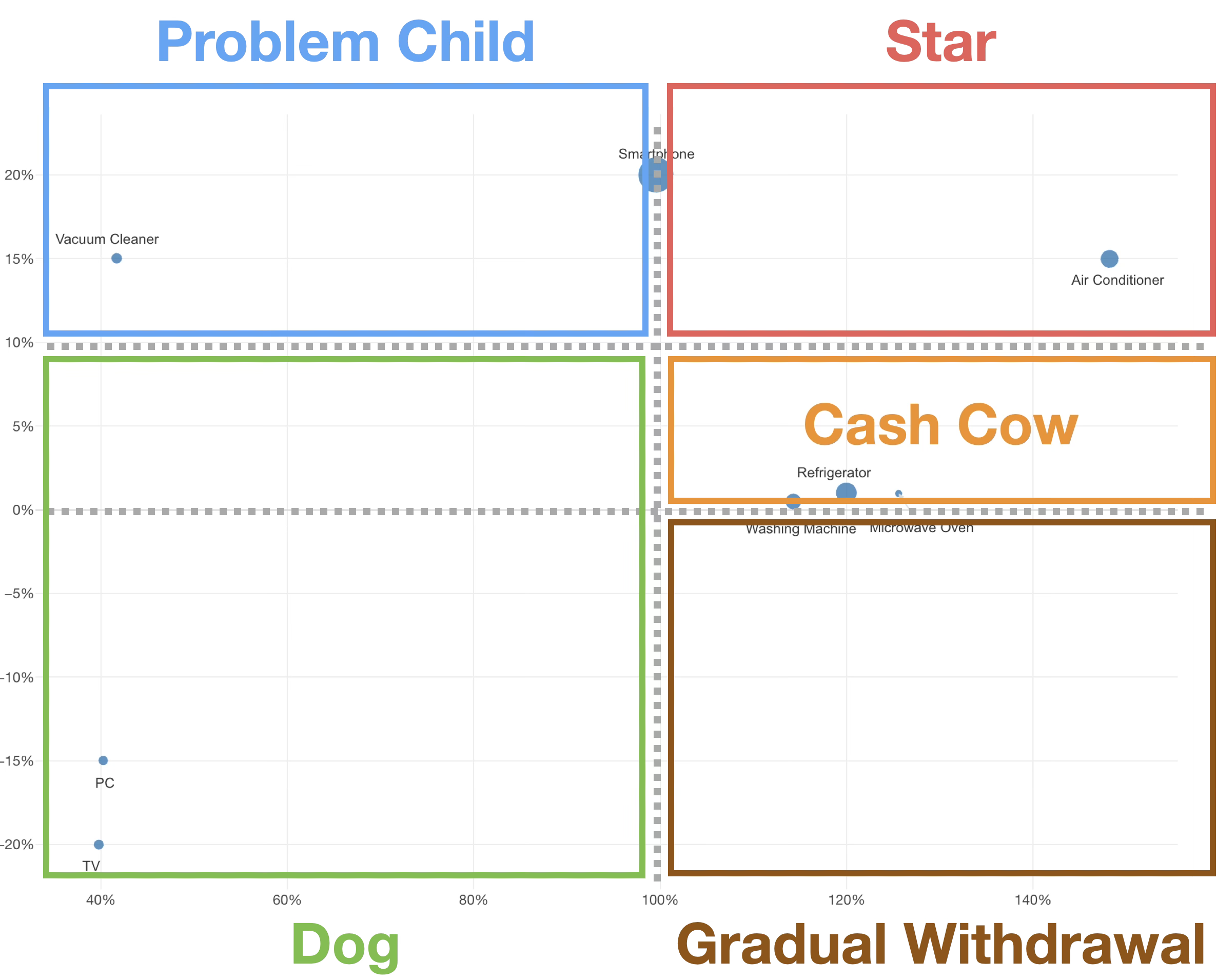
Particular attention should be paid to products located in the bottom right (relative share > 100% and growth rate < 0%). At first glance, they appear to be market leaders, but because the market itself is shrinking, they are businesses where additional investment should be avoided and phased withdrawal should be considered.