
How to Use Exploratory with Offline Mode
Exploratory Desktop doesn’t depend on Exploratory Server for any operations and can be used in a complete offline environment. But, it still needs to access to Exploratory Server to validate your subscription license.
However, if you are working for some organizations, you cannot allow Exploratory Desktop to access outside of your firewall and need to make sure Exploratory is completely shutoff from outside world.
In such cases, you can use Exploratory in something called ‘Offline Mode’ with your Offline License Key. This will validate your account and your Exploratory Desktop installed on your PC so that you can continue to use Exploratory Desktop without an access to Exploratory Server for the license validation.
Here’s how you can generate the offline license key and register in Exploratory.
Note that this ‘Offline Mode’ option is available only for Business plan or higher. If your plan is currently not Business, you can upgrade at Update Plan Page under your Account Setting.
Generate Offline License Key
Inside Exploratory, go to System Setting.

Click the Offline License tab on the Exploratory System Configuration Dialog.

Click the “Generate License Key” button.
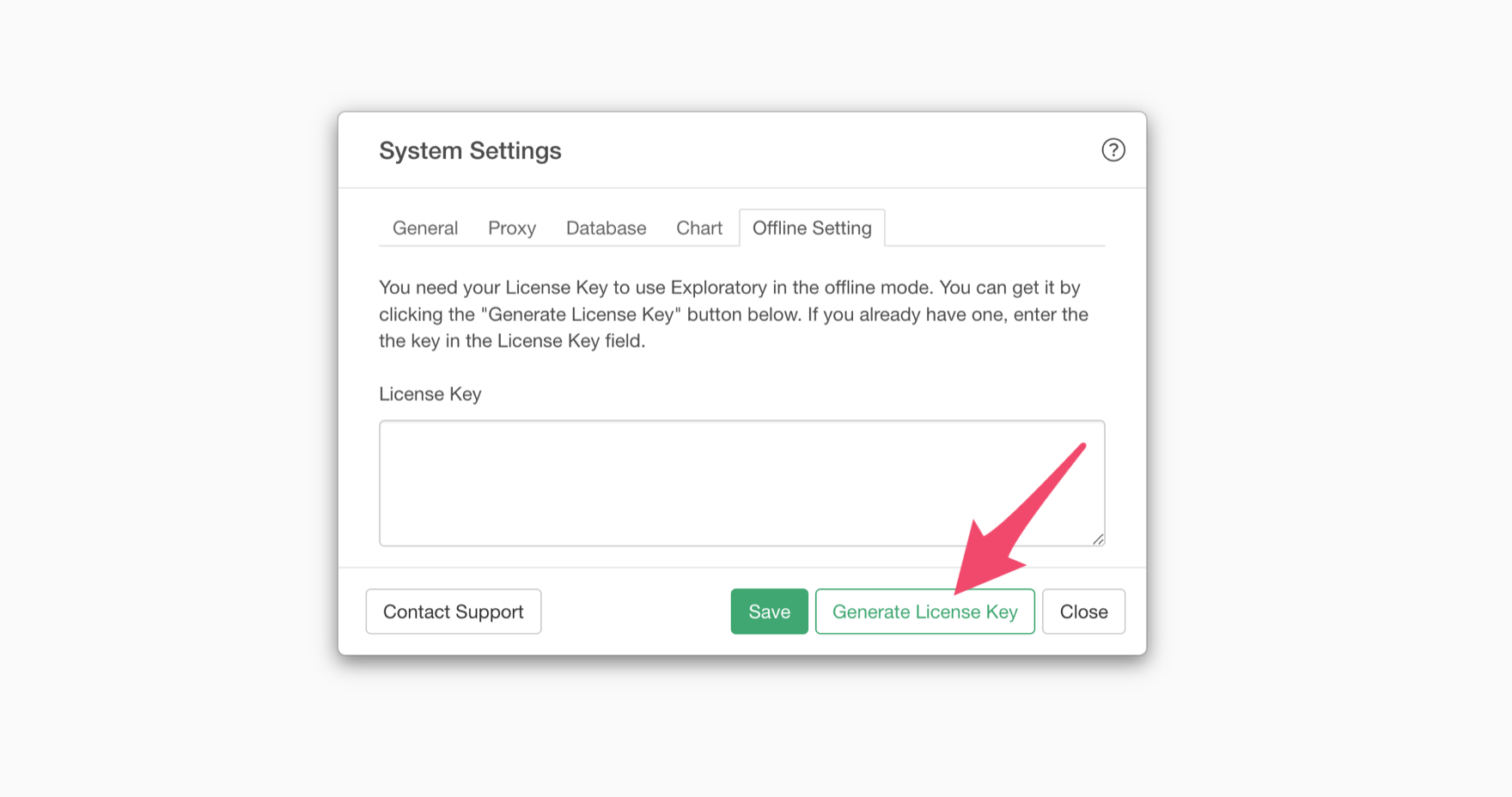
This will open your Account Setting page at Exploratory Server in the web browser.
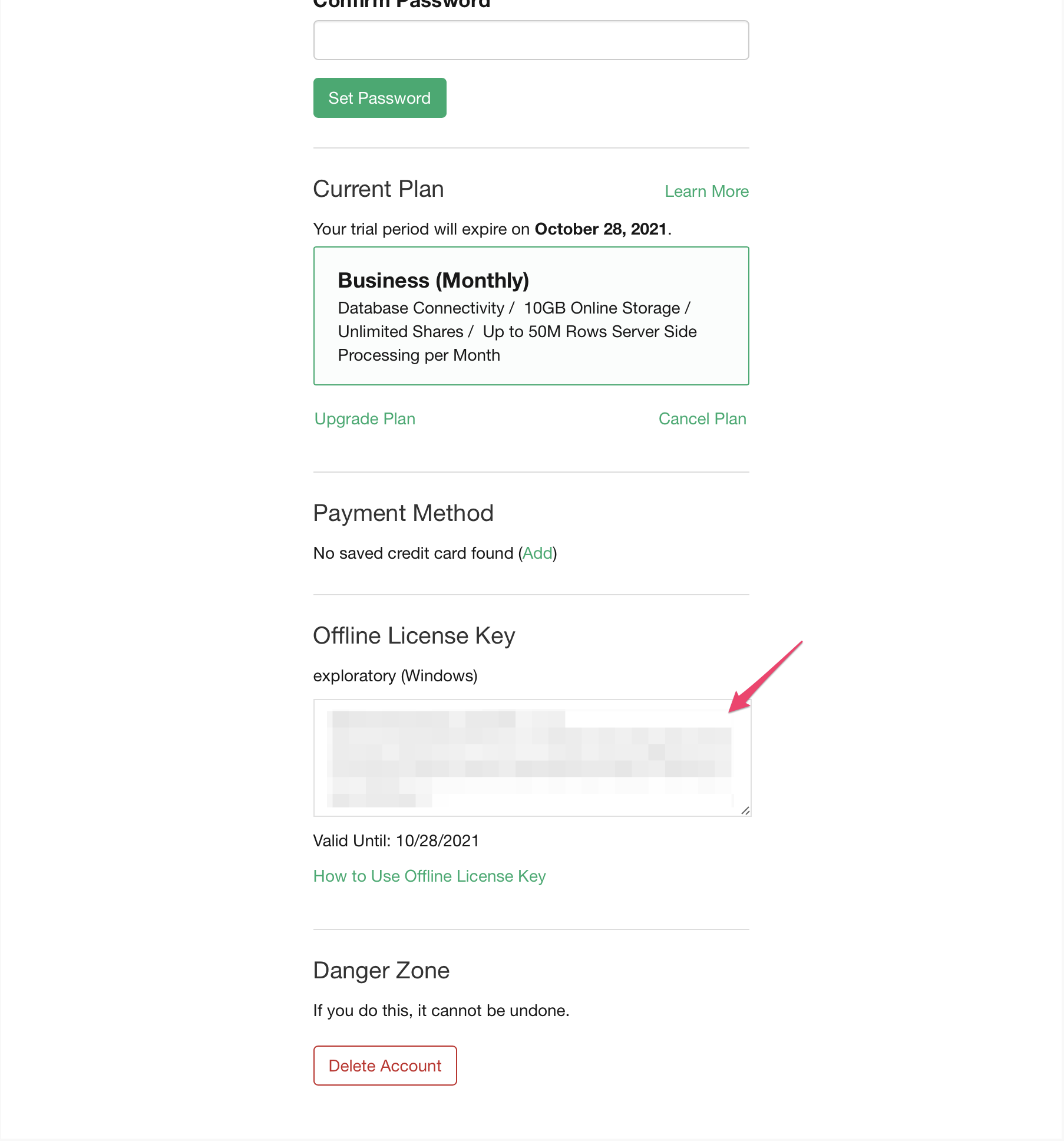
You should see the Offline License Key generated there, and you want to copy this key,
Register Offline License Key
Go back to Exploratory Desktop and paste it.
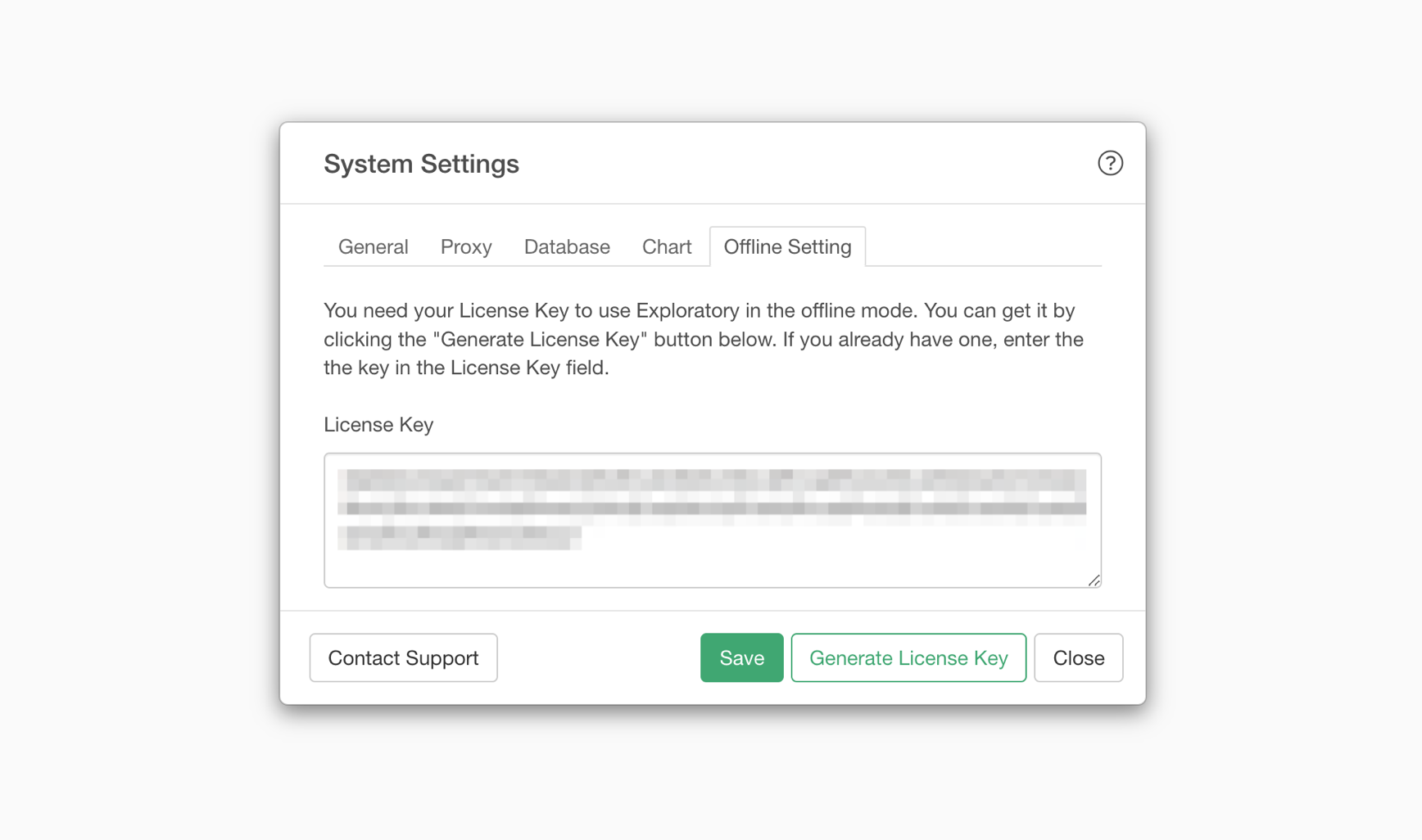
Then, you can click on the Save button to enable it.
How to Issue an Offline License Key from a Computer Not Connected to the Internet
The method for setting up an offline license key described earlier assumes that your PC is connected to the Internet.
However, with Exploratory, it is also possible to request and use an offline license key from a computer that is not connected to the Internet.
For detailed instructions, please refer to the following link:
- How to Issue an Offline License Key from a Computer Not Connected to the Internet - Link
Frequently Asked Questions about Offline License Keys
Is it possible to issue an offline license key from a computer that is not connected to the Internet?
Yes, it is possible. For more details, please refer to the following note:
- How to Issue an Offline License Key from a Computer Not Connected to the Internet - Link
How long is an offline license key valid?
An offline license key can be issued according to the validity period of your active Business Plan subscription. Therefore, if you have a monthly subscription, you will need to reissue an offline license key each month in accordance with the procedure described above. Similarly, if you have purchased an annual license, you will need to update your offline license key once a year.
Is it possible to issue an offline license key that is valid for multiple years?
Offline license keys can only be issued according to the validity period of your active Business Plan subscription. If you would like to have an offline license key valid for multiple years, you will first need to purchase a multi-year license. If you are interested in a Business Plan license that is valid for multiple years, please contact our Support.
Is an offline license key required during the trial period?
Exploratory offers a 30-day trial period starting from your sign-up date. During the trial period (30 days from the date of sign-up), if you start Exploratory Desktop in an offline environment, it will automatically switch to offline mode. Therefore, you can use Exploratory Desktop in an offline environment during the trial period without issuing an offline license key.