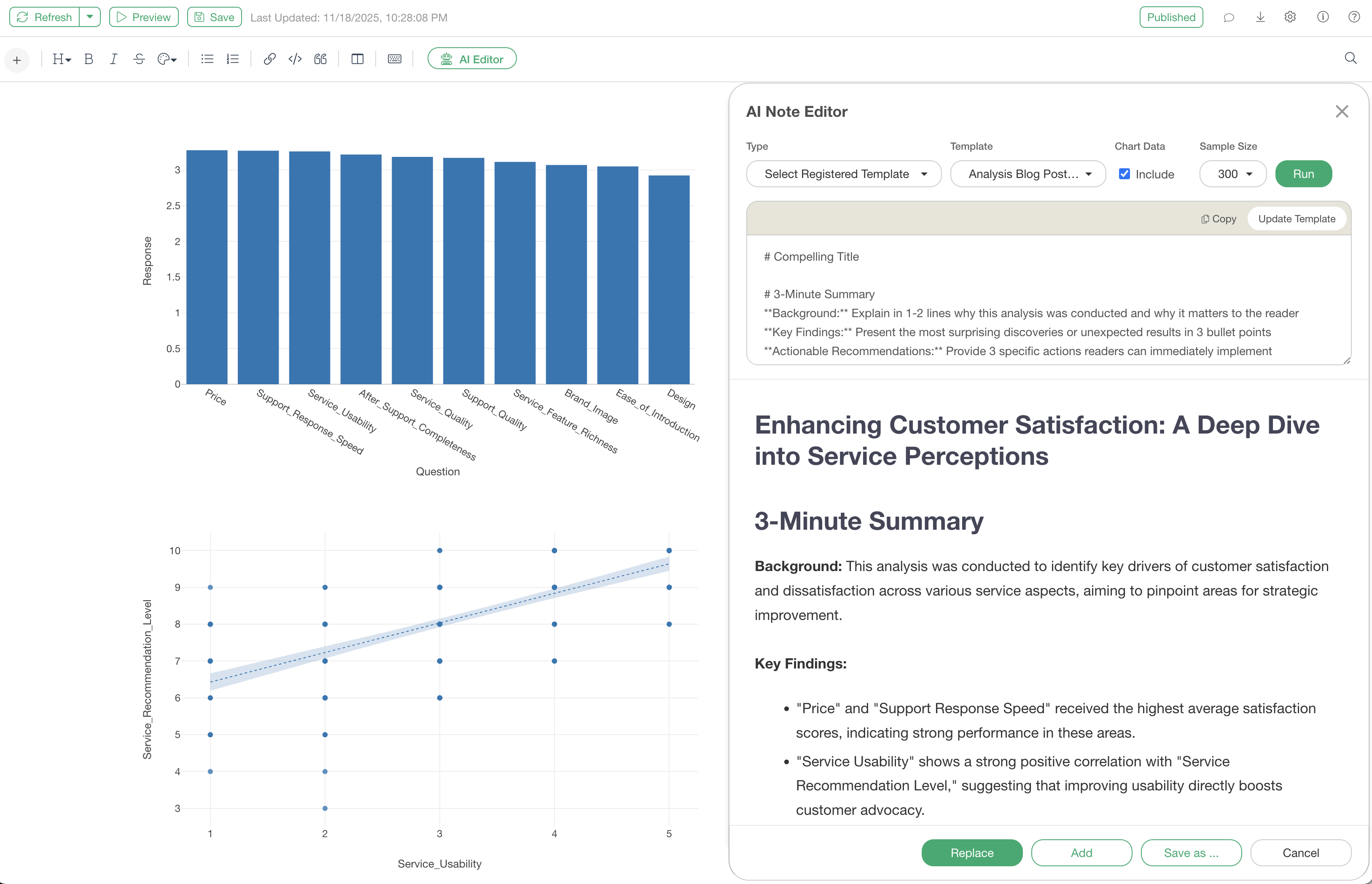
AI Note Editor: Automate Your Report Creation with Custom Prompts & Registered Templates
Exploratory’s AI Note Editor offers standard features like summarization and analysis report generation, along with a “Custom Prompt” function that allows users to provide AI with their own unique instructions.
Furthermore, by saving created prompts as “Registered Templates,” users can reproduce outputs tailored to their organization’s specific report formats or analysis styles with a single click, anytime.
This dramatically enhances the standardization and efficiency of report creation.
Custom Prompts: Generate Reports with Your Own Instructions
While the standard “Create Analysis Report” feature is powerful, “Custom Prompts” offer greater flexibility, allowing you to give AI unique and specific instructions.
This enables you to create reports that align with your company’s reporting formats or instruct the AI to analyze from specific perspectives, flexibly meeting your needs.
To use it, open a note and click “AI Editor.”
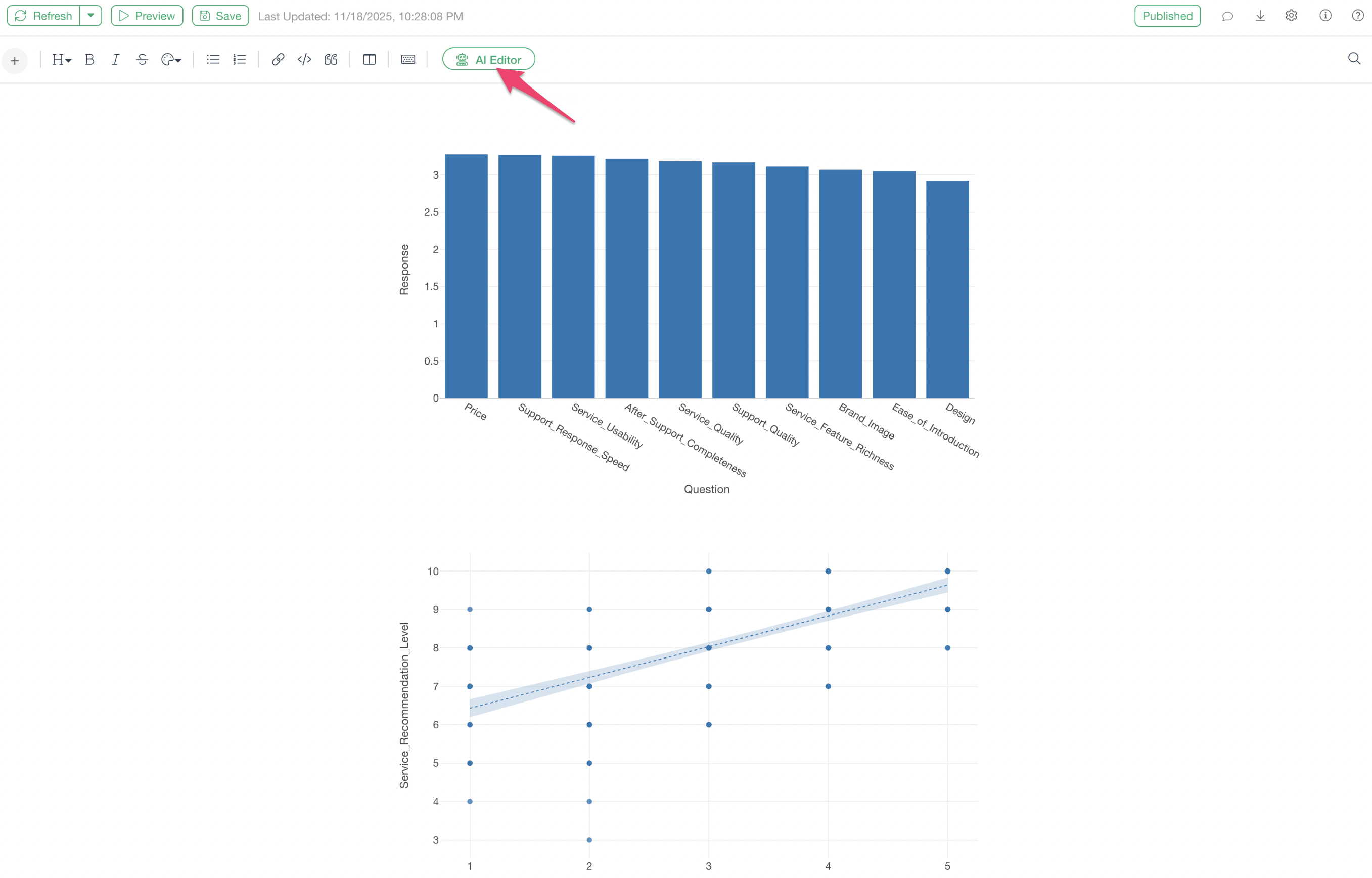
By selecting “Run Custom Prompt” as the type, you can write your own prompts.
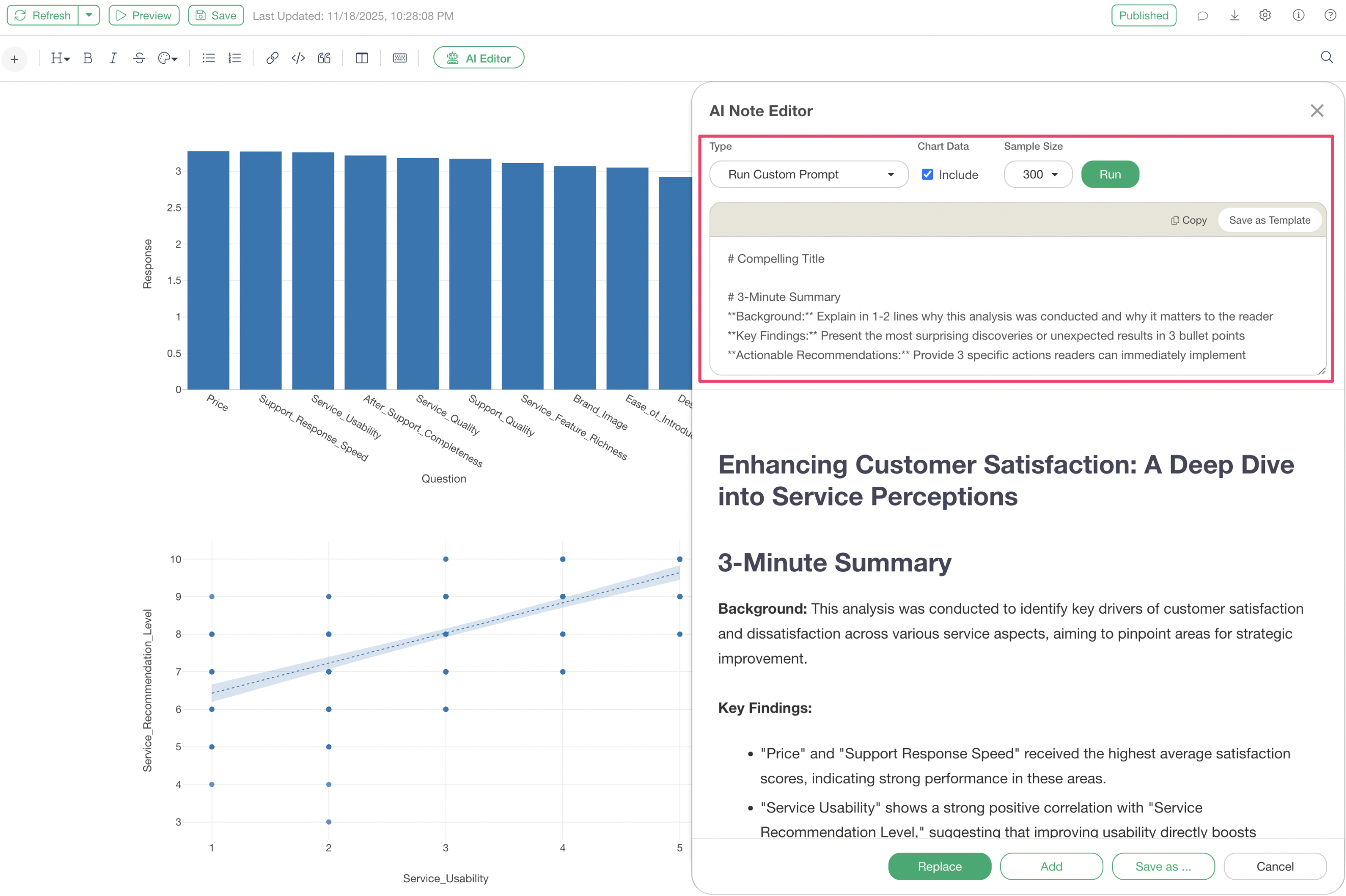
For example, the following is a sample prompt for creating an analytical blog post. By specifying the report structure in Markdown format, you can achieve the desired report output.
# Compelling Title

# 3-Minute Summary
**Background:** Explain in 1-2 lines why this analysis was conducted and why it matters to the reader
**Key Findings:** Present the most surprising discoveries or unexpected results in 3 bullet points
**Actionable Recommendations:** Provide 3 specific actions readers can immediately implement

# Why This Analysis Matters Now

## Current Industry Landscape
- Challenge 1: Title of the challenge
- Challenge 2: Title of the challenge
- Challenge 3: Title of the challenge

# Three Key Questions This Analysis Addresses

## Question 1: Is ○○ Really ○○?
Verification of specific hypotheses or commonly held beliefs

## Question 2: What Are the True Drivers of ○○?
Deep-dive analysis beyond surface-level causes

## Question 3: How Will ○○ Change in the Future?
Analysis of future predictions and outlook

# Methodology: How We Conducted This Research

## Data Details
**Data Sources:** ○○ survey, ○○ statistics, ○○ reports, etc.
**Time Period:** 20XX-20XX (○ years)
**Sample Size:** ○○ cases (○○ companies, ○○ individuals, etc.)
**Reliability:** Address data validity and limitations

## Analysis Methods
**Method 1:** Title of method
**Method 2:** Title of method
**Method 3:** Title of method

# Analysis Results
[Adjust the titles of Findings 1-3 according to the provided content]
[No need to return the entire original text verbatim; select and improve important points as needed]

## Finding 1: Title
## Finding 2: Title
## Finding 3: Title

# Conclusion

# References and Detailed Data
By clicking “Replace,” you can replace the existing content with the AI-generated report.
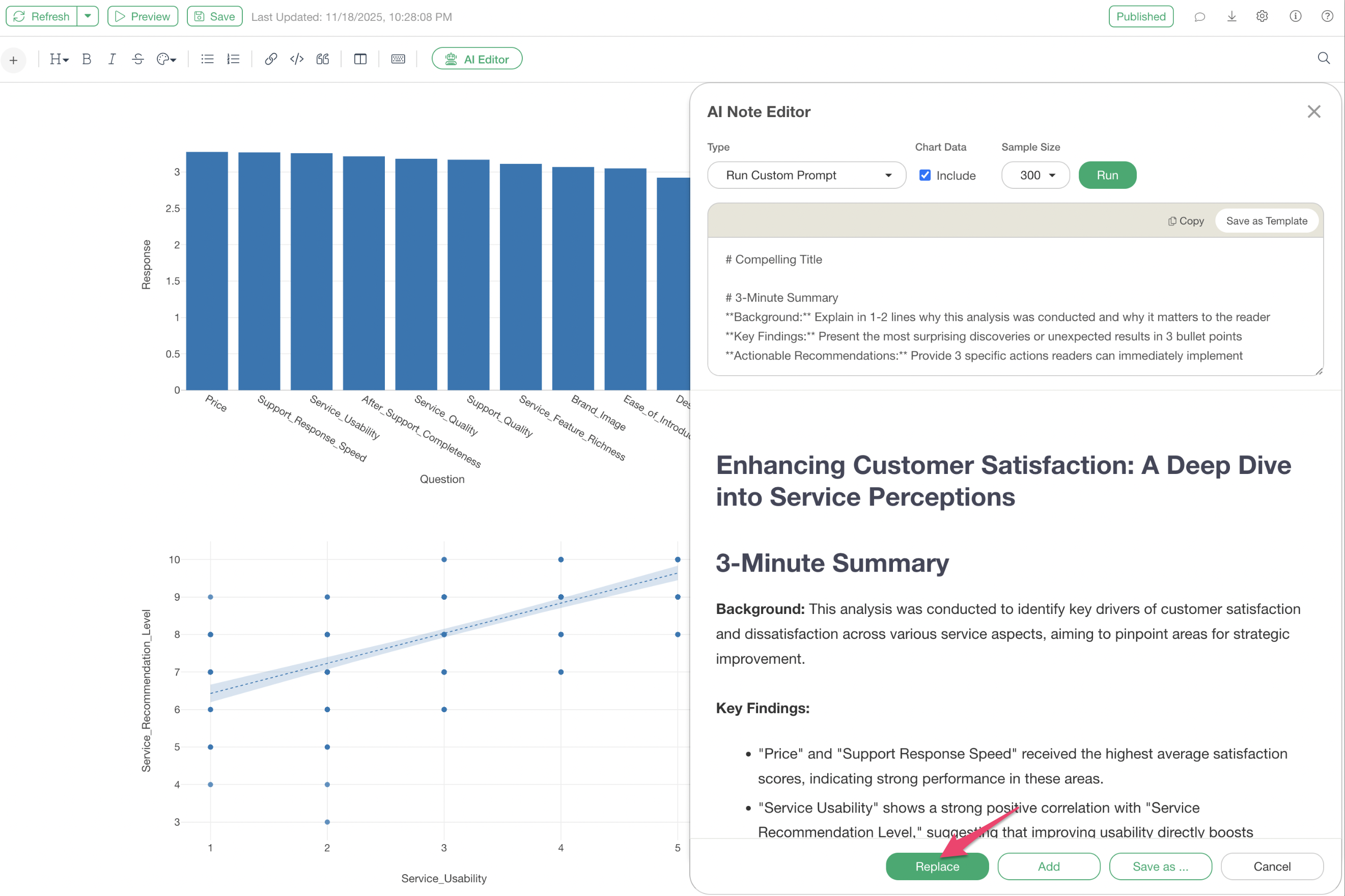
Registered Templates: Reproduce Standard Reports with One Click
Even more convenient is the ability to save your custom prompts as “Registered Templates.”
If you run a custom prompt and get good results, you can register the prompt as a template by clicking “Save as Template.”
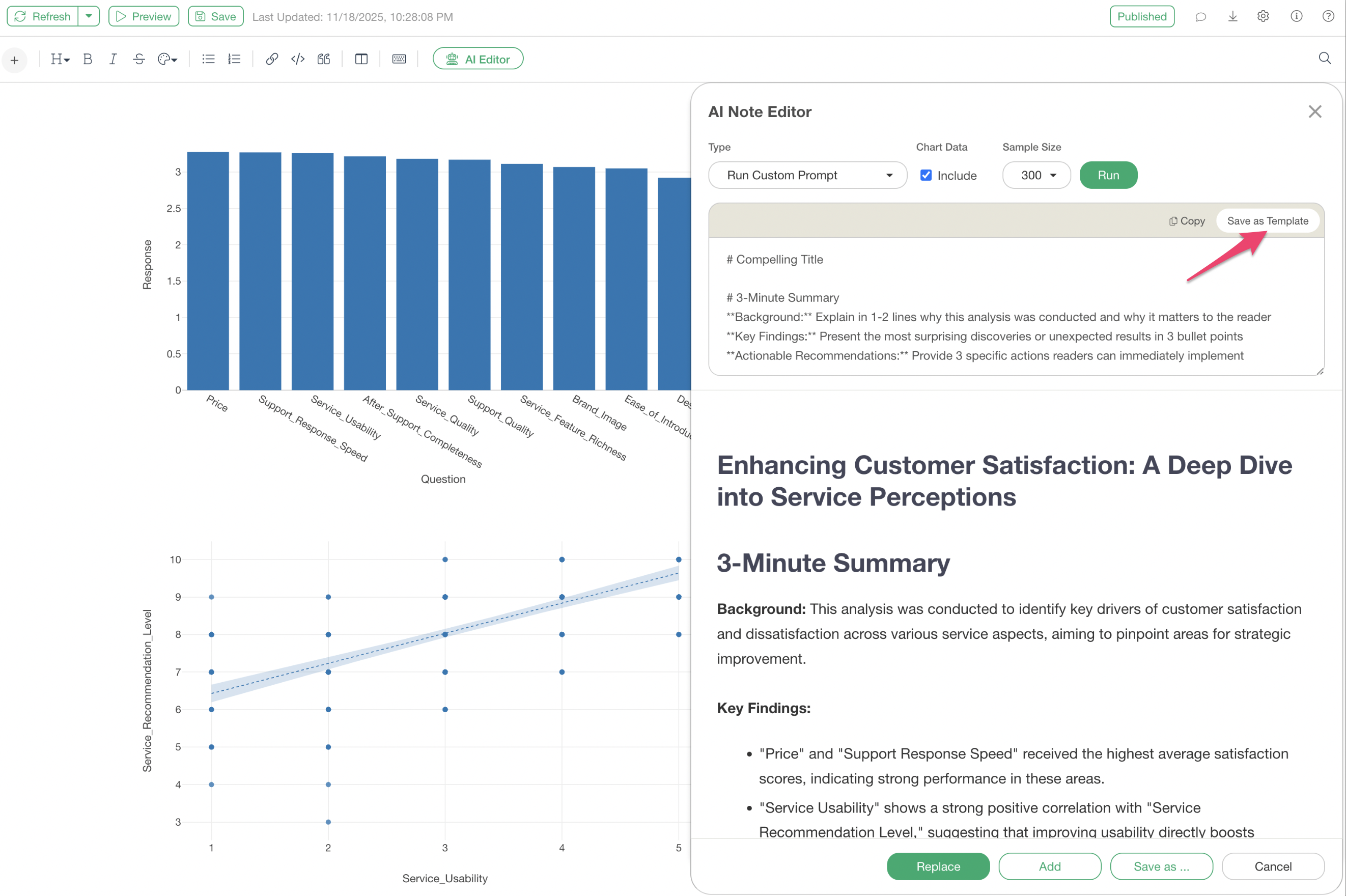
Once registered as a template, you don’t need to rewrite the prompt every time you want to generate a report in the same format. This allows anyone to efficiently create consistent, high-quality reports with a single click.
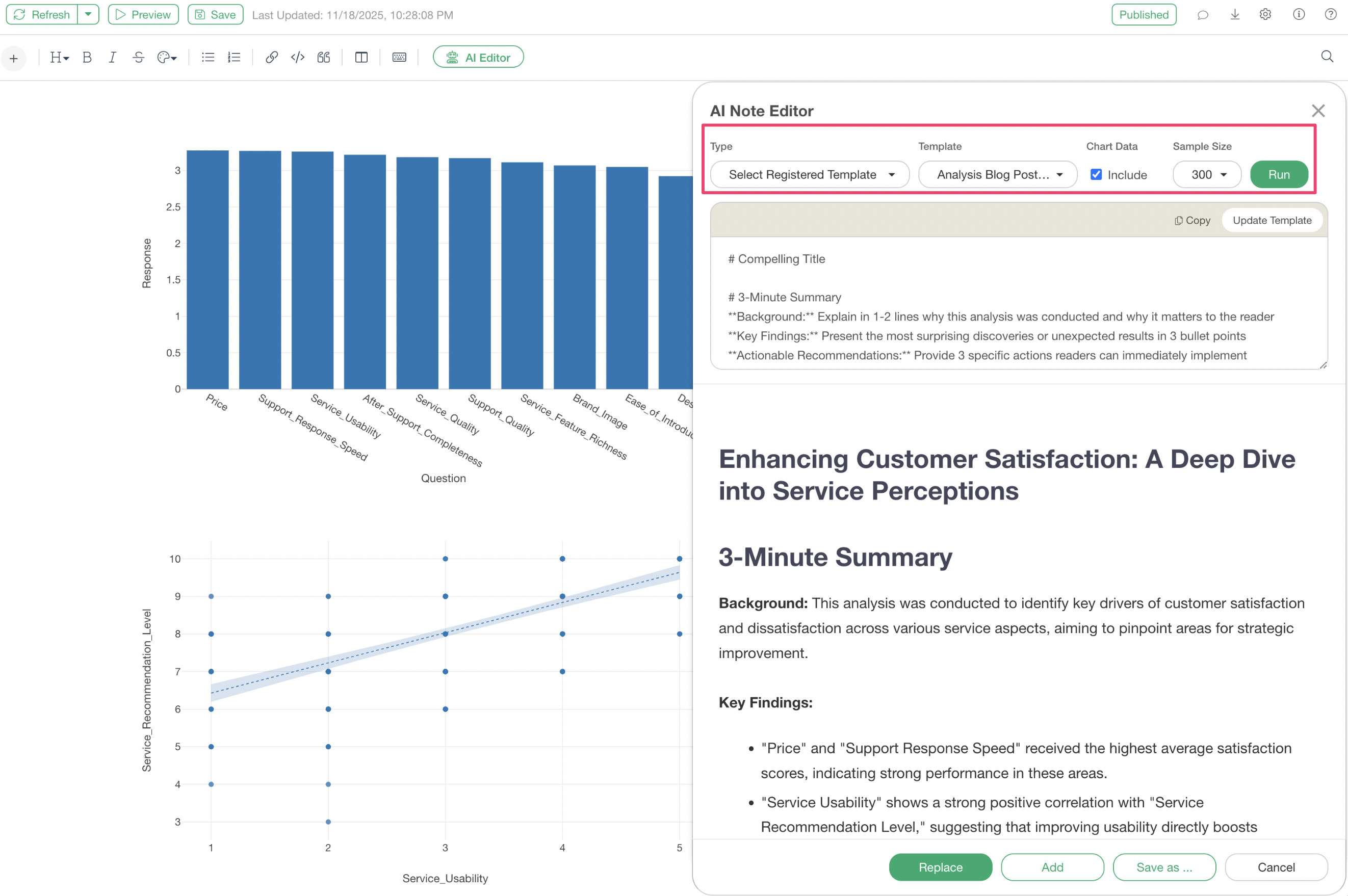
Automatic Chart Interpretation Available with Custom Prompts and Registered Templates
Even when using “Custom Prompts” or “Registered Templates,” advanced AI-powered chart interpretation is supported.
By checking “Include” for the chart interpretation feature and running the prompt, the AI will automatically analyze the data from charts placed in your note and integrate professional explanations based on specific numbers and statistical evidence into your specified report structure.
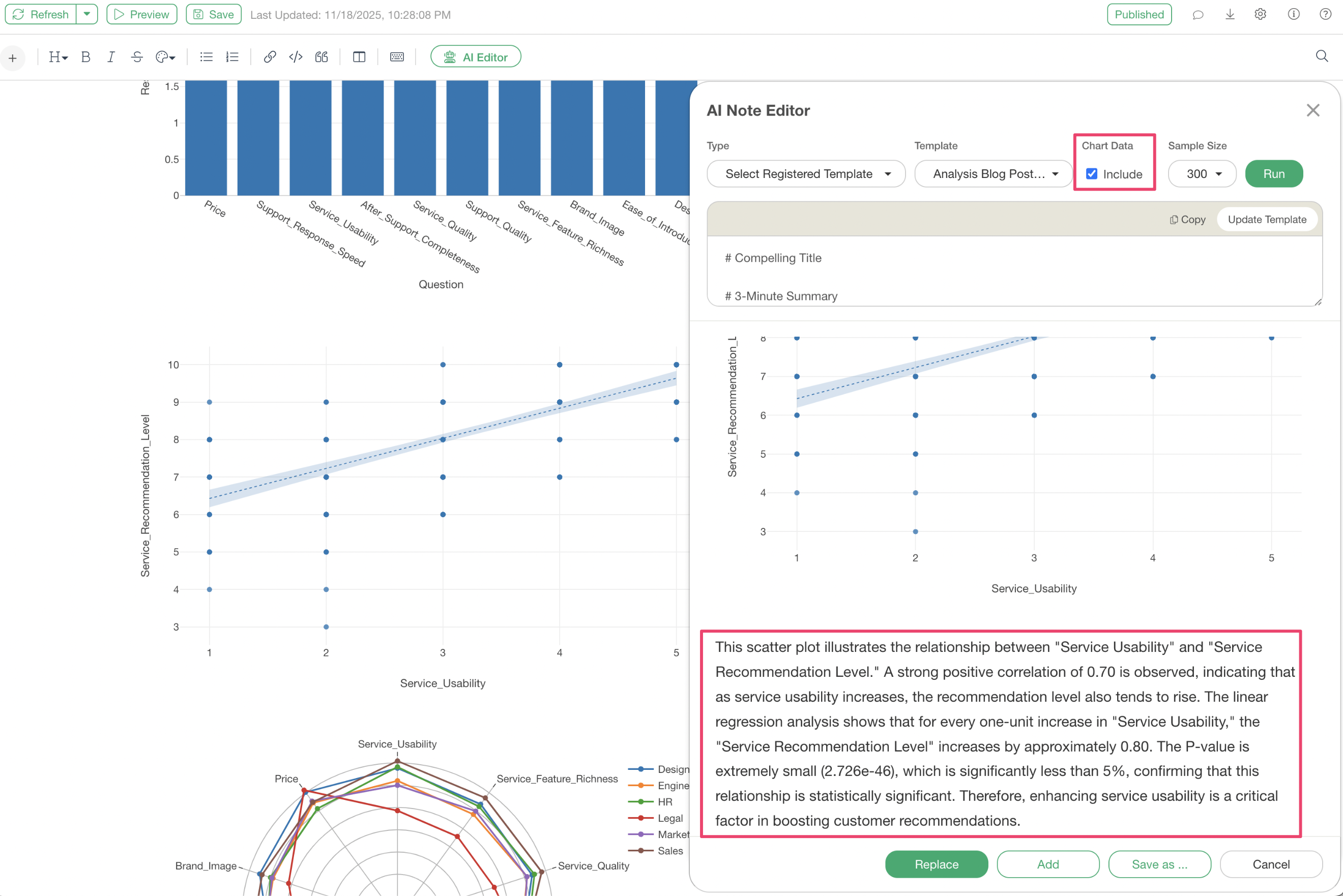
This allows you to automatically generate analysis reports tailored to your company, including chart interpretations, simply by embedding charts in your note.
Summary
The “Custom Prompt” and “Registered Template” features of the AI Note Editor are powerful tools that can dramatically streamline report creation.
Once your organization’s unique format is templated, high-quality reports, including automatic chart interpretation, can be generated with a single click. This frees analysts from the tasks of formatting reports and articulating analysis results, allowing them to focus on discovering more fundamental insights.
Ready to Experience It?
We invite you to experience the efficiency of report creation in data analysis through new features like the AI Note Editor.
If you haven’t used Exploratory yet, you can try it with a 30-day free trial.