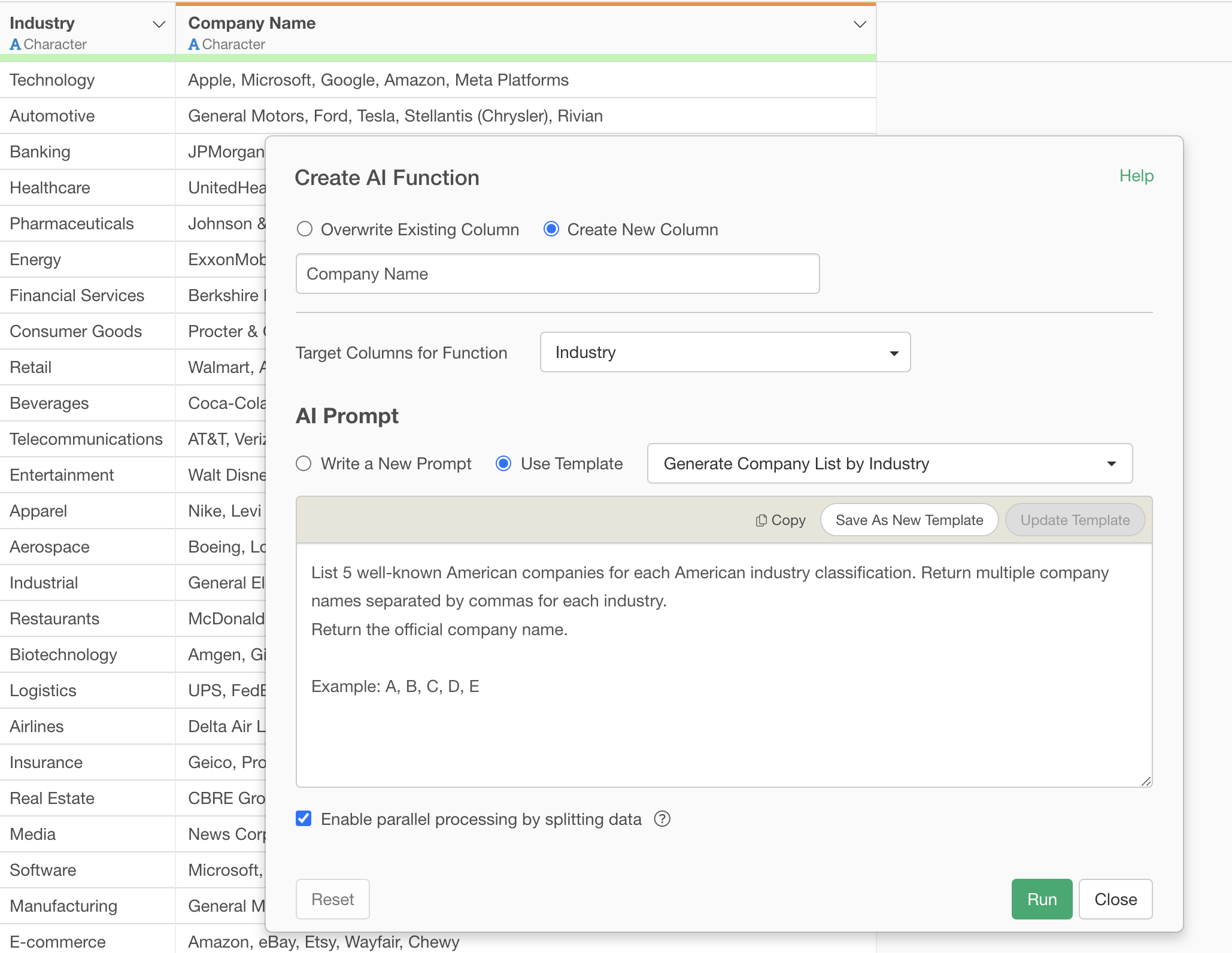
Generate a list of companies from an industry using AI functions
In business, efficiently creating company lists for specific industries is crucial for various tasks such as market research, competitor analysis, and sales strategy development. However, this task presents several challenges:
- Time and Effort Consumption by Manual Work: Linking industry classifications and company names often involves manual work or referencing multiple sources. This requires an enormous amount of time and effort, especially for large-scale list creation, making it inefficient.
- Difficulty in Ensuring Comprehensive and Accurate Information: Industry classifications are diverse, and company names are constantly changing. Continuously collecting comprehensive and accurate information is not easy even for experts.
What are AI Functions?
“AI Functions,” newly introduced in Exploratory v14, solve these challenges and enable anyone to create functions using AI. Without any programming knowledge, you can easily create custom AI functions by simply writing instructions (prompts) in your own words.
This feature leverages state-of-the-art AI as its backend, allowing users to enjoy its powerful analytical capabilities without the hassle of complex settings or model building.
Since the AI can make individual judgments for each data row and return the results as a new column, generating company lists from industry names is also easy.
Creating Company Lists from Industry Names
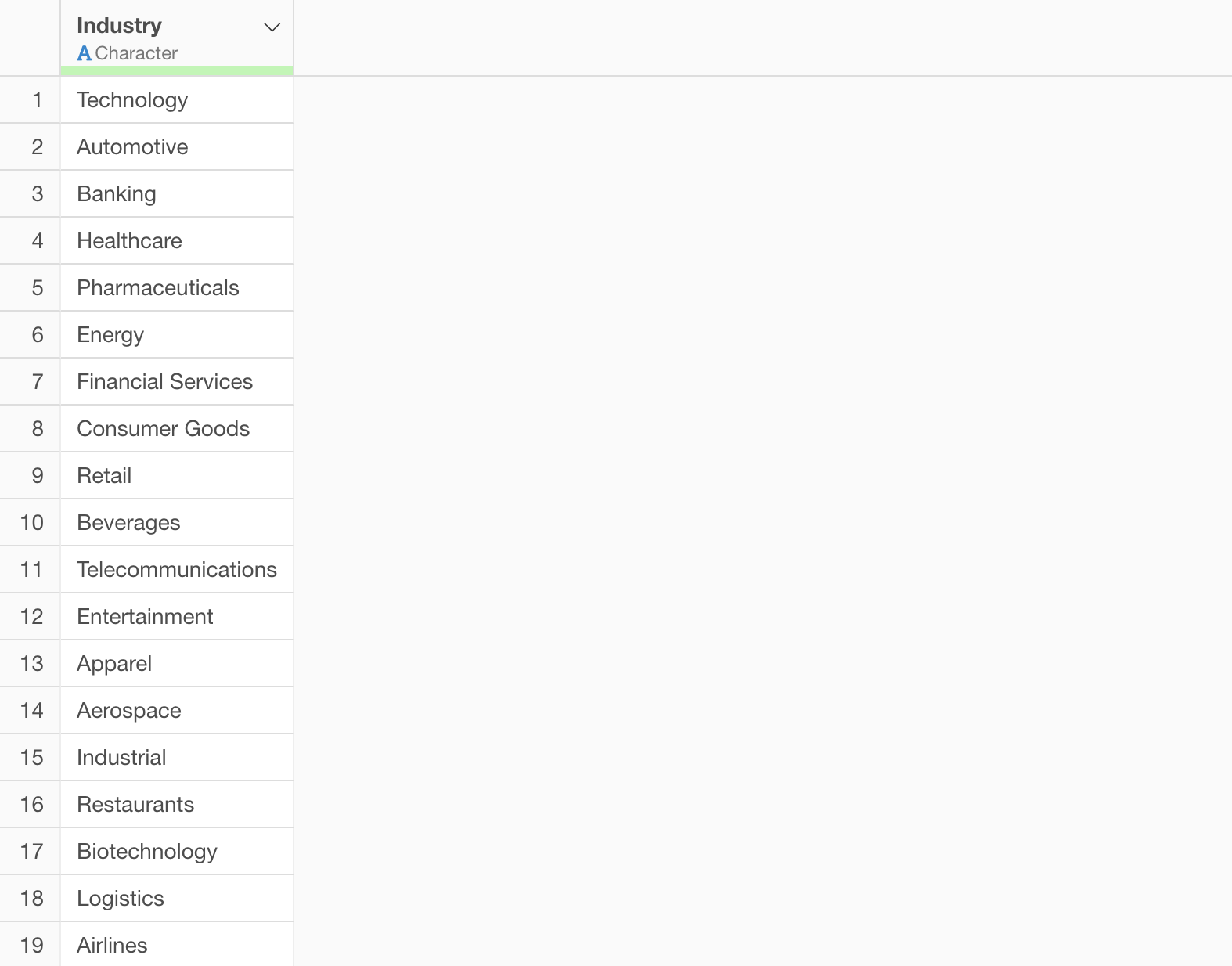
Let’s look at a specific example of how to use it. This time, we will “create a list of relevant companies from industry classifications.”
The industry name list data can be downloaded here.
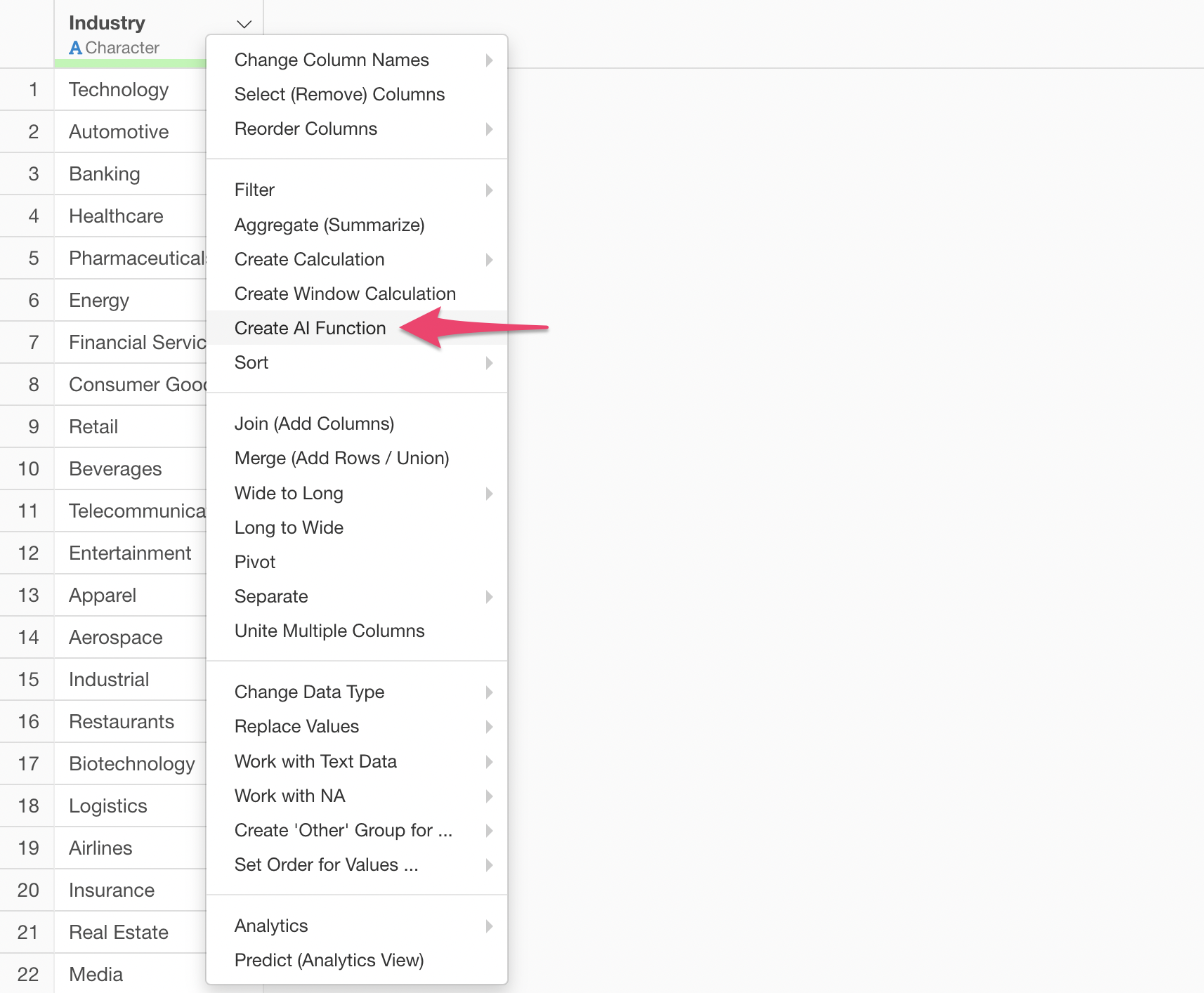
From the column header menu, select “Create AI Function.”
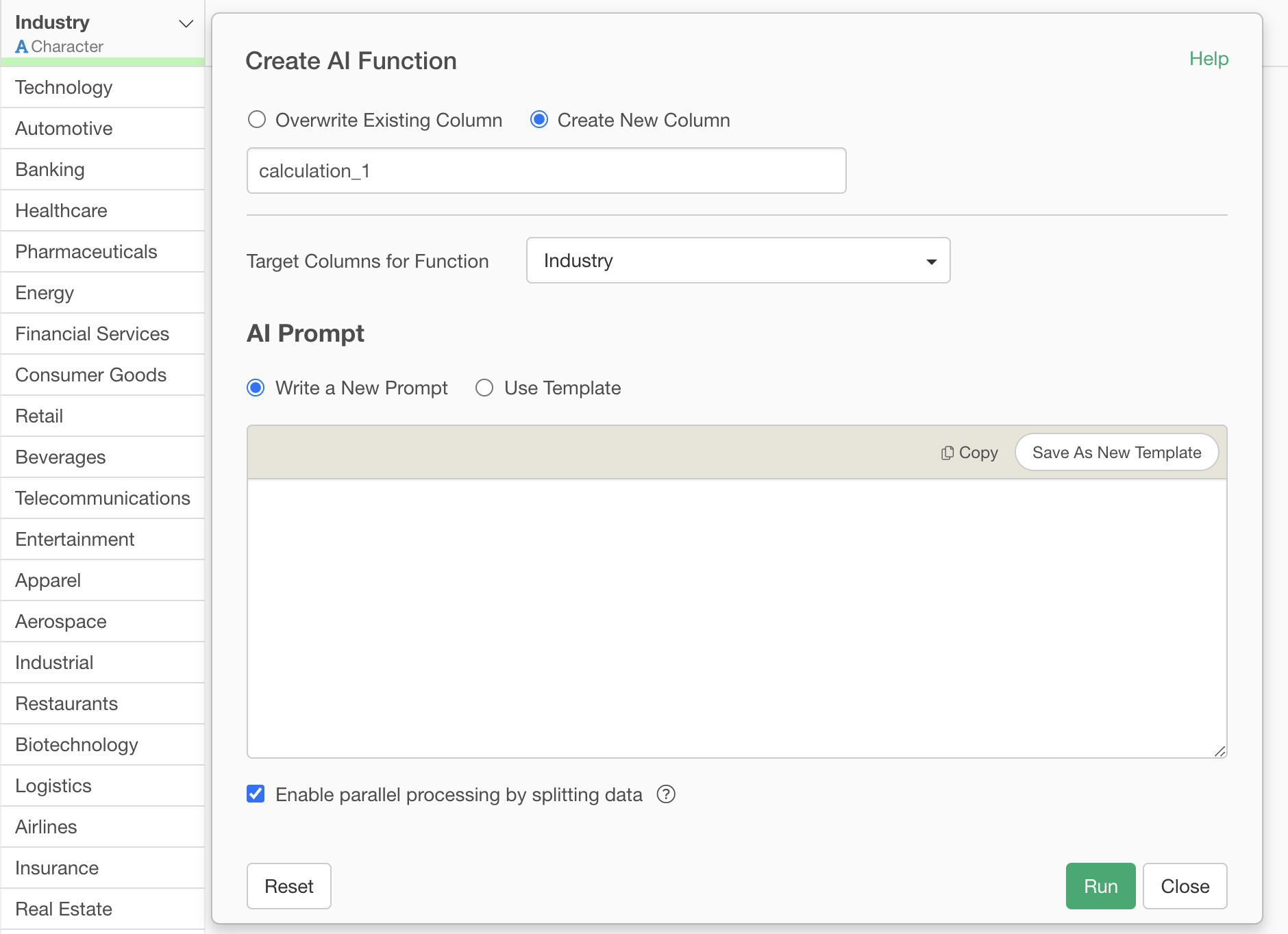
This will display the AI Function dialog.
Specify the following prompt and execute it:
List 5 well-known American companies for each American industry classification. Return multiple company names separated by commas for each industry.
Return the official company name.

Example: A, B, C, D, E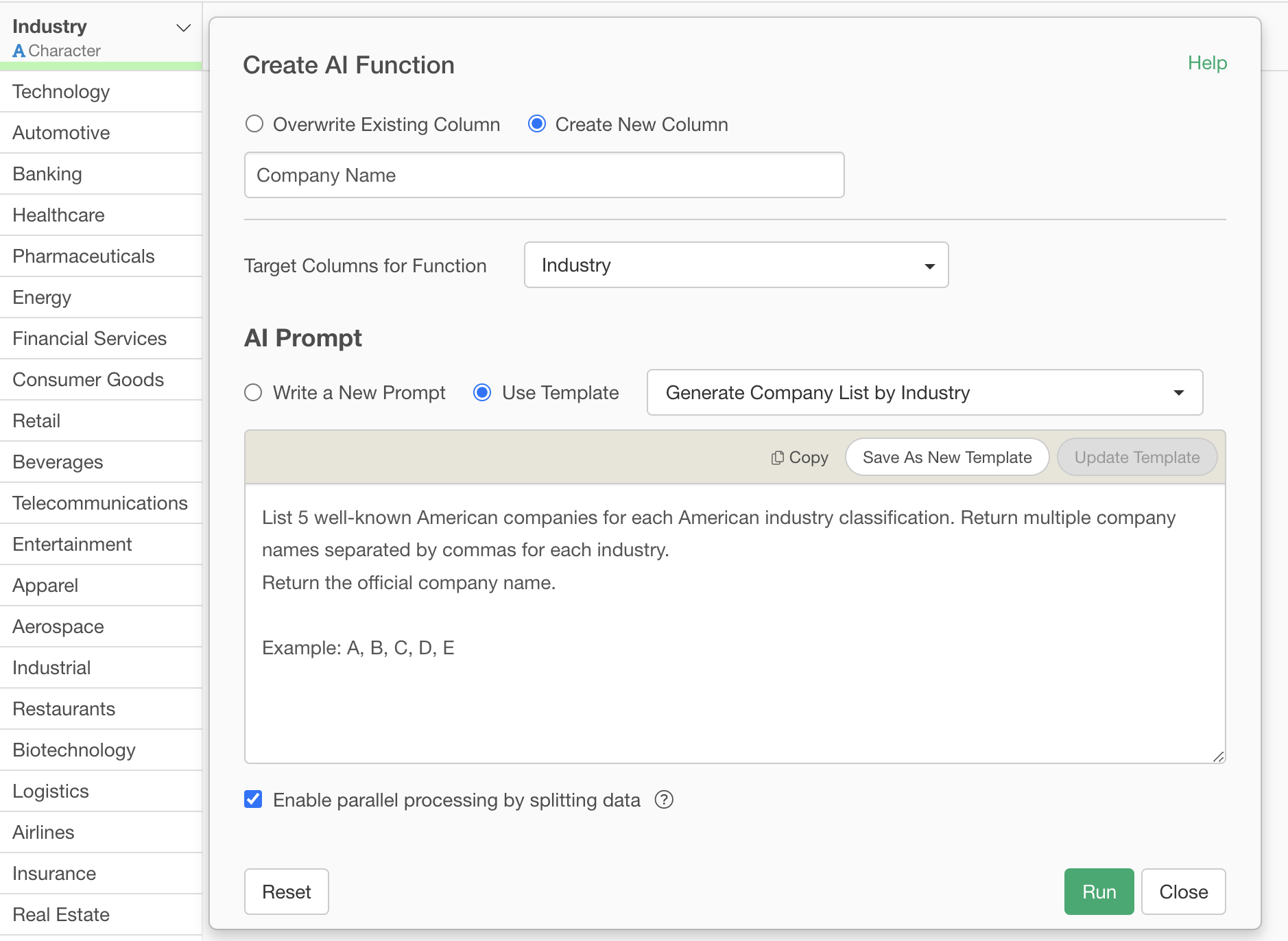
When this prompt is executed, the AI will list 5 well-known American companies belonging to each specified industry classification (e.g., Automotive, Chemical, Food, etc.) and return the results in a new column, separated by commas.
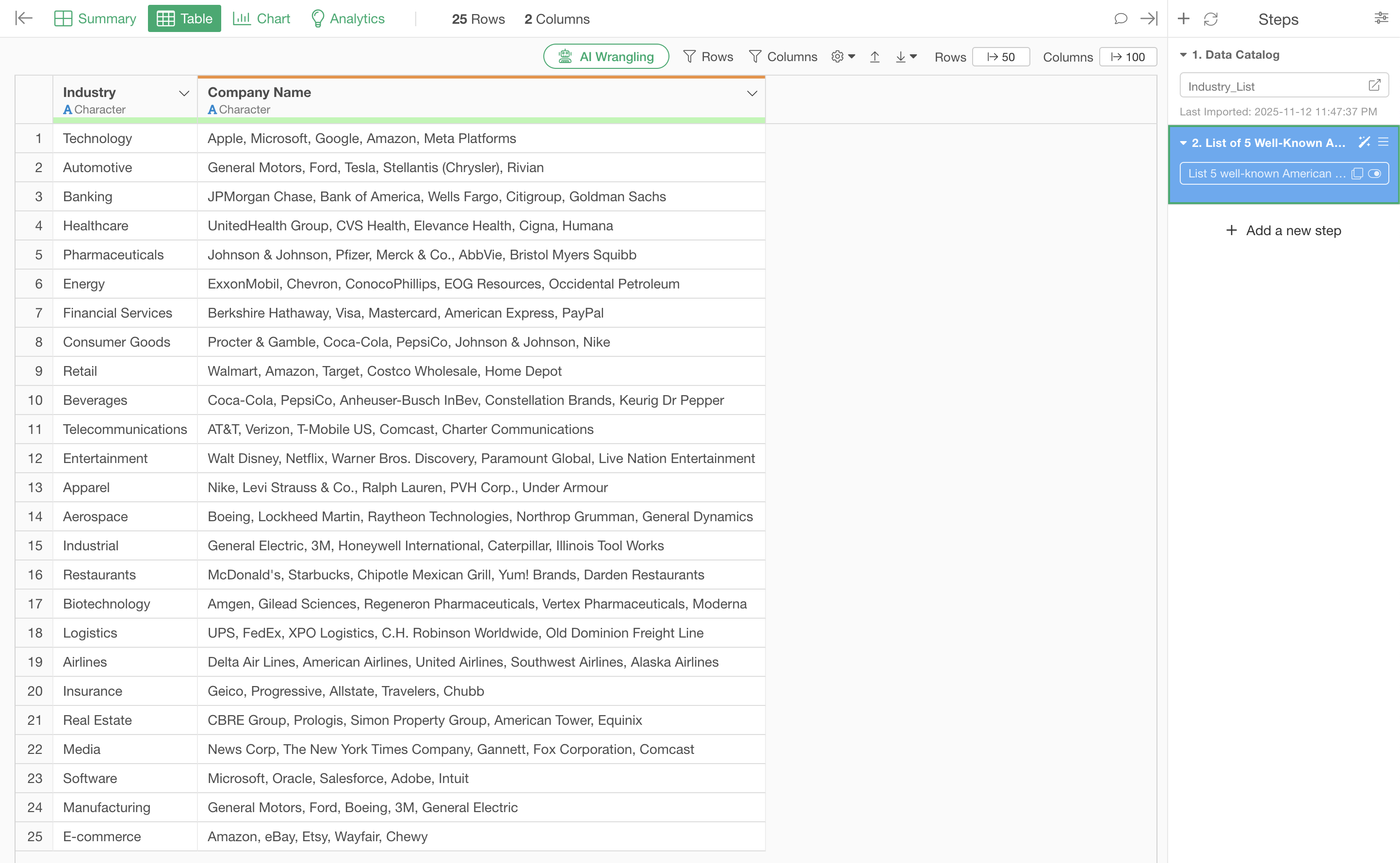
For example, for “Technology,” specific company names such as “Apple, Microsoft, Google, Amazon, Meta Platforms” will be generated.
This allows you to instantly obtain a company list that would otherwise take a long time to create manually.
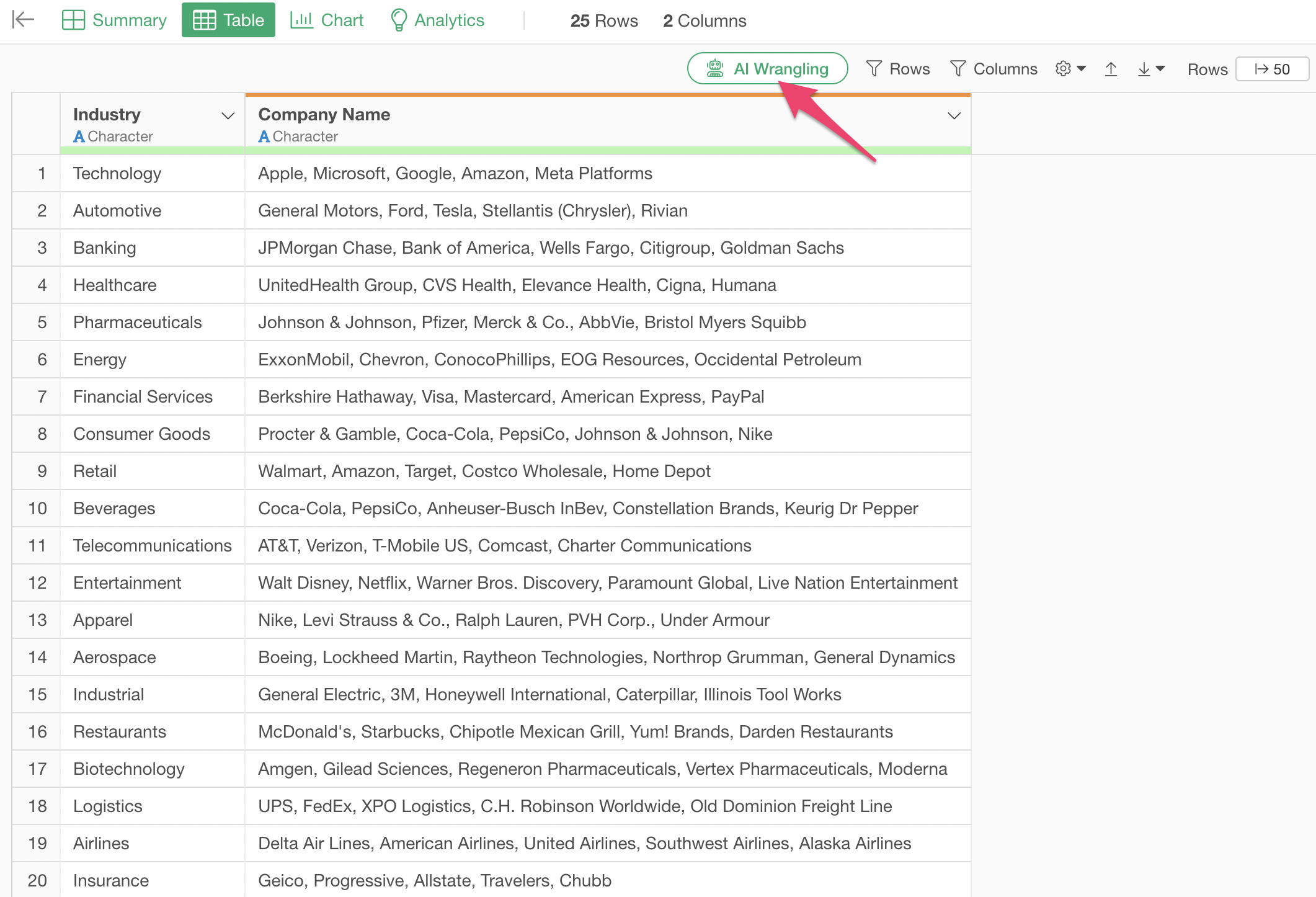
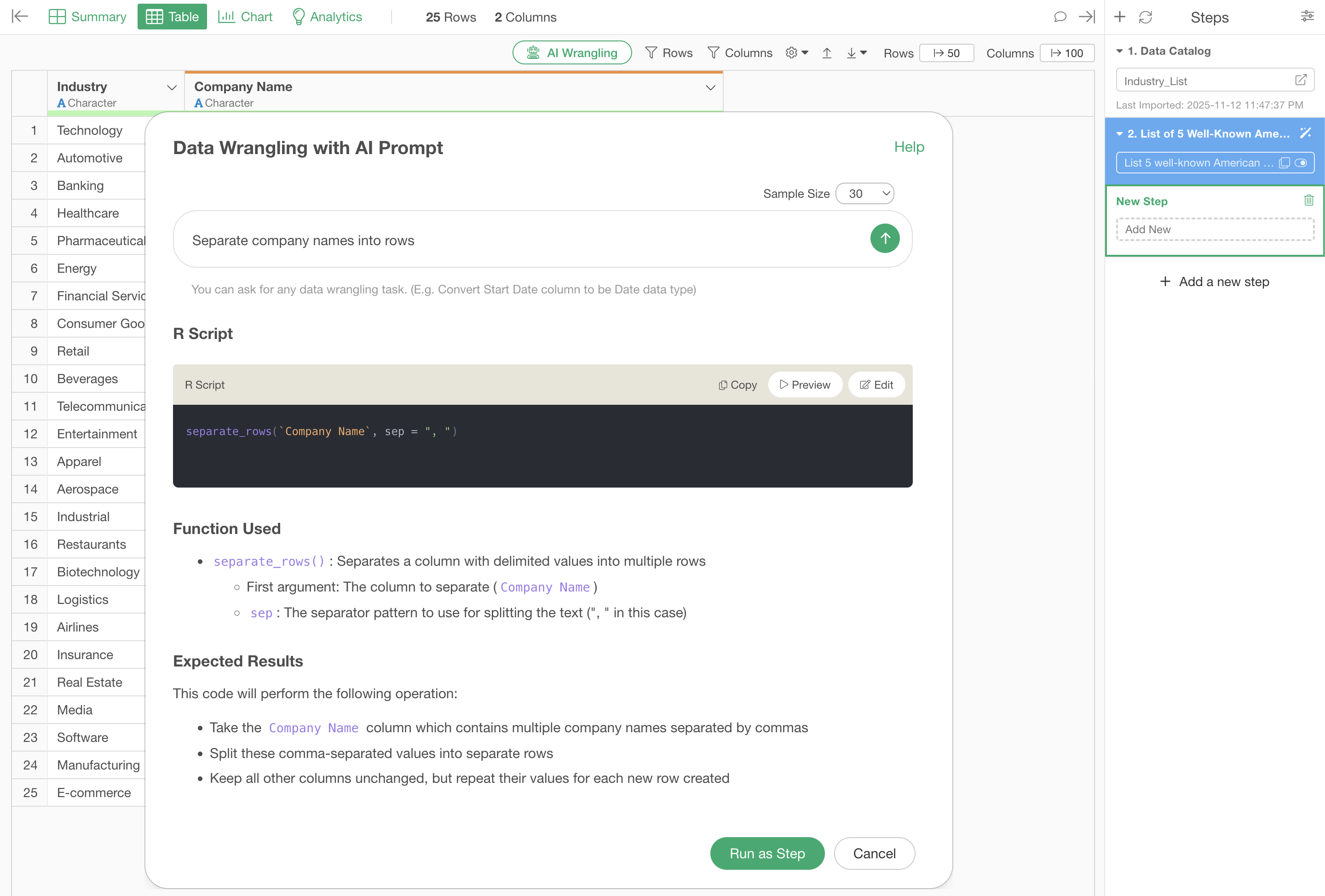
However, this format is not very convenient, so we will use the AI Prompt feature to split the company list into rows.
Click the “AI Wrangling” button.
Enter “Split company names into rows” as the prompt and execute it.
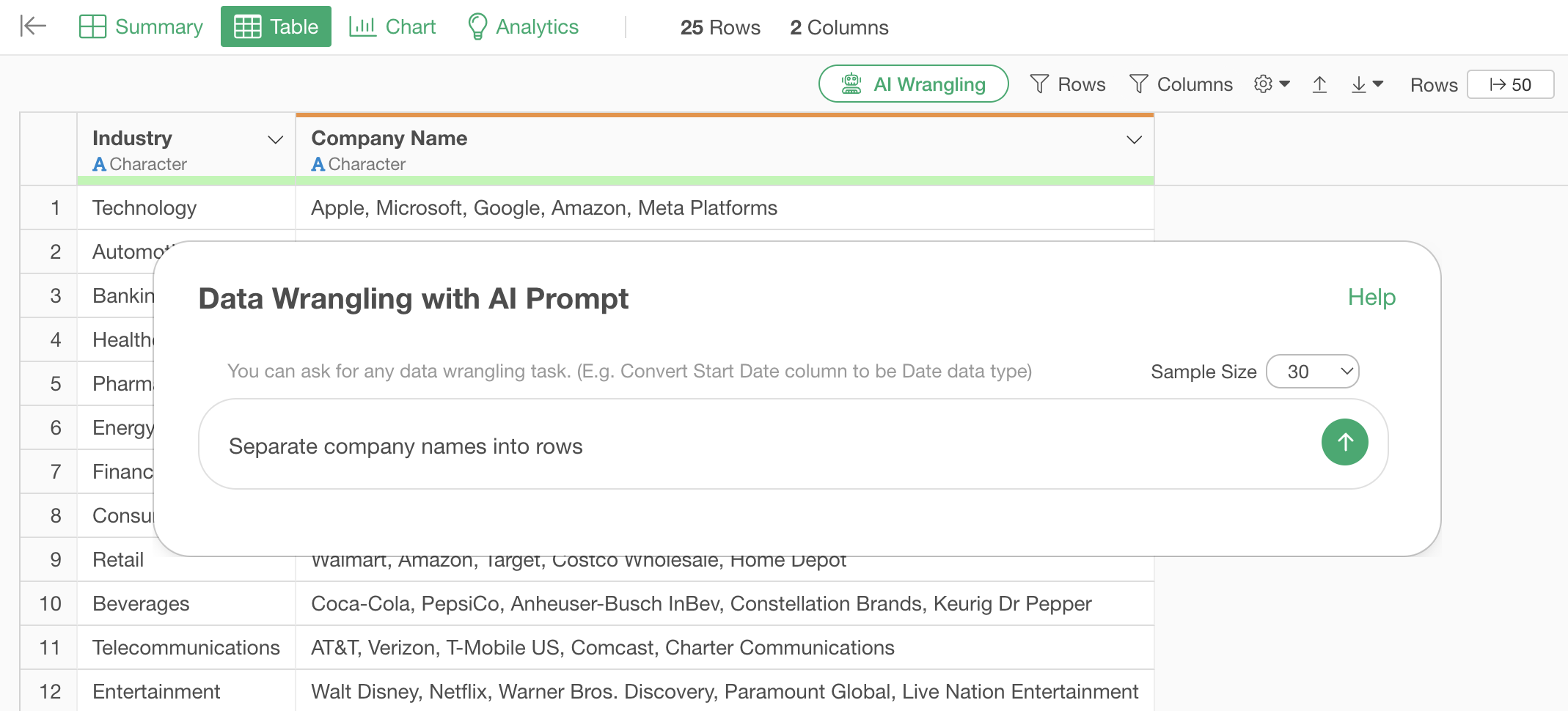
This will output an R script to split the multiple comma-separated values in one cell into rows.
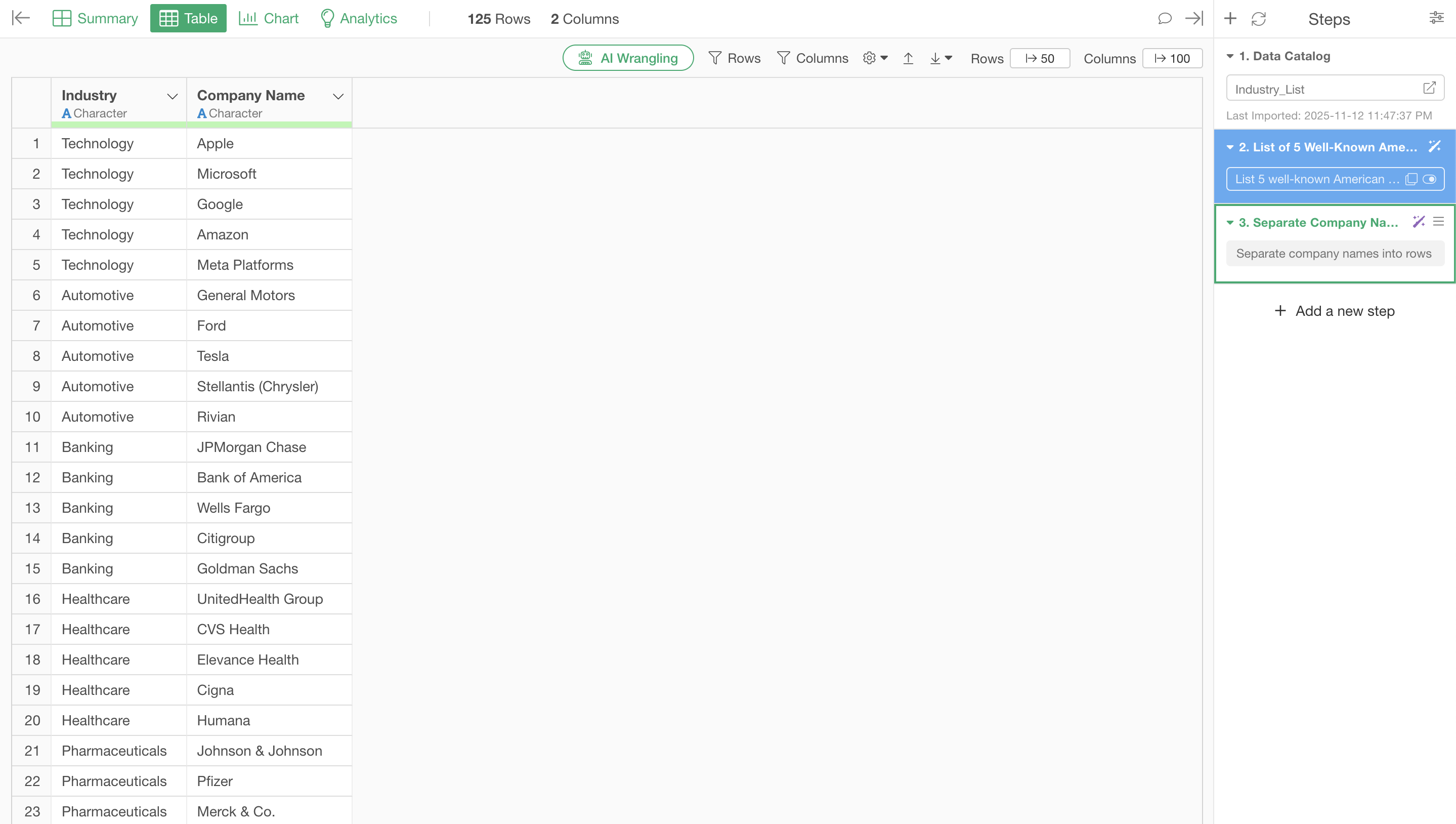
Executing it makes the company names easier to handle by splitting them into rows.
Summary: The Era of Easy Company List Creation from Industry Classifications with AI Functions
Exploratory v14’s “AI Functions” revolutionize data analysis, enabling anyone to perform advanced processing using AI.
- Create AI functions in your own words without programming: There’s no need to write complex code; simply give instructions in natural language to bring your ideas to life as AI functions.
- Leverage world-leading AI for your data: With the latest AI technology integrated into Exploratory, you can always apply cutting-edge analysis to your data.
This makes critical business tasks such as market research, competitor analysis, and lead generation faster, more efficient, and accessible to everyone.
Ready to Experience It Now?
Exploratory v14’s “AI Functions” is a feature that can elevate your data utilization to the next level. We invite you to experience it for yourself.
You can try out the latest features of Exploratory, including AI Functions, with a 30-day free trial.