How to Instantly Group Free-Text Responses with AI Functions
One common question type in surveys is “free-text.”
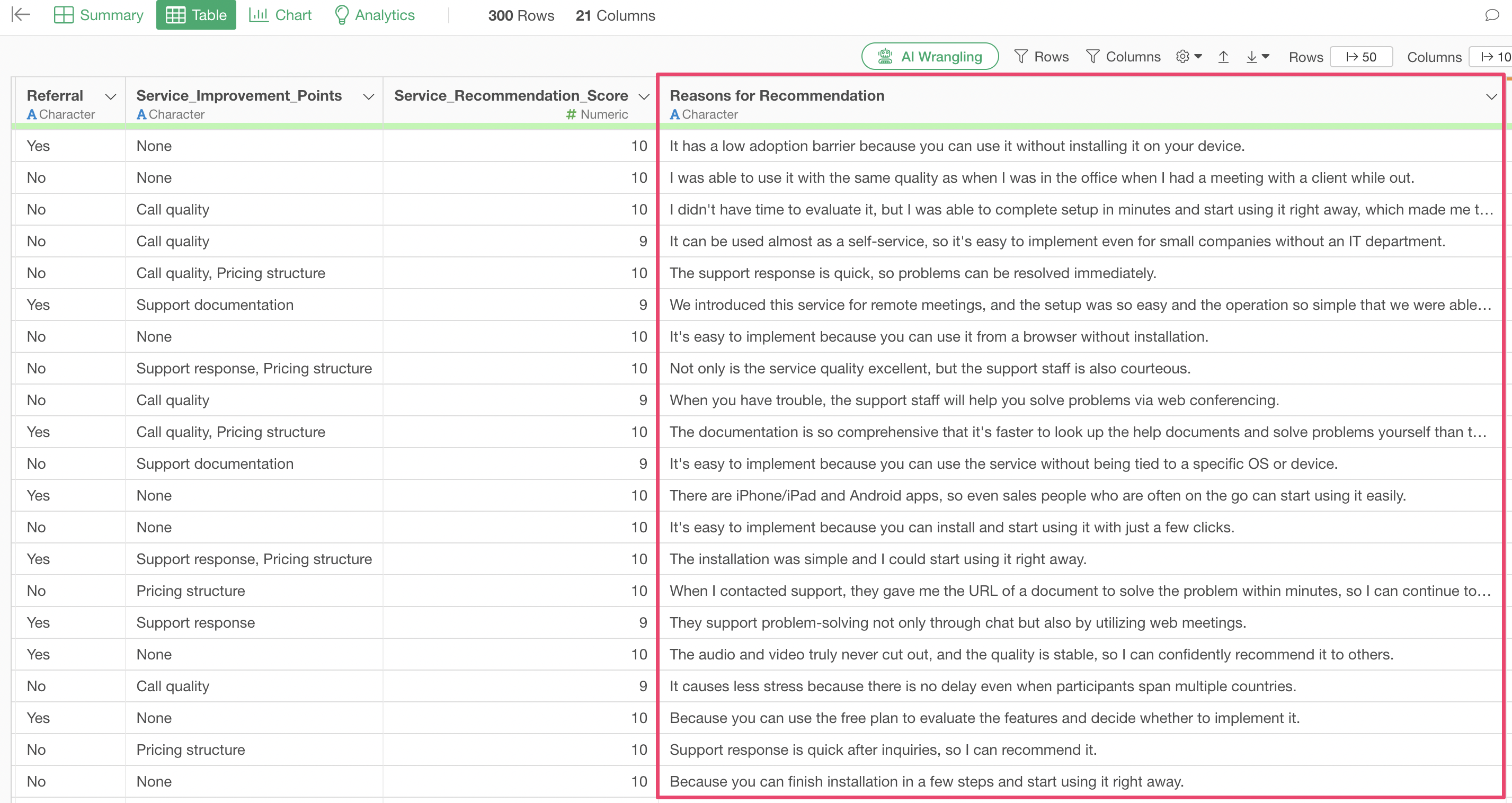
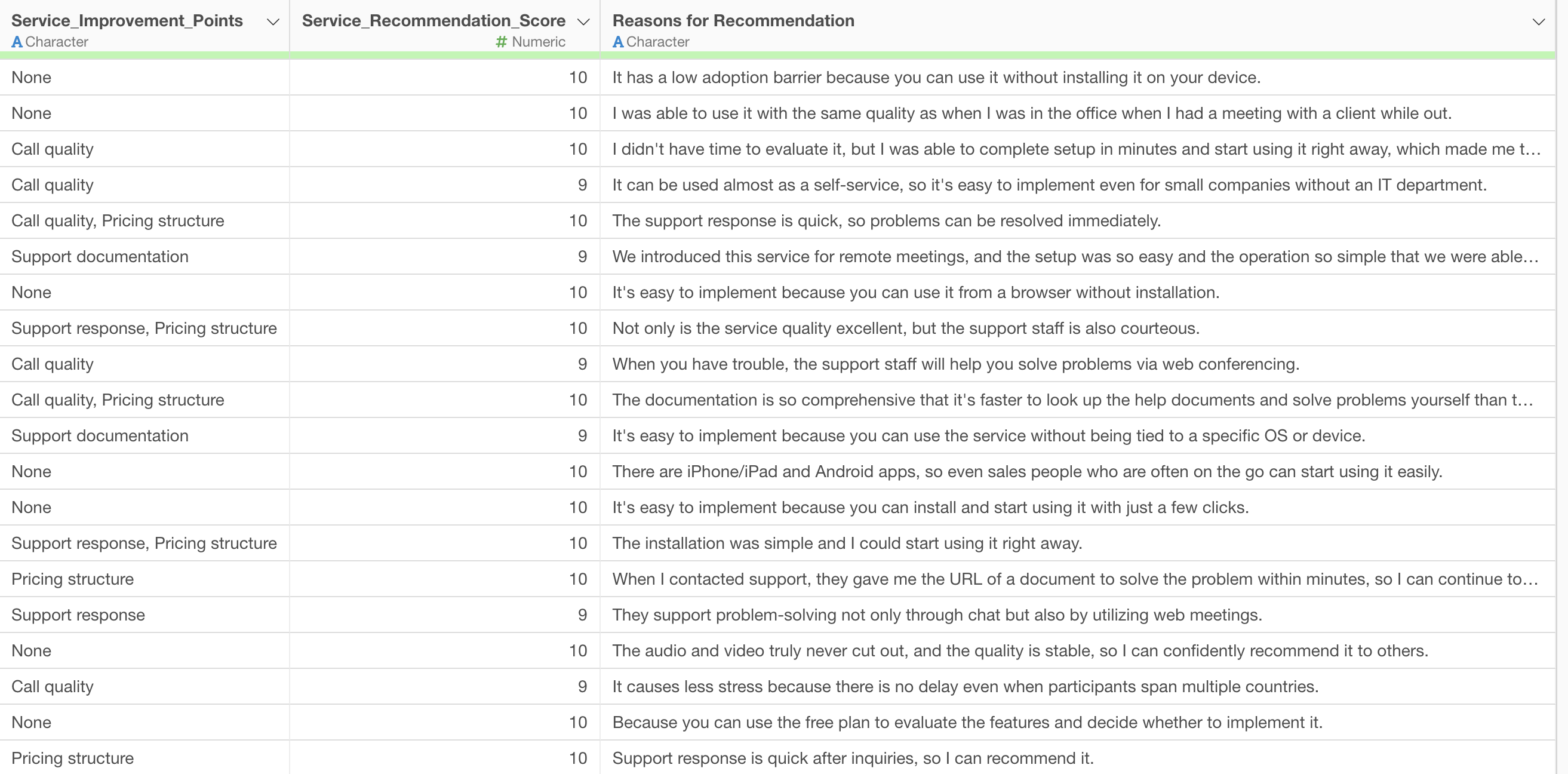
For example, in the survey data below, there is a column for free-text responses such as “Reason for Recommendation.”
Previously, it was common to group text using the “Topic Model” feature in Exploratory’s Analytics view. However, topic models automatically extract topics from data, making it impossible to label text into predefined specific groups.
Furthermore, when attempting to label text using methods other than topic models, the following issues arise:
- Limitations of Manual Classification: Manually reading and classifying each free-text response is time-consuming and labor-intensive, and the results can vary due to the classifier’s subjectivity. This is especially impractical for large datasets.
- Barriers to Utilizing Existing AI: Using advanced AI for text classification often requires programming skills and machine learning expertise, posing a high barrier to entry for many business users.
- Inadequate Response to Specific Business Needs: Generic text classification tools often struggle to flexibly set detailed classification criteria specific to a company’s business (e.g., “Good Support,” “Low Product Rating”), making it difficult to extract the truly desired information.
What are AI Functions?
“AI Functions,” newly introduced in Exploratory v14, solve these challenges, enabling anyone to create AI-powered functions. Without any programming knowledge, you can easily create custom AI functions by simply writing instructions (prompts) in your own words.
This feature leverages state-of-the-art AI in the backend, allowing users to benefit from its powerful analytical capabilities without the hassle of complex configurations or model building.
The AI individually assesses each data row and returns the result as a new column, making it possible to assign appropriate labels and group free-text comments.
This makes advanced text data analysis, previously difficult for non-experts, accessible to all business users.
Grouping Free-Text Responses
Here, we will specifically look at how to classify free-text responses, such as “Reason for Recommendation,” into specific groups using AI Functions.
You can download the data to use from here.
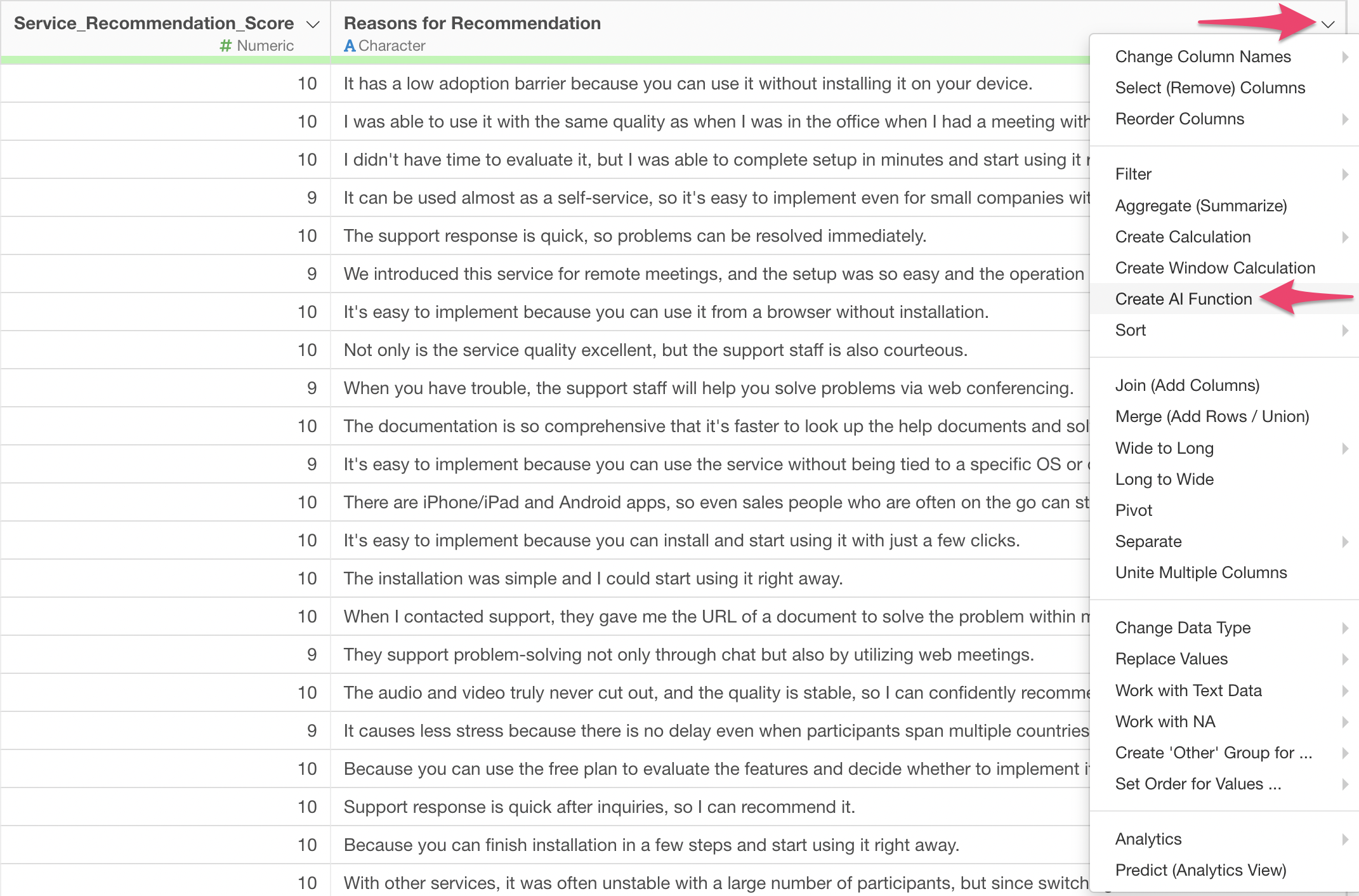
From the column header menu, select “Create AI Function.”
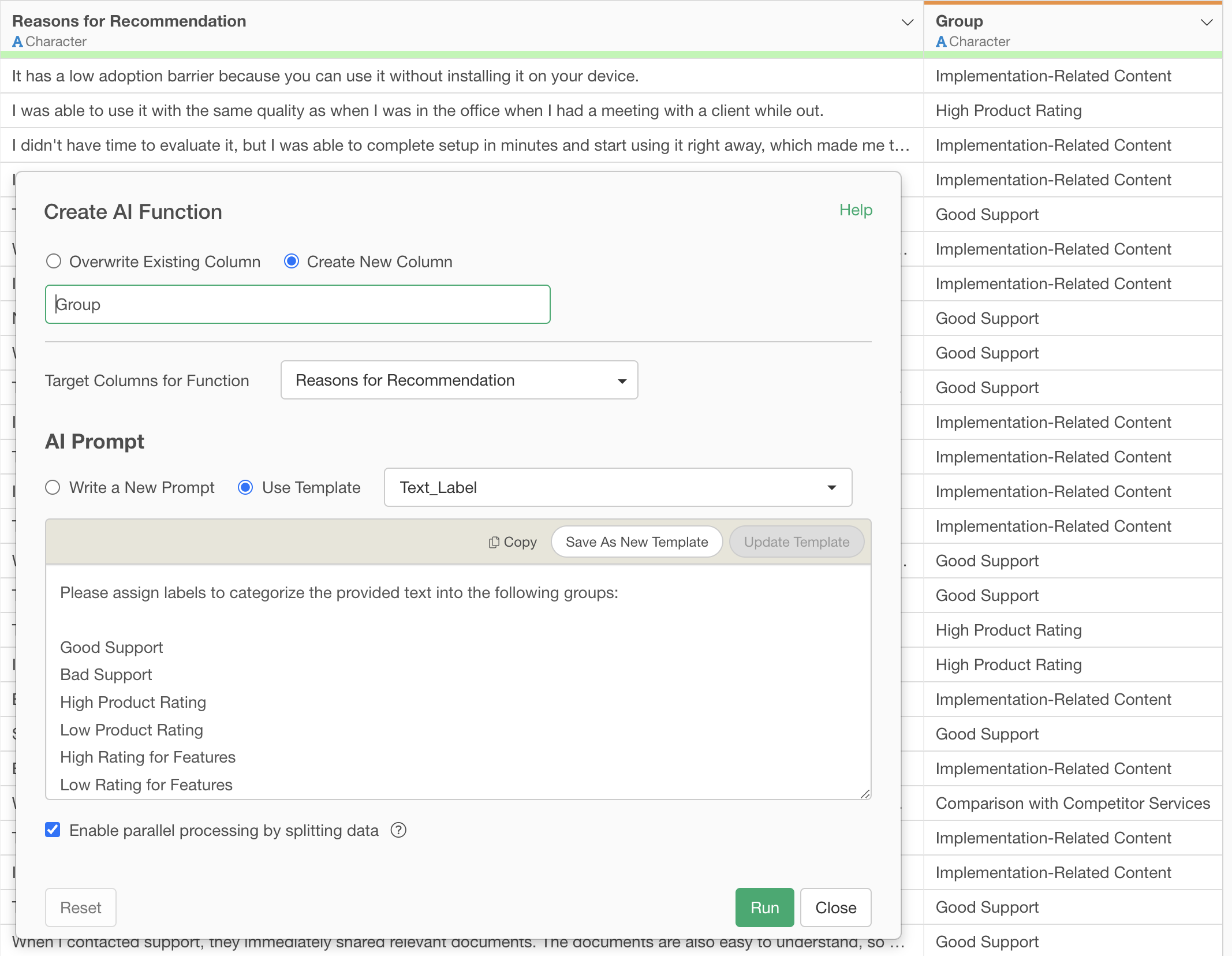
This will display the AI Function dialog.
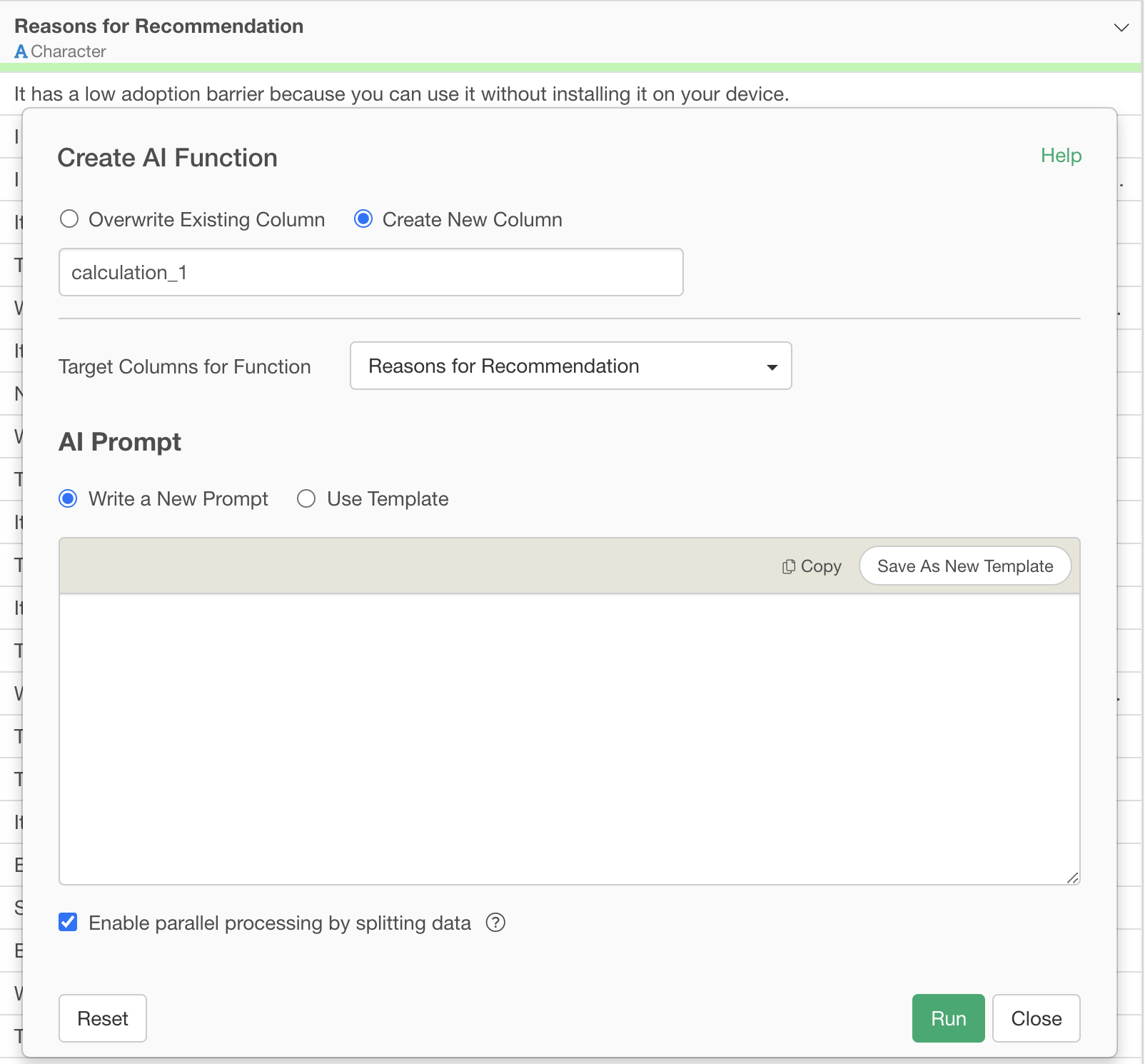 The
prompt is specified and executed as follows:
The
prompt is specified and executed as follows:
Please assign labels to categorize the provided text into the following groups:

Good Support
Bad Support
High Product Rating
Low Product Rating
High Rating for Features
Low Rating for Features
Comparison with Competitor Services
Implementation-Related Content
Pricing-Related Content
Other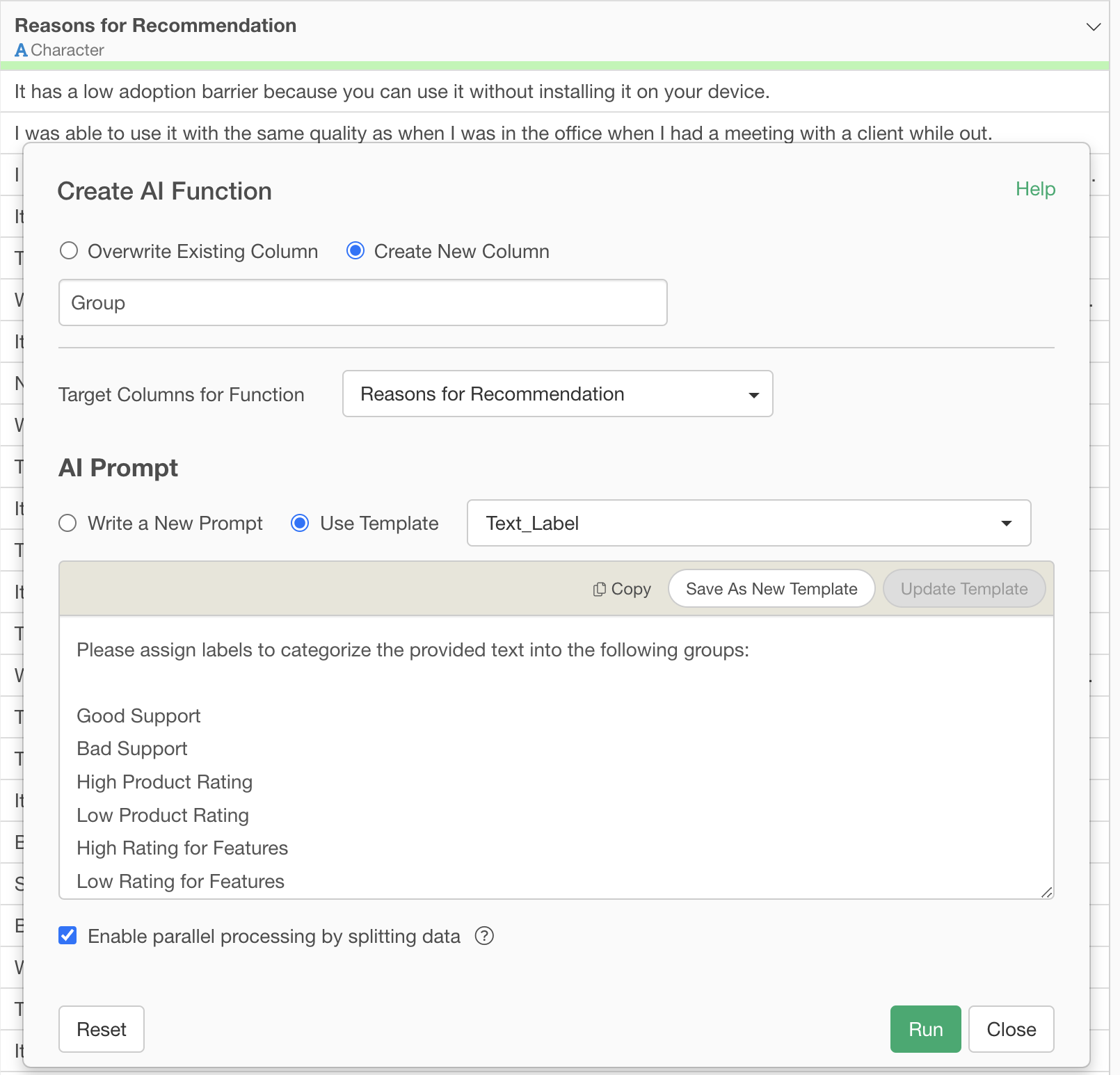
When this prompt is executed, the AI reads the provided free-text responses and assigns the most appropriate label from the 10 specified groups to each row.
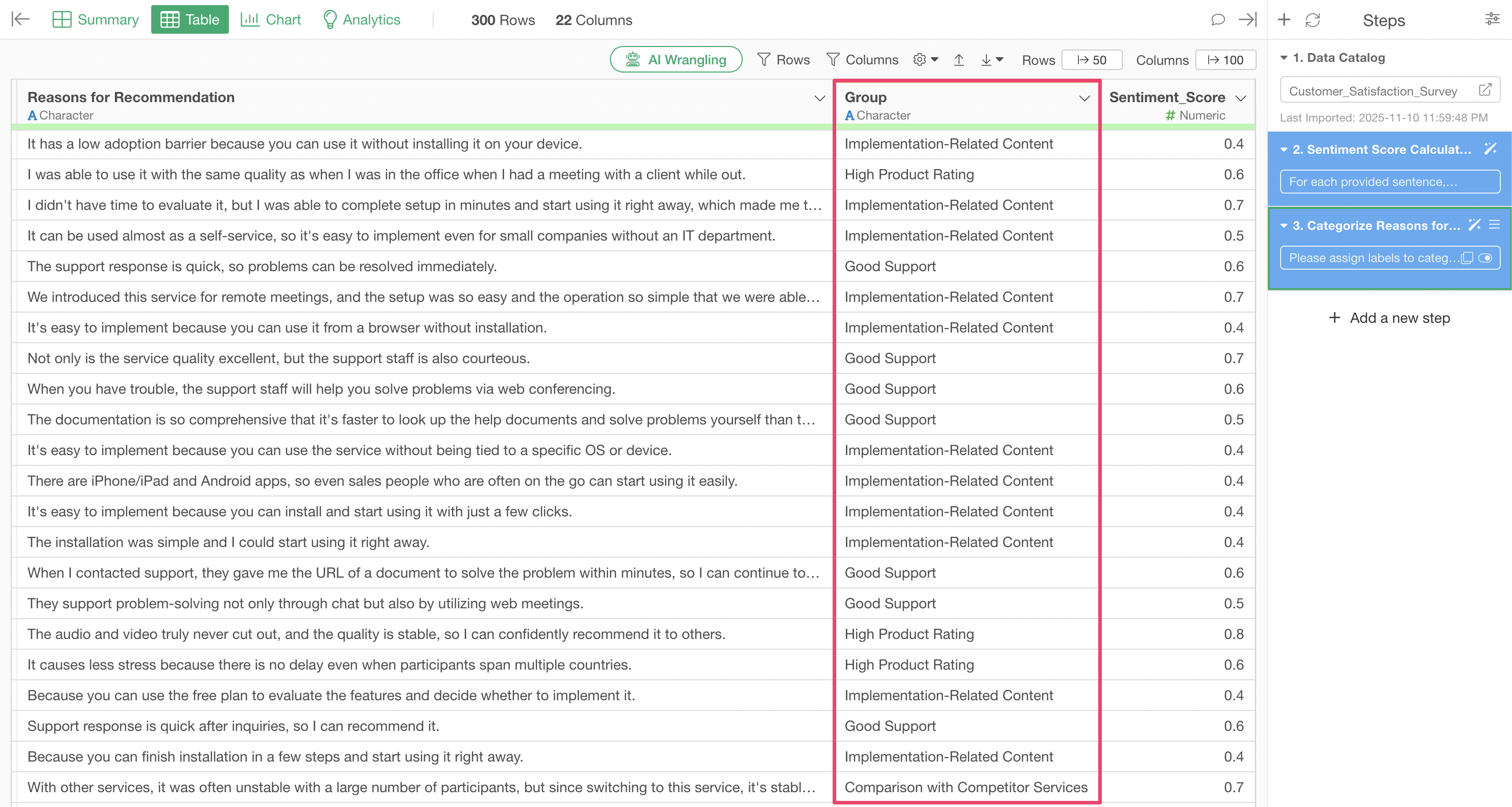 For
example, a response like “The support staff was quick and polite” will
be assigned the label “Good Support,” while “The new feature is
difficult to use” will be assigned “Negative Feature Review.”
For
example, a response like “The support staff was quick and polite” will
be assigned the label “Good Support,” while “The new feature is
difficult to use” will be assigned “Negative Feature Review.”
The results of sampling rows for each group are shown below, confirming that the AI successfully differentiated between good and bad support.
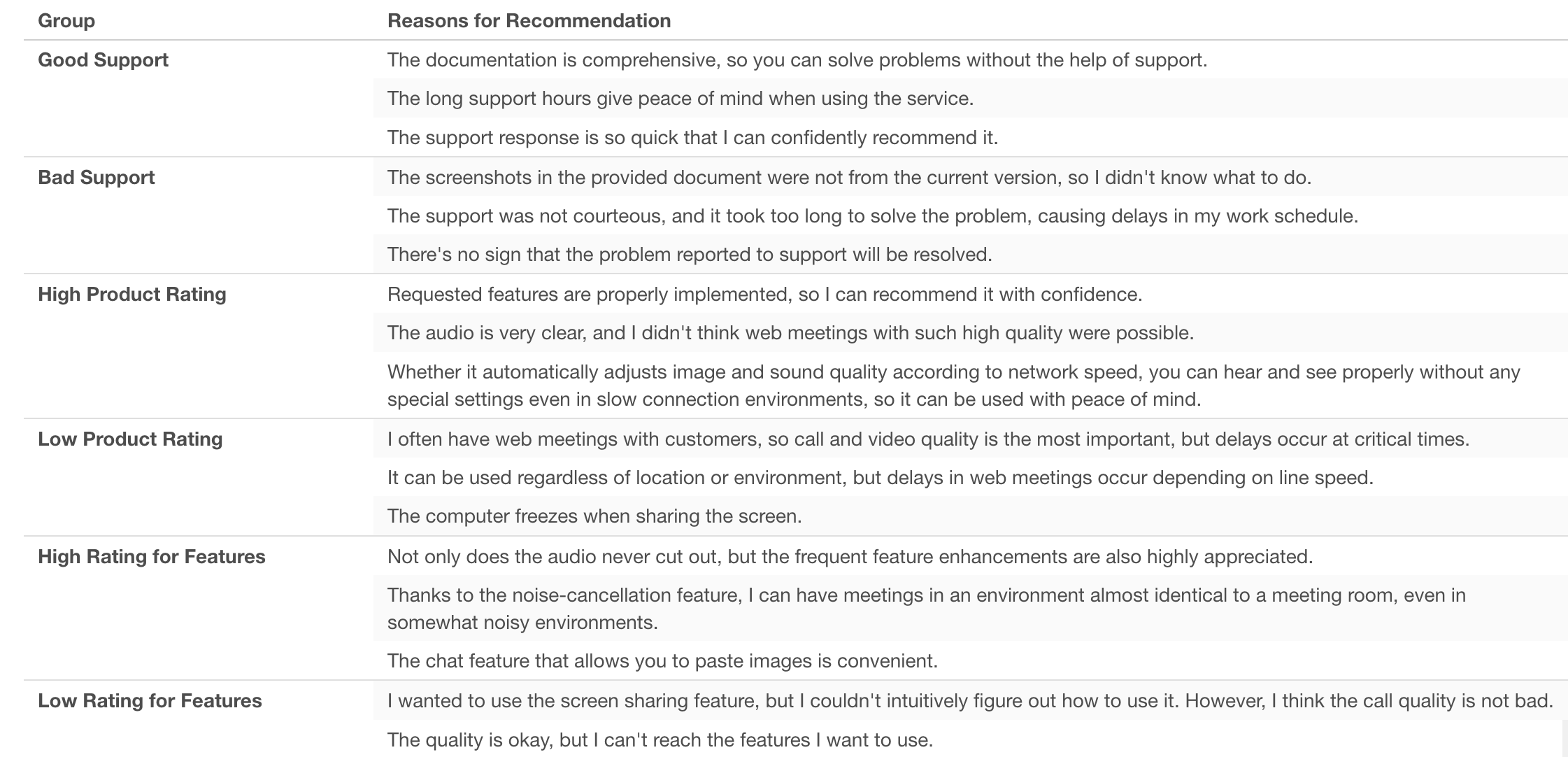
By classifying text with AI in this manner, it becomes possible to efficiently and objectively analyze customer feedback, quickly gaining specific insights that directly lead to product improvements and service enhancements.
Summary: The Era of Easily Grouping Free-Text Responses with AI Functions
Exploratory v14’s “AI Functions” revolutionize data analysis, enabling anyone to perform advanced processing using AI.
- Create AI functions in your own words without programming: No need to write complex code; simply provide instructions in natural language to turn your ideas into AI-powered functions.
- Utilize state-of-the-art AI for your data: With the latest AI technology integrated into Exploratory, you can always apply cutting-edge AI to your data.
- Advanced analysis, once a privilege, is now accessible to everyone: Text analysis, previously difficult for experts, can now be easily performed by business users, significantly expanding the scope of data utilization.
Ready to Experience It?
Exploratory v14’s “AI Functions” is a feature that can elevate your data utilization to the next level. We encourage you to experience it for yourself.
You can try out the latest features of Exploratory, including AI Functions, with a 30-day free trial.