Quantify Customer “Voice” with AI Functions! Derive Sentiment Scores from Free-Text Responses
One common type of question in surveys is “free-text.”
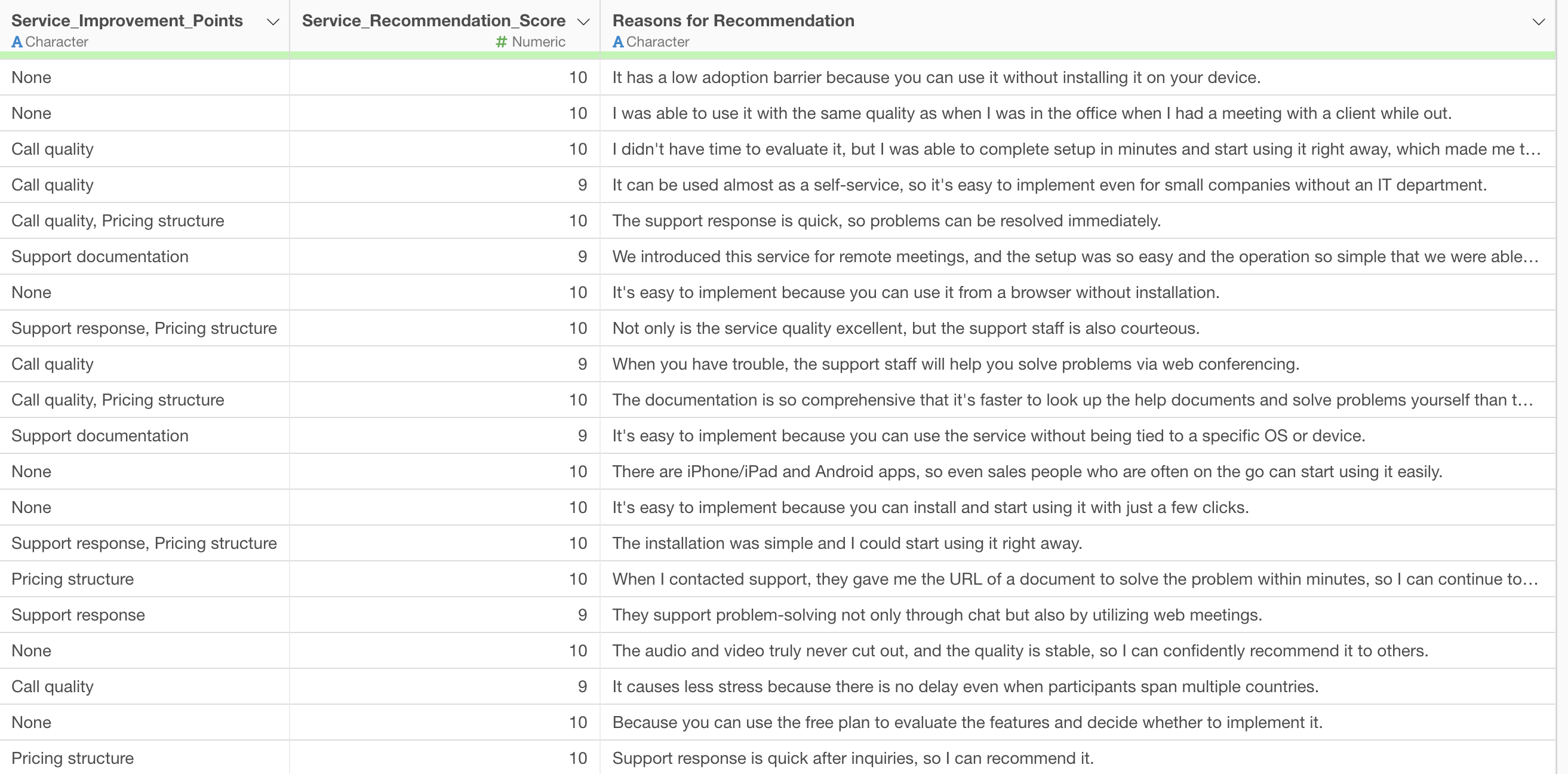
For example, the following survey data includes a column for free-text responses, such as “Reason for Recommendation.”
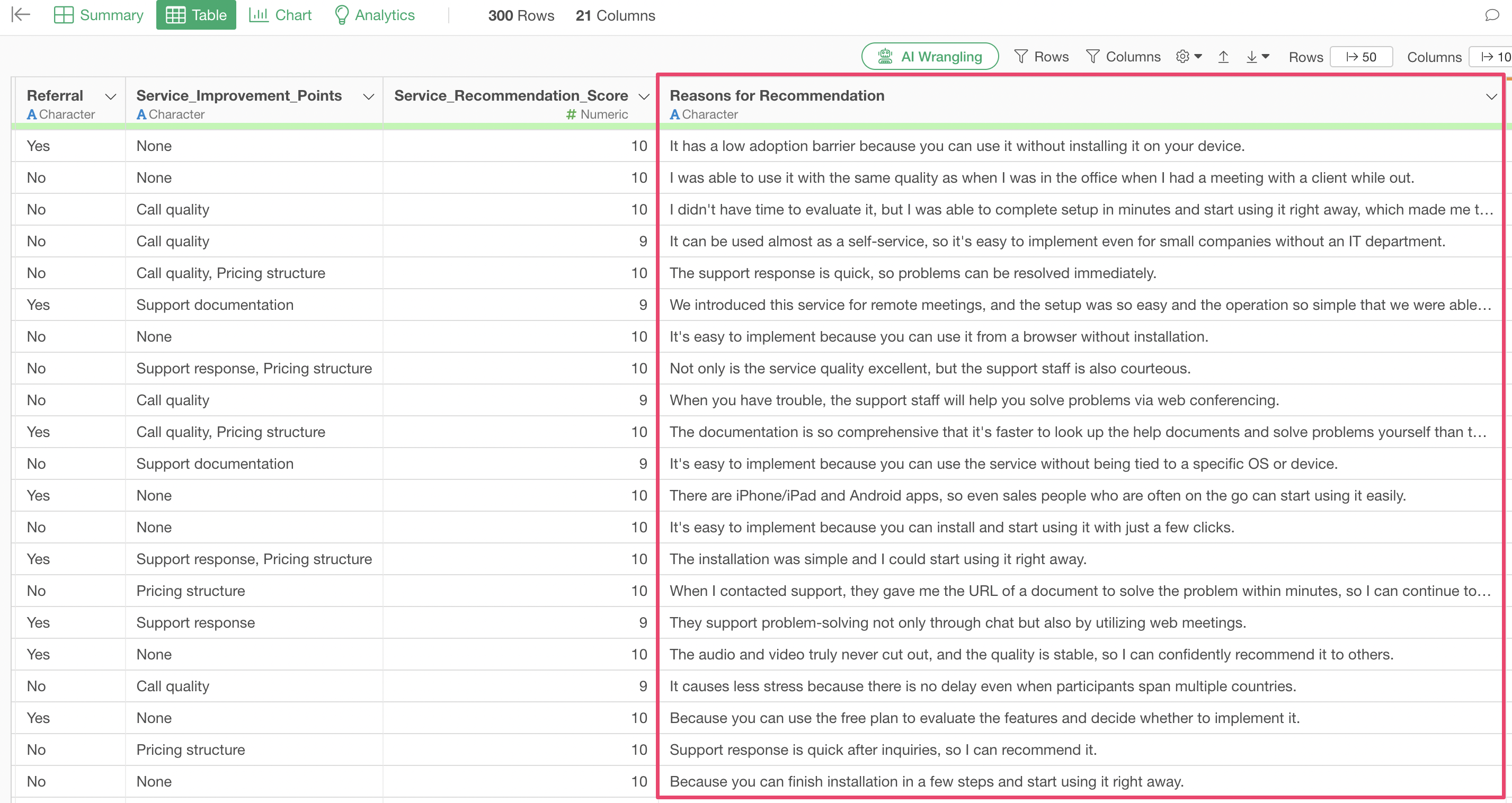
The valuable “voices” collected in the free-text fields of customer surveys are a treasure trove for business improvement. However, many companies face common challenges when analyzing this text data:
- Limitations of Manual Scoring: Reading through a vast number of free-text comments one by one and classifying emotions is time-consuming, labor-intensive, and prone to human error, making efficient analysis difficult.
- Difficulty in Quantifying Emotions: Objectively capturing the strength and nuance of customer emotions as numerical values, rather than vague evaluations like “good” or “bad,” is a significant challenge without specialized knowledge or tools.
- Barrier of Expertise: Advanced text analysis and AI utilization require programming skills and machine learning expertise, which many business users find to be a high barrier to entry.
Due to these challenges, many companies miss opportunities to deeply understand customers’ true emotions and make data-driven decisions.
What are AI Functions?
“AI Functions,” newly introduced in Exploratory v14, solve these challenges and enable anyone to create AI-powered functions. Without any programming knowledge, you can easily create custom AI functions by simply writing instructions (prompts) in your own words.
This feature leverages state-of-the-art AI in the backend, allowing users to benefit from its powerful analytical capabilities without complex setup or construction efforts.
The AI makes individual judgments for each data row and returns the results as a new column, making it possible to derive specific numerical values, such as sentiment scores, from each free-text comment.
This allows advanced data processing, which was previously difficult for non-experts, to be easily performed by anyone using Exploratory’s familiar interface.
Calculating Sentiment Scores
Here, we will introduce a specific method for calculating “sentiment scores” from free-text survey responses.
You can download the data to use from here.
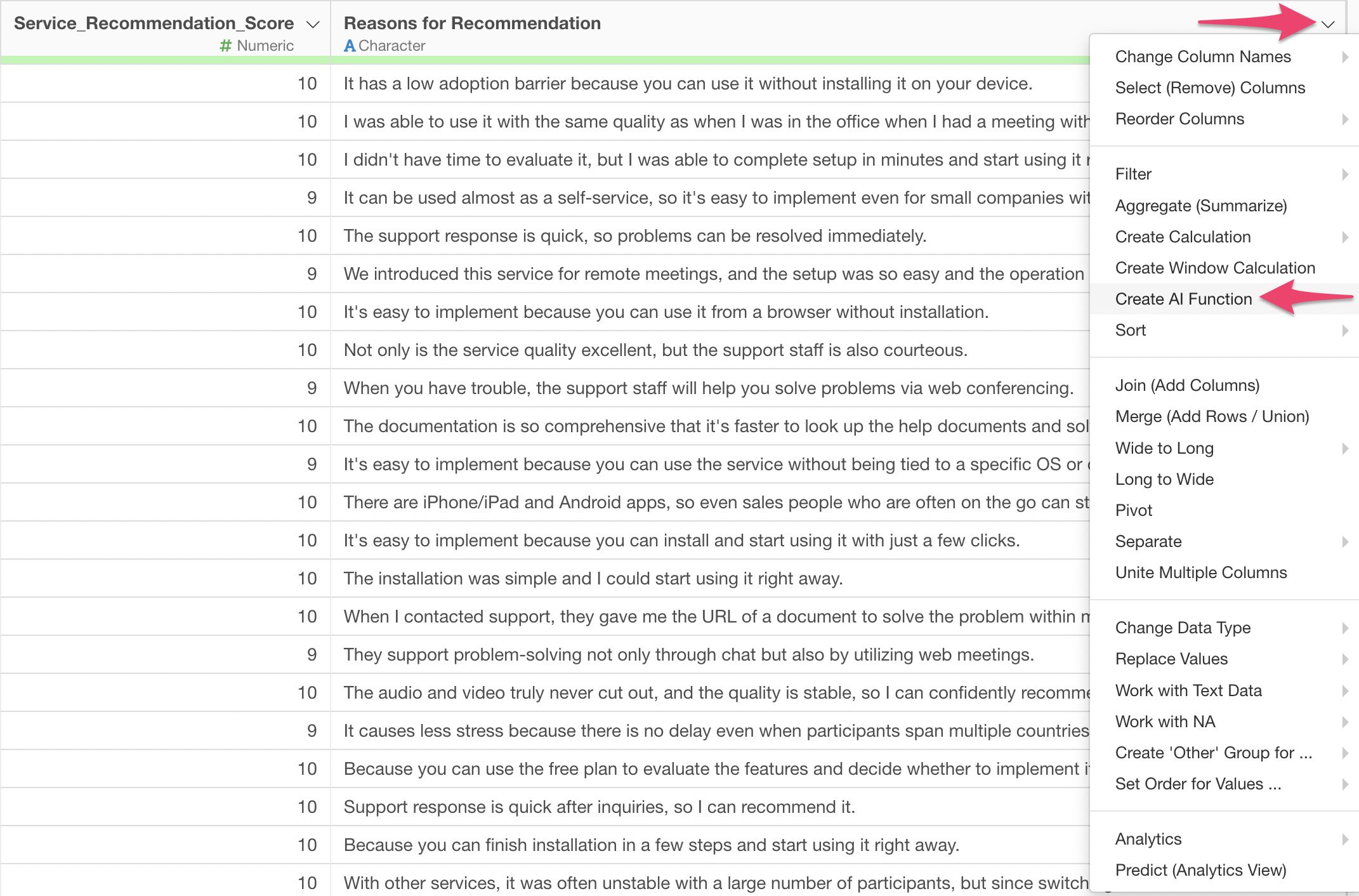
First, from the header menu of the column containing the free-text responses you want to perform sentiment analysis on, select “Create AI Function.”
This will display the AI Function dialog.
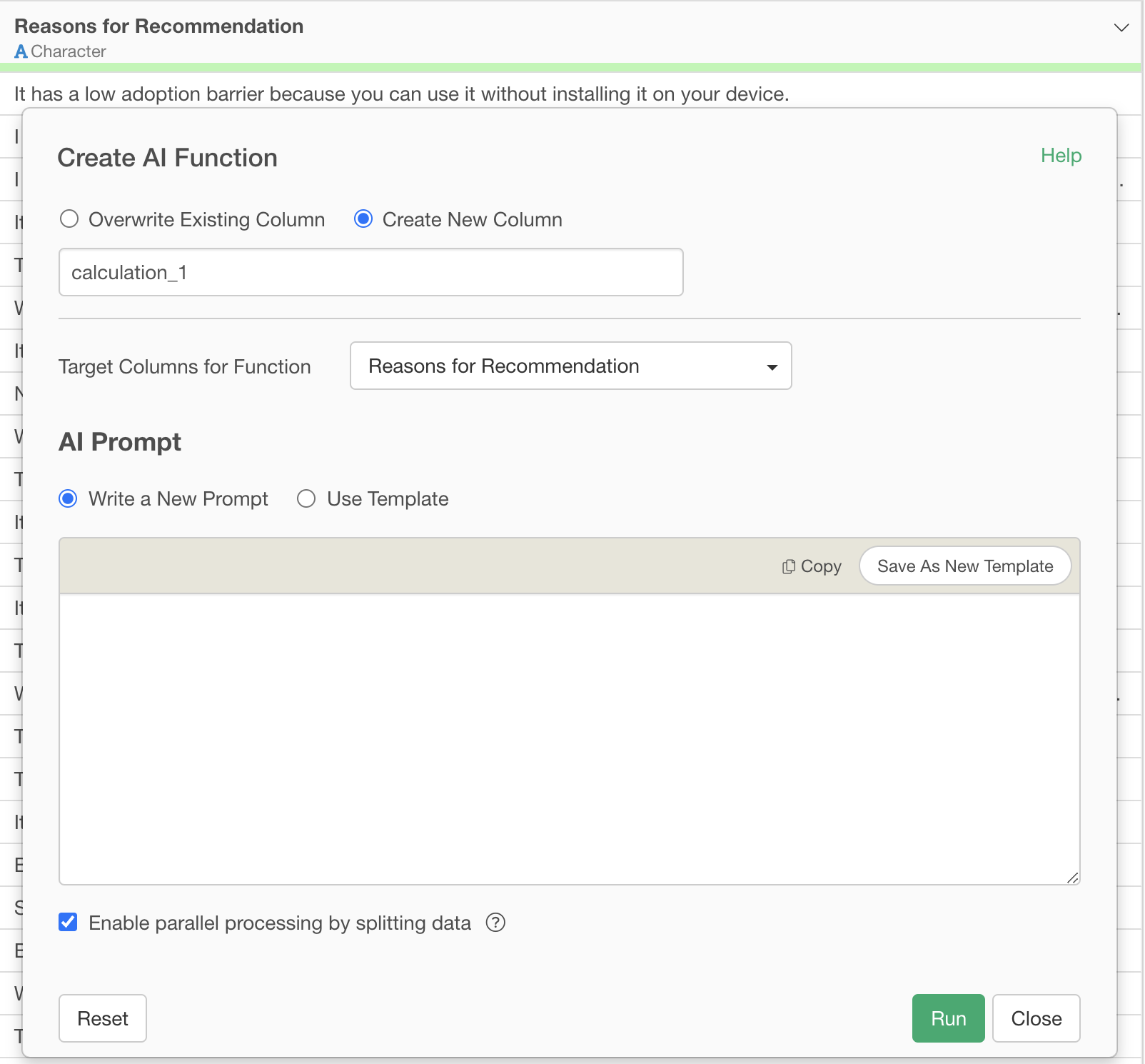
Specify the following prompt and execute it:
For each provided sentence, calculate a polarity score in the range of -1.0 to +1.0.

Scoring Criteria:

Extremely Positive (+0.8 ~ +1.0)
- Expressions showing strong satisfaction or praise
- Situations where problems are completely resolved
- Mentions of outstanding performance or quality

Positive (+0.4 ~ +0.7)
- Mentions of clear advantages or strengths
- Reports of good experiences or results
- Results exceeding expectations

Mildly Positive (+0.1 ~ +0.3)
- Small improvements or advantages
- Fulfillment of basic functions
- General sense of satisfaction

Neutral (-0.1 ~ +0.1)
- Statement of facts
- Explanations without emotion
- Simple situation descriptions

Mildly Negative (-0.3 ~ -0.1)
- Small inconveniences or challenges
- Minor issues
- Points with room for improvement

Negative (-0.7 ~ -0.4)
- Clear problems or dissatisfaction
- Disappointing results
- Lack of important functions

Extremely Negative (-1.0 ~ -0.8)
- Serious problems or malfunctions
- Strong dissatisfaction or negative emotions
- Major obstacles or hindrances

Factors to Consider in Assessment:
- Strength of expressions (degree adverbs like "very," "extremely," etc.)
- Degree of problem resolution (complete resolution, partial resolution, etc.)
- Relationship between expectations and results (above expectations, as expected, below expectations)
- Specificity and importance of advantages/disadvantages
- Overall context and intent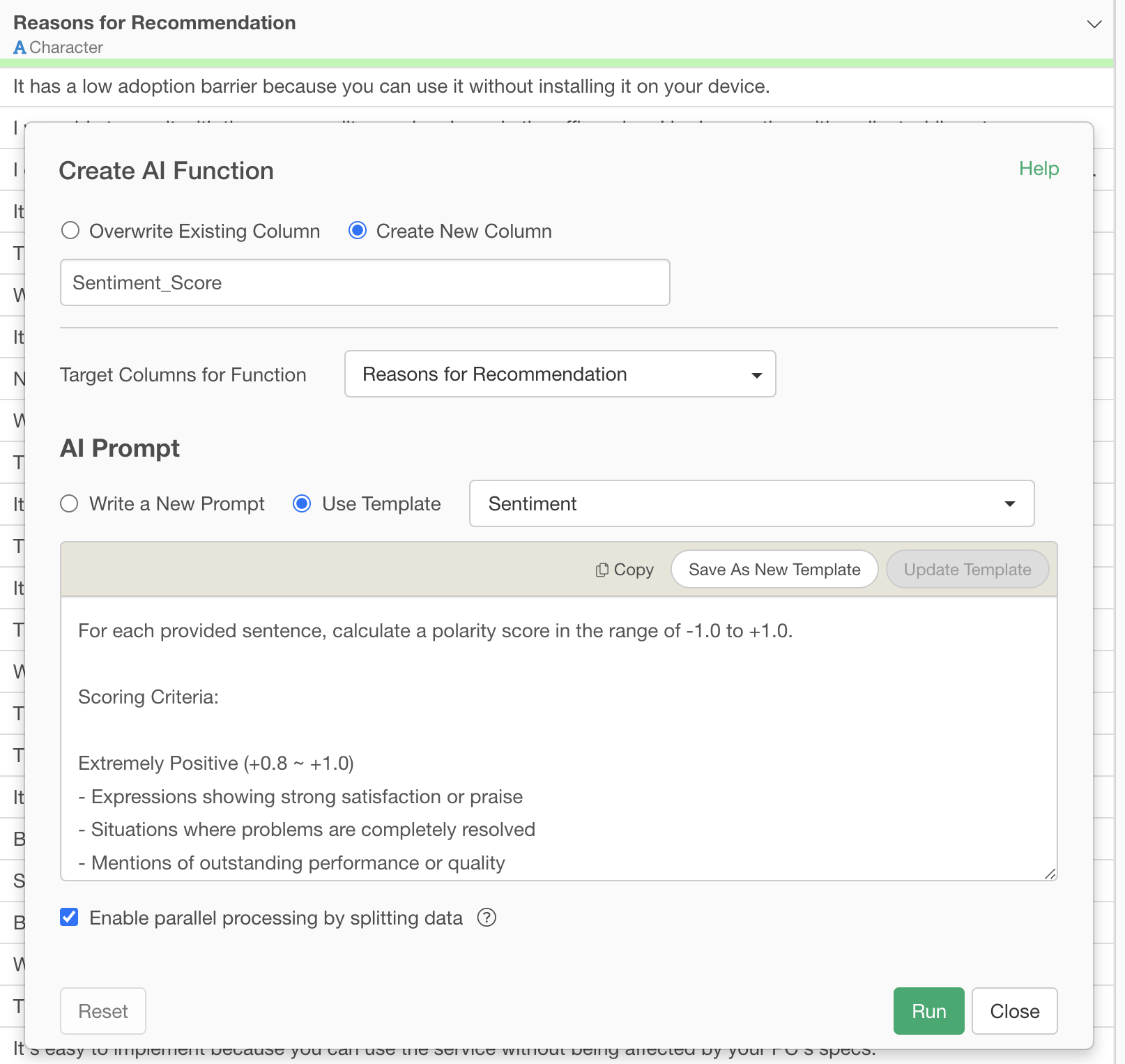
This prompt provides the AI with detailed instructions on the specific criteria and factors to consider when calculating sentiment scores.
For example, “Extremely Positive” corresponds to “expressions indicating strong satisfaction or praise,” and the score range is clearly defined as “+0.8 to +1.0.” This allows the AI to not only determine whether something is positive or negative but also to output the intensity and nuance of that emotion as a continuous value from -1.0 to +1.0.
Upon execution, the sentiment score calculated by the AI for each free-text comment is added as a new column.
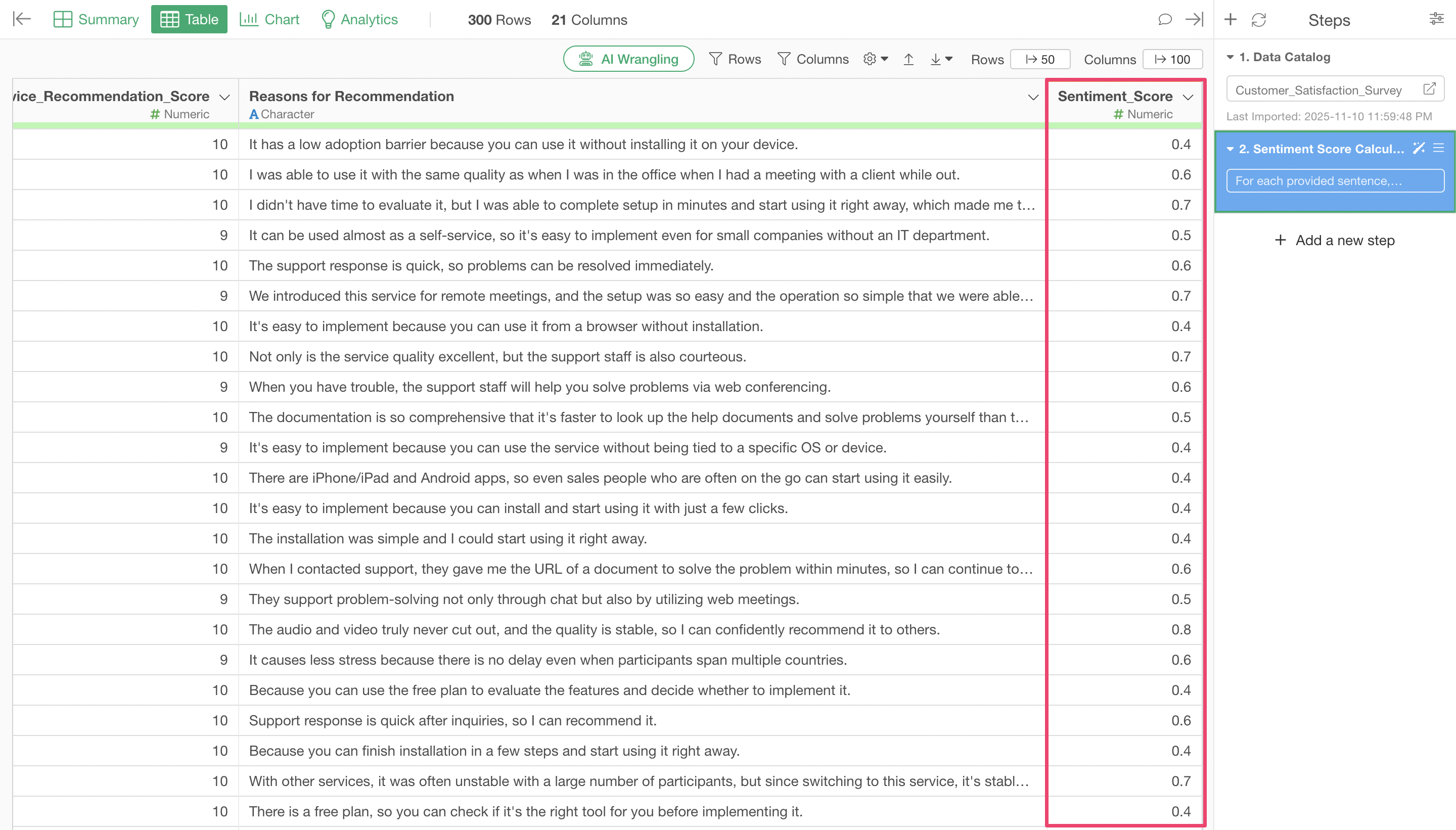
Looking at these sentiment scores, it becomes apparent that as the sentiment score approaches minus one (-1), strong negative content becomes more prominent.
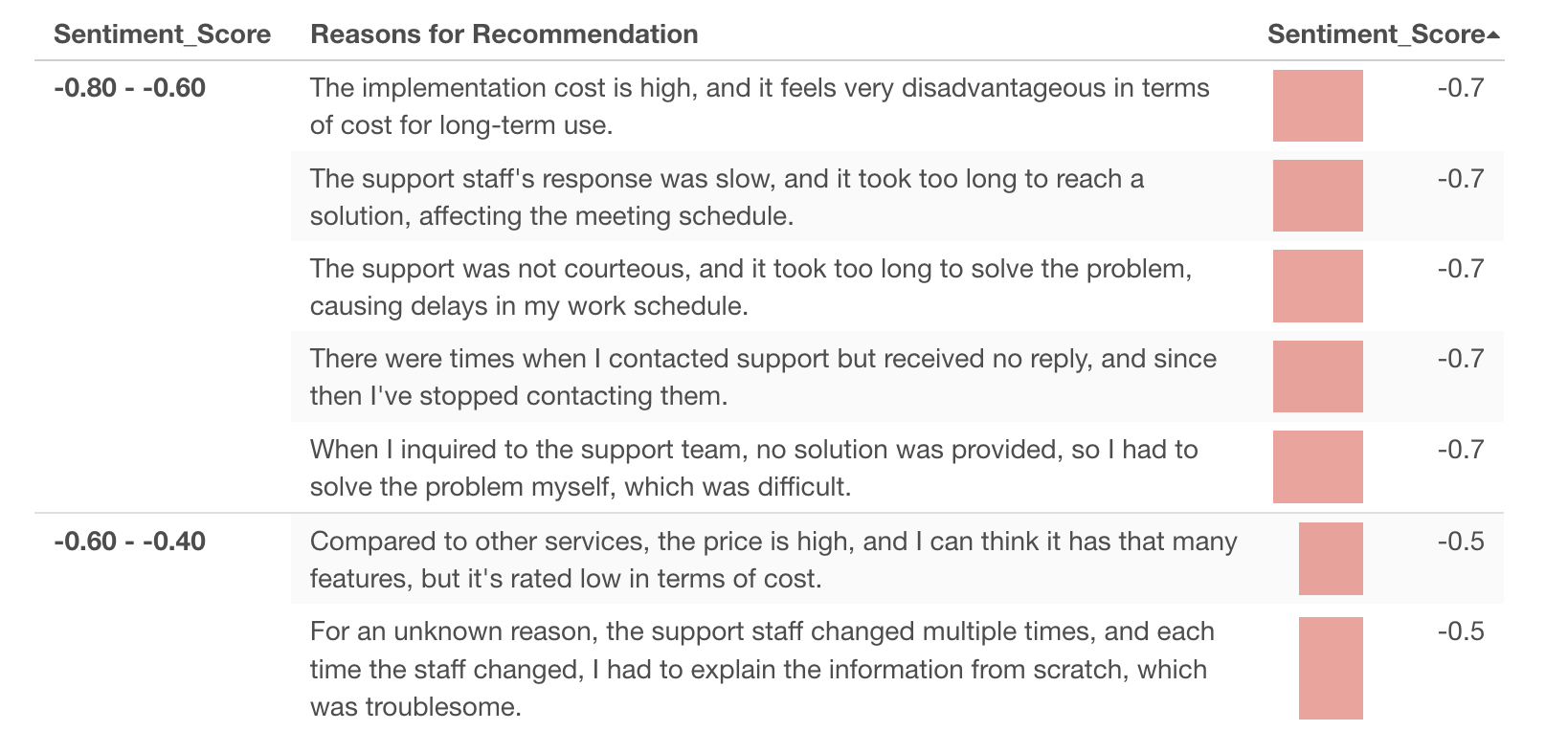
Conversely, as the sentiment score approaches plus one (+1), strong positive content can be observed.
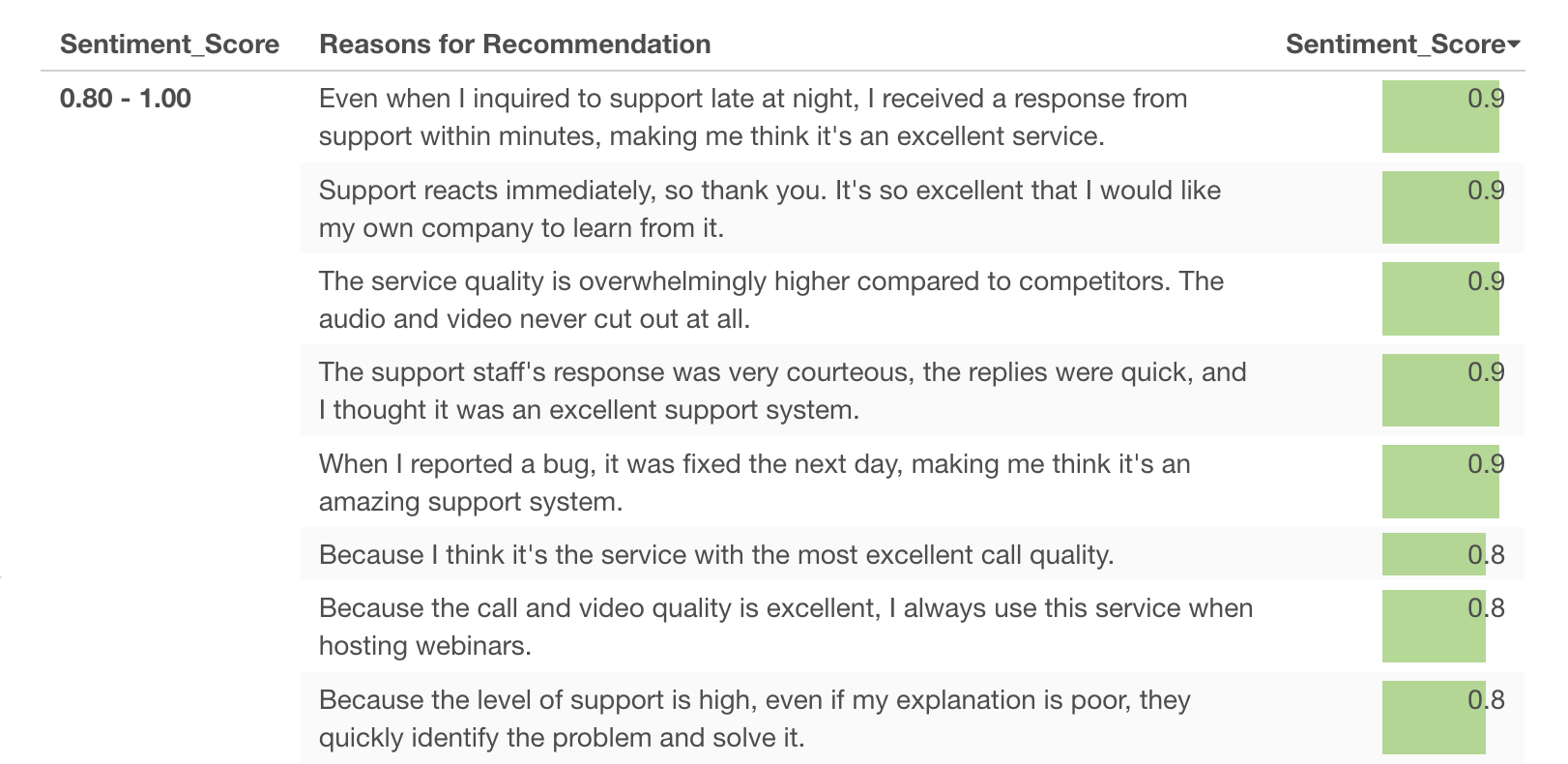
This demonstrates that sentiment scores can be easily generated for free-text responses, and the AI assigns appropriate scores based on the context.
Summary: The Era of Easily Quantifying Customer Voice with AI Functions
Exploratory v14’s “AI Functions” revolutionize data analysis, enabling anyone to perform advanced processing using AI.
- Create AI functions in your own words without programming: No need to write complex code; simply instruct in natural language to turn your ideas into AI-powered functions.
- Utilize world-class AI for your data: With the latest AI technology integrated into Exploratory, you can always apply cutting-edge AI to your data.
- Advanced analysis, once a privilege, is now accessible to everyone: Text analysis and sentiment analysis, previously difficult for non-experts, can now be easily performed by business users, significantly expanding the scope of data utilization.
Ready to Experience It?
Exploratory v14’s “AI Functions” are a feature that can elevate your data utilization to the next level. We encourage you to experience it for yourself.
You can try out the latest features of Exploratory, including AI Functions, with a 30-day free trial.