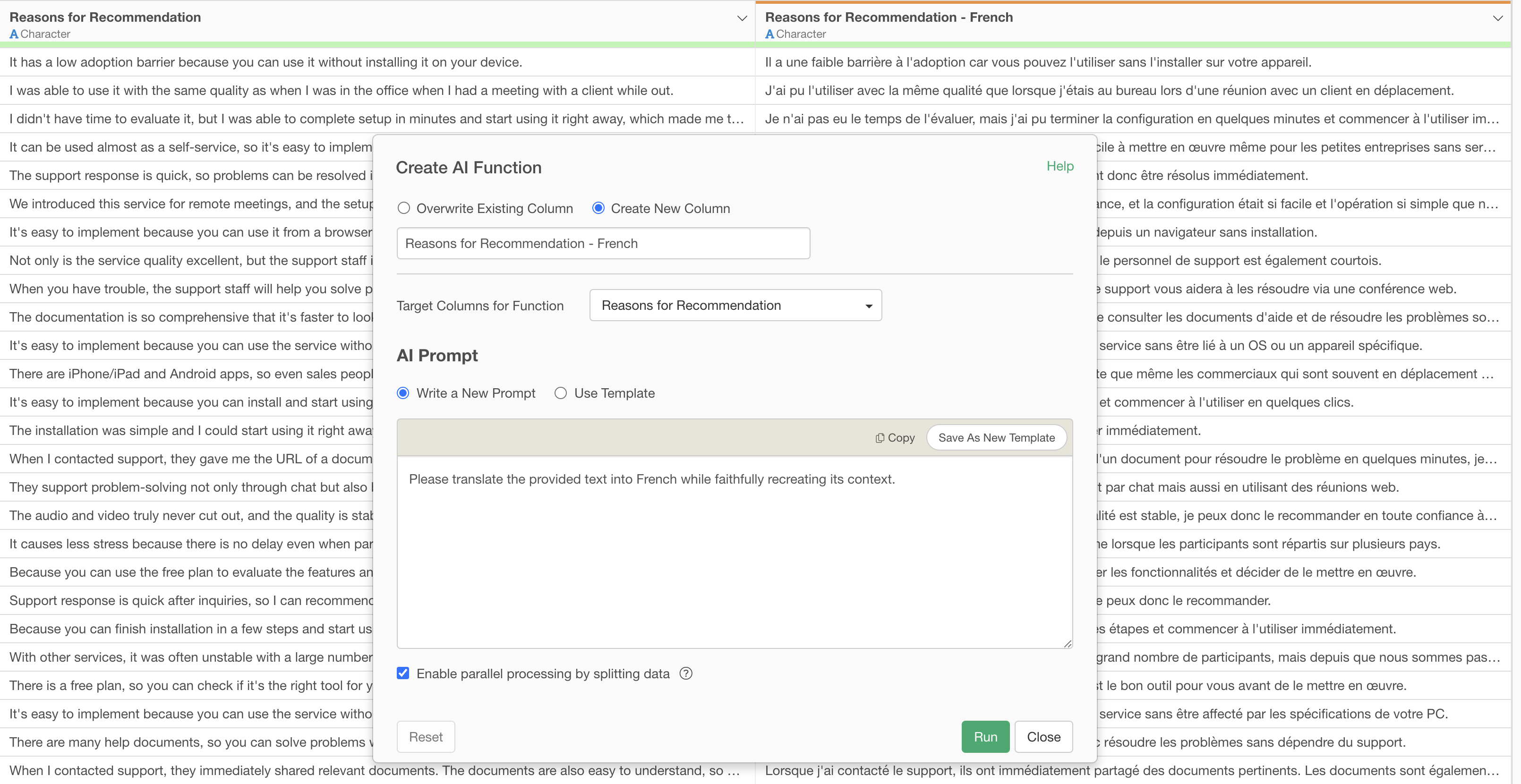
Translate Text with AI Function
In today’s increasingly globalized business environment, the opportunities to handle multilingual text data have dramatically increased. However, many companies and individuals face challenges such as:
- Lack of Translation Accuracy and Consistency: Free translation tools often fail to accurately capture context, leading to mistranslations and unnatural phrasing. This impact is particularly significant for specialized texts and business documents where nuance is crucial.
- Inefficiency of Manual Translation: Manually translating large volumes of text data requires immense time and cost. This can become a bottleneck in operations and potentially lead to missed business opportunities.
- Barriers to Advanced AI Utilization: While cutting-edge AI boasts high translation accuracy, using it to return results line by line requires prompt engineering, which can be a high hurdle for beginners.
What are AI Functions?
“AI Functions,” newly introduced in Exploratory v14, are designed to solve these challenges, enabling anyone to create AI-powered functions. Without any programming knowledge, you can easily create custom AI functions by simply describing your instructions (prompts) in your own words.
This feature leverages the world’s most advanced AI in the backend, allowing users to enjoy its powerful analytical capabilities without the hassle of complex configurations or model building.
Since AI makes individual judgments for each data row and returns the results as a new column, tasks like translating text data become straightforward.
Translating Text Data
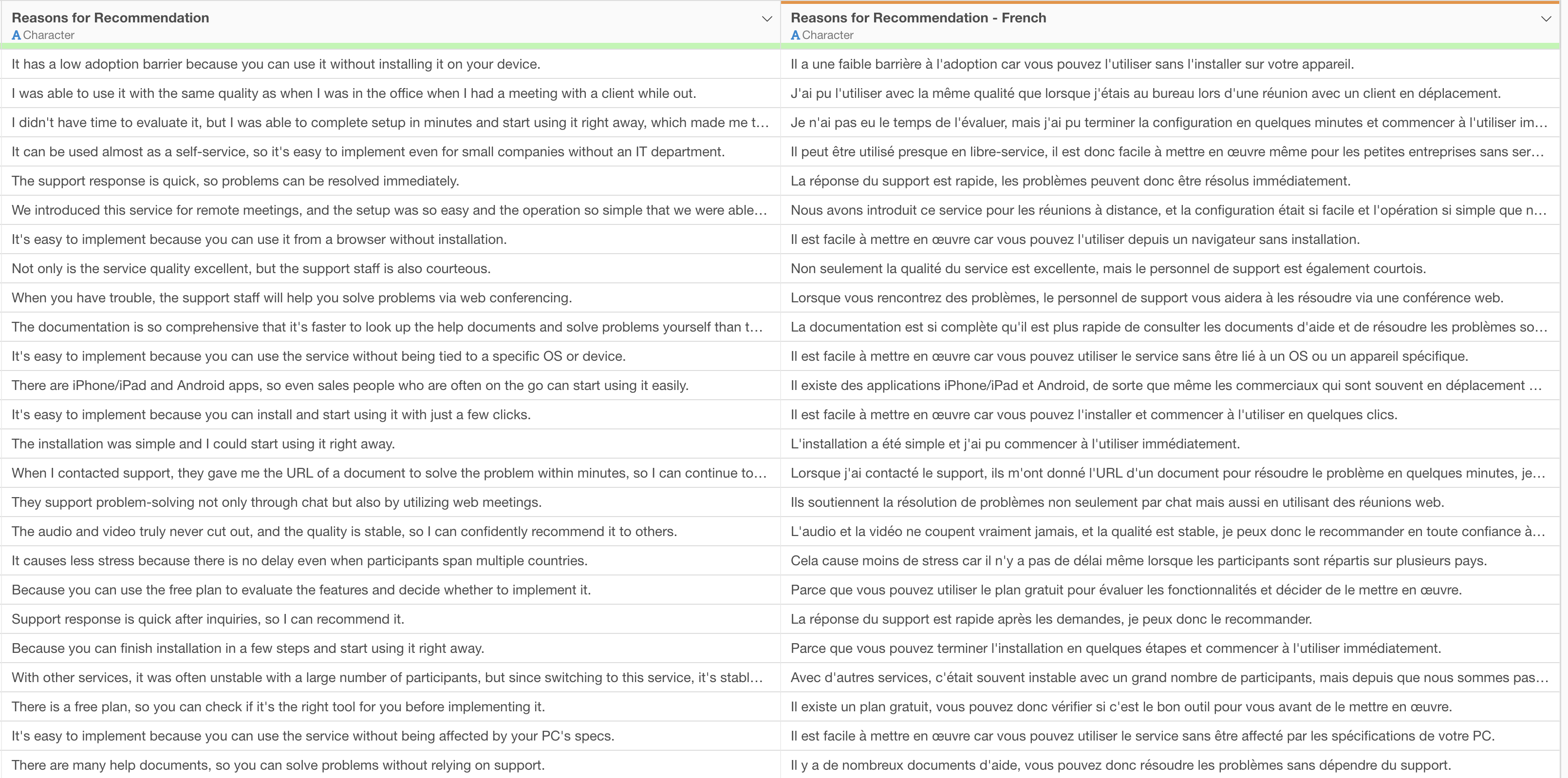
Here, we will demonstrate a specific method for translating text data into French using AI Functions.
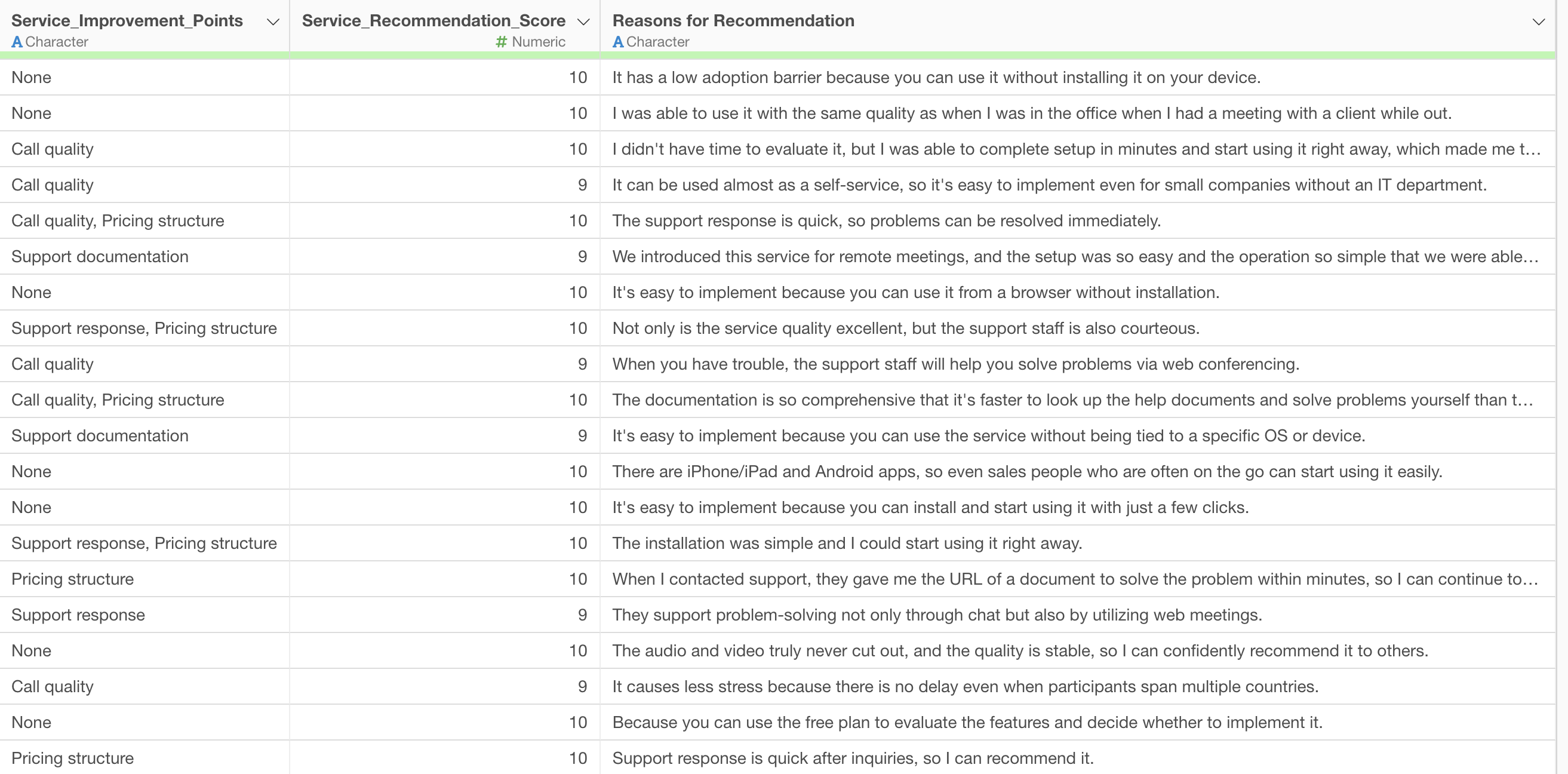
You can download the data to use from here.
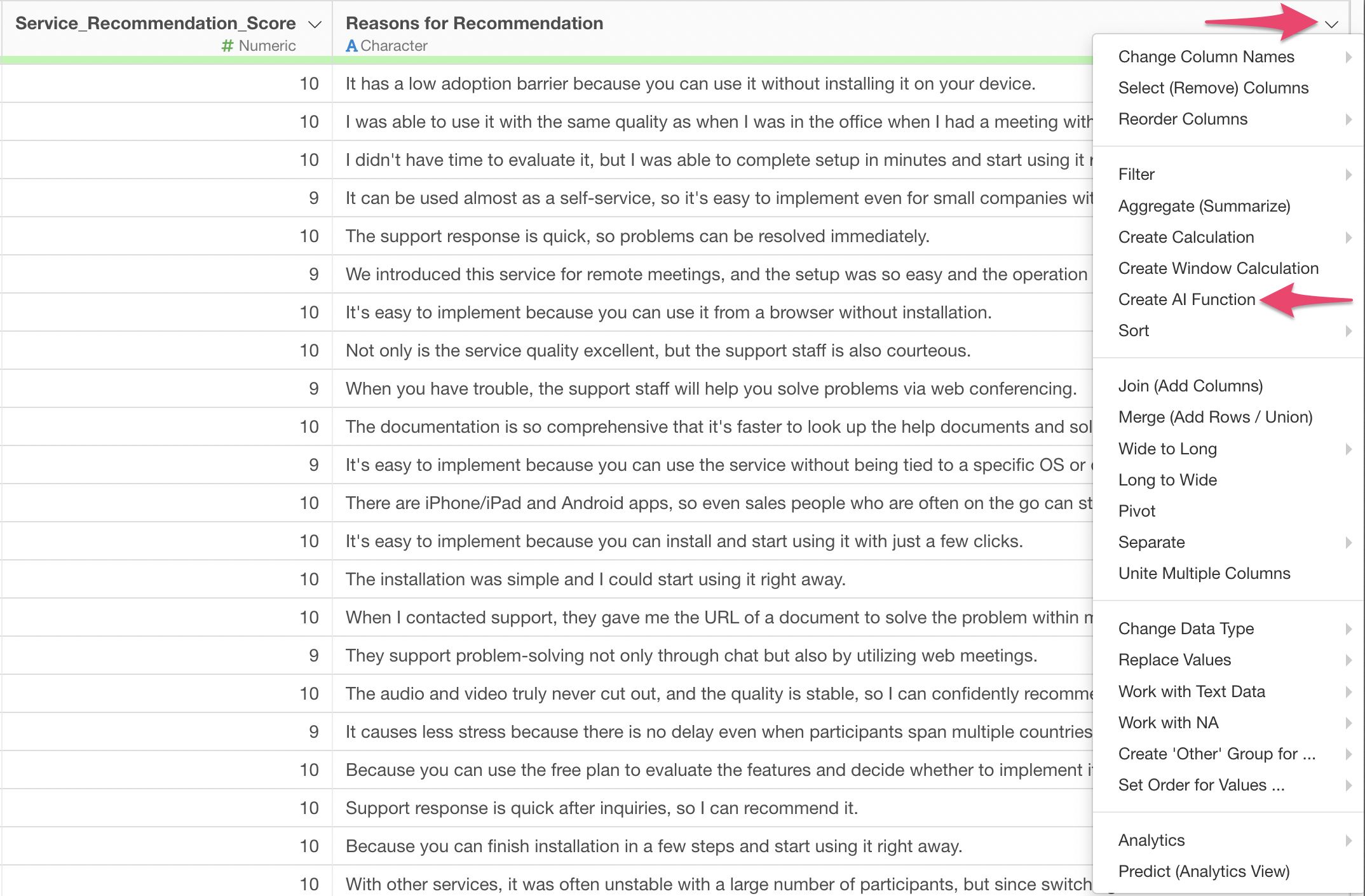
From the column header menu, select “Create AI Function.”
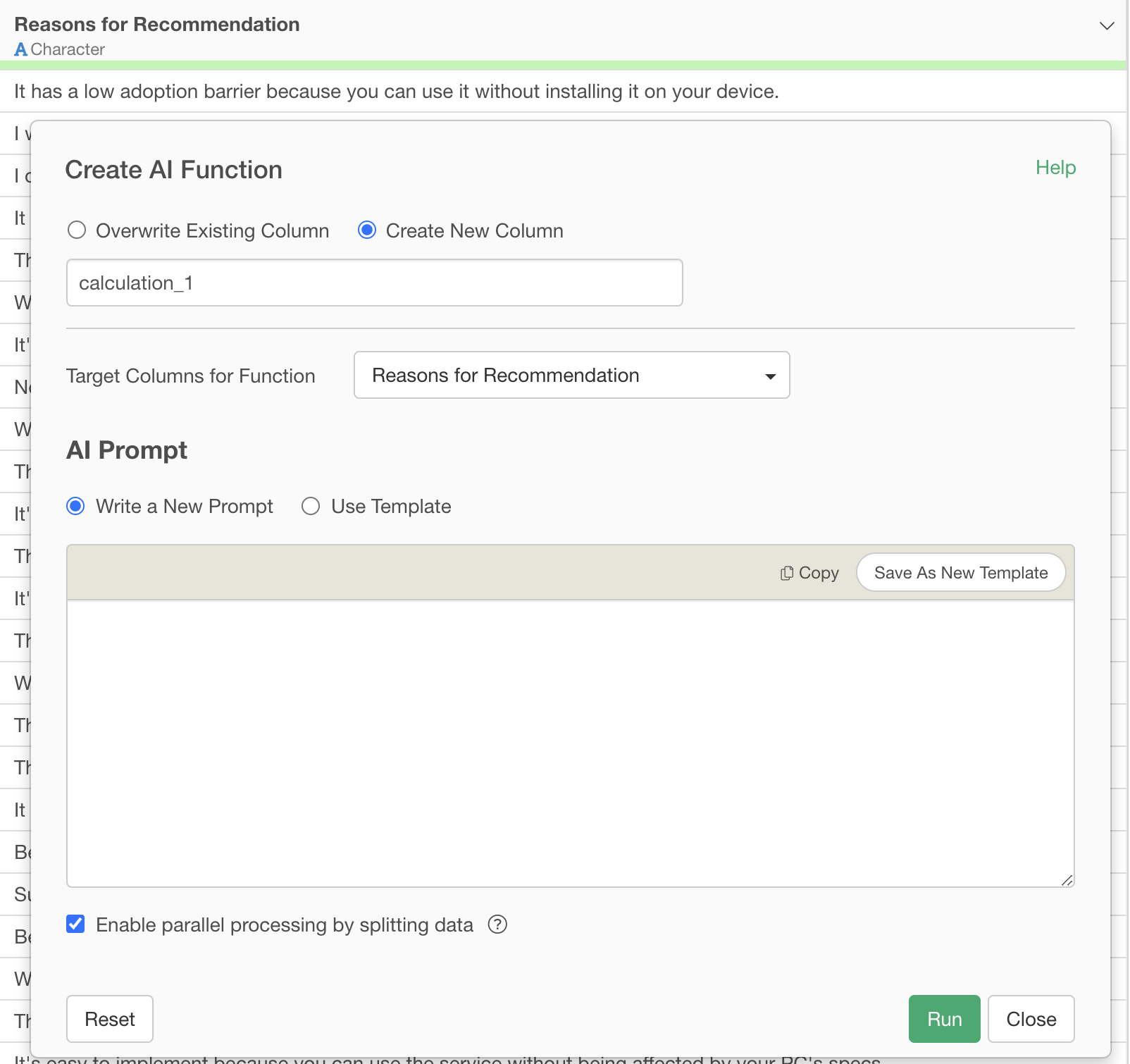
This will display the AI Function dialog.
Specify the prompt as follows and execute it:
Please translate the provided text into French while faithfully recreating its context.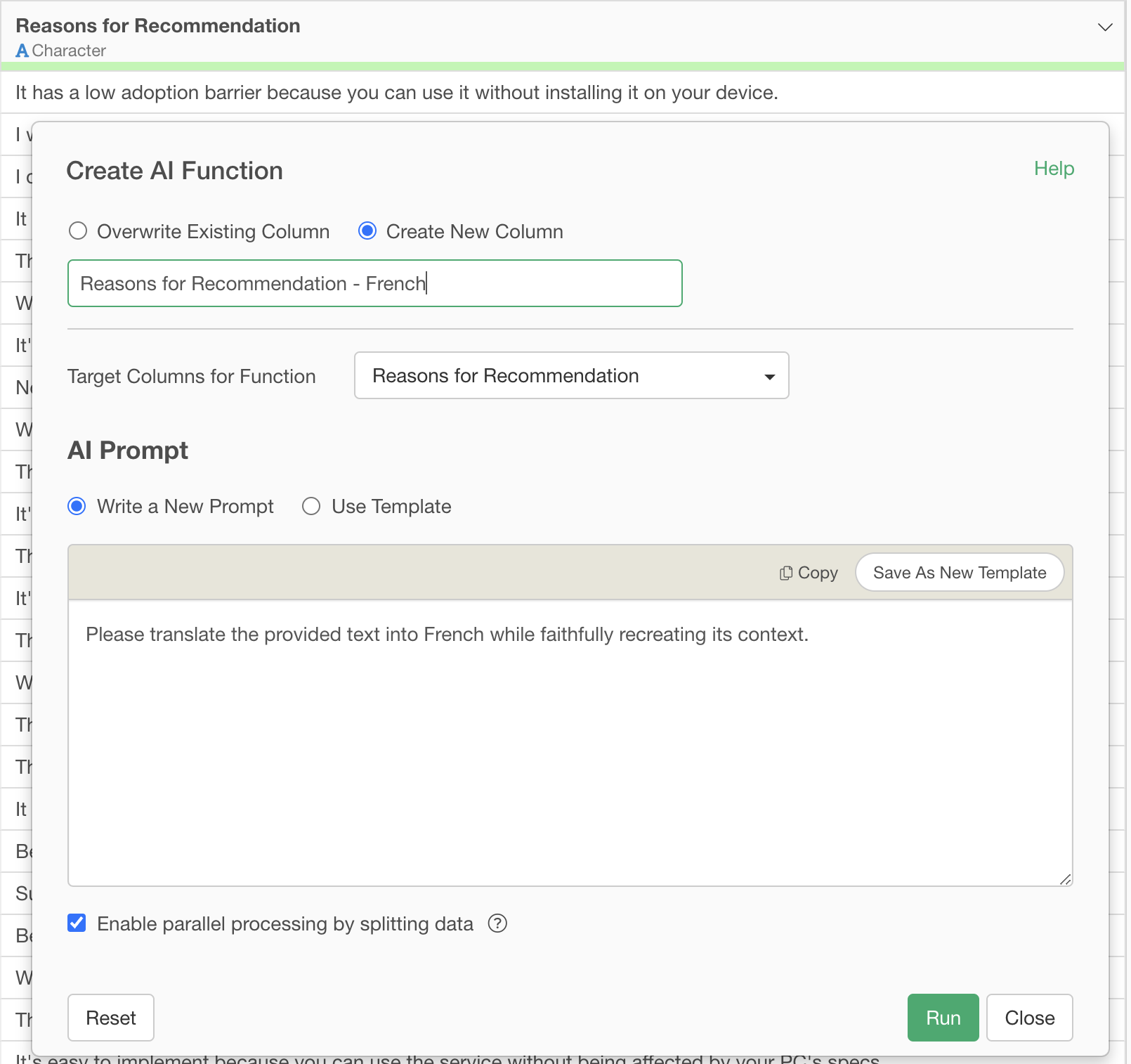
This prompt clearly instructs the AI to “faithfully reproduce the context of the provided text,” rather than just a literal translation.
This ensures that the AI considers the overall flow and nuance of the text, generating a more natural and high-quality translation.
Conclusion: The Era of Easily Overcoming Language Barriers with AI Functions
Exploratory v14’s “AI Function” revolutionize data analysis.
- Create AI functions in your own words without programming: There’s no need to write complex code; you can build AI-powered functions by simply giving instructions in natural language.
- Leverage the world’s most advanced AI for your data: With the latest AI technology integrated into Exploratory, you can always utilize the best-performing AI for your data analysis.
Ready to Experience It Now?
Exploratory v14’s “AI Functions” is a feature that can elevate your data utilization to the next level. We invite you to experience it for yourself.
You can try out AI Functions and other latest features of Exploratory with a 30-day free trial.